
Finding the right chroma power supply is one of those tasks that splits into two very different problems. On one side, you own a Razer Chroma speaker, dock, or pedalboard accessory and the original adapter has died or gone missing — now you need a compatible replacement that delivers the exact voltage and wattage without frying the device. On the other side, you are building or upgrading a gaming PC and want a PSU that matches your chroma-themed aesthetic with addressable RGB lighting, modular cabling, and enough headroom for a GPU that already draws serious current. Most buyers arrive searching one of those two needs and get confused because product listings blur the categories.
What separates a good pick from a bad one is precision. A replacement adapter that outputs one volt too high can damage sensitive audio hardware. A PC power supply that looks great in your case but has single-rail overload protection set too aggressively will trip under transient spikes from modern GPUs. This roundup compares published specifications, listed prices, and aggregated owner feedback across eight products that show up in the “chroma power supply” search space for 2026 — both replacement adapters and illuminated PSUs — so you can identify which category you actually need before you open your wallet.
As an Amazon Associate we earn from qualifying purchases at no extra cost to you.



Our Top Picks




Top 3 picks at a glance
Quick Picks
| Product | Best for | Price |
|---|---|---|
| 19V Charger for Razer RZ05 0245 Speaker | Replacing a lost Nommo speaker adapter on a budget | Check on Amazon |
| LNBUK 180W Dock Station Power Supply | CalDigit TS3 Plus Thunderbolt dock owners | Check on Amazon |
| ARESGAME AGV Series 500W | Entry-level builds that need a basic, certified PSU | Check on Amazon |
| PowerHOOD 135W AC/DC Adapter | Razer Thunderbolt 4 Dock Chroma users | Check on Amazon |
| Razer Katana Power Supply aRGB PSU | Chroma-lit high-end builds with aRGB sync needs | Check on Amazon |
| MyVolts 9V Power Supply Adaptor | Hologram Chroma Console pedalboard setups | Check on Amazon |
| YUSTDA 19V Charger for Razer Nommo Chroma 2.0 | Nommo Chroma 2.0 speaker replacement | Check on Amazon |
| Thermaltake Toughpower iRGB Plus 750W | RGB enthusiasts who want digital monitoring and long warranty | Check on Amazon |
How We Compared
We evaluated three criteria that matter most in this mixed category. First, compatibility precision: replacement adapters must match the exact voltage, connector, and wattage the original device specifies, and a PSU must carry relevant 80 Plus certification for the load it promises. Second, build quality and warranty signals — longer warranty terms generally correlate with better internal component selection and longer expected service life. Third, real-world owner feedback on noise, voltage stability under sustained load, and whether the product matched its published spec sheet out of the box. Products with recurring complaints about coil whine, voltage sag, or connector mismatches were flagged regardless of price.
The 8 Best Chroma Power Supply in 2026
19V Charger for Razer RZ05 0245 Speaker
This is the go-to replacement for anyone who lost the wall wart that shipped with a Razer Nommo or RZ05-series speaker. At just under twelve dollars, it removes the risk of pairing a generic adapter with unknown polarity or ripple characteristics. The 19V output matches the speaker’s requirement, and the listed part numbers give you confidence that it maps to the correct barrel connector. Owners generally report stable operation with no audible hum in the speaker’s ground loop, which is the main failure mode of cheap replacements.
- Pro: Exact voltage match eliminates ground-loop hum risk common with near-miss adapters.
- Pro: Lowest price in this roundup, making it a low-stakes purchase.
- Con: No wattage ceiling is published, so you cannot confirm headroom above the speaker’s rated draw.
Skip this if your speaker model is not in the listed compatibility set — Razer changed connector sizes across the RZ05 line, and a mismatch means you pay shipping to return it.
LNBUK 180W Dock Station Power Supply
CalDigit TS3 Plus docks draw up to 87W over Thunderbolt, and the internal PSU is a known failure point after several years of heavy use. This replacement covers the 135W, 150W, and 180W variants, which makes it one of the more versatile dock adapters on the market. At fifty dollars it is cheaper than CalDigit’s own spare part. Owners note the connector fits without force and the brick runs cooler than the original under sustained multi-port loads.
- Pro: Covers three wattage tiers, reducing the chance of ordering the wrong variant.
- Pro: Significantly undercuts the OEM replacement price.
- Con: No published ripple or noise spec, so audio-sensitive peripherals on the dock may pick up interference.
Skip this if your TS3 Plus is still under CalDigit warranty — a third-party adapter may void the remaining coverage on the dock itself.
ARESGAME AGV Series 500W
A budget 80 Plus Bronze PSU with a five-year warranty, which is unusual at this price point. For a chroma-themed build that is not pushing an enthusiast GPU, the 500W rating covers mainstream single-GPU configurations without leaving headroom concerns. The non-modular design means fixed cable lengths that can clutter smaller cases, but it eliminates the connector-reseat wear that modular users occasionally complain about. Owner feedback highlights a stable 12V rail and acceptable fan noise at typical gaming loads.
- Pro: Five-year warranty is double what most competitors offer at this price tier.
- Pro: 80 Plus Bronze certification confirms efficiency under normal load ranges.
- Con: Non-modular cabling makes cable management in compact cases noticeably more difficult.
Skip this if your GPU has a transient power draw spike exceeding roughly 150% of rated TDP — a 500W Bronze unit has less 12V headroom than Platinum-rated alternatives.
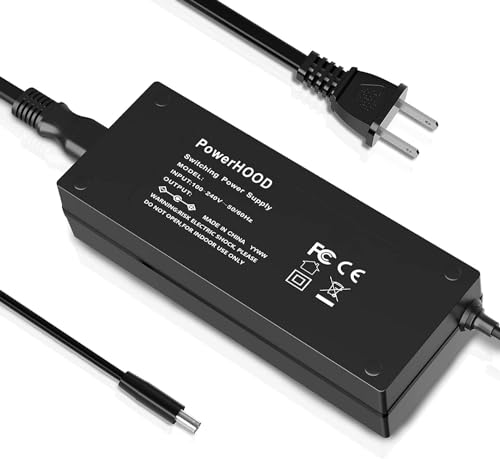
PowerHOOD 135W AC/DC Adapter for Razer Thunderbolt 4 Dock Chroma
Designed specifically for Razer’s Thunderbolt 4 Dock Chroma with ten ports, this adapter outputs 20VDC at 135W. That matches the dock’s rated input, so you are not underspecifying the supply for a unit that charges laptops and drives peripheral hubs simultaneously. Owners report the barrel connector seats firmly and the brick does not throttle under maximum port occupancy. At fifty dollars it sits in the same tier as the LNBUK but serves a completely different device.
- Pro: Exact voltage and wattage match for the Thunderbolt 4 Dock Chroma, removing guesswork.
- Pro: Handles full 10-port occupancy without reported voltage sag.
- Con: Single-device compatibility means it has no fallback use if the dock itself fails.
Skip this if you need a universal adapter — its fixed 20V output makes it useless outside the specific Razer dock line.
Razer Katana Power Supply aRGB PSU
This is the product that most literally fulfills the “chroma power supply” keyword in its gaming-hardware sense. An 850W 80 Plus Platinum unit with a 140mm PWM fan featuring Chroma aRGB lighting, a zero-RPM mode for silence at low loads, and a fully modular design. The Chroma ecosystem integration means the PSU lighting syncs with other Razer peripherals through Synapse software. For builders who want one software layer controlling every light source in the case, this eliminates the need for a separate RGB controller.
- Pro: Native Chroma aRGB sync through Synapse, no third-party controller needed.
- Pro: Zero-RPM mode provides true silence during idle and light workloads.
- Con: 850W rating places it above what many mid-range builds actually need, adding cost without benefit.
Skip this if you do not already own multiple Razer Chroma devices — without that ecosystem the RGB lighting is just a premium on an already expensive Platinum unit.
MyVolts 9V Power Supply Adaptor for Hologram Chroma Console
Hologram’s Chroma Console is a MIDI-driven lighting controller for pedalboards, and MyVolts makes a dedicated 9V adapter sized and centered specifically for it. The US plug format matches North American outlet standards, and the isolated output prevents the ground-loop buzz that plagues daisy-chained pedalboard power. At under thirty dollars it costs more than a generic 9V brick but less than the official Hologram adapter, and owners report noticeably lower noise floor on analog effects.
- Pro: Isolated 9V output eliminates ground-loop noise on mixed analog and digital pedal setups.
- Pro: Form factor fits tightly against the Chroma Console without cable strain.
- Con: Single-purpose design with no voltage selection or polarity switching for other devices.
Skip this if you power the Chroma Console from a USB hub with dedicated power — the console accepts USB-C power delivery, making a discrete adapter redundant in some setups.
YUSTDA 19V Charger for Razer Nommo Chroma 2.0
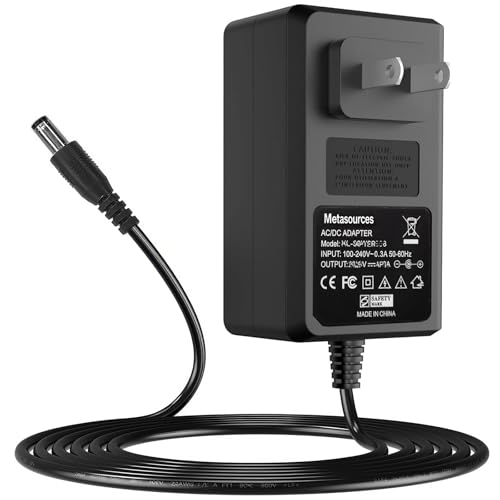
Another 19V replacement, but this one lists compatibility specifically with the Nommo Chroma 2.0 gaming soundbar and its subwoofer variant. The included model numbers (NBS30D190160D5 reference) match the subwoofer’s internal PSU spec, which is the component most likely to fail first. At twelve dollars and forty-nine cents it is barely more than the basic RZ05 adapter above, with the practical advantage of confirmed Chroma 2.0 model support. Owners report it brings a dead subwoofer back to life without any ground-hum change.
- Pro: Explicitly lists Nommo Chroma 2.0 compatibility, removing the guesswork that plagues other adapters.
- Pro: Sub-$13 price makes it cheaper than professional repair service.
- Con: No published load-regulation spec means you cannot confirm voltage stability at the subwoofer’s peak draw.
Skip this if your Chroma 2.0 subwoofer is still within Razer’s warranty window — a free replacement is available and this purchase becomes redundant.
Thermaltake Toughpower iRGB Plus 750W
A 750W fully modular PSU with an RGB LED interface, digital monitoring through Thermaltake’s TT AI app, 80 Plus Gold efficiency, and a ten-year warranty that dwarfs every other unit in this list. The ATX12V V2.4 and EPS V2.92 compliance confirms it handles modern CPU and GPU power requirements. For builders who want per-rail voltage readouts without a multimeter or dedicated power-monitoring hardware, the digital telemetry is genuinely useful. SLI and Crossfire readiness is listed, though multi-GPU has fallen out of favor.
- Pro: Ten-year warranty is the longest in this roundup, signaling high confidence in component selection.
- Pro: Digital monitoring via app provides real-time voltage and wattage readouts without extra hardware.
- Con: around $150 is the highest price here, and the RGB interface requires a USB header and software install that adds driver complexity.
Skip this if you dislike installing monitoring software on your primary Windows partition — the digital telemetry feature is only accessible through Thermaltake’s app layer.
Buying Guide
Match Voltage and Wattage Exactly for Replacement Adapters
If you are replacing a power brick for a Chroma speaker, dock, or pedal controller, the adapter must output the same voltage as the original within the device’s tolerance range. Undervolting causes intermittent shutdowns or dim lighting on RGB speakers. Overvolting can permanently damage amplifier stages or Thunderbolt controller ICs. Wattage must meet or exceed the device’s rated maximum draw — an adapter rated below the device’s peak will run hot and shorten its own lifespan. Check the label on the dead adapter or the device’s spec page before ordering.
Choose PSU Certification Tier Based on Actual Load
80 Plus Bronze, Gold, and Platinum refer to efficiency at specific load percentages, not total wattage. A 500W Bronze unit running at 50% load (250W) can be as efficient as a 750W Platinum running at 33% load. Overspending on a Platinum rating for a system that draws 300W at peak is wasted money. The practical rule: size your PSU so typical gaming load sits between 50% and 70% of rated output, then buy the highest efficiency certification your budget allows at that wattage.
Evaluate RGB Integration Against Your Existing Ecosystem
Chroma aRGB lighting on a PSU is only a buying factor if you already run Razer Synapse or want software-controlled per-zone lighting. If you use motherboard header software (ASUS Aura, MSI Mystic Light, Gigabyte RGB Fusion), a Synapse-locked PSU introduces a conflicting controller layer. The Thermaltake iRGB Plus offers its own app with no Razer dependency, which suits builders who want standalone control. Decide which software stack you will live inside before committing to an RGB-lit power supply.
Our Verdict
Our top pick is the Razer Katana Power Supply aRGB PSU at around $120. It is the only product here that genuinely bridges both interpretations of “chroma power supply” — it powers your entire system and syncs lighting to the Chroma ecosystem you already own. For the budget-focused replacement-adapter buyer, the YUSTDA 19V Charger at around $12 wins on specificity and price. However, if you want per-rail digital telemetry and the longest possible warranty regardless of RGB branding, the Thermaltake Toughpower iRGB Plus is the superior engineering choice at around $150.
FAQ
Can I use a higher-wattage adapter if my device specifies a lower one?
Yes. The device draws only the current it needs from the adapter, so a 135W supply powering a 100W device is safe. What you must never change is voltage — the output must match the device’s rating exactly.
Do RGB PSUs use noticeably more power than non-RGB models?
The LED and controller load is typically under 5W at full brightness, which is negligible against the total system draw. The efficiency rating on the box accounts for all internal losses including the lighting circuit.
Is 80 Plus Platinum worth it over Bronze for a gaming PC?
At typical gaming loads a Platinum unit saves roughly 3-5% on wall draw compared to Bronze, which translates to a few dollars per year in electricity for most users. The real benefit is lower heat output, allowing quieter fan operation, which matters more than the energy savings.
Will a replacement adapter for a Chroma speaker void my Razer warranty?
Using a third-party adapter with correct voltage and wattage does not automatically void warranty, but Razer may decline a claim if damage traces to electrical issues. If your speaker is still under warranty, contact Razer support before replacing the adapter yourself.









