
When planning a modern home, we spend weeks choosing the perfect performance fabrics for the sofa, calculating the clearance of kitchen island countertops, and selecting silent cabinet hardware. Yet, the most critical piece of modern home infrastructure is completely invisible: your digital archive. A home Network Attached Storage (NAS) unit acts as your household’s digital vault, holding decades of family videos, tax records, smart home backups, and raw media streams.
If you are building or buying a home NAS, you will inevitably face a technical crossroads: choosing between ECC (Error-Correcting Code) RAM and Non-ECC RAM. While it sounds like a debate reserved for enterprise IT closets, this decision directly impacts your system’s stability, physical footprint, power consumption, and long-term budget. Do you invest in industrial-grade protection to prevent “silent data corruption,” or does standard, highly accessible Non-ECC memory make more sense for a casual household setup? Let’s break down how this choice fits into your home, your lifestyle, and your budget.
As an Amazon Associate we earn from qualifying purchases at no extra cost to you. Product prices and availability are accurate as of the date shown and are subject to change.



Top 3 picks at a glance
Quick Verdict
For most households prioritizing ease of use, media streaming (like Plex), and budget-friendly hardware, Non-ECC RAM is the practical choice. It integrates seamlessly into standard, low-profile home electronics without requiring specialized processors or expensive motherboards. However, if you are setting up a dedicated home office, running a ZFS-based file system, or archiving irreplaceable family history where even a single corrupted pixel or broken document is unacceptable, ECC RAM is absolutely worth the hardware premium. It acts as an insurance policy for your data, silently correcting memory errors before they can write permanent damage to your hard drives.
Side by Side
To help you visualize how these memory types translate into real-world home integration, we have mapped out their characteristics across key physical, operational, and financial categories.
| Category | ECC RAM | Non-ECC RAM |
|---|---|---|
| Comfort | Maximum peace of mind; virtually eliminates system crashes and data corruption. | Standard reliability; minor risk of software crashes or unrecognized file corruption. |
| Durability | Exceptional; actively detects and corrects single-bit errors in real-time. | Standard; relies on software-level checks; susceptible to bit flips over time. |
| Price range | $150 to $1,800+ (highly dependent on server-grade specifications and speeds). | $40 to $200 (widely available, highly commoditized consumer pricing). |
| Maintenance | Set-it-and-forget-it; requires compatible workstation or server motherboards. | Plug-and-play; universally compatible with standard consumer electronics. |
| Space needed | Typically requires larger micro-ATX or mid-tower cases to house compatible motherboards. | Ultra-compact; fits in tiny 2-bay desktop enclosures or fanless mini-PCs. |
| Look | Industrial, raw green PCBs or thick metal heat spreaders designed for server racks. | Diverse; ranging from bare green/black boards to sleek, low-profile aluminum designs. |
| Resale | Niche market; valued highly by home lab enthusiasts and small business owners. | Highly liquid; easily resold to general PC builders and casual upgraders. |
| Best for | ZFS storage pools, home businesses, and long-term archival of irreplaceable media. | Plex media servers, general file sharing, smart home hubs, and budget builds. |
When selecting your hardware, turnkey systems like the Synology DS223 2-Bay Diskstation NAS (Realtek RTD1619B Quad-Core 2GB Ram 1xRJ-45 1GbE LAN Port) 8TB Bundle with 2 x 4TB Seagate IronWolf NAS HDDs (priced at $887.58) offer a compact, out-of-the-box solution using standard Non-ECC memory. For those looking to upgrade premium, prosumer-grade prebuilt enclosures, specialized kits like the OWC 32GB Memory RAM Kit Compatible with Synology DiskStation DS723+ DS923+ (priced at $313.89) provide the necessary ECC compatibility to safeguard critical data volumes.
Where Ecc Ram Wins
ECC RAM’s primary victory lies in its defense against “bit flips.” Every second your home NAS is running, billions of electrical charges store data in its temporary memory. Occasionally, external forces—such as natural cosmic rays, minor power fluctuations, or magnetic interference from home appliances—can cause a single bit of data in memory to flip from a 1 to a 0.
In a standard system, if a bit flip occurs while your NAS is writing a file to your hard drive, the system will write that corrupted data without warning. This is known as “bit rot” or silent data corruption. Over years, this can ruin photo archives, make PDFs unreadable, or cause system crashes. ECC RAM features an extra memory chip (making it 72 bits wide instead of the standard 64 bits) that runs an algorithm to detect and instantly correct these single-bit errors on the fly.
For high-end home servers running ZFS—a highly advanced storage file system that relies heavily on system RAM to cache data before writing it to disk—ECC is highly recommended. If you are building a robust custom workstation, high-end components like the A-Tech 64GB Kit (2x32GB) DDR5 5600MHz PC5-44800 ECC UDIMM 2Rx8 (EC4 9×4) Dual Rank 1.1V ECC Unbuffered DIMM 288-Pin Server, Workstation RAM Memory Upgrade Modules (priced at $1710.99) ensure that massive datasets remain completely pristine, running at a highly efficient 1.1 volts to keep thermal output inside your home server closet to an absolute minimum.
Where Non Ecc Ram for Home Nas Wins
While ECC RAM offers unparalleled data safety, Non-ECC RAM remains the undisputed king of accessibility, cost, and physical flexibility. To run ECC RAM, you cannot simply buy an ECC memory stick and plug it into any system. You must have a compatible motherboard and a processor that explicitly supports ECC (typically enterprise-grade chips like Intel Xeons or specific AMD Ryzen Pro processors). This hardware ecosystem dramatically increases your initial setup cost and limits your design choices.
Non-ECC memory, on the other hand, works with virtually every consumer-grade processor and motherboard on the market. If you want to build a tiny, energy-efficient NAS that sits quietly on a living room shelf or inside a media console, Non-ECC is your gateway. It allows you to use incredibly small, fanless mini-PCs or simple 2-bay enclosures that draw very little power (often under 15 watts at idle) and generate almost zero noise.
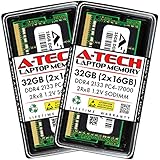
Furthermore, upgrading Non-ECC systems is incredibly affordable. Standard, compact laptop-style memory modules like the A-Tech 32GB (2x16GB) DDR4 2133 MHz SODIMM PC4-17000 (PC4-2133P) CL15 2Rx8 Non-ECC Laptop RAM Memory Modules (priced at $177.29) allow users to easily boost their media transcoding capabilities or run multiple docker containers without breaking the bank. If your primary use case is streaming high-definition movies via Plex, a minor bit flip in memory will only result in a single, imperceptible pixel glitch on your TV screen for a fraction of a second—hardly a reason to spend hundreds of extra dollars on enterprise-grade hardware.
Cost Over 5 Years
When calculating the true cost of your home NAS, you must look beyond the initial purchase price of the memory modules and calculate the total cost of ownership (TCO) over a typical five-year operational lifespan. This includes the motherboard, processor, memory, and the electricity required to run the system 24/7.
- The Non-ECC Ecosystem: A typical consumer-grade, DIY 4-bay NAS running Non-ECC RAM requires a standard consumer motherboard (approx. $120), an efficient consumer CPU (approx. $130), and 32GB of Non-ECC RAM (approx. $80). This system will typically idle at around 25 watts. Over 5 years of continuous running at an average US electricity rate of $0.16 per kWh, the power cost comes to approximately $175.
Total 5-Year Estimated Cost: $505 (excluding storage drives) - The ECC Ecosystem: A custom-built, server-grade home NAS utilizing ECC memory requires a specialized workstation motherboard (approx. $280), an ECC-compatible processor (approx. $250), and 32GB of unbuffered ECC RAM (approx. $160). Because server-grade components are designed for high throughput and feature additional onboard controllers, they draw slightly more power, idling at around 35 watts. Over 5 years, the power cost at the same electricity rate comes to approximately $245.
Total 5-Year Estimated Cost: $935 (excluding storage drives)
While the ECC path provides top-tier data security, it carries a premium of over $400 across five years of home operation. For budget-conscious households, this savings can easily buy an extra 8TB hard drive to run a secondary, local backup pool—which often protects against data loss far better than ECC RAM alone.
Which One for Your Home
Every home has its own physical layouts, acoustic limits, and digital demands. Here is how to navigate this hardware choice based on your specific domestic environment.
Small Apartment
In a small apartment, space is at a premium, and noise pollution is a major factor. You do not want a loud, hot server rack humming in your living room or bedroom closet. For this scenario, a compact, prebuilt Non-ECC NAS is ideal. A system like the Synology DS223 2-Bay Diskstation NAS (Realtek RTD1619B Quad-Core 2GB Ram 1xRJ-45 1GbE LAN Port) 8TB Bundle with 2 x 4TB Seagate IronWolf NAS HDDs fits perfectly on a bookshelf, measuring just 6.5 x 4.2 x 8.8 inches and operating at a whisper-quiet 14.6 decibels. It provides ample storage for personal backups and entertainment streaming without the thermal output or footprint of an ECC-capable workstation.
Family with Kids and Pets
When you have a busy household, your NAS becomes the ultimate vault for thousands of irreplaceable family videos, baby photos, school projects, and shared calendars. In this environment, the stakes for data preservation are incredibly high. Setting up an ECC-capable system gives you the peace of mind that those memories will not slowly degrade over the next decade. Placing a sturdy, mid-tower ECC NAS securely inside a ventilated utility closet or home office desk keeps it safe from curious hands and flying toys, while silently protecting your digital heritage from background memory corruption.
Rental Home
Renters need highly modular, lightweight, and easily transportable setups. Standard consumer motherboards running Non-ECC RAM are highly resilient to physical moves because replacement parts are widely available at any local electronics store. If a component fails during a move, you can easily swap out standard parts without waiting for specialized enterprise distributors. Non-ECC systems also run much cooler, meaning you do not have to worry about complex ventilation setups in rental homes where you cannot cut custom vents into closet doors or walls.
Long-Term Home
If you are designing or living in your forever home, you have the opportunity to plan a dedicated structured wiring closet. In this scenario, you are likely looking ahead to 2026 and beyond, planning for smart home automation, security camera networks, and whole-house audio distributions. Investing in an ECC-capable setup from the start is highly recommended. Upgrading a compatible prosumer NAS with an option like the OWC 32GB Memory RAM Kit Compatible with Synology DiskStation DS723+ DS923+ ensures that your centralized home server remains rock-solid, preventing system lockups that could temporarily bring down your security cameras, smart lighting, or home automation controllers.
FAQ
Can I use ECC RAM in a motherboard that doesn’t support it?
In most cases, no. If you plug unbuffered ECC RAM into a standard, non-ECC consumer motherboard, the system will either refuse to boot entirely, or it will boot but automatically disable the error-correcting features, running the memory as standard, vulnerable Non-ECC RAM. Always verify motherboard and CPU compatibility before purchasing ECC memory.
Does ECC RAM slow down my home NAS?
Yes, but by an imperceptible margin. Because ECC memory must calculate an error-correcting code for every write and read operation, it introduces a microscopic latency penalty of about 1% to 2% compared to standard Non-ECC RAM. For home use—including file transfers, media streaming, and virtualization—this speed difference is completely unnoticeable.
Is ECC RAM absolutely mandatory for ZFS storage setups?
No, this is a common myth in the home server community. ZFS will run perfectly fine on Non-ECC RAM. However, because ZFS heavily utilizes system memory for caching, metadata tracking, and data deduplication, a memory error on a Non-ECC system has a higher potential to corrupt an entire storage pool compared to older, simpler file systems like EXT4.
How do I know if my current NAS supports ECC memory?
You must check the manufacturer specifications for both your NAS motherboard and its installed processor. Many consumer-oriented prebuilt NAS units use low-power Intel Celeron, Realtek, or ARM processors that do not support ECC. Prosumer-tier units featuring AMD Ryzen or Intel Xeon chips are typically the only models that support ECC upgrades.


