To run large language models locally, the single most important spec is memory: the model has to fit in your GPU’s VRAM (or in unified memory on a Mac or AI mini PC), and the speed you get depends mostly on memory bandwidth. A gaming PC with a 16GB graphics card comfortably runs 7B to 14B models and 20B mixture-of-experts models; a 24GB to 32GB card handles 30B-class models; and 70B or larger models need either multiple GPUs or a large unified-memory machine. This guide explains how to size your hardware, which parts matter, and how to get a model running in an afternoon.
We focus on practical choices rather than leaderboards. If you already own a gaming PC, you may not need to buy anything at all to get started. Where we quote performance, the numbers come from named independent sources such as LMSYS, the llama.cpp community benchmark threads, HardwareCorner and Apple’s own specifications.
Top 3 picks at a glance
Verdict at a glance
- Best starting point: Any gaming PC with a 12GB to 16GB Nvidia or AMD graphics card. Run 7B to 14B models with Ollama or LM Studio today.
- Best single-GPU upgrade: GeForce RTX 5090. 32GB of GDDR7 and 1,792 GB/s of bandwidth make it the fastest consumer card for anything that fits.
- Best value for big models: A 128GB unified-memory mini PC built on AMD’s Ryzen AI Max+ 395 (Strix Halo). Slower than a GPU, but it fits 100B-class mixture-of-experts models.
- Best for very large models: Mac Studio with M5 Ultra, offering up to 512GB of unified memory at 1.2 TB/s, per Apple.
- Best for CUDA developers: Nvidia DGX Spark, a 128GB desktop box with the full Nvidia software stack.
Step 1: Work out how much memory your model needs
Model size is measured in parameters (7B means seven billion). Each parameter takes a certain number of bits depending on the precision, and most people run local models in a compressed, or quantized, format. A common 4-bit format such as Q4_K_M in llama.cpp stores each parameter in a little over half a byte.
A practical rule of thumb: at 4-bit, plan for roughly 0.6GB of memory per billion parameters, then add 10% to 30% for the context window (the KV cache) and overhead. Longer conversations and bigger documents need more cache memory.
| Model size | Approximate 4-bit weights | Comfortable memory | Typical hardware |
|---|---|---|---|
| 3B to 4B | 2GB to 3GB | 6GB to 8GB | Any modern GPU, laptops |
| 7B to 8B | about 5GB | 8GB to 12GB | RTX 5060, RX 9060 XT |
| 12B to 14B | 8GB to 9GB | 12GB to 16GB | RTX 5060 Ti 16GB, RX 9070 |
| 20B MoE (for example GPT-OSS 20B) | about 12GB to 13GB | 16GB | 16GB graphics cards |
| 27B to 32B | 17GB to 20GB | 24GB to 32GB | RTX 4090 (used), RTX 5090 |
| 70B dense | about 40GB to 43GB | 48GB to 64GB | Two GPUs, Mac, Strix Halo, DGX Spark |
| 100B to 120B MoE (for example GPT-OSS 120B) | 60GB to 70GB | 96GB to 128GB | 128GB unified-memory machines |
| 200B to 400B | 120GB to 240GB | 256GB to 512GB | Mac Studio M5 Ultra |
These are approximations. Exact file sizes depend on the model architecture and quantization recipe, so check the download size on the model page before you choose hardware.
What happens if it does not fit?
Tools like llama.cpp and Ollama can split a model between GPU VRAM and system RAM. It works, but the part held in system RAM runs at the speed of your DDR5, which is a fraction of GPU bandwidth. In practice, a model that is even 20% too large for your VRAM can run several times slower. Mixture-of-experts models suffer less, because only a small slice of the weights is active for each token.
Step 2: Understand why bandwidth sets your speed
Generating each new token requires reading every active weight from memory. That means token generation speed is capped by memory bandwidth divided by the size of the active weights. LMSYS illustrated this with the DGX Spark: with 273 GB/s of bandwidth and a 70B model of about 70GB at 8-bit precision, the theoretical ceiling is about 3.9 tokens per second, and LMSYS measured 2.7.
| Hardware | Memory | Bandwidth | Source |
|---|---|---|---|
| GeForce RTX 5090 | 32GB GDDR7 | 1,792 GB/s | Nvidia specification |
| Mac Studio M5 Ultra | up to 512GB unified | 1.2 TB/s | Apple |
| Mac Studio or MacBook Pro M5 Max (40-core GPU) | up to 128GB unified | 614 GB/s | Apple |
| Nvidia DGX Spark | 128GB unified | 273 GB/s | Nvidia, via Context Studios |
| Ryzen AI Max+ 395 (Strix Halo) | 128GB (about 96GB usable by GPU) | about 256 GB/s | Context Studios |
| Intel Arc Pro B70 | 32GB GDDR6 | 256-bit bus | Intel announcement, March 2026 |
Prompt processing, the step where the model reads your input before replying, is different: it depends on raw compute, not just bandwidth. This is where discrete Nvidia GPUs pull far ahead. HardwareCorner’s llama.cpp comparison of GPT-OSS 120B measured the DGX Spark at 1,723 tokens per second of prompt processing against 340 on a Strix Halo machine, even though their generation speeds were close (38.6 against 34.1 tokens per second). If you paste long documents or use coding agents, prompt processing matters as much as generation speed.
Step 3: Pick a hardware path
Path A: Use the gaming PC you already have
A gaming PC with a modern 12GB or 16GB graphics card is a very capable local AI machine for small and medium models. Nvidia cards are the easiest choice because almost every tool supports CUDA first. AMD Radeon cards work well with llama.cpp through Vulkan or ROCm and with LM Studio. Intel Arc cards are supported through Vulkan and Intel’s own tools.
Reasons to pick: No extra cost; very fast on models that fit; you can still game on it.
Reasons to skip: 8GB to 16GB of VRAM limits model size; power draw and noise under long workloads.
The catch: Once you want 30B-plus models, VRAM becomes the hard limit, and graphics card prices are high during the 2026 memory shortage.
Path B: Upgrade to a 24GB or 32GB graphics card
The RTX 5090 is the fastest consumer card for local LLMs. According to the LMSYS data set compiled by Spheron, it generated 205.5 tokens per second on GPT-OSS 20B against 60.9 on a DGX Spark, and its prompt processing was about four times faster. Used RTX 3090 and RTX 4090 cards with 24GB remain popular budget alternatives for AI work.
Reasons to pick: Unmatched speed for models up to about 32B at 4-bit; full CUDA support; also the best gaming card.
Reasons to skip: Street prices are far above launch pricing; a 70B model does not fit in 32GB at 4-bit.
The catch: You are paying for speed, not capacity. A 128GB box runs bigger models more slowly.
Path C: Buy a unified-memory AI mini PC
Machines built on AMD’s Ryzen AI Max+ 395 and Nvidia’s DGX Spark both offer 128GB of memory shared between the CPU and GPU. They are slower per token than a big graphics card, but they fit models that no consumer GPU can hold. In the llama.cpp community benchmark thread, the DGX Spark reached 60.6 tokens per second on GPT-OSS 120B at empty context and 40.6 at 32K context. HardwareCorner measured 38.6 tokens per second on the Spark and 34.1 on the AMD machine in its own head-to-head run.
Reasons to pick: Run 100B-class mixture-of-experts models; small, quiet and efficient; Strix Halo systems usually cost less than the Spark.
Reasons to skip: Dense 70B models are slow (LMSYS measured 2.7 tokens per second on the Spark); Strix Halo can allocate only about 96GB of its 128GB to the GPU.
The catch: Bandwidth is roughly a seventh of an RTX 5090, so these boxes are about capacity, not speed.
Path D: Use a Mac with lots of unified memory
Apple announced the Mac Studio with M5 Max and M5 Ultra in August 2026. The M5 Max supports up to 128GB at 614 GB/s, and the M5 Ultra up to 512GB at 1.2 TB/s, according to Apple, with the 512GB configuration due in late October. Community figures compiled by llmcheck.net put a 128GB M5 Max at about 12 to 18 tokens per second on dense 70B models. MLX is the fastest framework on Apple Silicon, and Ollama and LM Studio both support it.
Reasons to pick: The most memory you can get in a single quiet desktop; much higher bandwidth than Strix Halo or the Spark.
Reasons to skip: No CUDA; prompt processing trails Nvidia GPUs; memory cannot be upgraded later.
The catch: The high-memory configurations are expensive, and early reports suggest the 512GB model may ship later than Apple’s stated date.
Path E: Workstation GPUs
If your budget is professional-grade, workstation cards such as Nvidia’s RTX PRO 6000 Blackwell with 96GB, or Intel’s lower-cost Arc Pro B70 with 32GB, give you more VRAM per card than gaming GPUs. Intel launched the Arc Pro B70 and B65 in March 2026 specifically for local AI work.
The catch: Workstation pricing is steep, and you need a case, power supply and cooling to match.
Step 4: The rest of the PC
| Component | What matters | Recommendation |
|---|---|---|
| CPU | Only important if offloading layers to system RAM | Any modern 6 to 8 core CPU is enough for GPU inference |
| System RAM | Should be at least as large as your biggest model file | 32GB minimum, 64GB if you offload or run several tools |
| Storage | Models are large and load faster from NVMe | 1TB to 2TB NVMe SSD; a 70B model is about 40GB |
| Power supply | Sustained GPU load for long periods | Follow the GPU maker’s rating, with headroom |
| Cooling | AI workloads run the GPU flat out for long stretches | Good case airflow; monitor temperatures |
| Operating system | Tool support | Windows and Linux both work; Linux is preferred for vLLM and multi-GPU |
Memory and SSD prices have risen sharply in 2026. TrendForce expects conventional DRAM contract prices to rise another 10% to 15% and NAND flash 15% to 20% in the fourth quarter, so budget for that when you plan a build.
Step 5: Install the software and run your first model
The easiest route: LM Studio or Ollama
- Update your GPU driver. Use the latest Nvidia, AMD or Intel driver for your card.
- Install a runner. LM Studio gives you a graphical app with a model browser. Ollama is a lightweight background service you control from the command line, with a local API other apps can use.
- Choose a model that fits. Use the table in Step 1. On a 16GB card, start with an 8B or 14B model at 4-bit, or GPT-OSS 20B.
- Download and load it. In LM Studio, search and download from the built-in browser. In Ollama, pull the model by name and run it.
- Check that the GPU is being used. Watch VRAM use in Task Manager or your GPU tool. If generation is very slow and VRAM is low, the model may be running on the CPU.
- Adjust the context length. Larger context windows use more memory. Start around 8K tokens and increase if you have headroom.
The power-user route: llama.cpp and vLLM
llama.cpp is the engine behind many local tools and gives you full control over quantization, GPU layer offload and server settings. It supports CUDA, Vulkan, ROCm, Metal and CPU backends. vLLM is built for high-throughput serving on Nvidia GPUs and is the usual choice if you want to serve several users or agents at once, usually on Linux. On a Mac, MLX gives the best speed.
Common mistakes to avoid
- Buying for gaming specs instead of VRAM. For local AI, a slower card with more memory often beats a faster card with less.
- Ignoring the context window. A model that fits at 4K context may not fit at 32K. The DGX Spark’s GPT-OSS 120B speed dropped from 60.6 to 40.6 tokens per second as context grew, per the llama.cpp thread.
- Choosing the highest quantization you can fit. A larger model at 4-bit usually beats a smaller model at 8-bit for quality. Below about 3-bit, quality falls off quickly.
- Trusting a single tokens-per-second figure. Results vary with runtime, quantization and context length. Spheron notes the same Spark test appears as both 49.7 and 60.9 tokens per second depending on whether Ollama or llama.cpp was used.
- Forgetting about prompt processing. For long documents and coding agents, discrete Nvidia GPUs are dramatically faster than unified-memory boxes at reading input.
Recommended setups by budget tier
| Budget tier | Setup | What it runs well |
|---|---|---|
| Entry | Existing gaming PC with a 12GB to 16GB GPU, 32GB RAM | 7B to 14B models, GPT-OSS 20B |
| Mid-range | Ryzen AI Max+ 395 mini PC with 128GB | Up to 120B mixture-of-experts models at moderate speed |
| Mid-range (speed focus) | Used 24GB GPU in a gaming PC, 64GB RAM | Up to about 30B models quickly |
| Premium | RTX 5090 desktop, 64GB RAM | Up to 32B models very quickly; larger with offload |
| Premium (capacity focus) | Mac Studio M5 Max 128GB or DGX Spark | 70B dense and 120B MoE models |
| Flagship | Mac Studio M5 Ultra 256GB to 512GB, or multi-GPU workstation | 200B to 400B models |
Products Mentioned in This Guide
These are specific models for the hardware paths described above, from a GPU upgrade to unified-memory machines.
ASUS TUF Gaming GeForce RTX 5090 32GB OC Edition
As an Amazon Associate we earn from qualifying purchases at no extra cost to you.

The best single-GPU upgrade: 32GB of GDDR7 and 1,792 GB/s make it the fastest consumer card for models up to about 32B at 4-bit.
ASUS Dual GeForce RTX 5060 Ti 16GB OC Edition

A 16GB card that fits the starting-point path, running 12B to 14B models and GPT-OSS 20B comfortably.
MINISFORUM MS-S1 Max (Ryzen AI Max+ 395, 128GB)

A 128GB Strix Halo mini PC, our best-value route to 100B-class mixture-of-experts models, trading speed for capacity.
MSI EdgeXpert AI Mini Desktop (DGX Spark platform, 128GB)
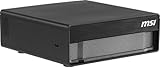
A 128GB system on the DGX Spark platform, the pick for CUDA developers who want the full NVIDIA software stack and much faster prompt processing than Strix Halo.
Apple Mac Studio with M5 Max

Supports up to 128GB at 614 GB/s; the 128GB configuration is the capacity-focused premium option for 70B dense and 120B MoE models.
ASRock Intel Arc Pro B70 Creator 32GB

Intel’s lower-cost workstation card with 32GB of GDDR6, launched in March 2026 specifically for local AI work.
How we compared
We compared these options using manufacturer specifications, independent lab measurements from the sources named above, and owner reports from the llama.cpp community. We did not bench-test these units ourselves. Memory estimates are rules of thumb based on common 4-bit quantization; check actual model file sizes before you buy. Performance figures vary with software version, quantization and context length.
Sources
- Apple Newsroom: Apple introduces new Mac Studio with M5 Max and M5 Ultra (August 2026)
- LMSYS performance data, as compiled by Spheron: DGX Spark vs RTX 5090 for local LLMs
- llama.cpp community benchmark thread (GPT-OSS 120B results)
- HardwareCorner: DGX Spark vs Ryzen AI Max+ 395 llama.cpp comparison
- Context Studios: Local AI Hardware Guide 2026
- llmcheck.net: Apple Silicon LLM benchmarks
- VideoCardz and TweakTown: Intel Arc Pro B70 launch coverage
- TrendForce: 4Q26 memory contract price forecast
Frequently Asked Questions
Can I run an LLM on my gaming PC?
Yes. Any recent graphics card with 8GB or more of VRAM can run small models, and a 12GB to 16GB card runs 7B to 14B models comfortably. Install LM Studio or Ollama and download a 4-bit model that fits your VRAM.
How much VRAM do I need to run a 70B model?
About 40GB to 43GB for the weights at 4-bit, plus room for context, so plan for 48GB or more. That means two GPUs, or a unified-memory machine such as a 64GB to 128GB Mac, a Strix Halo mini PC or a DGX Spark.
Is Nvidia better than AMD for local LLMs?
Nvidia is easier because nearly every tool supports CUDA first, and its prompt processing is faster. AMD cards work well in llama.cpp and LM Studio and often give more VRAM per unit of money, but some advanced tools support them less well.
Does the CPU matter for running LLMs locally?
Not much if the whole model fits in VRAM. It matters more when you offload layers to system RAM, where memory bandwidth and core count affect speed.
Is 32GB of system RAM enough?
For GPU-only inference, yes. If you plan to split large models between GPU and system RAM, 64GB or more is better.
What is quantization and does it hurt quality?
Quantization stores weights at lower precision, such as 4-bit, to save memory. Modern 4-bit methods keep most of the original quality. Very aggressive quantization below 3-bit causes noticeable quality loss.
Should I buy a Mac or a PC for local AI?
A PC with an Nvidia GPU is faster for models that fit in VRAM and has the best software support. A Mac with lots of unified memory can run much larger models in one quiet box, but more slowly than a high-end GPU.
How fast is fast enough?
For chatting, around 10 to 20 tokens per second feels comfortable because it is faster than most people read. For coding agents and batch work, faster generation and quick prompt processing save real time.