A small business laptop has a narrower job than a consumer one. It has to open the accounting package, handle a pile of browser tabs, survive video calls with clients, and join a file server or cloud drive without drama. Unlike a large company, you probably have no IT department to reimage machines, so the operating system edition, the memory, and the ports matter more than a flashy design.
This guide is for owners, office managers, and freelancers weighing seven listed business-class configurations from HP, Lenovo, and Dell. The list runs from a renewed 14-inch Dell Latitude to a 17.3-inch HP built around a numeric keypad. Judgments below rely only on the specs written in each listing, so treat the notes as a shortlist for 2026 and verify the exact configuration before you order.
Our Top Picks
 Dell Latitude 5420 14" FHD Business Laptop Computeri5-1145G7-16-256-SV-Win1112.76 x 8.35 x 0.76 inches3 PoundsCheck on Amazon
Top 3 picks at a glance
Quick Picks
As an Amazon Associate we earn from qualifying purchases at no extra cost to you.




| Product | Best for | Key spec from the title |
|---|---|---|
| HP 17 Business Laptop | Bookkeeping and big spreadsheets | Ryzen 5, 16GB RAM, 512GB SSD, 17.3-inch FHD, numeric keypad |
| Lenovo Business 15.6-inch | Light office work | 8GB DDR5, 128GB storage, Office 365, WiFi 6, USB-C |
| Lenovo V15 Gen 4 | Wired office networks | Core i5-13420H, HDMI, RJ45, Windows 11 Pro |
| HP 255 G10 | Standard office fleet | AMD quad-core, 16GB RAM, 512GB SSD, Windows 11 Pro, webcam shutter |
| Dell Latitude 5420 (Renewed) | Compact travel laptop | 14-inch FHD, Core i5-1145G7, 16GB DDR4, 256GB SSD |
| HP 14-inch Business | Basic tasks on a tight budget | Intel N150, 4GB RAM, 128GB UFS, 1-year Office 365 |
| Dell Pro 16 | Roomy screen and newer platform | Core 5 120U, 16GB DDR5, 512GB SSD, 16-inch FHD+ |
How to Choose
Windows Pro versus Home
Windows 11 Pro adds domain join, BitLocker drive encryption, and remote management options that Home lacks. If you store customer records or plan to join a company network, look for Pro in the listing. Home is fine for a solo operator who only uses cloud tools, but it is a weak starting point for anyone who may grow.
Memory and storage thresholds
Sixteen gigabytes of RAM is the practical target for a laptop that will last several years of accounting software, browsers, and video calls. Eight gigabytes works for lighter roles, and 4GB is a floor that tends to feel cramped under Windows 11. For storage, 256GB is the minimum for a work laptop, and 512GB gives room for local files and updates. Be wary of 128GB drives on a machine meant for a staff member, because operating system updates alone can consume a large share of that space and leave little room for client files, scanned receipts, or a local backup.
Ports, keyboard, and screen
Business work rewards practical ports. An RJ45 Ethernet jack helps in offices with wired networks, HDMI lets you plug into a monitor or projector, and USB-C adds flexibility for docks and charging. A numeric keypad speeds up data entry, which matters for invoicing, inventory counts, and payroll. A webcam shutter or privacy cover is a small extra that client-facing staff tend to appreciate. For the screen, full HD is the working standard, and an anti-glare finish helps in bright offices.
What to ignore
Discount the claims that fill listing titles: “AI” labels, comparisons to rival processors, and vague mentions of long battery life. Compare the processor family, RAM, storage, operating system edition, and ports instead. Renewed units can be a sound value, but confirm warranty terms and battery condition with the seller. Also remember that a bundled Office subscription is a one-year benefit, so factor in the renewal when you compare a bundled model against one without software.
The 7 Best Options
HP 17 Business Laptop
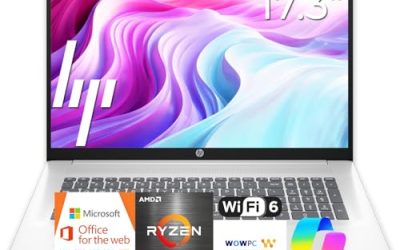
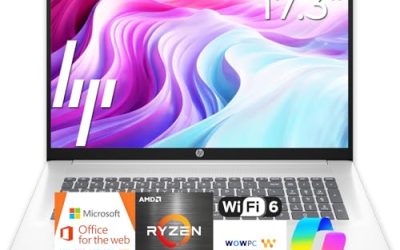
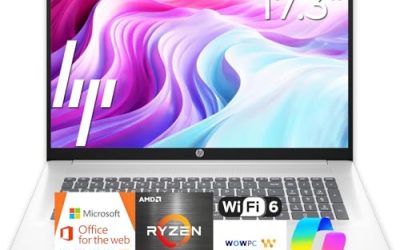
This 17.3-inch HP suits people who spend the day in spreadsheets and want a large display. The title lists an AMD Ryzen 5 processor, 16GB of RAM, a 512GB SSD, a full HD screen, a numeric keypad, and long battery life. It is a desk-first machine for bookkeepers and administrators.
- Strength: 16GB of RAM and 512GB of storage match what most small teams need.
- Strength: the large screen and numeric keypad speed up data-heavy work.
- Trade-off: a 17.3-inch body is bulky for frequent travel.
Skip it if the laptop will live in a backpack and travel every week. A shop owner who reconciles invoices at a fixed desk, or a back-office employee who shares screens in meetings, will get far more from the extra display area than a road warrior would.
Lenovo Business 15.6-inch Laptop
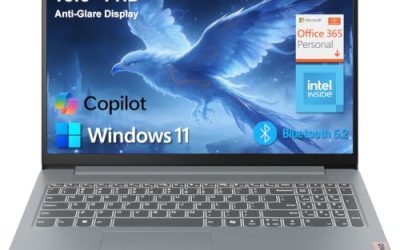
The listing pitches this as an Office-ready machine with 8GB of DDR5 memory and 128GB of storage on an anti-glare 15.6-inch full HD display. It also mentions WiFi 6, USB-C, and Copilot AI features. It targets light office users who mostly work in email and documents.
- Strength: DDR5 memory and USB-C are modern touches on a modest configuration.
- Strength: the anti-glare screen is helpful in bright offices.
- Trade-off: 128GB of storage fills fast with updates and local files.
Skip it if you store large files locally or expect to keep the laptop for years. It suits a front-desk or reception role where everything lives in cloud apps and the machine mainly needs to stay responsive for email and documents.
Lenovo V15 Gen 4 Business Laptop
The V15 Gen 4 reads like a workplace staple. The title lists a 15.6-inch FHD display, an Intel Core i5-13420H, HDMI, an RJ45 Ethernet port, a webcam, a numeric keypad, Wi-Fi, and Windows 11 Pro. It fits offices that still rely on wired connections.
- Strength: the Ethernet port and HDMI output cover the connections offices actually use.
- Strength: Windows 11 Pro supports encryption and company-network features.
- Trade-off: the visible title does not state the RAM or storage, so confirm those before buying.
Skip it if you want a thin, ultraportable body. It is better matched to a fixed workstation role, such as a dispatcher or office administrator, where plugging into a wired network and an external monitor is routine.
HP 255 G10 Business Laptop
The 255 G10 is the straightforward fleet pick. The listing shows an AMD quad-core processor, 16GB of RAM, a 512GB SSD, Windows 11 Pro, a 15.6-inch Full HD display, a webcam with a shutter, and a numeric keypad. It is designed for dependable office duty.
- Strength: 16GB and 512GB with Windows 11 Pro is a solid baseline for a work laptop.
- Strength: the webcam shutter adds privacy for client calls.
- Trade-off: it is an office workhorse, not a thin premium notebook.
Skip it if you want a lightweight design for constant travel. Its appeal is predictability: a business owner outfitting a small staff can order the same configuration repeatedly and keep support simple.
Dell Latitude 5420 14-inch (Renewed)
This renewed Latitude suits owners who want a compact business laptop with a recognizable line behind it. The title lists a 14-inch FHD display, Intel quad-core Core i5-1145G7, 16GB of DDR4 RAM, a 256GB SSD, a camera, HDMI, and Windows 11 Pro. The renewed label signals a previously used unit.
- Strength: 16GB of RAM and a 14-inch body balance capability and portability.
- Strength: Windows 11 Pro is included for business features.
- Trade-off: it is a renewed older-generation unit, so condition and warranty vary by seller.
Skip it if you require brand-new hardware for compliance or warranty reasons. Consultants and field staff who value a smaller footprint and are comfortable with a refurbished unit are the natural audience.
HP 14-inch Business Laptop with N150
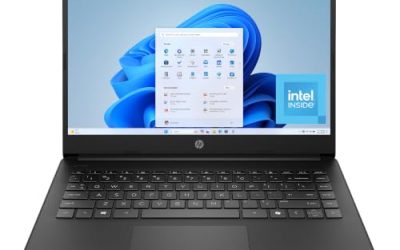
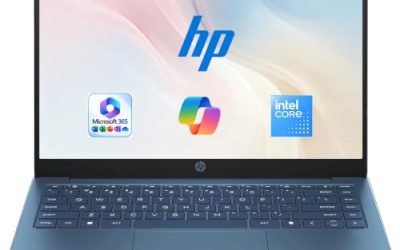
This is the entry configuration, listed with an Intel quad-core N150 processor, 4GB of RAM, 128GB of UFS storage, Windows 11 Home, and a year of Office 365. It targets single-task users who need a low-cost machine for email and web apps.
- Strength: the bundled Office subscription covers the most common software need.
- Strength: a 14-inch body is easy to carry between locations.
- Trade-off: 4GB of RAM and Windows 11 Home limit multitasking and business features.
Skip it if you need Pro features or run several apps at once. It works best as a secondary or seasonal machine, such as a loaner for a part-time worker who only touches web tools and a few documents.
Dell Pro 16
The Dell Pro 16 gives you the largest business-brand screen in this list outside the 17-inch HP. The title lists an Intel Core 5 120U, 16GB of DDR5 memory, a 512GB SSD, and a 16-inch FHD+ anti-glare display, positioned as a business AI PC with lineage from the Latitude line.
- Strength: DDR5 memory and a taller FHD+ panel suit document work and side-by-side windows.
- Strength: 16GB and 512GB cover typical business duties.
- Trade-off: the cost is likely above the budget models here because it targets the business tier.
Skip it if you want the lowest outlay for a basic machine. It is aimed at professionals who live in documents and side-by-side windows, such as designers of reports, consultants, and managers who review long files.
Which One Fits Your Situation
You run the books and live in spreadsheets
The HP 17 Business Laptop has the screen size, numeric keypad, and 16GB of RAM that accounting work rewards.
Your office uses wired networks and projectors
The Lenovo V15 Gen 4 brings both RJ45 and HDMI, along with Windows 11 Pro.
You are outfitting several employees
The HP 255 G10 is a standardized configuration with 16GB, 512GB, and Windows 11 Pro, which makes identical setups easy.
You travel between client sites
The renewed Dell Latitude 5420 is the compact 14-inch option, provided a used unit is acceptable.
You need a roomy screen and a newer platform
The Dell Pro 16 pairs DDR5 memory with a 16-inch FHD+ display, which suits managers who review long documents all day.
Common Mistakes
- Buying Windows 11 Home for a machine that needs encryption or domain features.
- Choosing 4GB of RAM for an employee who runs accounting software and video calls.
- Skipping the ports check and discovering later that no Ethernet jack exists.
- Trusting processor comparison claims in a title instead of reading the actual model name.
- Buying a renewed laptop without confirming warranty terms and battery condition.
Related guides
- Replacement Cables For Gaming Mice And Headsets
- Indoor Security Cameras Without Subscription
- Nvidia Control Panel Best Settings For Gaming
Frequently Asked Questions
How much RAM does a small business laptop need?
Sixteen gigabytes is the safest target for several years of use, because business software tends to grow heavier with each update. Eight gigabytes works for light roles, while 4GB tends to limit multitasking.
Is a renewed laptop acceptable for business?
It can be, especially for compact models, as long as the seller offers a clear warranty and states battery condition. Avoid renewed units if your clients or insurers require new equipment.
Do I need Windows Pro?
If you handle customer data or plan to join a company network, Pro is worth having for BitLocker and domain join. A solo cloud-only worker can get by with Home.
What screen size suits office work?
A 15.6-inch panel is the common middle ground. Choose 14 inches for portability, or 16 to 17.3 inches if you mostly work at a desk and want more room. Whatever you choose, look at the listed resolution, since a full HD panel is the working standard.