An OLED laptop changes what a screen can do. Each pixel makes its own light, so black areas are truly dark and colors stand out against them, which is why photographers, video editors, and movie watchers look for this panel type. It also means the keyword hides several different shoppers: someone wanting a thin travel machine with a gorgeous display, someone who edits color-critical work, and someone who wants a gaming laptop with a fast OLED screen.
This guide is for people choosing among OLED models in 2026, where the panel is no longer a rare extra but still varies in resolution, refresh rate, and brightness from one listing to the next. The seven picks below range from a 14-inch Snapdragon machine to a gaming laptop with a dedicated graphics card. Each is judged only on the specs in its listing title, so check the full spec page for brightness and battery details the titles leave out.
Our Top Picks
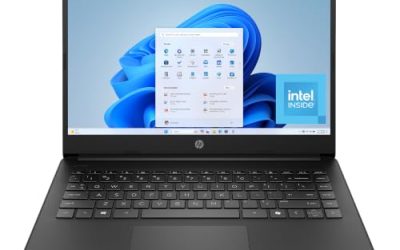
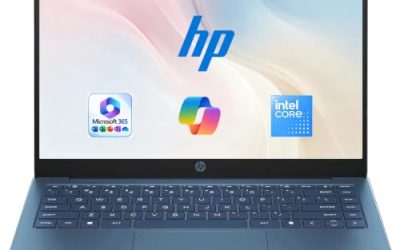
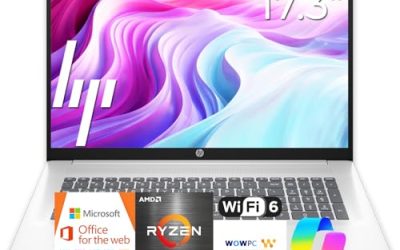
 HP OmniBook 3 AI-Powered Laptop 14" WUXGA OLED16GB RAM | 256GB SSD12.38 x 8.9 x 0.58 inches3.13 poundsCheck on Amazon
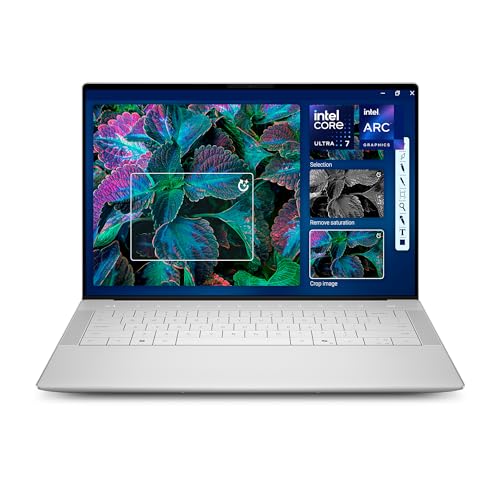 Dell XPS 14 Premium Laptop DA14250-14.5-inch Touch 3.2KXPS14|32GB|1TB8.5 x 12.6 x 0.71 inches3.79 poundsCheck on Amazon


Top 3 picks at a glance
Quick Picks
As an Amazon Associate we earn from qualifying purchases at no extra cost to you.



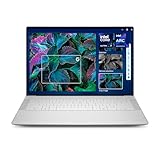

| Product | Best for | Key spec from the title |
|---|---|---|
| ASUS Zenbook 14 OLED | Light travel with a touchscreen | Ryzen AI 9 465, 16GB, 1TB, 2K 500 nits HDR |
| ASUS Vivobook S16 (Ryzen AI 7) | Big-screen multitasking | 16″ 16:10 WUXGA OLED, 32 GB RAM, 1TB SSD |
| HP OmniBook 3 14 OLED | Color-focused work on the go | 100% DCI-P3, Snapdragon X, 16GB DDR5 |
| Acer Swift Go 16 OLED | Sharp, smooth viewing | 3200×2000, 120Hz, Ultra 5 125H |
| Dell XPS 14 | Premium creative work | 3.2K touch OLED, 48-120Hz, 32GB, 1TB |
| ASUS Vivobook S16 (Snapdragon X2) | Arm-based Copilot+ use | Snapdragon X2 Elite, 16 GB RAM, 1TB SSD |
| Lenovo Legion 5a Gaming Laptop | OLED gaming | RTX 5060, 165Hz WQXGA OLED, 32GB DDR5 |
How to Choose
Resolution and refresh rate on the panel
WUXGA (1920×1200) is the baseline for OLED laptops and is sharp at 14 to 16 inches. Titles that list 2K, 3.2K, or 3200×2000 describe denser panels that show finer text. Refresh rate matters for motion: 120Hz or a 48-120Hz range feels smoother than 60Hz, and 165Hz targets gaming.
Brightness and color coverage
Look for HDR labeling and stated brightness, such as a 500 nits figure, because OLED looks best when the panel can peak high in bright rooms. Coverage like 100% DCI-P3 signals a wide color gamut suited to photo and video work. If neither figure appears in the title, find it on the spec page before paying a premium.
Processor platform and memory
Snapdragon X and X2 Elite machines use an Arm design and run Windows with some software compatibility to confirm, while Ryzen AI and Intel Core Ultra chips run standard x86 software. For OLED work, 16GB is a sensible floor and 32GB is better for editing. Ignore NPU claims unless you use AI features daily. Weigh the display numbers first, because an OLED panel with weak memory or tiny storage is a poor bargain, while a well-balanced configuration will stay pleasant for years.
What to watch for
OLED can show burn-in if static elements stay on screen for hours, so use dark mode and auto-hide taskbars. Cheaper OLED models cut corners on storage size, such as 256GB, or on brightness. A gaming OLED adds cooling needs and weight that an ultrabook does not have.
The 7 Best Options
ASUS Zenbook 14 OLED
A touchscreen ultralight listed with a Ryzen AI 9 465, 16GB of RAM, a 1TB SSD, a 2K 500-nit HDR display, and a backlit keyboard. It suits professionals who travel often and want an OLED screen and a roomy drive without carrying a heavy laptop.
- Strength: Stated 500 nits and HDR give a clear brightness expectation.
- Strength: 1TB of storage is generous for a thin laptop.
- Trade-off: 16GB of RAM is solid but not the most in this group.
Skip it if you want a larger screen or need 32GB of memory for heavy editing. For frequent flyers and client-facing staff, the mix of an OLED panel, touch input, and a backlit keyboard for dim cabins covers the practical bases, and the title’s Ryzen AI 9 465 names a clear step up from entry chips.
ASUS Vivobook S16 (Ryzen AI 7)
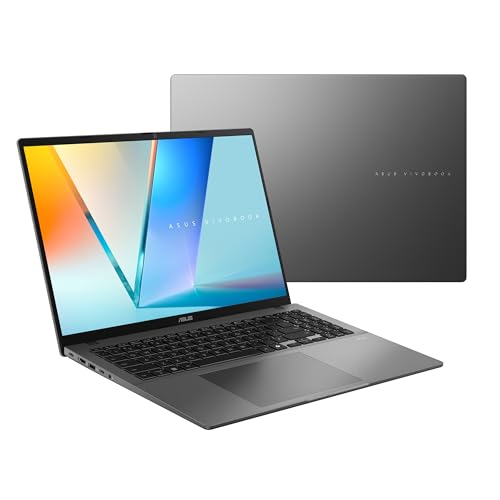
A 16-inch Copilot+ PC with a 16:10 WUXGA OLED display, an AMD Ryzen AI 7 445 processor, Radeon graphics, 32 GB of RAM, and a 1TB SSD. It makes sense for multitaskers who want a big, color-rich display with ample memory.
- Strength: 32 GB of RAM and 1TB of storage are well above the entry level.
- Strength: The 16:10 shape gives extra vertical room for documents and timelines.
- Trade-off: A 16-inch body is less pocketable than 14-inch rivals.
Skip it if you want to carry the laptop all day or need a high refresh rate, since the title lists none. Where it shines is the all-day desk: a tall 16:10 canvas for spreadsheets, a timeline editor, or two documents side by side, with enough memory that background apps do not crowd out the one you are using.
HP OmniBook 3 14 OLED
A 14-inch WUXGA OLED laptop with 100% DCI-P3 coverage, a Snapdragon X processor with up to 45 NPU TOPS, 16GB of DDR5 RAM, a 256GB SSD, and Wi-Fi 6E. It targets creators and designers who care about color and want a compact, AI-oriented machine.
- Strength: Wide DCI-P3 coverage is stated up front.
- Strength: 16GB of DDR5 RAM is healthy for the category.
- Trade-off: The 256GB SSD is the smallest in this group.
Skip it if you store large video files locally, or if you rely on software that may not run well on Arm processors. For a designer or content creator who works mostly in browser-based and Microsoft apps, the combination of a wide-gamut screen and a compact 14-inch body is an appealing way to carry color accuracy anywhere.
Acer Swift Go 16 OLED
A 16-inch OLED laptop with an Intel Core Ultra 5 125H, 8GB of RAM, a 512GB SSD, a 3200×2000 120Hz display, and Intel Evo AI certification. It suits viewers who want a very sharp, smooth screen and standard x86 compatibility.
- Strength: 3200×2000 resolution at 120Hz is a standout display spec here.
- Strength: Intel Evo certification signals a baseline for responsiveness and battery design.
- Trade-off: Only 8GB of RAM, the lowest memory in this group.
Skip it if you multitask heavily or edit video, since memory is the weak point on paper. The display is the reason to look: a dense 3200×2000 panel with 120Hz refresh makes text crisp and scrolling smooth, and a standard Intel platform avoids the software questions that come with Arm designs for viewers who watch and browse more than they build.
Dell XPS 14
A premium 14.5-inch touch OLED laptop with a 3.2K, 48-120Hz display, an Intel Core Ultra 7 255H, Intel Arc Graphics, 32GB of memory, a 1TB SSD, and a backlit keyboard. It is for buyers who want the strongest all-round specification in the set.
- Strength: 32GB of memory and 1TB storage cover demanding creative workloads.
- Strength: The variable 48-120Hz range balances smoothness and efficiency.
- Trade-off: This is a premium-tier configuration with the longest spec list in the group, so it targets buyers who want top specs over restraint.
Skip it if a simpler configuration will do or you do not need touch input and a high-resolution panel. Its case rests on balance: a dense 3.2K panel, a variable refresh range, and a memory and storage pairing that leaves room for large photo libraries, editing timelines, and a pile of open applications at once.
ASUS Vivobook S16 (Snapdragon X2)
A 16-inch Copilot+ PC with a 16:10 WUXGA OLED display, a Snapdragon X2 Elite processor, Adreno graphics, 16 GB of RAM, and a 1TB SSD. It suits users who want an Arm-based laptop and a large OLED screen.
- Strength: A newer Snapdragon X2 Elite platform with a roomy 1TB drive.
- Strength: The large 16:10 OLED display is good for documents and media.
- Trade-off: Arm architecture means some older software may need checking for compatibility.
Skip it if you depend on legacy Windows programs or specialized plug-ins. If your workflow is mostly a browser, Office, and streaming, the large OLED display plus Copilot+ features give plenty to enjoy, and the 1TB drive removes the storage squeeze that smaller thin laptops bring.
Lenovo Legion 5a Gaming Laptop
A gaming laptop with a Ryzen 7 250, a GeForce RTX 5060, a 15.3-inch WQXGA (2560×1600) 165Hz OLED display, 32GB of DDR5 RAM, a 1TB SSD, Wi-Fi 7, and RGB keyboard lighting. It is for gamers who want OLED contrast and fast refresh together.
- Strength: A dedicated RTX 5060 with a 165Hz OLED panel is the gaming-focused combination here.
- Strength: 32GB of DDR5 and Wi-Fi 7 suit demanding play and online use.
- Trade-off: A gaming chassis is larger and likely heavier than the ultrabooks listed.
Skip it if you want a quiet, light, all-day carry machine rather than a gaming system. The 15.3-inch WQXGA panel is also a natural match for creators who want a fast, vivid screen alongside a discrete graphics card. If you split time between play and work, though, its 32GB of memory and fast Wi-Fi 7 also suit video calls, large downloads, and multitasking.
Which One Fits Your Situation
You edit photos or video
The Dell XPS 14, with a 3.2K OLED, 32GB, and 1TB, is the closest match on paper.
You travel with a thin laptop
Go with the ASUS Zenbook 14 OLED for the touchscreen, 1TB drive, and stated 500-nit HDR panel.
You game and want OLED contrast
The Lenovo Legion 5a Gaming Laptop is the only pick with a dedicated RTX 5060 graphics card.
You want a large OLED screen for work
The ASUS Vivobook S16 (Ryzen AI 7) pairs a 16-inch display with 32 GB of RAM and standard x86 compatibility.
Common Mistakes
- Assuming every OLED laptop is equally bright; check for a stated nits figure.
- Ignoring Arm compatibility on Snapdragon models before buying.
- Choosing 8GB of RAM or a 256GB drive and regretting it for creative work.
- Leaving static elements on screen for hours and risking burn-in.
- Buying a gaming OLED for an everyday travel role.
Related guides
- Replacement Cables For Gaming Mice And Headsets
- Indoor Security Cameras Without Subscription
- Nvidia Control Panel Best Settings For Gaming
Frequently Asked Questions
Is OLED better than a standard laptop screen?
It offers deeper blacks and richer contrast, which many viewers prefer for media and creative work. Standard panels can be brighter in some conditions and carry no burn-in concern.
Does OLED burn-in matter on a laptop?
It is a possibility with static images shown for very long periods. Dark mode, screen timeouts, and auto-hiding taskbars lower the risk in normal use.
What does 100% DCI-P3 mean?
It describes a wide color gamut used in film and professional imaging. It matters to people editing color-critical photos or video.
Are Snapdragon OLED laptops compatible with my software?
Many mainstream apps run, but some specialized programs and drivers may not. Check the vendors of your essential software before choosing an Arm-based model. A quick search of each vendor’s support page usually settles the question in minutes.
Related guides
More from Amazon
Programs that pair well with the guide above. Offers and eligibility are set by Amazon and may change.
A free business account with business pricing and bulk-buying tools for work, shop or home office.
Create a business accountFree shipping on eligible items, Prime Video and more. Eligible new members can start with a free trial.
Start a Prime free trialAudiobooks and podcasts to listen to on the go. Eligible new members can start with a free trial.
Try Audible freeAd-free music streaming. Eligible new subscribers can start with a free trial.
Try Music Unlimited freeAs an Amazon Associate we earn from qualifying purchases.