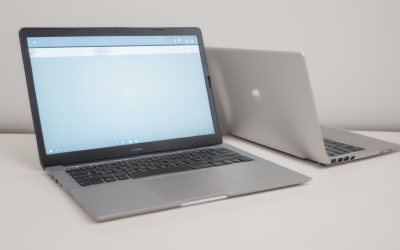
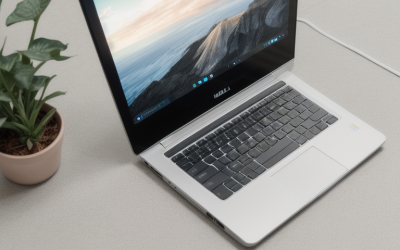
A budget cap of under 600 dollars sounds generous until you notice how many different laptops compete for it. At this level you can land a new 15.6-inch Windows laptop with a modern but entry-level chip, a larger 17-inch screen, or a renewed business machine with a better keyboard and a sturdier shell. The right choice depends less on the headline price and more on which compromise you can live with: older processor, small drive, dim screen, or a used battery.
This guide is for students, families, and remote workers who want a dependable everyday laptop for browsing, documents, video calls, and streaming, not for demanding games or video editing. The eight picks cover new Dell, HP, Acer, and Lenovo models plus a renewed Latitude, and each is judged only on specs stated in the product title. In 2026, a sensible target at this budget is 16 GB of RAM if you can find it, a 512 GB drive, and a full HD screen; where a listing falls short, the write-up says so plainly.
Our Top Picks
 Dell Latitude 5420 14" FHD Business Laptop Computeri5-1145G7-16-256-SV-Win1112.76 x 8.35 x 0.76 inches3 PoundsCheck on Amazon

Top 3 picks at a glance
Quick Picks
As an Amazon Associate we earn from qualifying purchases at no extra cost to you.








| Product | Best for | Key spec from the title |
|---|---|---|
| Dell 15.6 Core 3 (DDR4) | Basic school and home use | Core 3 100U, 8 GB, 512 GB SSD, 250 nits |
| Dell 15.6 Ryzen 5 | Smoother scrolling and multitasking | Ryzen 5 7520U, FHD 120Hz, LPDDR5, 512 GB |
| Dell 15.6 Core 3 (DDR5) | Brighter screen on a budget | Core 3 100U, DDR5, 300 nits, 512 GB |
| Acer Aspire 3 A315 | Light portable use | Ryzen 3 7320U, 8 GB LPDDR5, 128 GB NVMe |
| Dell Latitude 5420 (renewed) | Business-grade build | 14″ FHD, i5-1145G7, 16 GB, 256 GB |
| HP OmniBook 3 17 | Large-screen viewing | 17.3″ FHD, 8 GB, 512 GB SSD |
| Acer Aspire Lite 15 | Office apps with cloud storage | 16 GB RAM, 256 GB SSD, 1 TB cloud storage |
| Lenovo V15 | Most memory, extra ports | Ryzen 5 5500U, 16 GB, 512 GB, RJ45 |
How to Choose
Put memory first
RAM is where cheap laptops hurt most. 8 GB runs Windows and a browser, but it gets crowded with many tabs and a video call. If your budget allows, look for 16 GB, which keeps the laptop usable for longer. Check whether the memory is LPDDR5 or DDR5, which is faster than older DDR4, though for office work the amount matters more than the type.
Check the drive size and type
A 128 GB drive is almost too small once Windows updates arrive, so 256 GB is a bare minimum and 512 GB is comfortable. NVMe SSDs boot and open apps quickly. Be careful with cloud storage promises in titles, because a terabyte of online space does not replace a larger local drive when you are offline.
Judge the screen by numbers
Look for 1920 x 1080 resolution, an IPS panel, and a brightness figure. A figure of 250 nits is workable indoors, 300 nits is a little better, and anything lower is dim near windows. A 120 Hz panel makes scrolling smoother but does not change processing speed. Anti-glare coatings help in bright rooms.
Know where budget laptops cut corners
Expect plastic bodies, modest speakers, no keyboard backlight, and limited ports. Newer entry chips such as Core 3 and Ryzen 3 are fine for light work but slower than older mainstream parts. Ignore claims comparing the chip to an older competitor, since those comparisons are marketing and not a spec. Check for a headphone jack, USB-C, and HDMI if you plan to use an external monitor.
The 8 Best Options
Dell 15.6 Core 3 (DDR4)
This Dell is a basic, no-frills laptop for homework and web browsing. The title lists a 15.6-inch FHD anti-glare IPS display at 250 nits, an Intel Core 3 100U, 8 GB of DDR4 RAM, a 512 GB SSD, Wi-Fi 6, Bluetooth, and Windows 11 Home.
- A 512 GB drive is generous for this budget.
- Wi-Fi 6 offers faster, more stable connections on modern routers.
- Trade-off: 8 GB of RAM and a 250-nit screen are only adequate.
Skip it if you plan to keep many tabs open or work near bright windows. It is a reasonable pick for a younger student whose workload is mostly typing, reading, and video lessons, where the plain spec sheet is unlikely to be the bottleneck.
Dell 15.6 Ryzen 5
This model targets buyers who want a smoother screen and a stronger processor. The title lists an AMD Ryzen 5 7520U with Radeon 610M graphics, a 15.6-inch FHD IPS display at 120 Hz, LPDDR5 memory, a 512 GB SSD, Wi-Fi 5, Bluetooth, and a Carbon Black finish.
- The 120 Hz screen feels smoother when scrolling.
- A Ryzen 5 is a step up from entry-level chips.
- Trade-off: Wi-Fi 5 is older than Wi-Fi 6, and the RAM amount is not stated in the visible title.
Skip it if you want the newest wireless standard or need to confirm memory capacity. Ask the seller for the RAM figure before ordering, because 8 GB and 16 GB make a real difference in how long this laptop stays comfortable.
Dell 15.6 Core 3 (DDR5)
This variant suits users who care about a brighter display. The title lists an FHD 15.6-inch anti-glare panel at 300 nits, an Intel Core 3 100U, 8 GB of RAM, DDR5 memory, a 512 GB SSD, Wi-Fi 6, and Bluetooth.
- 300 nits is brighter than the 250-nit sibling.
- DDR5 memory is a newer standard.
- Trade-off: the processor and 8 GB of RAM are the same entry-level tier as the DDR4 version.
Skip it if your daily workload involves heavy multitasking. Choosing between this and the DDR4 sibling mostly comes down to the screen, so it makes sense to take the brighter panel if the laptop will be used near windows or outdoors.
Acer Aspire 3 A315
The Aspire 3 is a slim, light option for casual computing. The title lists a 15.6-inch Full HD display, an AMD Ryzen 3 7320U quad-core processor, Radeon graphics, 8 GB of LPDDR5 memory, a 128 GB NVMe SSD, and Wi-Fi 6.
- NVMe storage keeps boot and load times short.
- LPDDR5 memory is efficient and fast.
- Trade-off: 128 GB of storage fills up quickly.
Skip it if you store photos, videos, or many apps locally. Buyers who do choose it should plan on an external drive or cloud backup from the first week, rather than waiting until the drive is nearly full.
Dell Latitude 5420 (Renewed)
This renewed Latitude suits those who want a business-grade body and a stronger memory pool. The title lists a 14″ FHD display, a quad-core Intel i5-1145G7, 16 GB of DDR4 RAM, a 256 GB SSD, a camera, HDMI, and Windows 11 Pro.
- 16 GB of RAM matches the top memory tier on this list.
- The 14-inch size is easy to carry.
- Trade-off: a renewed battery may hold less charge than new, and 256 GB is modest.
Skip it if you need a brand-new warranty or a bigger screen. Business laptops from this line are usually built for daily travel, which is why a renewed one can feel sturdier than a new budget model, but the battery is the part to ask about.
HP OmniBook 3 17
This HP is for people who want a large screen for streaming and documents. The title lists a 17.3-inch FHD display, an AMD Ryzen 3 processor, 8 GB of RAM, a 512 GB SSD, Radeon 610M graphics, and Windows 11 Home.
- A 17.3-inch display is rare at this budget.
- 512 GB of storage is comfortable.
- Trade-off: a bigger chassis is less portable.
Skip it if you carry your laptop daily or work in small spaces. Treat it as a desk-based family laptop that stays on a table or sofa arm, where the big screen is a benefit and weight matters far less.
Acer Aspire Lite 15
This Acer is aimed at users who live in Office apps. The title lists Office 365, 16 GB of RAM, 1 TB of cloud storage, a 256 GB SSD, an Intel four-core processor, and a 15.6-inch FHD display.
- 16 GB of RAM helps with multitasking.
- Office and cloud storage may be included for document work.
- Trade-off: the subscription terms are unclear, so confirm how long the Office access lasts.
Skip it if you prefer a free office suite or want a bigger local drive. Free alternatives such as web-based office tools cover most school documents, so the bundled software only adds value if you specifically need the desktop apps.
Lenovo V15
The V15 is a practical, port-rich pick. The title lists a 15.6-inch FHD display, an AMD Ryzen 5 5500U hexa-core processor, 16 GB of RAM, a 512 GB SSD, HDMI, an RJ45 Ethernet port, and a numeric keypad.
- 16 GB and 512 GB make it the best-balanced spec list here.
- The Ethernet port suits stable wired connections.
- Trade-off: the Ryzen 5 5500U is an older generation, and the title claims it beats an older Intel chip, which is marketing.
Skip it if you want the newest processor generation. A hexa-core chip still handles office work comfortably, and a wired Ethernet port is a quiet advantage for video calls in a home with a crowded wireless network.
Which One Fits Your Situation
You want the best specs for the money
The Lenovo V15 pairs 16 GB with 512 GB and adds Ethernet and HDMI, which is rare at this budget. If you move the laptop between rooms, the Latitude 5420 is the lighter alternative with the same 16 GB of memory in a smaller 14-inch body.
You need a laptop for school that can handle many tabs
The Acer Aspire Lite 15 offers 16 GB of RAM, though you should confirm the Office terms and consider the smaller 256 GB drive.
You want a smoother, nicer screen
The Dell 15.6 Ryzen 5 offers a 120 Hz FHD IPS panel, and the DDR5 Core 3 offers a 300-nit panel if brightness is the priority.
You like a bigger display for movies and spreadsheets
The HP OmniBook 3 17 gives you a 17.3-inch screen with 512 GB of storage.
Common Mistakes
- Choosing 8 GB of RAM when 16 GB is available at a similar tier.
- Buying a 128 GB drive and running out of space after updates.
- Believing cloud storage replaces local capacity.
- Trusting chip comparisons printed in the title instead of the model name.
- Overlooking renewed battery condition and warranty terms.
Related guides
- Replacement Cables For Gaming Mice And Headsets
- Nvidia Control Panel Best Settings For Gaming
- How To Test Gpu Stability After Overclocking
Frequently Asked Questions
Is 8 GB of RAM enough under 600 dollars?
It works for basic tasks, but 16 GB gives more headroom and a longer useful life if you can find it.
Are renewed laptops worth considering?
They can offer better build quality and memory for the money, but check battery health and the return window.
Can these laptops game?
Light and older games may run on integrated graphics, but none of these titles list a dedicated graphics card.
Does a 120 Hz screen matter?
It makes scrolling feel smoother, but it does not make the laptop faster or improve battery life.