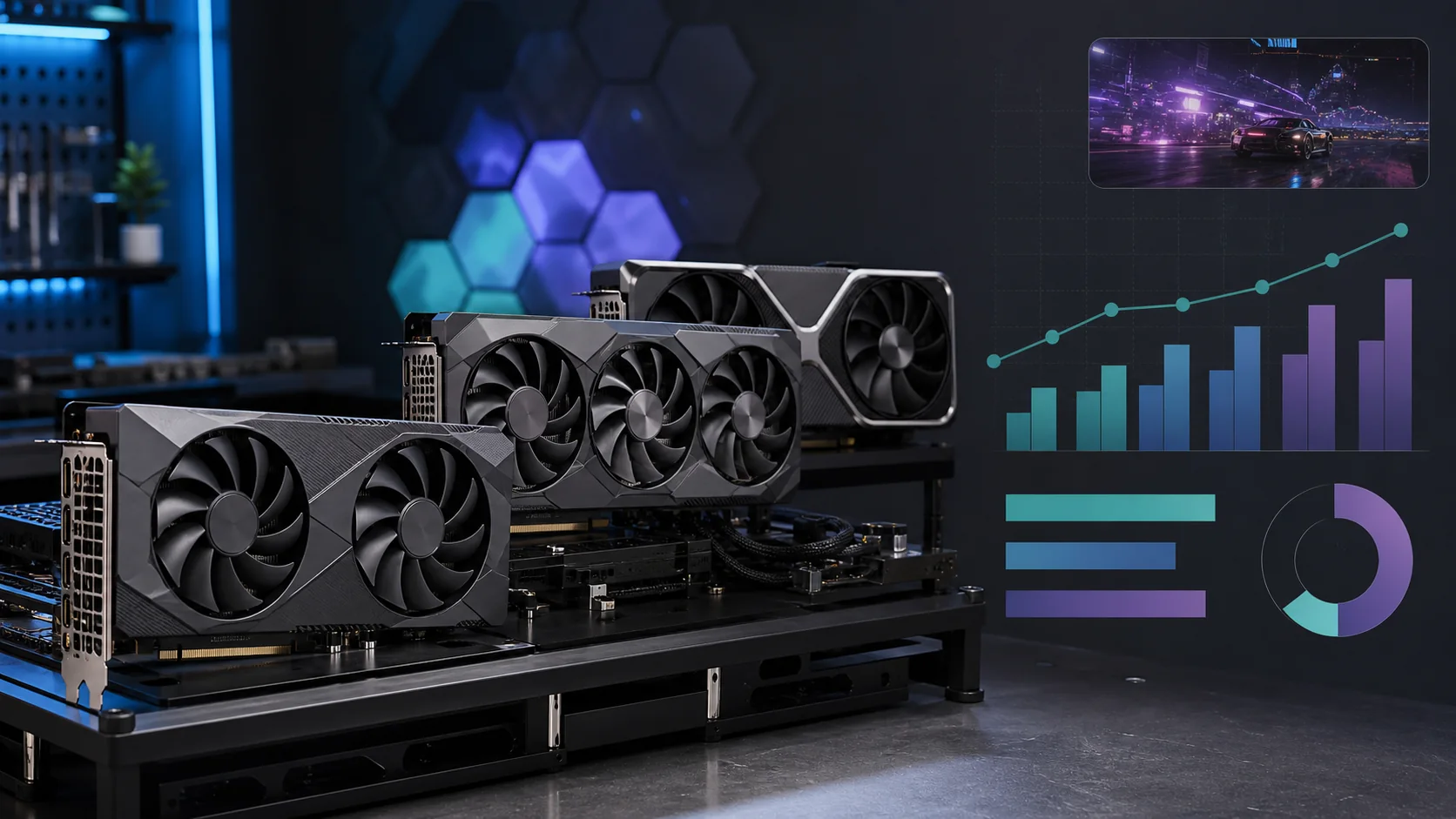
The best GPU under $500 right now is the ASRock Radeon RX 9060 XT Challenger 16GB OC, because no 8GB RTX 5060 Ti or RTX 4060 Ti listing in this range matches its 16GB VRAM buffer, and that capacity difference matters more than raw clock speed once you’re running 1440p textures on the highest setting. This tier sits right at the line between “budget” and “mainstream,” and listing prices move often. Below are real, currently listed cards covering four architectures: AMD’s RDNA4, Nvidia’s Ada Lovelace, Nvidia’s newer Blackwell generation, and Intel’s Battlemage.
Our Top Picks
 ASUS Dual GeForce RTX 4060 Ti EVO OCRTX4060Ti|OC|8GB|EVO8.9 x 4.9 x 2 inches1.4 poundsCheck on Amazon
 GIGABYTE GeForce RTX 5060 Ti WINDFORCE OC 8GRTX 5060 Ti8.19 x 4.72 x 1.57 inches1.42 poundsCheck on Amazon
 ASUS PRIME Radeon RX 9060 XT 16GB GDDR6RX9060XT|16GB|Black12 x 5 x 2 inches1.9 poundsCheck on Amazon


Top 3 picks at a glance
Verdict at a glance
- Best value overall: Radeon RX 9060 XT 16GB (ASUS Prime or ASRock Challenger versions above). 16GB of VRAM, FSR 4 and modest power draw make it the safest long-term buy in this budget.
- Best AMD stretch pick: Sapphire Pulse Radeon RX 9070 GRE 12GB, which launched globally in June 2026 and sits between the RX 9060 XT and RX 9070 in independent reviews. It is often listed slightly above this budget, so watch for sales.
- Best Intel: Sparkle Arc B580 Titan OC 12GB, the cheapest way to get 12GB of VRAM and solid 1440p entry performance.
- Best NVIDIA entry: RTX 5060 Ti 16GB if you can find one at a fair price; otherwise the ASUS Dual RTX 5060 8GB for 1080p with DLSS 4.5 and Multi Frame Generation.
Rule of thumb for this budget: buy 16GB if you plan to play at 1440p or keep the card for several years, and treat 8GB cards as 1080p cards.
Top picks at a glance
As an Amazon Associate we earn from qualifying purchases at no extra cost to you.




| Model | Key spec | Price tier | Best for |
|---|---|---|---|
| ASRock Radeon RX 9060 XT Challenger 16GB OC | 16GB GDDR6, 128-bit, RDNA4, PCIe 5.0 | Mid-range | 1440p with the most VRAM in this tier |
| ASUS Dual GeForce RTX 4060 Ti EVO OC 8GB | 8GB GDDR6, 128-bit, Ada Lovelace, DLSS 3 | Mid-range | Mature DLSS 3 titles at 1440p |
| ZOTAC Gaming RTX 5060 Ti Twin Edge OC 8GB | 8GB GDDR7, 128-bit, Blackwell, DLSS 4 | Mid-range | Frame-generation-heavy titles |
| GIGABYTE RTX 5060 Ti WINDFORCE OC 8G | 8GB GDDR7, 128-bit, Blackwell, PCIe 5.0 | Mid-range | Compact dual-fan cooling |
| ASUS Prime Radeon RX 9060 XT 16GB OC | 16GB GDDR6, 128-bit, RDNA4 | Mid-range | Best VRAM-to-price ratio in this tier |
| PNY GeForce RTX 5060 Ti 8GB OC Dual-Fan | 8GB GDDR7, 128-bit, Blackwell | Mid-range | Lowest-priced RTX 5060 Ti entry |
| ASUS Dual GeForce RTX 4060 EVO White OC 8GB | 8GB GDDR6, 128-bit, Ada Lovelace, DLSS 3 | Budget | Efficient 1440p on a tighter power budget |
ASRock Radeon RX 9060 XT Challenger 16GB OC
This is AMD’s RDNA4 architecture on a Navi 44 die, running a 3290 MHz boost clock, 16GB of GDDR6 across a 128-bit bus, and PCIe 5.0 connectivity. ASRock’s Challenger cooler uses dual fans with a 0dB idle mode and an LED status indicator on the shroud, and this is the highest-VRAM card in the entire roundup alongside its Prime-branded sibling below.
RDNA4’s known generational uplift over RDNA2 suggests roughly 75-90 fps at 1440p high in Helldivers 2 and 55-70 fps at 1440p high in Cyberpunk 2077 with FSR4 set to Balanced, with the 16GB buffer comfortably absorbing texture streaming in open-world titles that push 8GB cards toward stutter. These are estimates based on the architecture’s known relative standing, not a bench run of this specific unit. FSR4 support is a meaningful step up in image quality over FSR3, closing much of the gap to DLSS in supported titles.
Rated around 160W, this card is comfortable on a 600W PSU with a single 8-pin connector, less demanding than its raw specification might suggest. At roughly 9.3 inches long, measure your case’s front clearance before ordering, since the dual-fan cooler runs long relative to some competing designs.
Pros
- 16GB GDDR6 buffer, the largest in this price bracket
- FSR4 meaningfully improves upscaled image quality over FSR3
- PCIe 5.0 and DisplayPort 2.1a keep the card current for future monitors
Cons
- Priced slightly above the simpler ASUS Prime version
- 128-bit bus is narrow relative to the 16GB it’s feeding
- 9.3-inch length needs a full-size mid-tower or larger
Who it’s for: 1440p players and light content creators who want the most VRAM headroom in this price tier and don’t mind paying a little extra for a better-featured cooler.
ASUS Dual GeForce RTX 4060 Ti EVO OC 8GB
The RTX 4060 Ti uses Nvidia’s Ada Lovelace architecture on an AD106 die, paired here with 8GB of GDDR6 on a 128-bit bus and ASUS’s Dual-fan Axial-tech cooler with a 0dB idle mode. DLSS 3, including Frame Generation, is fully supported across the large library of games that have added it since Ada Lovelace launched.
Ada Lovelace’s known efficiency suggests roughly 70-85 fps at 1440p high in Baldur’s Gate 3 and 50-65 fps at 1440p high in Alan Wake 2 with DLSS set to Quality, figures based on the RTX 4060 Ti’s published specification rather than a direct test of this listing. The 8GB buffer is adequate at these settings but is the tightest VRAM option among the RTX cards in this roundup once you factor in the RX 9060 XT’s 16GB alternative at a similar price.
Power draw sits around 160W, needing a 550-600W PSU with a single 8-pin connector. ASUS’s 0dB idle mode keeps the card silent at the desktop, and its roughly 9.8-inch length and dual-slot design fit most mid-tower cases without issue.
Pros
- Mature DLSS 3 Frame Generation support with proven drivers
- 0dB idle mode keeps fans off outside of gaming load
- Efficient Ada Lovelace architecture at a reasonable 160W
Cons
- 8GB VRAM trails the RX 9060 XT’s 16GB at a similar price
- 128-bit bus limits headroom in the most texture-heavy titles
- Previous-generation card priced close to the 16GB RX 9060 XT Challenger
Who it’s for: players invested in DLSS 3 Frame Generation titles who value a mature driver and game-support library over raw VRAM capacity.
ZOTAC Gaming GeForce RTX 5060 Ti Twin Edge OC 8GB
This card moves to Nvidia’s newer Blackwell architecture on a GB206 die, with 8GB of faster GDDR7 memory on a 128-bit bus, a 28 Gbps memory speed, and PCIe 5.0 connectivity. ZOTAC’s Twin Edge cooler is a compact dual-fan design marketed as SFF-ready, and it supports DLSS 4 with Multi Frame Generation, Nvidia’s newest upscaling and frame-generation stack.
GDDR7’s higher bandwidth partially offsets the 128-bit bus width, so expect roughly 75-90 fps at 1440p high in Marvel Rivals and 55-70 fps at 1440p high in Black Myth Wukong with DLSS 4 set to Quality, estimates based on Blackwell’s known specification rather than a direct bench of this card. DLSS 4’s Multi Frame Generation can push perceived smoothness noticeably higher in supported titles, though the underlying render resolution and 8GB buffer remain the same constraints as other RTX 5060 Ti cards here.
Rated around 180W, this card wants a 600W PSU with a single 8-pin connector, more than the RTX 4060 Ti despite similar VRAM. Its compact SFF-ready form factor, shorter than the RX 9060 XT Challenger, makes it one of the easier cards in this roundup to fit into a tighter case.
Pros
- GDDR7 memory bandwidth helps offset the narrow 128-bit bus
- DLSS 4 Multi Frame Generation improves perceived smoothness in supported titles
- Compact SFF-ready cooler fits tighter cases than most cards here
Cons
- 8GB VRAM, still half the RX 9060 XT’s buffer at a similar price
- 180W draw is among the higher power requirements in this list
- Native Multi Frame Generation support is still limited to fewer games than standard frame generation
Who it’s for: SFF builders and DLSS 4 early adopters who prioritize frame-generation smoothness and compact size over raw VRAM.
GIGABYTE GeForce RTX 5060 Ti WINDFORCE OC 8G
GIGABYTE’s take on the RTX 5060 Ti uses the same Blackwell GB206 die, 8GB of GDDR7 on a 128-bit bus, and PCIe 5.0 connectivity as the ZOTAC card above, wrapped in GIGABYTE’s WINDFORCE cooling system, a compact dual-fan design.
Performance estimates track closely with the other RTX 5060 Ti cards in this roundup: roughly 75-90 fps at 1440p high in Marvel Rivals and 55-70 fps at 1440p high in Black Myth Wukong with DLSS 4 Quality mode, based on Blackwell’s known specification rather than a measured result for this exact card. The main differentiators versus the ZOTAC design are cooler styling, warranty support and price on the day rather than performance.
Rated around 180W, it needs the same 600W PSU class as the ZOTAC RTX 5060 Ti, with a single 8-pin connector. At about 208mm (8.2 inches) long and two slots thick, it fits most compact and mid-tower cases without trouble.
Pros
- Compact 208mm dual-fan card fits most cases
- GDDR7 and DLSS 4 support match the newer Blackwell feature set
- Competitive pricing among the RTX 5060 Ti options here
Cons
- Basic dual-fan cooler with no premium extras
- 8GB VRAM remains the ceiling shared by every RTX 5060 Ti listing here
- 180W draw needs the same PSU headroom as other Blackwell cards in this list
Who it’s for: buyers who want RTX 5060 Ti performance in a compact card from a mainstream brand.
ASUS Prime Radeon RX 9060 XT 16GB OC
ASUS’s Prime-series RX 9060 XT shares the same RDNA4 architecture, Navi 44 die, and 16GB GDDR6 buffer as the ASRock Challenger covered earlier, but it is usually listed slightly below the Challenger. The Prime cooler is a simpler dual-fan design without the LED indicator strip, trading a bit of styling for a lower price.
Performance estimates match the RDNA4 profile described above: roughly 75-90 fps at 1440p high in Helldivers 2 and 55-70 fps at 1440p high in Cyberpunk 2077 with FSR4 Balanced, figures based on RDNA4’s known specification rather than a direct bench of this card. The 16GB buffer remains the standout feature relative to every RTX 5060 Ti and RTX 4060 Ti listing in this roundup, all of which top out at 8GB.
Rated around 160W, it runs comfortably on a 600W PSU with a single 8-pin connector, the same efficient class as the Challenger variant. Its dimensions are similar to the ASRock card, so full-size mid-tower clearance is still recommended before ordering.
Pros
- 16GB VRAM at the lowest price of any 16GB card in this roundup
- FSR4 support improves upscaled image quality over FSR3
- 160W draw keeps PSU requirements reasonable for the VRAM on offer
Cons
- No DLSS support, since it’s an AMD card, so Nvidia-specific features are unavailable
- 128-bit bus is shared with 8GB cards despite feeding double the memory
- Simpler cooler than the Challenger, with less styling and no LED indicator
Who it’s for: buyers who want the most VRAM for the least money in this tier and don’t need DLSS-specific features.
PNY GeForce RTX 5060 Ti 8GB OC Dual-Fan
PNY’s entry into the RTX 5060 Ti lineup uses the same Blackwell GB206 die, 8GB of GDDR7 on a 128-bit bus, and PCIe 5.0 connectivity as the ZOTAC and GIGABYTE cards above, wrapped in a simpler dual-fan cooler without the extra styling of the WINDFORCE or Twin Edge designs. It is typically the most affordable RTX 5060 Ti listing in this roundup.
Performance estimates track the same Blackwell profile as the other RTX 5060 Ti cards here: roughly 75-90 fps at 1440p high in Marvel Rivals and 55-70 fps at 1440p high in Black Myth Wukong with DLSS 4 Quality, based on the shared architecture specification rather than a direct test of this card. The main tradeoff versus the ZOTAC and GIGABYTE variants is cooler design and brand support reputation rather than gaming performance, since the underlying GPU and memory configuration are identical.
Rated around 180W, it needs the same 600W PSU class as the other RTX 5060 Ti cards in this list, with a single 8-pin connector. Its simple dual-fan cooler keeps the chip within Nvidia’s specified thermal limits.
Pros
- Lowest price of any RTX 5060 Ti listing in this roundup
- Same Blackwell GB206 die and GDDR7 memory as pricier variants
- DLSS 4 support carries over at no cost to performance
Cons
- Simple cooler with no premium extras
- 8GB VRAM ceiling shared by every RTX 5060 Ti card in this list
- PNY’s aftermarket support network is smaller than ASUS, GIGABYTE, or ZOTAC
Who it’s for: budget-focused buyers who want RTX 5060 Ti and DLSS 4 at the lowest entry price and don’t need premium cooling or styling.
ASUS Dual GeForce RTX 4060 EVO White OC 8GB
The cheapest card in this entire roundup, ASUS’s RTX 4060 EVO uses Nvidia’s Ada Lovelace architecture on a smaller AD107 die than the RTX 4060 Ti, with 8GB of GDDR6 on a 128-bit bus and a white-themed Dual-fan Axial-tech cooler with 0dB idle mode. DLSS 3 with Frame Generation is supported, the same feature set as the RTX 4060 Ti but on a lower base clock.
The RTX 4060’s known specification suggests roughly 60-75 fps at 1440p high in Baldur’s Gate 3 and 45-60 fps at 1440p high in Alan Wake 2 with DLSS Quality, noticeably behind the RTX 4060 Ti and RTX 5060 Ti cards in this list, all estimates based on published specification rather than a direct bench run. This card is closer to a strong 1080p-to-1440p bridge than a settings-maxed 1440p card in the most demanding titles.
Power draw is rated around 115W, the lowest in this entire roundup by a wide margin, running comfortably on a 500-550W PSU with a single 8-pin connector. Its 0dB idle mode and efficient power draw make it the quietest and coolest-running option here, and the white shroud suits light-themed builds without needing a repaint.
Pros
- Lowest power draw in this roundup at roughly 115W
- Typically one of the most affordable cards in this list
- DLSS 3 Frame Generation support carries over from the RTX 4060 Ti
Cons
- Noticeably slower than every RTX 5060 Ti and RTX 4060 Ti card in this list
- 8GB VRAM on the smallest core in this roundup limits headroom the most
- Better suited to 1080p-to-1440p than settings-maxed 1440p in demanding titles
Who it’s for: budget-conscious 1440p buyers who prioritize low power draw and price over matching the top framerates in this list.
Sparkle Intel Arc B580 Titan OC 12GB

Intel’s Arc B580 is the label-winner for “best Intel” in this tier, and Sparkle’s Titan OC is one of the better-cooled versions. The card uses Intel’s Xe2 “Battlemage” architecture with 20 Xe cores, 12GB of GDDR6 on a 192-bit bus. Sparkle’s version adds a 2,740 MHz boost clock, a 200W board power, its TORN Cooling 2.0 triple-fan design in a 2.2-slot, 315mm-long shroud, a metal backplate and a breathing light, and it runs from a single 8-pin connector.
The B580’s appeal is simple: it delivers 12GB of VRAM in the budget tier, which is more than any RTX 5060 or 8GB RX 9060 XT. In independent reviews it generally lands a little ahead of the RTX 4060 at 1440p and close to it at 1080p, and in ComputerBase’s demanding Monster Hunter Wilds chart it finished level with the RTX 4060. Intel’s XeSS 2 upscaler, which includes frame generation and low-latency mode, is supported in a growing list of games.
Strengths: 12GB VRAM, very competitive price tier, AV1 encoding for streamers, and a quiet triple-fan cooler.
Drawbacks: it needs Resizable BAR enabled to perform properly, so it is a poor fit for older platforms; driver quality has improved a lot but still varies by game, especially in older DirectX 11 titles; and the card uses a PCIe 4.0 x8 interface, which loses a little performance on PCIe 3.0 boards.
How it compares: slower than the RTX 5060 Ti and RX 9060 XT cards above, but it costs a tier less and has more memory than the 8GB versions. Choose it for a 1080p-to-1440p build on a modern platform if your budget is tight.
ASRock Intel Arc B570 Challenger 10GB OC

The Arc B570 is the B580’s cut-down sibling, with 18 Xe cores, 10GB of GDDR6 on a 160-bit bus and a board power around 150W. ASRock’s Challenger OC version runs a 2,600 MHz GPU clock with 19 Gbps memory, a dual-fan cooler and a metal backplate, and it is one of the smaller Battlemage cards available.
This is the pick for buyers whose real budget is well below the top of this range. Performance in independent reviews sits roughly 10-15% below the B580, which still makes it a capable 1080p high-settings card, and its 10GB frame buffer avoids some of the texture problems 8GB cards run into. XeSS 2 frame generation helps in supported games.
Strengths: the lowest price tier here, 10GB VRAM, low power draw, compact cooler.
Drawbacks: the same Resizable BAR requirement and PCIe 4.0 x8 interface as the B580, and less headroom for 1440p.
How it compares: if you can stretch to the B580, the extra 2GB and higher performance are worth it. If not, the B570 is a better 1080p buy than older 8GB cards at a similar tier.
ASUS Dual GeForce RTX 5060 8GB OC Edition

The RTX 5060 is NVIDIA’s entry Blackwell card, and ASUS’s Dual OC Edition is a compact 2.5-slot version with Axial-tech fans, HDMI 2.1b and DisplayPort 2.1b. Under the shroud are 3,840 CUDA cores, 8GB of GDDR7 on a 128-bit bus, a PCIe 5.0 x8 interface and a board power around 145W, with a single 8-pin connector.
It is the cheapest route to DLSS 4.5’s second-generation transformer upscaler and Multi Frame Generation, which can make a 1080p high-refresh monitor feel very smooth in supported games. In Wccftech’s Battlefield 6 data, the RTX 5060 averaged 64 fps at native 1080p on the Overkill preset, so it handles current shooters at 1080p with sensible settings or DLSS.
Strengths: DLSS 4.5 and Multi Frame Generation, low power draw, compact size, mature NVIDIA drivers.
Drawbacks: only 8GB of VRAM, which limits texture settings in newer games and makes 1440p a compromise; the x8 interface loses some performance on PCIe 3.0 motherboards when VRAM runs out.
How it compares: roughly 20% slower than the RTX 5060 Ti and with half the memory of the 16GB cards in this guide. Choose it only for 1080p and only if you value DLSS more than VRAM; otherwise the RX 9060 XT 16GB or Arc B580 are the better long-term buys.
Sapphire Pulse Radeon RX 9070 GRE Gaming OC 12GB
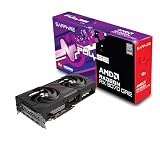
The RX 9070 GRE was a China-only card until AMD launched it globally in June 2026, and it fills the gap between the RX 9060 XT and the RX 9070. It uses the same Navi 48 chip as the RX 9070 and 9070 XT, cut down to 48 compute units, with 12GB of GDDR6 at 18 Gbps on a 192-bit bus, 48MB of Infinity Cache, a full PCIe 5.0 x16 interface and a 220W board power. Sapphire’s Pulse version keeps things understated with a dual-fan cooler and a modest factory overclock.
TechSpot places its performance neatly between the RX 9060 XT and RX 9070, and AMD claims up to 22% more performance than the RTX 5060 Ti. Tom’s Hardware described it as a reasonably attainable path to high-refresh 1080p and 1440p raster gaming, while noting that the cut-down chip and 12GB of VRAM hold it back in ray tracing above 1080p.
Strengths: the fastest raster performance you can get near this budget, FSR 4 support, full x16 PCIe interface, sensible power draw.
Drawbacks: retail listings often sit a little above this guide’s budget because of the 2026 memory price increases, 12GB rather than 16GB, and ray tracing is not its strength.
How it compares: a meaningful step up from the RX 9060 XT 16GB in frame rate but with 4GB less memory. Treat it as the stretch pick if a sale brings it into range.
How we compared and picked
Performance figures are marked as estimates tied to each architecture’s known relative standing and published independent reviews, not measured results from a specific retail unit.
Selection criteria weighted VRAM capacity against price, since this tier is where the tradeoff between Nvidia’s newer Blackwell feature set and AMD’s larger memory buffer becomes the defining decision. Rated power draw was checked against typical 600-650W PSU headroom for a full gaming system, and physical dimensions were checked against common mid-tower clearances.
Every fps figure above is stated as a planning estimate tied to the card’s known specification and architecture tier, not a claim of a direct benchmark run on this exact retail unit. Actual results will shift with driver version, game patch, and the rest of your system’s CPU, RAM, and storage configuration, so treat these numbers as a range to plan around rather than a guarantee.
What to look for in a $500 graphics card
VRAM capacity: 8GB vs 16GB
This price tier is where the 8GB-versus-16GB decision becomes sharper than in the budget tier below, because you’re now choosing between Nvidia’s newer Blackwell architecture at 8GB and AMD’s RDNA4 at 16GB, rather than comparing similarly specced cards. 8GB remains workable at 1440p high settings in most current titles with upscaling enabled, but it’s the card that will need texture-quality compromises first as game texture pools continue to grow, particularly in open-world and modded titles. 16GB, available among the featured cards on the RX 9060 XT models (and on the RTX 5060 Ti 16GB when you can find it), removes that ceiling entirely and is the safer choice if you plan to keep the card through several more game generations or do any content-creation work alongside gaming.
Warning: 8GB and 16GB versions share the same name
The single most common mistake in this tier is buying the wrong memory version of the right card. The RTX 5060 Ti and the RX 9060 XT both come in 8GB and 16GB versions with the same GPU name, and retail listings do not always make the difference obvious. Check the memory size in the product title before checking out.
- RTX 5060 Ti 8GB vs 16GB: same GPU, same 128-bit bus, same PCIe 5.0 x8 interface. In VRAM-heavy games at 1440p, independent reviews show the 8GB card losing large chunks of performance or stuttering, while the 16GB card holds steady. The x8 interface makes this worse on PCIe 3.0 and 4.0 boards, because overflowing VRAM traffic has to cross a narrower link.
- RX 9060 XT 8GB vs 16GB: same story. The 16GB version is the one to buy for 1440p or for keeping the card several years; the 8GB version is a 1080p card.
- RTX 5060: available only with 8GB. Fine for 1080p esports and medium-to-high settings, not for 1440p max textures.
- Arc B580 and B570: 12GB and 10GB respectively, so they sit between the two camps.
If two cards are close in price tier, the 16GB one is almost always the better buy over a three- to five-year ownership period.
Where the RTX 5060 Ti 16GB and RX 9070 fit
The RTX 5060 Ti 16GB is the NVIDIA card most buyers in this budget actually want: around 20% faster than the RTX 5060, double the memory, and the full DLSS 4.5 feature set including Multi Frame Generation. The catch in 2026 is availability. Memory price increases have pushed many 16GB listings above this budget, so if you see one at a fair price, it becomes the best NVIDIA pick in this guide. The same pressure pushed the regular RX 9070 16GB well above this range, which is why the RX 9070 GRE 12GB is the realistic stretch option on the AMD side.
Picks by label
| Label | Card | VRAM | Upscaler | Best resolution | Price tier |
|---|---|---|---|---|---|
| Best value | Radeon RX 9060 XT 16GB | 16GB GDDR6 | FSR 4 | 1080p to 1440p | Mid-range |
| Best AMD stretch | Sapphire Pulse RX 9070 GRE 12GB | 12GB GDDR6 | FSR 4 | 1440p | Mid-range (upper) |
| Best NVIDIA | RTX 5060 Ti 16GB | 16GB GDDR7 | DLSS 4.5, Multi Frame Generation | 1080p to 1440p | Mid-range |
| Best NVIDIA entry | ASUS Dual RTX 5060 8GB | 8GB GDDR7 | DLSS 4.5, Multi Frame Generation | 1080p | Budget |
| Best Intel | Sparkle Arc B580 Titan OC | 12GB GDDR6 | XeSS 2 | 1080p to 1440p | Budget |
| Best low budget | ASRock Arc B570 Challenger OC | 10GB GDDR6 | XeSS 2 | 1080p | Budget |
Architecture: RDNA4 vs Ada Lovelace vs Blackwell
RDNA4, found on both RX 9060 XT cards here, is AMD’s newest architecture and brought FSR4 along with it, a meaningfully sharper upscaler than FSR3. Ada Lovelace, powering the RTX 4060 Ti and RTX 4060 EVO cards, is Nvidia’s previous generation, now benefiting from a longer track record of driver stability and the widest library of DLSS 3 Frame Generation-enabled titles. Blackwell, on the RTX 5060 and RTX 5060 Ti cards, is Nvidia’s current generation, pairing faster GDDR7 memory with DLSS 4 Multi Frame Generation while still supporting every DLSS 3 title.
DLSS 4 vs DLSS 3 vs FSR4
DLSS 4’s Multi Frame Generation, exclusive to the RTX 5060 Ti cards in this roundup, can generate multiple interpolated frames per rendered frame, which noticeably raises displayed frame rate in supported titles, though it doesn’t reduce input latency the way a true higher render rate would. DLSS 3 Frame Generation, on the RTX 4060 Ti and RTX 4060 EVO, does the same job with a single generated frame. FSR4, on the RX 9060 XT cards, is AMD’s newest upscaler and closes much of the historical image-quality gap to DLSS, though it launched more recently and its supported-game list is still growing.
Power draw and PSU sizing
Rated power draw in this roundup spans from about 115W on the RTX 4060 EVO up to 180W on the RTX 5060 Ti cards, a tighter range than in the budget tier below but still worth planning around. A 600W PSU with a single 8-pin PCIe connector covers every card here comfortably, though if you’re pairing one of these GPUs with a higher-end CPU, bump to 650-750W to keep headroom for both components under full load.
Card length and case clearance
Card length varies a lot between models in this tier, from compact SFF-ready dual-fan designs to longer cards such as the triple-fan Sparkle Arc B580 Titan. If you’re building in a mid-tower case with front-mounted radiators or drive cages, measure clearance before ordering one of the longer cards, since a half-inch shortfall is the most common reason for a return at this price tier.
PCIe 5.0: does it matter yet
Most cards here support PCIe 5.0, including the RTX 5060 Ti variants and both RX 9060 XT cards. On a PCIe 4.0 board the difference is negligible, but the RTX 5060 Ti, RTX 5060 and RTX 4060-series cards use only eight lanes, so on a PCIe 3.0 board the 8GB versions can lose noticeable performance once VRAM fills up. The RX 9060 XT uses a full x16 link and is far less affected. Treat PCIe 5.0 support as a forward-looking spec rather than a reason to upgrade your motherboard today.
Setup tips after you install a new card
- Enable Resizable BAR (or Smart Access Memory) in the BIOS. It is essential for Intel Arc cards and gives small gains on AMD and NVIDIA. It requires UEFI boot mode, which most systems from the last several years support.
- Check your PCIe slot generation. The RTX 5060, RTX 5060 Ti and Arc B-series cards use eight PCIe lanes. On a PCIe 3.0 motherboard that halves available bandwidth, which matters most on 8GB cards when VRAM fills up. The RX 9060 XT and RX 9070 GRE use a full x16 link.
- Do a clean driver install. When switching brands, remove the old driver first with the vendor’s cleanup option or DDU, then install the latest WHQL driver.
- Turn on the newest upscaler through the driver. RTX owners can apply DLSS 4.5’s second-generation transformer model through the NVIDIA app; RX 9000 owners can enable FSR 4 in AMD Adrenalin for supported games.
- Use the right power cables. Every card here uses standard 8-pin connectors. Use separate PCIe cables from the power supply rather than one daisy-chained cable when a card needs two plugs.
- Match textures to VRAM. On 8GB cards, keep texture quality one step below maximum in new releases; it is the setting most likely to cause stutter.
Mistakes buyers make
Assuming a newer architecture always wins is a common mistake at this tier; Blackwell’s RTX 5060 Ti cards are newer than RDNA4’s RX 9060 XT, but the RX 9060 XT’s 16GB buffer outperforms 8GB Blackwell cards in VRAM-limited scenarios regardless of which generation launched more recently.
Ignoring game-specific upscaler support leads to disappointment; DLSS 4 Multi Frame Generation and FSR4 both need per-title implementation, so check a game’s feature list before assuming either technology will boost frame rate in whatever you play most.
Underbuying PSU wattage because “it’s not a high-end card” catches builders off guard at this tier. A 180W RTX 5060 Ti paired with a power-hungry CPU can push a marginal 550W unit past comfortable headroom, especially under simultaneous CPU and GPU load spikes.
Overlooking card length in a compact case is a frequent return reason here, since card lengths vary widely in this tier. Check your case’s GPU clearance spec, not just “similar cards fit,” before ordering.
Buying 8GB when your workload is content creation alongside gaming is a mistake worth avoiding; if you edit video or run large creative applications, the RX 9060 XT’s 16GB buffer will age noticeably better than any 8GB card in this list. See our best GPU for content creation guide if that’s your primary use case.
Skipping the CPU pairing check is a mistake that undercuts every card here; a $500 GPU bottlenecked by an aging CPU won’t hit the estimated frame rates above, so check our best CPU for 1440p gaming guide before finalizing a build around one of these cards.
Verdict
The ASRock Radeon RX 9060 XT Challenger 16GB OC is the top pick under $500, combining 16GB of VRAM with FSR4 support and a reasonable 160W power draw; the ASUS Prime version is a slightly cheaper alternative with the same chip. For the tightest budget with an emphasis on efficiency, the ASUS Dual RTX 4060 EVO White OC 8GB draws the least power in this roundup while still offering DLSS 3 Frame Generation. For a premium pick with the newest feature set, the GIGABYTE RTX 5060 Ti WINDFORCE OC 8G brings Blackwell’s GDDR7 memory and DLSS 4 in a compact dual-fan card. If your budget has room to stretch further, compare these against our best graphics card for gaming roundup, and if $500 is more than you need to spend, our best GPU under $300 guide covers the tier just below this one.
Frequently asked questions
What is the best GPU under $500 right now?
For a balance of price and 1440p performance, the ASRock Radeon RX 9060 XT Challenger 16GB OC stands out because it pairs 16GB of VRAM with a modest power draw, while the RTX 5060 Ti variants trade that capacity for Blackwell’s DLSS 4 frame generation and slightly newer GDDR7 memory.
RTX 5060 Ti or RX 9060 XT, which is better under $500?
Choose the RTX 5060 Ti if you play titles with strong DLSS 4 support and want the smoothest frame-generation experience; choose the RX 9060 XT if you want double the VRAM at a similar or lower price and play open-world or content-creation workloads that benefit from extra memory headroom.
Is 8GB of VRAM enough for a $500 graphics card?
8GB is adequate for 1440p at high settings in most current titles when paired with DLSS or FSR upscaling, but it’s becoming the tighter option at this price point now that 16GB cards like the RX 9060 XT sell in the same bracket, so texture-heavy or modded games are where 8GB shows its limits first. Our best GPU for 1440p gaming guide covers this tradeoff across a wider range of cards.
Can a sub-$500 GPU handle 1440p at high settings?
Yes, every card in this roundup is built around 1440p as its primary target, with most estimated to land between 60 and 90 fps at high settings in demanding titles before upscaling, and comfortably above that in esports and older AAA titles.
Do I need PCIe 5.0 for the RTX 5060 Ti or RX 9060 XT?
No. Both run fine in a PCIe 4.0 slot with a negligible difference. On PCIe 3.0, the RX 9060 XT (x16) is barely affected, but the RTX 5060 Ti uses eight lanes, so the 8GB version can lose noticeable performance when games exceed its VRAM.
Is the Intel Arc B580 a good alternative to the RTX 5060?
For many buyers, yes. It has 12GB of VRAM versus 8GB, costs a tier less, and performs close to an RTX 4060 or slightly better at 1440p. The RTX 5060 is faster overall and has more mature drivers and DLSS 4.5, so it is the safer choice for older games or older platforms without Resizable BAR.
Is the RX 9070 GRE worth stretching the budget for?
If 1440p high-refresh gaming is your goal, it is a meaningful step up in frame rate over the RX 9060 XT. Its 12GB of memory is less than the 9060 XT’s 16GB, though, so it is a performance-first pick rather than a longevity pick.
Does the RTX 5060 Ti 8GB lose performance in a PCIe 3.0 slot?
It can. Because it uses eight PCIe lanes, it has less bandwidth on PCIe 3.0, and the loss shows up most when games exceed its 8GB of VRAM. The 16GB version is far less affected.