Almost every thin laptop dropped its disc tray years ago, yet DVDs and CDs keep turning up: a box of family videos, a software installer from an old job, a music collection nobody wants to stream, or a legal archive that still arrives on a disc. An external DVD drive is a small peripheral that solves those moments, and the choice comes down to a handful of practical questions: which port your computer has, whether you need to burn discs or only read them, and whether you work on Windows, a Mac, or both.
This 2026 comparison covers eight external drives, from a no-frills Type-C burner to name-brand ASUS and LG models with M-DISC support. It is written for people digitizing home movies, restoring old backups, installing legacy software, or burning the occasional data disc, rather than for anyone building a media library from scratch. Each pick sticks to what the listing states, so check your operating system against the compatibility lines before you order. If a disc holds something irreplaceable, copy it to a hard drive or cloud folder as soon as the drive reads it.
Our Top Picks
 Dell External USB Slim DVD RW Drive DW316Slimline"5.41 x 5.67 x 0.55 inches0.44 poundsCheck on Amazon
 ASUS ZenDrive Black 13mm External 8X DVD/Burner DriveU9M2.36 x 7.09 x 7.9 inches1.04 poundsCheck on Amazon



Top 3 picks at a glance
Quick Picks
As an Amazon Associate we earn from qualifying purchases at no extra cost to you.



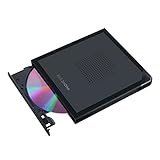

| Product | Best for | Key spec from the title |
|---|---|---|
| Amicool External DVD Drive | Laptops with USB-A or USB-C | USB 3.0 and USB C, CD/DVD +/-RW |
| Antika External CD Drive | MacBook and Windows users | USB 3.0, slim, Win 11/10/7/8 |
| Rioddas External CD/DVD Drive | Burning and duplicating discs | USB 3.0, +/-RW burner, disk duplicator |
| Dell DW316 | Plug-and-play Windows use | USB slim DVD RW, CyberLink Media Suite 12 |
| LG GP65NB78 | Archival discs with M-DISC | 8X, USB 2.0, Super Multi, M-DISC |
| ASUS ZenDrive 13mm | Mac and Windows with backup tools | 8X, M-Disc support, Nero BackItUp |
| ASUS ZenDrive V1M | Tidy travel with USB-C | Cable-storage design, USB-C, M-DISC |
| Type-C CD/DVD Burner (8x/24x) | Simple budget burner | USB 3.0 Type-C, 8x DVD and 24x CD speed |
How to Choose
Connection and port compatibility
Start with the ports on the computer. USB 3.0 Type-A is still the most common, and several listings add a USB-C adapter or a native Type-C cable for newer laptops. A slim ultrabook with only USB-C ports needs either a Type-C drive or a dongle, and a dongle on a bus-powered drive can cause power problems. USB 2.0, as on the LG, is slower in theory but optical drives rarely saturate the bus. Also check the cable length and whether the drive pulls power from a single plug, since a short lead can strain a laptop port on a crowded desk.
Read-only or burner
Nearly every drive in this guide reads and writes CD and DVD media, shown by the +/-RW wording. Burning a disc is useful for sharing a video with a relative or making a data backup, but a pure playback use case does not need extras. Ignore marketing about “super fast” speeds and look at the stated 8x DVD or 24x CD figures, because real burn time is limited by the disc, the source drive, and your software.
Operating system and software
Windows 11 and older are commonly named, and some listings add macOS. The Dell lists Windows 11 or below and bundles CyberLink media software, while the ASUS ZenDrive models name both Mac and Windows. Linux users should look for plug-and-play wording, as in the generic Type-C listing. Budget drives often bundle old software that you can skip in favor of free tools.
M-DISC and long-term storage
M-DISC support, listed on the LG and both ASUS models, matters if you plan to archive photos or documents on discs designed for long shelf life. The drive must support it, and you need compatible discs. Where budget models cut corners is plastic build, loose trays, and noise, so choose by how often you will actually use it. A drive that spends most of its life in a drawer does not need premium extras, while one that handles a monthly backup routine earns a better build.
The 8 Best Options
Amicool External DVD Drive
The Amicool is a slim portable drive that works over USB 3.0 and USB-C and reads and writes CD and DVD media in +/-RW formats. The dual connector wording makes it a practical choice for a household that mixes an older desktop with a newer laptop. It is billed as a rewriter and reader, so it covers both ripping an old album and burning a data disc.
- Strength: USB 3.0 and USB-C connection options in one drive.
- Strength: full CD and DVD read and write capability.
- Trade-off: the title does not name M-DISC support or specific software.
Skip it if you need long-life archive discs or a bundled backup program for your project. Families who just want to read old DVDs once and be done with them will find it fits that job well.
Antika External CD Drive
Antika’s slim drive uses USB 3.0 and is described as a CD/DVD +/-RW writer and player for MacBook Pro laptops and desktops running Windows 11, 10, 7, or 8. The listing names a range of operating systems, which helps if your family still runs a PC on an older version. It targets ordinary home use rather than archival work.
- Strength: broad operating system list including older Windows versions.
- Strength: slim portable body for a laptop bag.
- Trade-off: a modest title with no extras such as M-DISC.
Skip it if you want a well-known brand name behind the drive. Buyers who need a clear software bundle or long-term disc support will find better matches further down this list.
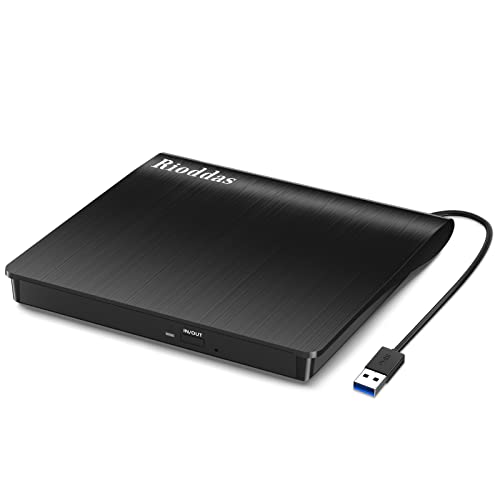
Rioddas External CD/DVD Drive
The Rioddas drive pitches USB 3.0, +/-RW burning, and use as a disk duplicator, and it works with laptops and desktops. That makes it relevant to anyone copying a stack of discs, such as a teacher handling classroom materials or a hobbyist copying home movies. It is a general-purpose option that leans on burning ability.
- Strength: described for reading, writing, and duplicating discs.
- Strength: USB 3.0 connection for a straightforward desktop setup.
- Trade-off: the listing offers no brand-level assurances about software or M-DISC.
Skip it if you only need to read an occasional disc and prefer a major brand. Heavy duplication also calls for patience, since each disc still has to be written and verified one at a time.
Dell DW316
The Dell DW316 is a slim external USB DVD RW drive with a plug-and-play setup, a black finish, and CyberLink Media Suite 12 listed. It draws 8 watts and supports Windows 11 or below, which makes it a safe pick for office laptops and Dell PCs. The recognizable brand and bundled software appeal to buyers who want a drive that behaves predictably.
- Strength: plug-and-play with Dell branding and bundled media software.
- Strength: a clear Windows compatibility statement.
- Trade-off: the title does not mention macOS or M-DISC.
Skip it if you use a Mac or want archival disc support. It is a Windows-centered drive, and anyone on a newer operating system should confirm compatibility first.
LG GP65NB78
LG’s GP65NB78 is an 8X Super Multi ultra slim portable DVD writer with M-DISC support and a USB 2.0 interface. It is the name-brand choice for people who want a trusted optical manufacturer and an archive-friendly drive. USB 2.0 is a limit on paper, but a DVD burner seldom needs more.
- Strength: M-DISC support for long-life storage.
- Strength: ultra slim portable form with +/-RW capability.
- Trade-off: USB 2.0 rather than USB 3.0 on the title.
Skip it if you need a native USB-C connector without an adapter. A newer thin laptop will need a dongle, which adds one more piece to carry.
ASUS ZenDrive 13mm
The black ZenDrive is a 13mm external DVD burner at 8X with +/-RW and M-Disc support, compatible with both Mac and Windows. The listing adds Nero BackItUp for Android devices, giving backup-minded users a clear software story. The slim 13mm profile suits a travel bag.
- Strength: Mac and Windows compatibility on one drive.
- Strength: M-Disc support and a named backup tool.
- Trade-off: the title does not name a USB-C connector, so check the cable type.
Skip it if your laptop has only USB-C ports and you dislike adapters. The V1M below is the cleaner match for that situation.
ASUS ZenDrive V1M
The ZenDrive V1M is an external DVD drive and writer with a built-in cable-storage design and a USB-C interface. It supports Windows 11 and macOS, with M-DISC support listed. The built-in cable storage keeps the drive and its lead together, a small detail that avoids the lost-cable problem.
- Strength: USB-C with integrated cable storage.
- Strength: Windows 11 and macOS support with M-DISC.
- Trade-off: it sits above the entry tier compared with generic drives.
Skip it if you want the lowest possible cost and own a USB-A laptop. The extra design refinements matter less if the drive will live in a drawer.
Type-C CD/DVD Burner (8x/24x)
This unbranded external drive uses USB 3.0 and Type-C connections as a burner, writer, and reader for laptops, PCs, and Macs. Its title lists 8x DVD and 24x CD speeds and plug-and-play operation. It is a no-nonsense tool for occasional use.
- Strength: both USB 3.0 and Type-C connections.
- Strength: speeds and compatibility stated in the title.
- Trade-off: no clear brand name or support promise in the listing.
Skip it if you want a recognized manufacturer standing behind the drive. If the drive will be used for important archives, a name-brand model with M-DISC support is the safer route.
Which One Fits Your Situation
Digitizing a box of family DVDs on a MacBook
The ASUS ZenDrive V1M pairs USB-C and macOS support, so no adapter is needed.
An office laptop running Windows
The Dell DW316 is a conservative pick: plug-and-play, bundled media software, and a clear Windows statement.
Archiving important photos and documents
The LG GP65NB78 or the ASUS ZenDrive 13mm, both listing M-DISC support, suit long-term storage.
Copying discs for a classroom or club
The Rioddas, with its duplicator wording, is the most relevant to batch copying.
Common Mistakes
- Buying a USB-A drive for a laptop that only has USB-C ports and no adapter.
- Assuming every drive supports M-DISC when only some listings name it.
- Ignoring the operating system line, especially for macOS or newer Windows versions.
- Expecting an external drive to play Blu-ray discs when these are DVD and CD drives.
- Plugging a bus-powered drive into an unpowered hub and then blaming the drive for dropouts.
Related guides
- Replacement Cables For Gaming Mice And Headsets
- Indoor Security Cameras Without Subscription
- Nvidia Control Panel Best Settings For Gaming
Frequently Asked Questions
Can these drives play Blu-ray discs?
No. The titles describe CD and DVD drives. Blu-ray playback requires a Blu-ray drive.
Do I need special software to burn a disc?
Windows and macOS include basic burning tools. Some listings bundle extra software, such as CyberLink or Nero, but it is optional.
Is USB 2.0 too slow for a DVD drive?
For a DVD, USB 2.0 is generally adequate because optical speeds stay modest. USB 3.0 mainly adds convenience on newer machines.
What is M-DISC and do I need it?
M-DISC is a long-life disc format intended for archives. You need both a supporting drive and compatible discs, and it matters mostly if you are storing irreplaceable files.
Related guides
More from Amazon
Programs that pair well with the guide above. Offers and eligibility are set by Amazon and may change.
A free business account with business pricing and bulk-buying tools for work, shop or home office.
Create a business accountFree shipping on eligible items, Prime Video and more. Eligible new members can start with a free trial.
Start a Prime free trialAudiobooks and podcasts to listen to on the go. Eligible new members can start with a free trial.
Try Audible freeAd-free music streaming. Eligible new subscribers can start with a free trial.
Try Music Unlimited freeAs an Amazon Associate we earn from qualifying purchases.