Our Short List of 3
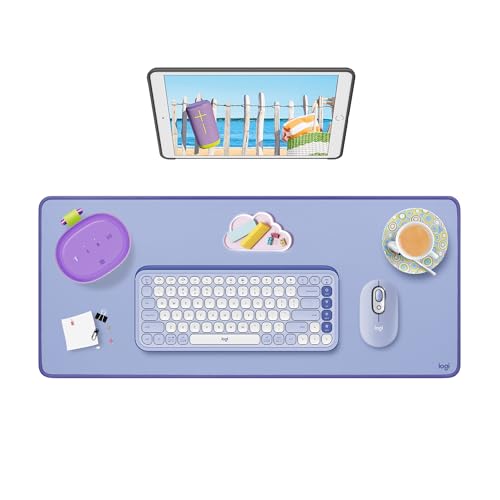
- Best for: Shallow desks where a 400 mm deep mat would hang over the edge.
- Size: 27.5 x 11.8 inches
- Thickness: 2 mm
- Surface: Polyester cloth, spill-resistant
- Base: Anti-slip rubber

- Best for: Anyone who wants a simple, proven cloth surface without extras.
- Size: 900 x 400 mm
- Thickness: 2 mm
- Surface: Micro-woven cloth
- Base: Non-slip rubber
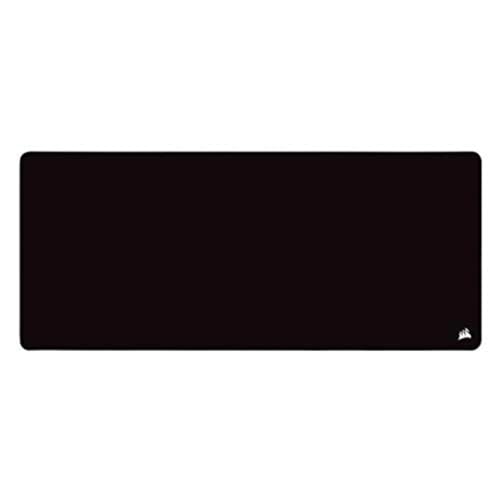
- Best for: Desks where drinks sit next to the keyboard and spills are a matter of time.
- Size: 930 x 400 mm (36.6 x 15.7 inches)
- Thickness: 4 mm
- Surface: Spill-proof micro-weave textile
- Edges: Anti-fray stitched
All 4 Picks at a Glance
| Product | Specs | Action |
|---|---|---|
| Logitech Desk Mat Studio Series |
| Check price on Amazon |
| SteelSeries QcK XXL |
| Check price on Amazon |
| Corsair MM350 PRO Extended XL |
| Check price on Amazon |
 Logitech G840 XL |
| Check price on Amazon |
A desk mat sits under everything on your desk, so the wrong one shows up in every game and every work call. A mat that is too small leaves the keyboard half on bare wood and the mouse running off the edge mid-fight, while a mat with the wrong surface makes the mouse skip during a flick shot and drag during a long work session. The real choice is size against your desk, surface against your mouse, and thickness against how your wrists feel after eight hours.
This guide is for gamers who also work at the same desk, and for home-office workers who play after hours. Every mat below is a large desk mat that fits a full keyboard and a mouse with room to spare, chosen from names and specifications on its Amazon product page, and each one is still selling on Amazon US. The five cover soft cloth, spill-proof weave, and a slim budget pick for deep and shallow desks.
Our Top Picks
- Logitech G840 XL Cloth Gaming Mouse Pad15.7L x 35.4W inches35.4 x 15.7 x 3 inches0.2 poundsCheck on Amazon
Top 3 picks at a glance
Quick Picks
As an Amazon Associate we earn from qualifying purchases
| Product | Best for | Key spec from title |
|---|---|---|
| Logitech Desk Mat Studio Series | Shallow desks and mixed work-play setups | 27.5 x 11.8 inches, 2 mm thick |
| Razer Gigantus V2 XXL | Low-sensitivity aim with big arm movements | 940 x 410 mm, 4 mm thick |
| SteelSeries QcK XXL | A plain, proven cloth surface | 900 x 400 mm, 2 mm thick |
| Corsair MM350 PRO Extended XL | Spill-prone desks and long sessions | 930 x 400 mm, spill-proof weave |
| Logitech G840 XL | A slim, consistent glide | 900 x 400 mm, 3 mm thick |
How to Choose
Measure the desk before the mat
Start with a tape measure, not a product page. A mat that is wider than the desk hangs over the edge and curls, while one that is deeper than the desk leaves the front edge floating where your wrists rest. Measure the width you can spare and the depth from the monitor stand to the desk edge, then leave a small gap at the front. A mat around 900 mm wide suits most full-size setups, while a 700 mm mat fits a tenkeyless keyboard and a mouse on a compact desk. A 400 mm deep mat needs a desk at least that deep; a shallow desk calls for a narrower model such as the Logitech Studio Series.
Match the surface to the mouse
Cloth is the safe default for a desk mat that must serve both games and work. A fine micro-weave cloth tracks optical and laser sensors cleanly and gives a steady glide for flick shots and long spreadsheet drags. A smooth leather-style surface looks tidy and wipes clean, but it can feel slick under a mouse and shows palm prints fast. A spill-proof coated cloth is the middle ground: liquids bead on the surface instead of soaking in, which matters when coffee lives next to the keyboard. Whatever the surface, check that the listing describes it as a mouse surface, not just a writing pad, because some mats are too rough or too glossy for a sensor to read.
Thickness and wrist comfort
Thickness changes how the whole desk feels. A 2 mm mat sits almost flat, so the keyboard stays at nearly the same height as the bare desk and the mouse hand moves without a step at the edge. A 3 mm mat adds a little give without lifting the keyboard much, which suits most people. A 4 mm mat cushions the wrist and smooths over desk seams and screw heads, but it raises the keyboard and can make a low-profile keyboard feel taller than expected. If your wrists already ache by the afternoon, the thicker mat is worth trying; if you like a firm, direct feel under the keyboard, stay thin.
Cleaning, edges, and staying put
A desk mat earns its keep by protecting the desk, so think about what happens when it gets dirty. Cloth mats can be wiped or rinsed, but they dry slowly and hold stains if a spill sits. Spill-proof coatings wipe clean in seconds, which is why they suit desks that double as a lunch table. Look at the edges too: stitched edges resist fraying far longer than heat-treated ones, especially where a forearm rubs all day. Finally, check the base. A textured rubber base grips the desk and stops the mat sliding during a fast mouse sweep, while a smooth backing lets the whole mat creep across the desk over a long session.
The 5 Best Options
Logitech Desk Mat Studio Series
- Best for: Shallow desks where a 400 mm deep mat would hang over the edge.
- Size: 27.5 x 11.8 inches
- Thickness: 2 mm
- Surface: Polyester cloth, spill-resistant
- Base: Anti-slip rubber
Shallow desks where a 400 mm deep mat would hang over the edge.
The 11.8-inch depth is tight for low-sensitivity mouse movement, so measure your sweep before ordering.
The Logitech Studio Series is the compact pick in this guide. At 27.5 by 11.8 inches it fits a full keyboard and a mouse on desks that cannot take a 900 mm mat, and the soft cloth surface gives a smooth, even glide for both work and play. The spill-resistant coating handles a knocked-over glass better than plain cloth, the rubber base keeps the mat from creeping, and the range of muted colors lets it blend into an office desk instead of shouting. It is a desk mat first and a gaming surface second, which is the right order for a shared workspace.
Watch out for: The 11.8-inch depth is tight for low-sensitivity mouse movement, so measure your sweep before ordering.
Razer Gigantus V2 XXL
The Gigantus V2 XXL is built for players who move their whole arm, not just their wrist. Its 940 by 410 mm surface holds a full keyboard and still leaves a wide strip of mouse room on either side, and the textured micro-weave cloth gives a steady, controlled glide that suits low-sensitivity aiming. The high-density rubber foam underneath is 4 mm thick, which cushions the wrist and flattens out small bumps in the desk. It comes in sizes up to 3XL, but the XXL is the sweet spot for most desks: big enough for sweeping movements, small enough to fit a standard gaming desk without overhang.
Specs
- Size: 940 x 410 mm
- Thickness: 4 mm
- Surface: Textured micro-weave cloth
- Base: High-density rubber foam, non-slip
- Model: RZ02-03330400-R3U1
Best for: Low-sensitivity players who aim with the whole arm.
Watch out for: The 4 mm thickness lifts the keyboard slightly, so check how it feels with your keyboard’s feet before committing.
SteelSeries QcK XXL
- Best for: Anyone who wants a simple, proven cloth surface without extras.
- Size: 900 x 400 mm
- Thickness: 2 mm
- Surface: Micro-woven cloth
- Base: Non-slip rubber
Anyone who wants a simple, proven cloth surface without extras.
The edges are heat-treated rather than stitched, so check the listing’s edge description and expect the edges to wear first with heavy forearm contact.
The QcK XXL is the plain, proven option. Its micro-woven cloth surface has been the default tournament surface for years because it tracks optical and laser sensors cleanly and feels the same for years. At 900 by 400 mm it covers a keyboard and a mouse with room to spare, and the 2 mm thickness keeps it low and flat, so the keyboard sits almost exactly where it would on the bare desk. There is no RGB, no coating, and no extra feature to go wrong. It is one large surface that does one job well.
Watch out for: The edges are heat-treated rather than stitched, so check the listing’s edge description and expect the edges to wear first with heavy forearm contact.
Corsair MM350 PRO Extended XL
- Best for: Desks where drinks sit next to the keyboard and spills are a matter of time.
- Size: 930 x 400 mm (36.6 x 15.7 inches)
- Thickness: 4 mm
- Surface: Spill-proof micro-weave textile
- Edges: Anti-fray stitched
Desks where drinks sit next to the keyboard and spills are a matter of time.
The spill-proof coating still needs a quick wipe after a spill; leaving liquid to dry on the surface can leave a mark.
The MM350 PRO Extended XL is the mat to buy if your desk sees coffee, snacks, and long sessions in equal measure. Its spill-proof micro-weave surface lets liquids bead and wipe away instead of soaking into the cloth, which keeps it looking and feeling the same for months. At 930 by 400 mm it covers a full keyboard and a mouse with space left over, the 4 mm plush rubber base cushions the wrist, and the anti-fray stitched edges hold up where a forearm rubs all day. A two-year warranty backs the build. It is the most desk-protecting mat here.
Watch out for: The spill-proof coating still needs a quick wipe after a spill; leaving liquid to dry on the surface can leave a mark.
Logitech G840 XL
- Best for: Players who want a slim, consistent glide without a thick cushion.
- Size: 900 x 400 mm
- Thickness: 3 mm (0.12 in)
- Surface: Performance-tuned cloth, moderate friction
- Base: Stable rubber, non-slip
Players who want a slim, consistent glide without a thick cushion.
The mat ships rolled in a tube, so unroll it flat and give it time to settle before judging whether it lies perfectly flat.
The G840 XL is the slim, no-drama option for players who want a consistent glide and nothing else to think about. Its performance-tuned cloth surface has moderate friction, so the mouse moves freely without feeling slick, and the stable rubber base keeps the mat planted during fast sweeps. At 900 by 400 mm it fits a full keyboard and a mouse comfortably, and the 3 mm thickness splits the difference between a flat 2 mm mat and a cushioned 4 mm one. It ships rolled in a durable transport tube, and it lies flat quickly once unrolled. It is the quiet workhorse of this guide.
Watch out for: The mat ships rolled in a tube, so unroll it flat and give it time to settle before judging whether it lies perfectly flat.
Which One Fits Your Situation
You game and work at the same desk
Pick the Corsair MM350 PRO Extended XL. Its spill-proof surface handles coffee and lunch at the same desk where you play at night, the 4 mm base cushions long workdays, and the stitched edges survive the forearm contact that comes with eight hours of typing followed by a gaming session. The Logitech G840 XL is the backup if you prefer a slimmer mat and rarely eat at the desk.
Your desk is shallow or small
Pick the Logitech Desk Mat Studio Series. At 27.5 by 11.8 inches it is the only mat here that fits a shallow desk without hanging over the front edge, and its spill-resistant cloth still tracks a mouse cleanly. Measure the depth from the monitor stand to the desk edge first; if you have less than 12 inches of depth, this is the mat that fits.
You play with low sensitivity and big arm movements
Pick the Razer Gigantus V2 XXL. Its 940 by 410 mm surface is the widest here, so a low-sensitivity sweep never runs off the edge, and the 4 mm foam base keeps the wrist comfortable through long aiming sessions. The SteelSeries QcK XXL is the thinner alternative if you want the same footprint with less cushion under the keyboard.
You want the simplest mat that just works
Pick the SteelSeries QcK XXL. It has no coating to wear out, no RGB to configure, and no extra thickness to adjust to: just a large, flat cloth surface that tracks well and stays put. The Logitech G840 XL is the pick if you want the same simplicity with a slightly thicker, more cushioned feel.
Common Mistakes
- Buying a 900 mm mat for a desk that is only 800 mm wide, then watching the edges curl over the sides.
- Choosing a mat by looks alone and finding the surface too slick or too rough for the mouse sensor.
- Ignoring thickness, so a 4 mm mat lifts the keyboard and changes the typing angle.
- Picking a cloth mat for a desk where drinks spill often, instead of a spill-proof coated one.
- Unrolling a tube-packed mat and judging it in the first hour, before it has had time to lie flat.
Frequently Asked Questions
What size desk mat fits a full keyboard and mouse?
A mat around 900 mm wide and 400 mm deep fits a full-size keyboard and a mouse with room for normal movement. That is the size of the QcK XXL, G840 XL, and MM350 PRO here. If your desk is narrower, a 700 mm mat works with a tenkeyless keyboard. Measure the desk first: the mat should sit flat with no overhang at the front or sides.
Do desk mats work with any mouse sensor?
Most cloth desk mats work with optical and laser sensors, because the fine weave gives the sensor a consistent pattern to read. Very glossy leather-style mats can confuse some sensors, and very rough textures can make tracking feel uneven. If a mat is sold as a mouse surface, it is usually safe; if it is sold only as a writing pad, check that the listing mentions mouse use before ordering.
Can I wash a cloth desk mat?
Most cloth mats can be rinsed with cold water and mild soap, then left to air dry flat. Do not put a mat in a washing machine or a dryer, and do not fold it while it is wet. Spill-proof coated mats usually only need a damp cloth wipe. Check the care notes on the product page first: thick foam-backed mats dry slowly and can warp if wrung out.
Will a thick desk mat change how my keyboard feels?
Yes, a little. A 4 mm mat raises the keyboard by that much, which can change the typing angle and make the wrist rest position feel different, especially with a low-profile keyboard. A 2 mm or 3 mm mat changes the height far less. If you are sensitive to typing angle, pick a thinner mat or raise the monitor slightly to keep the wrists neutral.
Related guides
More from Amazon
Programs that pair well with the guide above. Offers and eligibility are set by Amazon and may change.
A free business account with business pricing and bulk-buying tools for work, shop or home office.
Create a business accountFree shipping on eligible items, Prime Video and more. Eligible new members can start with a free trial.
Start a Prime free trialAudiobooks and podcasts to listen to on the go. Eligible new members can start with a free trial.
Try Audible freeAd-free music streaming. Eligible new subscribers can start with a free trial.
Try Music Unlimited freeAs an Amazon Associate we earn from qualifying purchases.