A triple monitor setup lives or dies on sameness. Three panels of the same size, the same resolution and near-identical bezels read as one wide workspace, while a mismatched middle screen breaks every window drag and makes colour differences impossible to unsee. The real decision is therefore not which single monitor is best, but which model you can confidently buy three times: frameless on three sides, VESA holes for a triple arm, and inputs that match the outputs your graphics card actually provides.
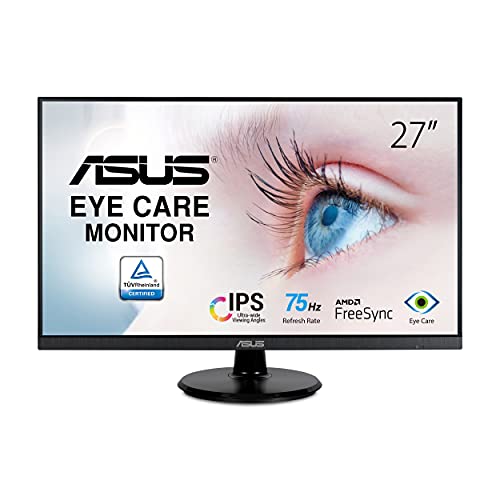
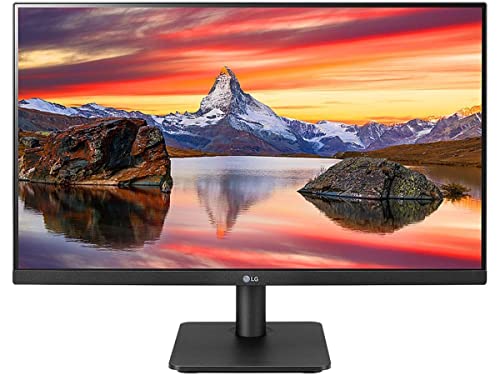
This guide is for sim racers stretching a cockpit across three screens, traders and streamers who park chat and tools on the side panels, and home office users replacing one ultrawide with three cheaper displays. Every pick below is a 23.8 to 24 inch Full HD IPS panel chosen from its Amazon listing, and the comparison notes exactly where each model saves money, because on a triple build those savings and compromises happen three times over.
Quick Picks
As an Amazon Associate we earn from qualifying purchases.
| Product | Best for | Key spec from title |
|---|---|---|
| ASUS VA24DQ | Triple builds wired over DisplayPort | HDMI, DisplayPort and VGA inputs |
| LG 24MP400-B | The lowest-cost way into three matched panels | 3-side borderless design, 75Hz |
| ASUS VA24EHE | Buyers who want DVI for an older second PC | Frameless design, VESA wall mountable |
How to Choose
Match size, resolution and panel type across all three
A triple array only feels like one screen when all three panels share the same diagonal, resolution and panel technology. Mixing a 24 inch 1080p IPS centre with 27 inch or TN side panels produces uneven pixel density, so text changes size as it crosses the gap, and colours shift at different angles on each screen. Pick one model and buy it three times, ideally in the same order, so panel revisions match. All three picks here are 23.8 to 24 inch Full HD IPS panels for exactly that reason.
Count your graphics card outputs before choosing inputs
Most graphics cards offer a mix of DisplayPort and HDMI sockets, rarely three of the same kind. A monitor with DisplayPort, like the ASUS VA24DQ, plugs straight into the most common output; panels with only HDMI and VGA can leave you short one native connection and reaching for adapters that may cap refresh rate or break adaptive sync. List your card’s outputs, list each monitor’s inputs, and make sure three cables exist that connect them without converters. This five-minute check prevents the most common triple setup disappointment.
Plan the mount: VESA pattern and stand footprint
Three stock stands eat a surprising amount of desk, and their feet rarely align into a clean arc. A triple monitor arm solves both problems, but only if every panel carries the VESA mounting pattern the arm expects. The ASUS models below are listed as VESA wall mountable, which is the same hole pattern a desk arm uses. If you keep the included stands instead, check each stand’s height and tilt adjustment, because lining up three separate stands by eye is slower than it looks.
Accept 75Hz as the triple-screen compromise, or budget differently
Driving three 1080p panels is already a wide 5760 x 1080 workload, and high-refresh triple arrays push costs up fast once the graphics card is included. The monitors in this guide run at 75Hz with adaptive sync, which suits sim racing, strategy games, flight sims and productivity far better than fast-twitch shooters played across all three screens. If your main game is competitive and played on the centre panel only, a different centre screen strategy applies; for a unified three-screen view, consistency beats refresh rate.
The 3 Best Options
ASUS VA24DQ
The VA24DQ is the anchor pick for a triple build because it is the only monitor here with DisplayPort alongside HDMI and VGA, and most graphics cards lean heavily on DisplayPort outputs. Its frameless IPS panel keeps the seams between screens narrow, the 75Hz refresh with Adaptive-Sync smooths frame pacing in sim titles, and VESA mounting lets all three panels float on one arm at identical heights. For buyers who want the fewest cable compromises, this is the model to buy three times.
Specs
- 23.8 inch IPS panel, Full HD 1920 x 1080
- 75Hz refresh rate with Adaptive-Sync / FreeSync
- Inputs: HDMI, DisplayPort and VGA (D-Sub)
- Frameless design, VESA wall mountable
- Eye Care with flicker-free and low blue light features
Best for: Triple setups connected mainly over DisplayPort.
Watch out for: The included stand offers basic adjustment only, so budget for a triple arm if you want the panels perfectly level.
ASIN: B08C5MGFXQ
LG 24MP400-B
LG’s 24MP400-B is the value route into a matched triple array: a 24 inch Full HD IPS panel with a three-side borderless design, 75Hz refresh and AMD FreeSync, plus software niceties such as Reader Mode and OnScreen Control for splitting windows. Because the saving repeats across three units, this is the pick for traders, writers and streamers who care more about screen area than connection variety. The catch is inputs: with HDMI and D-Sub only, your graphics card or adapters must cover three connections without DisplayPort.
Specs
- 24 inch IPS panel, Full HD 1920 x 1080
- 75Hz refresh rate, 5ms response time
- 3-side borderless design with AMD FreeSync
- Inputs: HDMI and D-Sub (VGA)
- Reader Mode, Smart Energy Saving and OnScreen Control
Best for: Budget triple arrays for work, trading and streaming layouts.
Watch out for: No DisplayPort input, so check your graphics card has enough HDMI outputs or plan adapters before ordering three.
ASIN: B097NWD3TL
ASUS VA24EHE
The VA24EHE covers the builds the other two cannot: it keeps the frameless 23.8 inch IPS panel and VESA mounting, but swaps DisplayPort for a DVI-D input alongside HDMI and D-Sub. That makes it useful when one of the three screens also serves an older PC, a work laptop dock or a capture machine with legacy outputs. Adaptive-Sync over its 75Hz panel keeps motion consistent with the rest of the array, and the Eye Care features suit long sessions spread across three screens.
Specs
- 23.8 inch IPS panel, Full HD 1920 x 1080
- 75Hz refresh rate with Adaptive-Sync / FreeSync
- Inputs: HDMI, D-Sub and DVI-D
- Frameless design, VESA wall mountable
- Eye Care, flicker-free and low blue light
Best for: Mixed triple setups where one screen must accept a DVI source.
Watch out for: Like the LG, there is no DisplayPort, and this model has been sold for several years, so confirm the listing variant matches before buying the second and third units.
ASIN: B07Z8TC28F
Which One Fits Your Situation
Sim racing or flight sim on a single graphics card
Choose the ASUS VA24DQ three times. DisplayPort inputs line up with the outputs most graphics cards provide in threes, the frameless bezels keep the cockpit seams thin, and VESA mounting lets a triple arm hold the side panels at the exact angle your rig needs. Adaptive-Sync at 75Hz keeps scenery movement smooth as the view pans across all three panels, and buying one model three times keeps brightness and colour matched without calibration work.
A trading, writing or streaming desk on a budget
Choose the LG 24MP400-B three times. The three-side borderless design gives you one continuous row of charts, documents and chat windows, and the per-unit saving is multiplied by three. Just confirm your graphics card can feed three HDMI or VGA connections, or add the cost of adapters into the comparison before you commit to the set.
Three screens shared with an older second machine
Choose the ASUS VA24EHE where legacy inputs matter. The DVI-D port gives an older PC or dock a native way into the array without converters, while the frameless IPS panel still matches the look and size of a modern triple setup. It also suits buyers who want VESA mounting on every panel but do not need DisplayPort on the side screens.
Common Mistakes
- Buying three different monitor models because each was individually discounted, then living with mismatched sizes, colours and bezel widths.
- Forgetting to count graphics card outputs, and discovering on build day that the third monitor has no matching input.
- Skipping VESA mounting and trying to align three separate stands into an even arc on a crowded desk.
- Mixing refresh rates across the array, which can cause visible stutter when a window or game spans more than one panel.
- Ordering the second and third units months later and receiving a different panel revision with slightly different colour tuning and brightness.
Frequently Asked Questions
Should all three monitors in a triple setup be the same model?
Yes, whenever the budget allows. Identical size, resolution and panel type keep text the same height on every screen, make colours far easier to match, and ensure the bezels line up evenly. Buying the same model three times also means one stand or arm setup works for all three panels without shims or compromises.
Can one graphics card run three 1080p monitors?
Most modern graphics cards can drive three Full HD displays for desktop work and many games, because the combined 5760 x 1080 resolution sits between 1440p and 4K in pixel count. Check that your card has three usable outputs and enough performance headroom for the games you play, since demanding titles at that width may need reduced settings.
Is 75Hz enough for a triple monitor gaming setup?
For sim racing, flight simulation, strategy and role-playing games played across all three screens, 75Hz with adaptive sync feels smooth and consistent, especially at the wide resolutions a triple array produces. Fast competitive shooters are usually played on the centre screen only, and players who prioritise those titles often choose a different single-monitor strategy instead of a matched triple array.
Do I need a triple monitor arm, or are the included stands fine?
The included stands work, and all three picks can sit on a wide desk as a row. An arm becomes worthwhile when desk depth is limited, when you want the side panels angled precisely, or when small height differences between stands annoy you. If you plan an arm, confirm every panel has the VESA pattern the arm requires.
Related guides
More from Amazon
Programs that pair well with the guide above. Offers and eligibility are set by Amazon and may change.
A free business account with business pricing and bulk-buying tools for work, shop or home office.
Create a business accountFree shipping on eligible items, Prime Video and more. Eligible new members can start with a free trial.
Start a Prime free trialAudiobooks and podcasts to listen to on the go. Eligible new members can start with a free trial.
Try Audible freeAd-free music streaming. Eligible new subscribers can start with a free trial.
Try Music Unlimited freeAs an Amazon Associate we earn from qualifying purchases.