The PS4 does not support Bluetooth audio natively, so the best Bluetooth headset for PS4 is one that ships with or pairs to a USB Bluetooth transmitter, or a wireless headset that uses its own 2.4 GHz USB dongle. For a plug-and-play option, the Sony Pulse 3D or the SteelSeries Arctis 7 class headsets work on PS4 without any adapter hacks, while any Bluetooth headphones can be used with a PS4-compatible USB transmitter.
That detail catches many buyers. The PS4 can connect Bluetooth devices only for controllers, and its Bluetooth stack does not accept A2DP audio from headphones. This guide explains the three practical ways to get wireless audio on a PS4, compares real options, and shows how to avoid the chat and latency problems that come with Bluetooth.
As an Amazon Associate we earn from qualifying purchases at no extra cost to you.


Top 3 picks at a glance
Quick comparison of the best wireless headsets for PS4
| Pick | Best for | Key specs | Price range |
|---|---|---|---|
| SteelSeries Arctis 7 class (2.4 GHz) | Best overall wireless | Lossless 2.4 GHz dongle, about 24 hours battery, retractable mic | Usually $120 to $180 |
| Sony Pulse 3D wireless headset | Best plug-and-play for PlayStation | USB dongle, about 12 hours battery, tuned for 3D audio | Usually $80 to $100 |
| HyperX Cloud Flight class | Best battery life | 2.4 GHz dongle, up to about 30 hours, detachable mic | Usually $80 to $130 |
| Bluetooth headphones plus USB transmitter | Best for using headphones you own | aptX Low Latency or SBC, USB-A transmitter, optional mic support | Usually $20 to $60 for the transmitter |
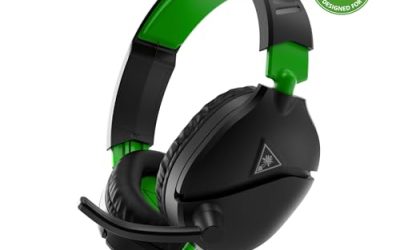
| Budget 2.4 GHz headset (Turtle Beach Stealth class) | Best budget | 2.4 GHz dongle, 15 to 30 hours, basic EQ | Usually $50 to $90 |
Why Bluetooth does not work directly on PS4
According to Sony’s PS4 support documentation, the console supports Bluetooth for DualShock controllers and certain accessories, but it does not support Bluetooth audio headsets. That means you cannot pair standard earbuds or headphones under Settings and expect sound. Headsets that work wirelessly on PS4 use either a USB dongle that the console recognizes as a USB audio device, or an optical or 3.5 mm adapter that sends audio to a Bluetooth transmitter.
Three ways to get wireless audio on PS4
- Use a 2.4 GHz wireless headset with a USB dongle. This is the most reliable route. Audio and chat both pass through the dongle, and latency is typically 20 to 40 ms.
- Use a Bluetooth USB transmitter. Some USB transmitters are recognized by the PS4 as USB audio. Choose one that lists PS4 compatibility on its specification and supports a microphone profile if you want voice chat.
- Use the controller’s 3.5 mm jack. A wired headset or a Bluetooth transmitter with a 3.5 mm input plugs into the DualShock 4. Chat audio works only with a headset that has a 4-pole TRRS connector.
Best overall: SteelSeries Arctis 7 class headset
A 2.4 GHz headset like the Arctis 7 offers a stable lossless connection, long battery life and a clear microphone. It keeps game and chat audio separated on supported platforms and plugs into the PS4 through its USB dongle. The trade-off is that it has no Bluetooth link, so you cannot use it with your phone without a separate cable or model variant.
Best plug-and-play: Sony Pulse 3D class
Sony’s own wireless headset works with PS4 and PS5 through a single USB dongle. It is simple, comfortable and tuned for the console. Battery life of around 12 hours is shorter than competitors, and the microphone is average, but you avoid compatibility headaches.
Best battery life: HyperX Cloud Flight class
Headsets in this class reach 30 hours per charge according to the manufacturer’s spec sheet, enough for a full week of evening sessions. The detachable microphone and metal frame suit long sessions. The trade-off is that it has less bass depth than premium models.
Best for using headphones you already own: Bluetooth transmitter
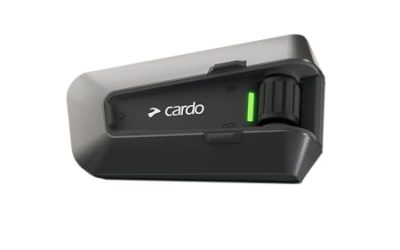
A USB Bluetooth transmitter lets you reuse a good pair of Bluetooth headphones. Pick one that supports low-latency codecs, because standard SBC adds around 150 to 250 ms of delay. That is noticeable in shooters. With aptX Low Latency, delay drops to roughly 40 ms, but both the transmitter and the headphones must support it. The trade-off is that voice chat through Bluetooth headphones often uses a narrow-band profile, so many players use a separate chat microphone clipped to the controller.
Best budget: entry-level 2.4 GHz headsets
For $50 to $90 you can find 2.4 GHz headsets with at least 15 hours of battery. Expect lighter materials and a simpler microphone. They are still better than low-cost Bluetooth transmitters for competitive play because latency is lower.
How to choose: a latency and battery worked example
Latency matters in fast games. Audio travels at the speed of the codec chain, so the delay adds to whatever your TV or monitor already has. If your display adds 20 ms and a Bluetooth SBC link adds 200 ms, sound arrives about a fifth of a second after the visuals. Compare that to a 2.4 GHz link of 30 ms plus 20 ms, which stays under 50 ms and feels in sync.
| Connection | Typical audio delay | Voice chat on PS4 | Best use |
|---|---|---|---|
| 2.4 GHz USB dongle | 20 to 40 ms | Yes, full support | Competitive and general gaming |
| Bluetooth SBC through transmitter | 150 to 250 ms | Limited, often none | Single-player and movies |
| Bluetooth aptX Low Latency | about 40 to 60 ms | Depends on transmitter | Casual to competitive |
| Wired 3.5 mm on controller | under 10 ms | Yes with TRRS | Zero-lag and backup |
Battery planning is simple arithmetic. If you play 3 hours a night and the headset lasts 15 hours, you charge twice a week. A 30 hour model brings that down to once a week. If the headset supports charging while in use through USB, battery size matters less.
PS4 audio settings for the best result
- Open Settings, then Devices, then Audio Devices.
- Set Input Device and Output Device to USB Headset (or the dongle’s name).
- Set Output to Headphones to Chat Audio if you want game sound on the speakers and chat in the headset, or All Audio for everything.
- Adjust Volume Control (Headphones) to avoid a loud mismatch, and keep microphone level around 50 to 70 percent to prevent clipping.
Frequently Asked Questions
Can I connect Bluetooth headphones directly to a PS4?
No. The PS4 does not support Bluetooth audio devices directly. You need a headset with a USB dongle or a USB Bluetooth transmitter that the console recognizes as an audio device.
Will AirPods work on a PS4?
Not by direct pairing. You can use them through a USB transmitter that supports the PS4, but expect extra delay and limited or no microphone support, so they suit single-player games better than online chat.
Do PS4 wireless headsets also work on PS5 and PC?
Most USB dongle headsets work on PS5 and PC too, because they present as USB audio devices. Check the manufacturer’s compatibility list, since a few models need a platform-specific dongle.
How do I fix the headset microphone not working on PS4?
Check that Input Device in Audio Devices is set to the headset, raise the mic level and confirm your party chat is not muted. If you use a Bluetooth transmitter, make sure it supports a microphone profile.
Is Bluetooth latency bad for gaming?
Standard Bluetooth is fine for story games and video but can feel late in shooters. Low-latency codecs or a 2.4 GHz connection solve most problems.
Related guides
More from Amazon
Programs that pair well with the guide above. Offers and eligibility are set by Amazon and may change.
A free business account with business pricing and bulk-buying tools for work, shop or home office.
Create a business accountFree shipping on eligible items, Prime Video and more. Eligible new members can start with a free trial.
Start a Prime free trialAudiobooks and podcasts to listen to on the go. Eligible new members can start with a free trial.
Try Audible freeAd-free music streaming. Eligible new subscribers can start with a free trial.
Try Music Unlimited freeAs an Amazon Associate we earn from qualifying purchases.