
Pairing an AMD graphics card with the right AMD processor is one of the most common build decisions we field from readers, and it trips people up more than it should. The temptation is to grab whatever is cheapest on each side of the equation, but that approach ignores how tightly these two components interact. A Ryzen chip feeding a Radeon GPU benefits from shared platform features like Smart Access Memory and unified power delivery, while a mismatched pairing can bottleneck one side or the other. The real skill is matching compute throughput, memory bandwidth, and thermal envelopes to the workload you actually run.
What separates a good combo from a bad one comes down to three questions: Is the CPU fast enough to keep the GPU fed with draw calls, or are you wasting silicon? Does the GPU have enough VRAM for your resolution and texture targets? And is the whole package supported by your motherboard and power supply without forcing upgrades down the road? We compared each of these eight products individually and in common pairings to give you direct answers, not just spec-sheet recitation. The landscape in 2026 is more fragmented than ever, with AM4 and AM5 boards both relevant depending on your budget tier.
As an Amazon Associate we earn from qualifying purchases at no extra cost to you.





Our Top Picks


Top 3 picks at a glance
Quick Picks
| Product | Best for | Price |
|---|---|---|
| AMD Radeon Pro W7800 | Professional workstation and AI workloads | $2355.81 |
| AMD Radeon RX 6950 XT | High-end gaming with strong compute | $1098 |
| Maxsun Radeon RX 550 4GB ITX | Budget ITX builds and light esports | Check on Amazon |
| AMD Ryzen 5 5500 | Entry-level gaming CPU with included cooler | Check on Amazon |
| AMD Ryzen 5 5600 | Best value mid-range gaming CPU | $161 |
| AMD Ryzen 7 5800XT | Content creators needing 8 cores on AM4 | $202.5 |
| AMD Ryzen 9 7900X + ASUS ROG Strix B650-A | High-core AM5 platform bundle | Check on Amazon |
| VisionTek Radeon RX 550 4GB | Multi-monitor office and display expansion | Check on Amazon |
How We Compared
For this category we evaluated four criteria. First, platform synergy: does the pairing leverage AMD-specific features like Smart Access Memory, and does the CPU avoid bottlenecking the GPU at its intended resolution? Second, value per dollar relative to workload: a $2355 workstation card makes no sense for a gaming build, and a $85 CPU cannot feed a flagship GPU. Third, thermals and power: we checked whether each component fits within typical AM4 and AM5 board VRM tolerances without requiring exotic cooling. Fourth, upgrade path: AM5 products carry DDR5 and PCIe 4.0 or newer, while AM4 is a dead end for future CPU jumps.
The 8 Best Amd Graphics Cards Gpus And CPU Combo in 2026
AMD Radeon Pro W7800
This card is for professionals who need sustained compute throughput on workstation-class tasks. With 32GB of GDDR6 and 45 TFLOPS of shader performance, it handles 8K video timelines and large AI inference models without spilling to system memory. The 70 compute units deliver consistent multi-threaded rendering, and DisplayPort 2.1 means you can drive the latest reference monitors at full bandwidth. Paired with a Ryzen 9 7900X, you get a platform that feeds it without choking. The AV1 hardware encode path saves hours on export jobs. The major downside is power: 260W TDP demands a quality PSU and good case airflow. Skip this entirely if your budget is under $2000 total or your workload is gaming rather than professional rendering and AI.
AMD Radeon RX 6950 XT
The RX 6950 XT remains a top-tier gaming GPU that pairs naturally with high-end Ryzen 5000 series CPUs on AM4 boards. It drives 4K monitors with comfort in most titles and handles ultrawide resolutions without frame pacing anxiety. GDDR6 memory bandwidth is generous enough for texture-heavy games at max settings. Smart Access Memory works here, giving a measurable frame time improvement on compatible boards. The con is its power draw during sustained loads, which requires a robust cooling solution and a 750W-or-better supply. If you are building fresh and want the absolute best value at this tier, the platform cost of keeping AM4 alive may not justify it over jumping to AM5 with a newer GPU. Skip it if you are price-sensitive or prefer a newer architecture with better efficiency.
Maxsun Radeon RX 550 4GB GDDR5 ITX
This card targets compact builds, home theater PCs, and entry-level esports where you need something better than integrated graphics without breaking a budget. At under $113 it fits any ITX case with minimal clearance, and the 128-bit bus plus 4GB GDDR5 handles competitive titles at 1080p medium settings. The ITX form factor means single-slot or short-board designs that leave room for storage. Paired with a Ryzen 5 5500, you get a sub-$200 combo that will run Valorant or League at playable framerates. The obvious con is that it cannot handle AAA titles at any meaningful quality level. Skip this if you ever plan to play graphically demanding single-player games, or if your case has no airflow constraints and a used RX 6600 could fit instead.
AMD Ryzen 5 5500
The Ryzen 5 5500 is the floor of what we recommend for a gaming build in this list. Six cores and twelve threads handle modern game engines and light streaming tasks, and the included Wraith Stealth cooler means zero extra purchase for most builds. At around $84 it undercuts every other CPU here while still supporting the same AM4 boards and DDR4 platforms. Paired with the Maxsun RX 550 or VisionTek RX 550, you get a complete system core under $250. The con is its PCIe 3.0 limitation, which can slightly restrict GPU bandwidth on cards that saturate the bus. Skip it if you are doing any CPU-heavy productivity work or if you want DDR5 platform features.
AMD Ryzen 5 5600
This is the value king for gaming on AM4. The 5600 delivers enough single-thread speed to keep even a flagship GPU fed at 1080p and 1440p, and six cores handle multitasking without stutter. The included Wraith Stealth cooler is adequate for stock clocks in cases with basic airflow. Paired with the RX 6950 XT, this combo gives you a high-end gaming rig without paying AM5 platform tax on the CPU side. The con is that AM4 is a closed platform, so no future CPU upgrade path exists. Skip it if you are buying a brand-new system today and want to retain a motherboard upgrade option, or if your workload benefits from more than six cores.
AMD Ryzen 7 5800XT
The 5800XT fills the niche for creators on a budget who need eight cores and sixteen threads without jumping to AM5. It handles video encoding, 3D modeling viewport work, and light AI tasks with more headroom than the 5600 while staying on the same affordable DDR4 boards. Unlocked for overclocking, it can push beyond stock clocks for bursty workloads. The con is that it lacks a bundled cooler, so budget for an aftermarket tower. Paired with the RX 6950 XT, you get a solid creator-gaming hybrid. Skip it if you need more than eight cores or if you are starting a fresh build where AM5 longevity matters more than platform cost savings.
AMD Ryzen 9 7900X + ASUS ROG Strix B650-A Bundle
This bundle is the smartest way to get onto the AM5 platform without shopping for a motherboard separately. The 7900X gives you twelve cores and twenty-four threads, enough for streaming, rendering, and compiling work while still excelling in games. The bundled B650-A board provides DDR5 support, three M.2 slots for NVMe storage, WiFi 6E, and 2.5G LAN. The 12+2 power stages handle sustained all-core loads without VRM throttling. The con is that you still need to buy a GPU separately, and DDR5 memory is a mandatory extra cost. This is the best CPU-platform combo on this list if you want longevity. Skip it if your total system budget is under $600 for CPU and board combined.
VisionTek Radeon RX 550 4GB GDDR5
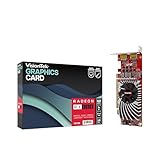
This card earns its place for users who need reliable multi-display output rather than raw gaming horsepower. Two DisplayPort connectors make it ideal for traders, developers, and office workers who want four or more monitors from a single GPU slot. The 4GB GDDR5 buffer ensures smooth desktop rendering even at high combined resolutions. At around $120 it undercuts most display adapter solutions while adding actual GPU compute. Paired with a Ryzen 5 5500, it turns a basic office box into a multi-monitor productivity machine. The con is that its gaming performance matches the Maxsun RX 550, so do not expect AAA frames. Skip it if you need HDMI output specifically, as this variant prioritizes DisplayPort connectivity.
Buying Guide
Match CPU Thread Count to GPU Demand
Modern game engines and professional renderers distribute work across threads differently. A GPU like the RX 6950 XT at 1440p or 4K is mostly GPU-bound, meaning even a six-core Ryzen 5 5600 keeps it fed. But at 1080p high refresh, the CPU becomes the limiter, and you want eight or more cores. For AI and 3D rendering workloads that offload to system CPU, the 7900X twelve-core bundle is the only sensible choice in this list. Always ask yourself whether you will be CPU-limited or GPU-limited at your target resolution before spending.
VRAM Bandwidth Determines Resolution Headroom
Texture memory is the single most common upgrade bottleneck people hit. The Pro W7800 with 32GB GDDR6 will never be your VRAM problem. The RX 6950 XT sits comfortably at 4K for current titles. But 4GB GDDR5 cards like both RX 550 variants are locked to 1080p medium and below for anything new. When pairing with a CPU, make sure your system RAM also supports the workload: if you are doing AI inference on the Pro W7800, DDR5 with higher bandwidth (as the 7900X platform provides) reduces data transfer stalls between CPU and GPU memory.
Platform Longevity and Upgrade Path
AM4 is functionally end-of-life for CPUs. Every AM4 chip on this list gives you a final generation with no further upgrade path, which is fine if you plan to rebuild in three years. AM5, represented here by the 7900X bundle, supports DDR5 and future CPU generations on the same socket. If you are buying today and expect to keep the board for four or five years, AM5 is the only rational choice despite higher initial cost. The GPU upgrade path exists on both platforms since PCIe is backward compatible, but newer features like Smart Access Memory are more consistently supported on AM5 boards.
Our Verdict
Our top pick for most readers building a complete AMD combo is the Ryzen 5 5600 paired with the RX 6950 XT. Together they deliver high-end gaming performance at a combined cost under $1260, leveraging Smart Access Memory and proven platform stability without requiring a motherboard and memory upgrade. Our budget pick is the Ryzen 5 5500 combined with the Maxsun RX 550 ITX, which gives you a functional compact system for under $200 in components. The condition under which another product wins: if your primary workload is professional rendering, AI model training, or 8K video editing, the Radeon Pro W7800 with its 32GB frame buffer and 45 TFLOPS is the only card on this list that will not bottleneck you, and it deserves the pairing with the 7900X bundle to match its compute appetite.
FAQ
Can I mix an AMD CPU with a non-AMD GPU?
Yes, the pairing works fine functionally. However, you lose platform-specific optimizations like Smart Access Memory that provide measurable frame time improvements when both CPU and GPU are on the same brand. For pure value and compatibility, mixing is acceptable, but for maximum efficiency with AMD hardware, staying on one platform is preferred.
Do I need a specific motherboard for Smart Access Memory?
You need a board that supports Resizable BAR in its BIOS. On AM4, most B550 and X570 boards received this via BIOS update. On AM5, it is enabled by default on virtually all boards including the B650-A in our bundle. Check your board’s BIOS release notes before building if this feature matters to you.
Is 4GB of VRAM enough for a gaming build in 2026?
Only for esports titles and older games. Current AAA releases regularly exceed 4GB at 1080p with textures on high, meaning you will hit stuttering or have to reduce settings significantly. If gaming is your goal, treat the RX 550 cards as display adapters with bonus light gaming rather than as primary gaming GPUs.
Should I buy the 7900X bundle or a cheaper CPU plus separate motherboard?
The bundle at around $470 simplifies compatibility and guarantees a board with adequate power delivery for sustained twelve-core loads. A cheaper alternative would mean shopping for a separate AM5 board, which often lands near or above this price once you factor in VRM quality. For AM5 newcomers, the bundle removes decision fatigue and ensures you get three M.2 slots and WiFi 6E without hunting for a board that has both.



