The hard part of picking one laptop for business and personal use is that the same machine has to look credible on a client video call at 10 a.m. and still be comfortable for streaming, photo sorting, and online shopping at 10 p.m. A workstation tuned purely for spreadsheets tends to feel clinical on the couch, while a living-room laptop often stalls once a browser holds thirty tabs plus a CRM and a video meeting. The right answer is a balanced system: enough memory to multitask, a screen you can read for hours, and a keyboard that does not fight you during long documents.
This guide is for freelancers, small-business owners, remote employees, and side-hustlers who do not want to carry or pay for two computers. The seven models below are all drawn from the listed specs, so every comparison rests on what the product titles actually state: processor family, memory, storage, screen size, and included software. As the 2026 lineup of Windows laptops spreads across very different performance tiers, the sections below show how to separate truly capable work machines from thin models that only look the part.
Our Top Picks

Top 3 picks at a glance
Quick Picks
As an Amazon Associate we earn from qualifying purchases at no extra cost to you.





| Product | Best for | Key spec taken from the title |
|---|---|---|
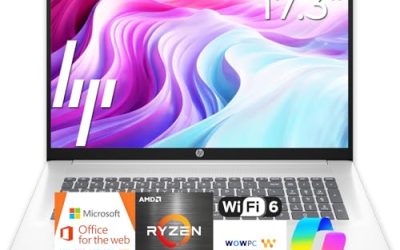
| HP 17 Business (Ryzen 5) | Big-screen spreadsheets and finance work | 17.3″ FHD, 16GB RAM, 512GB SSD, numeric keypad |
| HP 17 Ryzen 5 7430U | Business and student shared household | 17-inch screen, Ryzen 5 7430U, Copilot PC wording |
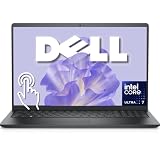
| Dell 16 Touchscreen | Heavy multitasking and documents | Core 7 150U, 32GB DDR5, 1TB SSD, 16:10 FHD+ |
| Dell 15.6 Touchscreen | Premium mixed workloads | Intel Ultra 7 255U, 16GB DDR5, 1TB SSD |
| HP 15.6 Ryzen 7 | Pro-edition Windows with strong CPU | Ryzen 7 7730U, 16GB, 512GB SSD, Windows 11 Pro |
| Lenovo Business 15.6 | Light office tasks on a tight budget | 8GB DDR5, 128GB storage, Wi-Fi 6, USB-C |
| HP 14 Ultra-Portable | Carry-everywhere note taking | 14-inch, 4GB RAM, 128GB UFS plus 500GB external |
How to Choose
Memory decides how long the laptop stays useful
For a machine that handles invoices, video calls, and personal browsing together, 16GB is the practical floor today. Eight gigabytes still runs a browser and an office suite, but it leaves little headroom once a meeting app and a dozen tabs are open. Four gigabytes is only workable for a single light task at a time. If the title says DDR5, that is the newer memory type, but capacity matters more than the label, so rank 16GB DDR4 above 8GB DDR5 for multitasking.
Processor tier and battery drain go together
Ryzen 5 and Ryzen 7 U-series chips, Intel Core 7 and Core Ultra 7 parts sit in the capable range for office plus media. Entry Intel N-series and Pentium-class parts are designed for browsing and documents, and they slow down when you push them. Battery claims such as “long battery” in a title are marketing words; the title rarely gives hours, so check the listing for watt-hour capacity before trusting them.
Screen size, touch, and keyboard
A 17-inch panel is excellent for side-by-side windows but adds bulk. A 15.6-inch FHD screen is the standard balance. Look for 1920×1080 or better, and for a 16:10 panel if you stare at documents, since the extra height shows more lines. A numeric keypad matters if you enter figures daily; most 14-inch models drop it. Touchscreens are handy for presentations but add weight and reduce battery life.
Storage and software, and where budget models cut corners
Aim for 256GB at least, and 512GB if you keep client files locally. Be wary of eMMC or UFS storage, which is slower than an NVMe SSD for boot and app launches. Cheap models also bundle trial Office or a one-year subscription instead of a licence, and some ship in Windows 11 S mode, which blocks installing apps from outside the store. Windows 11 Pro adds BitLocker and remote-desktop hosting, useful for business data.
One more habit separates good purchases from regrets: write down the three apps you cannot work without, then check each against the memory and processor tier before looking at any other feature. A bookkeeper who lives in a spreadsheet suite and a banking portal needs different hardware than a consultant presenting slide decks over video, and the numbers in the titles below make that comparison straightforward.
The 7 Best Options
HP 17 Business Laptop (Ryzen 5, 16GB)
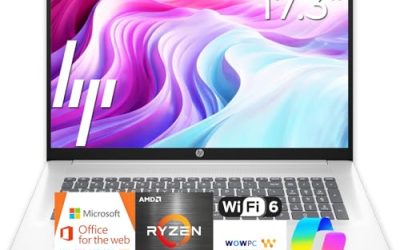
This is the pick for people whose workday is mostly tables, reports, and several windows open at once. The title lists a 17.3-inch FHD display, 16GB of RAM, a 512GB SSD, and a numeric keypad, which is the full combination a finance or admin worker looks for.
- Strength: 16GB and 512GB cover multitasking and local files comfortably.
- Strength: the large screen and number pad speed up data entry.
- Trade-off: a 17-inch chassis is awkward on a train or a cramped café table, and it will take more desk space at home.
Skip it if you commute daily with a small bag, or if you want a thin machine you barely notice carrying.
HP 17-Inch Ryzen 5 7430U
Marketed for both business and student use, this model suits a household where one laptop covers a parent’s bookkeeping and a teen’s homework. The title names the Ryzen 5 7430U, a mid-range six-core mobile chip, and uses Copilot PC wording; check the listing for the memory and storage configuration since the title does not state them.
- Strength: a recognized mid-range Ryzen part suited to office suites and streaming.
- Strength: the 17-inch screen gives room for split windows.
- Trade-off: RAM and storage are not shown in the title, so confirm them before buying.
Skip it if you need a confirmed 16GB and 512GB configuration from the title alone.
Dell 16 Touchscreen Business Laptop
The spec sheet here reads like the premium end of the group: Core 7 150U, 32GB of DDR5, a 1TB SSD, and a 16:10 FHD+ IPS panel rated at 300 nits. That much memory is built for people who keep a browser, a spreadsheet suite, and communication apps running all day.
- Strength: 32GB DDR5 and 1TB storage leave room to grow for several years.
- Strength: the tall 16:10 screen and backlit keyboard with number pad suit long documents.
- Trade-off: a touchscreen 16-inch machine will be heavier and less frugal with battery than a 14-inch model.
Skip it if portability matters more than headroom, or if you simply never keep more than a handful of apps open, because the extra memory would then sit idle.
Dell 15.6-Inch Touchscreen (Core Ultra 7 255U)
Dell pairs a 12-core Intel Ultra 7 255U with 16GB of DDR5 and a 1TB SSD in a standard 15.6-inch FHD touch body. The title cites speeds up to 5.2 GHz and a backlit keyboard, a sensible mix for someone who edits photos on weekends and builds decks on weekdays.
- Strength: a current-generation Intel Ultra chip with 1TB of storage.
- Strength: backlit keyboard helps in dim hotel rooms and late evenings.
- Trade-off: 16GB is generous but not upgradeable-confirmed in the title, so check the listing.
Skip it if you need Windows Pro features; the visible title text only says Windows 11. Business buyers who rely on domain join or disk encryption should verify the edition on the listing first.
HP 15.6-Inch Touchscreen (Ryzen 7 7730U)
A strong candidate for people who care about security and want Windows 11 Pro out of the box. The listing pairs a Ryzen 7 7730U with 16GB, a 512GB SSD, an FHD IPS touchscreen, Wi-Fi 6, a Copilot key, and a numeric keypad.
- Strength: Pro edition plus an eight-core class Ryzen suits company-issued tools and remote desktop.
- Strength: the Copilot key and Wi-Fi 6 cover current features.
- Trade-off: 512GB fills up if you store large media libraries locally.
Skip it if you want a lightweight 14-inch body.
Lenovo Business 15.6-Inch (Intel, 8GB DDR5)
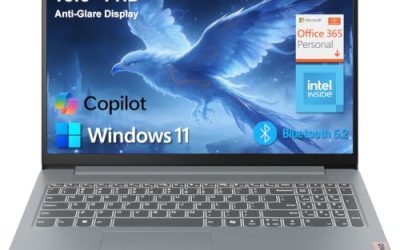
This is the entry choice for light office work. The title shows an Intel processor, 8GB of DDR5, 128GB of storage, Wi-Fi 6, USB-C, and an anti-glare screen, plus Office 365 and Copilot AI branding.
- Strength: an anti-glare FHD panel is easier on the eyes near windows.
- Strength: USB-C and Wi-Fi 6 keep it compatible with modern docks and routers.
- Trade-off: 128GB of storage and 8GB of RAM will feel cramped once updates and apps accumulate.
Skip it if you run many apps together or keep large files locally.
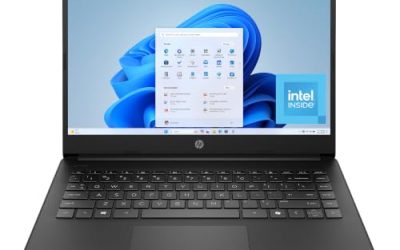
HP 14-Inch Ultra-Portable (Intel 4-Core)
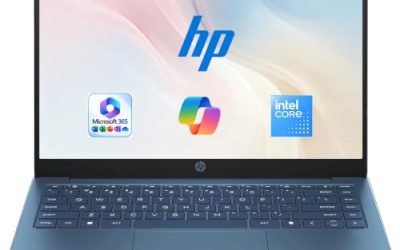
The smallest machine on the list is aimed at students and mobile professionals who mostly write, browse, and join calls. The title cites an Intel four-core CPU, 4GB of RAM, and 628GB of total storage, made up of 128GB of UFS plus a 500GB external drive.
- Strength: compact 14-inch size is easy to carry all day.
- Strength: the included extra storage helps with backups.
- Trade-off: 4GB of RAM is the weakest point for multitasking.
Skip it if you plan to keep many browser tabs and a video meeting open together. Buyers who need a primary business laptop that will last several years should look higher up this list instead.
Which One Fits Your Situation
You live in spreadsheets and accounting software
The HP 17 Business Laptop with its numeric keypad, 16GB, and large screen is the logical match, while the Dell 16 Touchscreen is the upgrade if you want 32GB.
You split time between video calls, photos, and streaming
The Dell 15.6-inch Core Ultra 7 model offers the strongest processor class here with a backlit keyboard, which suits mixed use.
You work for a company with security policies
Choose the HP 15.6-inch Ryzen 7 model; Windows 11 Pro helps with disk encryption and managed device rules.
You want something cheap for email and documents
The Lenovo Business 15.6-inch gives a modern port set and an anti-glare screen at the budget tier, as long as your work is light.
Common Mistakes
- Buying 8GB of RAM or less for a machine that will run meetings, browser tabs, and office suites together.
- Assuming “long battery” in a title means a full workday without checking the watt-hour rating on the listing.
- Ignoring Windows 11 S mode, which blocks installing some business tools.
- Choosing a 17-inch laptop and then discovering it is too heavy to carry to client sites.
- Counting a bundled external drive or cloud trial as a replacement for fast internal SSD storage.
Related guides
- Replacement Cables For Gaming Mice And Headsets
- Indoor Security Cameras Without Subscription
- Nvidia Control Panel Best Settings For Gaming
Frequently Asked Questions
How much RAM does a combined work and home laptop need?
Sixteen gigabytes is the comfortable target for mixed use. Eight gigabytes works for light tasks but leaves little room for growth.
Is Windows 11 Pro necessary for business use?
It is not required, but Pro adds BitLocker drive encryption and remote-desktop hosting. If your employer manages the device or you store sensitive client data, it is worth having.
Are touchscreens worth it on a business laptop?
They help with annotating documents and presenting, but they add weight and draw more battery. If you rarely touch the screen, a non-touch model with the same specs is a fine choice.
Should I trust Copilot AI labels in the title?
Treat them as a feature note, not a performance guarantee. Check the listing for processor and neural-engine details if on-device AI matters to you.