When a buyer types “best HP laptop for business,” the real question is how much machine the next three or four years of work will require. HP’s business-labeled listings span a huge range: some carry 32GB of memory and a terabyte drive, while others pair a quad-core budget chip with 4GB and call themselves productivity laptops. Looking at the hardware lines side by side is the fastest way to tell them apart, and that is how this guide approaches the shortlist.
It is aimed at professionals who run heavy browser sessions, spreadsheets, and video calls, and at small teams that want headroom rather than the cheapest invoice. Every call below relies on the specs in the product titles listed for 2026. If a title is cut off before a key detail such as the exact processor or the operating system edition, the guide says so and suggests confirming it on the full listing.
Our Top Picks
Top 3 picks at a glance
Quick Picks
As an Amazon Associate we earn from qualifying purchases at no extra cost to you.


| Product | Best for | Key spec from the title |
|---|---|---|
| HP 255 G10 (Ryzen 7 7730U) | Maximum headroom for power users | 32GB RAM, 1TB PCIe SSD, 15.6-inch FHD, HDMI, Wi-Fi 6, Windows 11 Pro |
| HP New Business 17 (Ryzen 5 7430U) | Large-screen productivity | 17.3-inch FHD, 16GB RAM, 512GB PCIe, Wi-Fi 6 |
| HP 255 G10 (AMD quad-core) | Balanced desk laptop | 16GB RAM, 512GB SSD, Windows 11 Pro, webcam shutter |
| HP 17-inch Business (Ryzen 5) | Numbers-heavy workflows | 17.3-inch FHD, 16GB RAM, 512GB SSD, numeric keypad |
| HP 14 Student Business (Intel 4-core) | Occasional carry-along use | 4GB DDR5, Windows 11 Pro, MS Office, 628GB listed storage |
How to Choose
Match the processor to the workload
For daily office work, a Ryzen 5 or comparable processor with 16GB of RAM is the dependable middle. Moving up to a Ryzen 7 with 32GB makes sense for people who keep large spreadsheets, databases, or many virtual meetings open together. Entry-level quad-core chips are fine for email and documents, but they struggle once you multitask. Be careful with titles that compare their processor to a rival chip; the wording is promotional, and the spec sheet number is what counts.
Read the storage line closely
A PCIe SSD is the type to look for, since PCIe drives are typically faster than older SATA ones. A capacity of 512GB covers most users, and 1TB is worthwhile for anyone storing project archives locally. Watch the listings that state a total such as 628GB: the number can combine internal flash and an external drive, so confirm how much sits inside the laptop. External drives are convenient for backups, but they are not a substitute for fast internal storage.
Screen size and portability trade-offs
A 17.3-inch display improves multitasking by showing more content, but the laptop is larger and heavier to carry. A 15.6-inch screen is the compromise that suits most desks and still fits in a standard bag. A 14-inch model is easiest to travel with, though many 14-inch HP listings use lighter hardware. Full HD should be the baseline; if the title says HD or leaves resolution out, expect a softer image.
Ports, wireless, and operating system
Check for HDMI if you connect to projectors or monitors, and look for Wi-Fi 6 for stable calls in busy offices. A webcam shutter and numeric keypad are small details with a daily impact. For the operating system, Windows 11 Pro is the business-friendly edition, so prefer listings that name it and treat any silent title as unconfirmed. Ignore marketing flourishes about AI or long battery life unless the listing gives actual hours.
A practical way to apply all of this is to set a minimum, such as 16GB of RAM, a 512GB internal SSD, a Full HD screen, and Windows 11 Pro, and remove any listing that fails more than one item. What remains is a short list you can compare on price tier, screen size, and extras instead of wading through marketing claims.
The 5 Best Options
HP 255 G10 (Ryzen 7 7730U)
This is the most powerful configuration in the group. The title lists a Ryzen 7 7730U, 32GB of RAM, a 1TB PCIe SSD, a 15.6-inch Full HD display, a numeric keypad, a webcam, Wi-Fi 6, HDMI, and Windows 11 Pro in black. For someone who works with large files and many applications at once, it offers room to grow. A financial analyst running several workbooks, a browser full of research tabs, and a video meeting at once is the sort of user who would feel the difference over a lighter configuration, and the HDMI port makes docking to a second monitor straightforward.
- Strength: 32GB of memory and a 1TB drive give long-term headroom.
- Strength: Windows 11 Pro, HDMI, and Wi-Fi 6 are all named in the title.
- Trade-off: it sits at the premium end of the HP business range, so it may exceed what basic tasks need.
Skip it if your work is limited to email, documents, and calls.
HP New Business 17 (Ryzen 5 7430U)
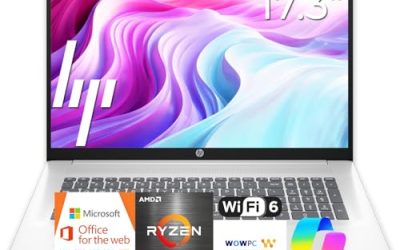
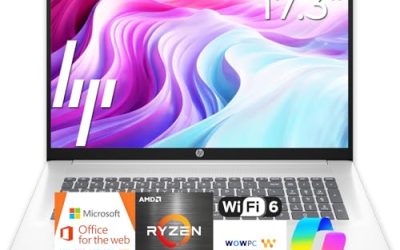
The title pairs a Ryzen 5 7430U with a 17.3-inch FHD display, Wi-Fi 6, 16GB of RAM, and a 512GB PCIe SSD. That mix suits mid-sized workloads on a big canvas, such as reviewing contracts side by side or managing project boards. The title also compares the processor to an Intel chip, which is a marketing claim rather than a verified spec. Consultants, project managers, and anyone who reads long documents beside a task list will appreciate the extra width, and the PCIe storage keeps file opening brisk. The title also mentions long battery life without giving hours, so treat that phrase cautiously.
- Strength: a PCIe SSD and 16GB of RAM are listed together with a large Full HD screen.
- Strength: Wi-Fi 6 helps with steady video conferences.
- Trade-off: a 17-inch body is less convenient to carry daily.
Skip it if you commute with your laptop or work from cramped spaces.
HP 14 Student Business (Intel 4-core)
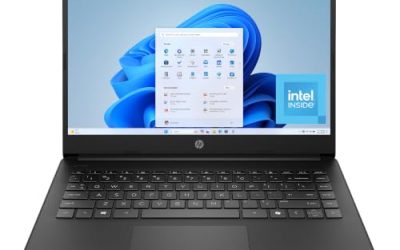
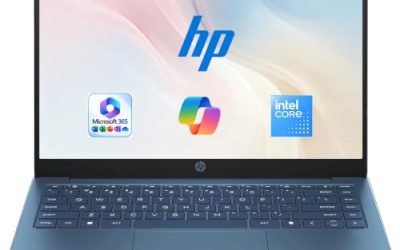
This 14-inch listing combines an Intel 4-core processor, 4GB of DDR5 RAM, Windows 11 Pro, and Microsoft Office, with a stated 628GB of storage that appears to include an external component. It is the portable, light-duty option, intended for note-taking and documents rather than complex software. The student-business wording suggests a broad audience, so shoppers should read the whole listing to learn what is inside, since the visible title does not give the internal drive capacity and the total figure is only part of the story. Think of it as a companion device rather than a daily workhorse.
- Strength: Windows 11 Pro and Office are named, which helps with basic setup.
- Strength: DDR5 memory is a more modern type than older DDR4.
- Trade-off: 4GB of RAM severely limits multitasking, and the internal drive is much smaller than the total storage figure suggests.
Skip it if the laptop must be your primary work machine.
HP 17-inch Business Laptop (Ryzen 5)
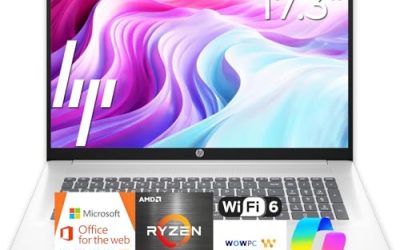
Here the specification line shows a Ryzen 5, 16GB of RAM, a 512GB SSD, a 17.3-inch Full HD display, and a numeric keypad. It overlaps with the other 17-inch HP but keeps things simple and aims at office desks where space is not a problem. Because the title repeats several of the same lines as the other 17-inch HP, shoppers comparing the two should look for differences in processor model, wireless standard, and the operating system edition, which are the areas where listings of this kind most often diverge.
- Strength: a balanced 16GB and 512GB configuration works for most office software.
- Strength: the 17.3-inch FHD screen offers a lot of workspace.
- Trade-off: the title does not state the Windows edition or the wireless standard.
Skip it if you require Windows 11 Pro confirmation without further checking.
HP 255 G10 (AMD quad-core)
Another 255 G10 configuration, this one uses an AMD quad-core processor with 16GB of RAM and a 512GB SSD under Windows 11 Pro. A Full HD 15.6-inch display, webcam with shutter, and numeric keypad round out the title. It is the straightforward option for steady, predictable office use. Offices that already issue this model to other staff will find it easy to support, and the webcam shutter answers a privacy request that many companies now include in their purchasing checklists.
- Strength: Windows 11 Pro and a webcam shutter suit managed workplaces.
- Strength: 16GB of RAM and a 512GB SSD handle daily multitasking.
- Trade-off: the processor model is not specified in the visible title.
Skip it if you need the extra processing power of the Ryzen 7 model.
Which One Fits Your Situation
You handle large files, databases, or many simultaneous apps
The HP 255 G10 with the Ryzen 7 7730U is the answer, because 32GB of RAM and a 1TB PCIe SSD give breathing room that the others do not.
You want a big screen for documents and planning boards
Pick the HP New Business 17 with the Ryzen 5 7430U. The 17.3-inch Full HD display and PCIe storage handle layered projects well, and the lower memory tier compared with the Ryzen 7 model is still ample for typical office applications.
You need a dependable standard laptop for daily office tasks
Go with the HP 255 G10 using the AMD quad-core CPU. It balances memory, storage, and business-friendly features.
You only need something light for occasional use
The HP 14 Student Business covers note-taking and basic documents, provided you accept the tight memory. Keep the heavier work for another machine and use this one as the grab-and-go device.
If you are unsure between two neighbors on the ladder, choose the one with more memory. Memory is the hardest component to upgrade later on thin laptops, and it is the one that most affects how responsive a machine feels when work piles up.
Common Mistakes
- Trusting a processor comparison in the title instead of checking the actual chip.
- Adding up internal and external storage and calling it one number.
- Choosing 4GB of RAM for work that involves large files or many tabs.
- Assuming every HP business label means Windows 11 Pro.
- Buying a 17-inch laptop and then regretting its weight on every trip.
Related guides
- Replacement Cables For Gaming Mice And Headsets
- Indoor Security Cameras Without Subscription
- Nvidia Control Panel Best Settings For Gaming
Frequently Asked Questions
Is 32GB of RAM overkill for a business laptop?
For email and documents, yes. For large spreadsheets, virtual machines, or many open applications, it protects against slowdowns for years, especially as software and browser tabs grow heavier over time.
What does a PCIe SSD offer over a standard drive?
PCIe drives generally transfer data faster, which shortens startup and file-opening times. For office work the difference shows most in boot speed and large file transfers.
Which screen size works best for business?
Fifteen-point-six inches is the all-round choice. Go to 17.3 inches for desk-bound spreadsheet work, and use 14 inches only if portability outweighs power. Whatever the size, confirm the display is Full HD before you order.
Do I need Wi-Fi 6 in an office laptop?
It is helpful in buildings with many networks, where it keeps video calls steadier. If your office has older routers, the benefit will be smaller, but a laptop with a current wireless standard stays useful longer as networks are upgraded.