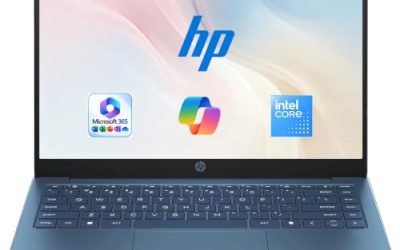
When someone types “top rated laptops for business,” they usually want a short list of machines that professionals keep choosing for office work, not a gaming rig or a student netbook. Nothing in a product listing proves popularity, though, and scores can be misleading, so this guide ignores crowd scoring and sorts seven listed laptops by what the spec sheet shows: processor generation, memory, storage, operating system edition, and the ports a working day depends on.
The audience is the professional who needs a dependable daily driver for documents, calls, spreadsheets, and a few line-of-business apps, whether that means a consultant, a clinic administrator, or a manager outfitting a small team in 2026. The seven picks span Dell, HP, and Lenovo, from a renewed 14-inch Latitude to a 17.3-inch HP, with some touchscreen choices and some pointedly practical ones with an Ethernet jack. Use the notes to build a shortlist, then verify the exact configuration before buying.
Our Top Picks
 Dell Latitude 5420 14" FHD Business Laptop Computeri5-1145G7-16-256-SV-Win1112.76 x 8.35 x 0.76 inches3 PoundsCheck on Amazon
Top 3 picks at a glance
Quick Picks
As an Amazon Associate we earn from qualifying purchases at no extra cost to you.





| Product | Best for | Key spec from the title |
|---|---|---|
| Lenovo V15 Gen 4 | Wired office desks | Core i5-13420H, HDMI, RJ45, numeric keypad, Windows 11 Pro |
| Dell Latitude 5420 (Renewed) | Compact, used-unit savings | 14-inch FHD, Core i5-1145G7, 16GB DDR4, 256GB SSD |
| HP Business Laptop with Ryzen 5 7430U | Large-screen document work | 17.3-inch FHD, 16GB RAM, 512GB PCIe, Wi-Fi 6 |
| Dell Inspiron 15 3530 | Touch input and big storage | Core i7-1355U, 15.6-inch touchscreen, 16GB RAM, 1TB SSD |
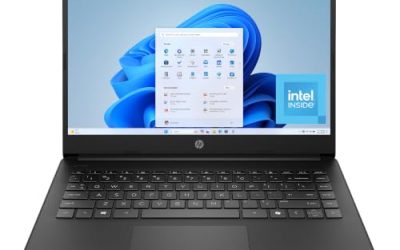
| HP 255 G10 | Fleet deployments | AMD quad-core, 16GB, 512GB, Windows 11 Pro, webcam shutter |
| Dell 15.6-inch with Core Ultra 5 225U | Newer platform and bright screen | 16GB DDR5, 512GB SSD, 300-nit anti-glare, backlit keyboard |
| Dell Inspiron Touchscreen 15.6-inch | Business and student sharing | Core i5-1155G7, 16GB RAM, 1TB SSD, Windows 11 Pro |
How to Choose
Processor generation beats marketing words
Read the exact model, such as i5-13420H, i7-1355U, or Core Ultra 5 225U, and compare generations. A “U” chip is built for efficiency and thin bodies, while an “H” chip trades some efficiency for extra processing power. Older parts like the i5-1145G7 and i5-1155G7 still run office software, but they come from earlier platforms with fewer years of useful life ahead.
Memory and storage targets
Aim for 16GB of RAM so accounting packages, a browser, and a video call can run together without stutter. For storage, 512GB is a comfortable working size, 256GB is the minimum, and 1TB helps if you keep scans, design files, or large mailboxes on the machine. Treat 8GB and 128GB combinations as light-duty only, because they leave little room for software updates, cached mail, and the files that pile up over a normal year of client work.
Operating system and security
Windows 11 Pro is the edition that adds BitLocker encryption and domain join, both useful for protecting client data. Home suits a solo user on cloud tools. If the listing says S mode or Home and you need business management features, plan on an upgrade.
Screen, ports, and build
Full HD at 15.6 inches is the common standard. An anti-glare coating and around 300 nits make office lighting easier to handle, and a touchscreen is nice if you annotate documents but adds cost and glare. Look for HDMI for presentations, USB-C for docking, and RJ45 if your office relies on wired internet. Ignore vague phrases about “long battery life” that give no figure, and treat cloud-storage bundles or earphone add-ons as extras rather than reasons to choose a model. The core components decide how the laptop feels after the first year.
The 7 Best Options
Lenovo V15 Gen 4
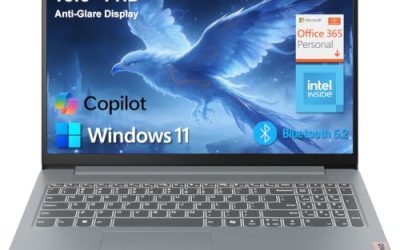
The V15 Gen 4 is the practical office pick. Its listing names a 15.6-inch FHD display, an Intel Core i5-13420H, HDMI, an RJ45 jack, a webcam, a numeric keypad, Wi-Fi, and Windows 11 Pro. It suits professionals at a fixed desk who plug into Ethernet and an external screen every day.
- Strength: an H-series processor and Windows 11 Pro cover demanding office and security needs.
- Strength: Ethernet and HDMI ports remove the need for adapters.
- Trade-off: the title does not list RAM or storage, so confirm both before ordering.
Skip it if you want a thin travel notebook, since this one is built for the desk. Think of branch offices, call centers, and administrative roles where the laptop mostly stays docked and reliability matters more than looks.
Dell Latitude 5420 14-inch (Renewed)
The Latitude name carries weight in business circles, and this renewed 14-inch model brings it at a more modest outlay. The title lists a quad-core Core i5-1145G7, 16GB of DDR4, a 256GB SSD, a camera, HDMI, and Windows 11 Pro. It suits mobile professionals who want a smaller screen.
- Strength: 16GB of RAM and Windows 11 Pro on a compact frame.
- Strength: a renewed unit lowers the cost of entry into a business-class design.
- Trade-off: the processor is an older generation, and condition varies by seller.
Skip it if your policy requires new equipment with a full manufacturer warranty. Consultants and auditors who are on the move and comfortable with a refurbished unit are the natural audience, particularly if they prefer a smaller screen.
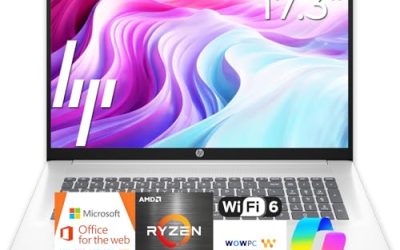
HP Business Laptop with Ryzen 5 7430U
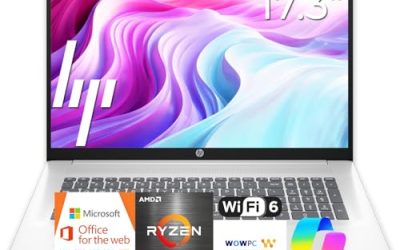
This HP is the big-screen entry. The listing describes a Ryzen 5 7430U, a 17.3-inch full HD display, Wi-Fi 6, 16GB of RAM, and a 512GB PCIe drive, with long battery life advertised. It is for people who value screen space for spreadsheets and side-by-side documents.
- Strength: 16GB and a PCIe SSD give a responsive, modern setup.
- Strength: 17.3 inches of display makes dense work easier on the eyes.
- Trade-off: a 17-inch chassis is heavy to carry between meetings.
Skip it if you travel often or work in tight spaces. Analysts, schedulers, and bookkeepers who sit at a fixed desk and want to see more columns at once will get the most from the extra screen area.
Dell Inspiron 15 3530
The Inspiron 15 3530 pairs a Core i7-1355U with 16GB of RAM and a generous 1TB SSD behind a 15.6-inch FHD touchscreen. The title adds a webcam, HDMI, and Wi-Fi 6. It targets professionals who want a stronger processor tier and ample local storage in a mainstream body.
- Strength: the i7 processor and 1TB drive leave breathing room for years of files.
- Strength: the touchscreen helps with markup, signatures, and presentations.
- Trade-off: the Inspiron family is consumer-oriented, so business management features depend on the Windows edition shipped.
Skip it if you need Ethernet or a rugged business chassis. It is a better match for a professional who values local storage and a touch display than for someone deploying a standardized fleet.
HP 255 G10
The 255 G10 is a no-fuss fleet laptop. Its title lists an AMD quad-core processor, 16GB of RAM, a 512GB SSD, Windows 11 Pro, a 15.6-inch Full HD display, a webcam with a shutter, and a numeric keypad. It fits managers who want consistent machines across a team.
- Strength: a sensible 16GB, 512GB, and Pro combination for most office roles.
- Strength: the shuttered webcam is a privacy convenience.
- Trade-off: the design is plain and not aimed at premium portability.
Skip it if you want a touchscreen or an ultralight body. Its strength is predictability, so IT-light teams that reorder the same model as they grow can keep support and accessories identical across desks.
Dell 15.6-inch with Core Ultra 5 225U
This Dell stands out for its newer processor family. The listing shows a Core Ultra 5 225U, 16GB of DDR5, a 512GB SSD, a 300-nit anti-glare WVA display, Intel graphics, and a backlit keyboard. It suits professionals who want a bright screen and a platform with more life ahead.
- Strength: DDR5 memory and a recent processor family point to a longer useful life.
- Strength: the 300-nit anti-glare screen and backlit keyboard help in varied lighting.
- Trade-off: it ships with Windows 11 Home, which lacks Pro features such as BitLocker.
Skip it if you need domain join or enterprise management tools without an upgrade. Freelancers and independent practitioners who work mostly in cloud apps are the best fit for the Home edition.
Dell Inspiron Touchscreen 15.6-inch
Positioned for both business and student use, this Inspiron lists a 15.6-inch Full HD touchscreen, Windows 11 Pro, 16GB of RAM, a 1TB SSD, and an Intel i5-1155G7. It fits home-office workers and people who share a laptop across work and study.
- Strength: Windows 11 Pro with 16GB and 1TB is a roomy configuration.
- Strength: touch input adds flexibility for note-taking and reading.
- Trade-off: the i5-1155G7 is an older generation, so long-term headroom is limited.
Skip it if you want the newest platform. It makes sense for a freelancer or home-office worker who needs plenty of storage and Windows 11 Pro features without chasing the latest processor generation, and who also wants a laptop the household can borrow.
Which One Fits Your Situation
You sit at one desk with Ethernet and a monitor
The Lenovo V15 Gen 4 matches that setup with RJ45, HDMI, and Windows 11 Pro.
You manage a team and want identical laptops
The HP 255 G10 delivers a standard 16GB, 512GB, Pro configuration.
You carry the laptop to client sites
The renewed Dell Latitude 5420 offers a compact 14-inch body with business roots.
You want room for years of files
The Dell Inspiron 15 3530 brings a 1TB drive and an i7 processor.
You need a bright, modern screen in a sunny office
The Dell with the Core Ultra 5 225U lists a 300-nit anti-glare panel and DDR5 memory, which suits rooms with a lot of window light.
Common Mistakes
- Trusting the words “top rated” in a title instead of reading the processor and RAM lines.
- Overlooking that Windows 11 Home lacks BitLocker and domain join.
- Buying a quad-core older-generation chip when a newer platform costs little more.
- Forgetting ports, then discovering you need adapters for Ethernet or a projector.
- Accepting 8GB of RAM on a laptop that will handle spreadsheets and video calls together.
Related guides
- Replacement Cables For Gaming Mice And Headsets
- Indoor Security Cameras Without Subscription
- Nvidia Control Panel Best Settings For Gaming
Frequently Asked Questions
What makes a laptop suitable for business?
Look for 16GB of RAM, at least 256GB of SSD storage, and Windows 11 Pro. Ports such as HDMI and Ethernet add day-to-day convenience.
Is a touchscreen worth it?
It helps with signing documents and annotating files, but it adds glare and cost. Many office workers do fine without one.
Should I choose a renewed business laptop?
It can offer strong value on a proven design, as long as the seller states battery condition and warranty clearly. Skip renewed units if your organization requires new hardware, and ask for the seller’s return window in writing before you commit.
Does a newer processor matter for office work?
A newer generation usually brings better efficiency and a longer supported lifespan, though older chips still handle documents and calls. Prioritize RAM and storage first, then processor generation, and finally ports and screen finish. That order keeps you from overpaying for a badge while the memory is too small.