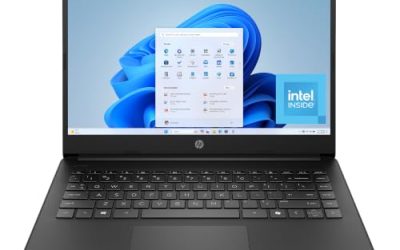
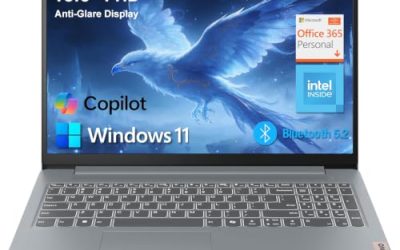
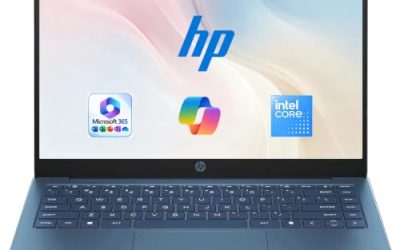
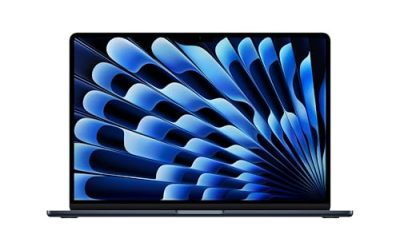
Searching for the best ASUS laptop is really a question about which ASUS you are shopping for, because the brand sells two almost unrelated product lines under one name. The ROG Strix G16 line is built around a discrete NVIDIA GeForce RTX graphics chip, a fast 16-inch panel, and hardware meant to run modern games. The Vivobook line is built around everyday computing: documents, browsing, video calls, and streaming on a 15.6-inch screen. Choosing between them is a bigger decision than choosing between two models within a line.
This guide is for buyers who already settled on ASUS and need to narrow seven listed configurations in 2026. It covers gaming-class machines with RTX 5050, RTX 5060, and RTX 5080 graphics, plus four Vivobook options that run from a Core i9 workhorse down to entry-level Intel N-series chips. Everything below is based on the specs stated in each listing, so use it to decide which tier fits, then confirm the exact configuration before you buy.
Our Top Picks

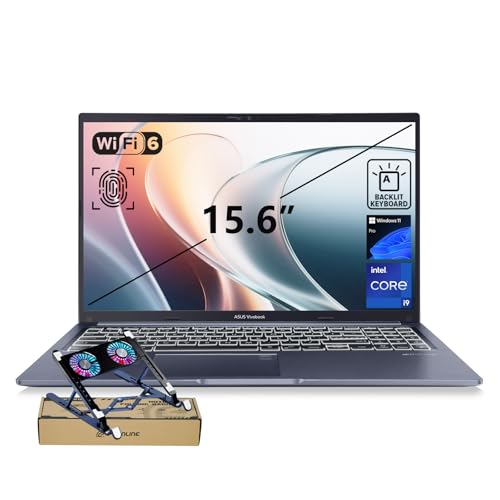
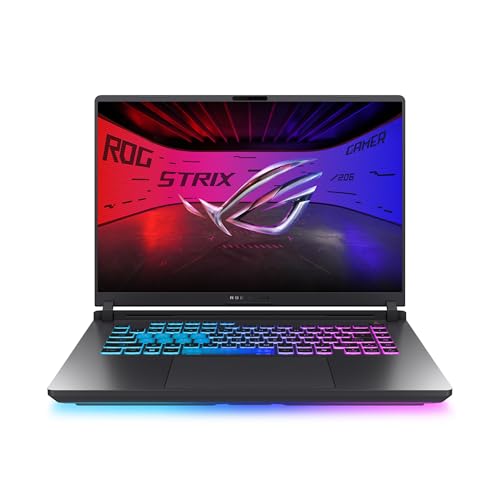
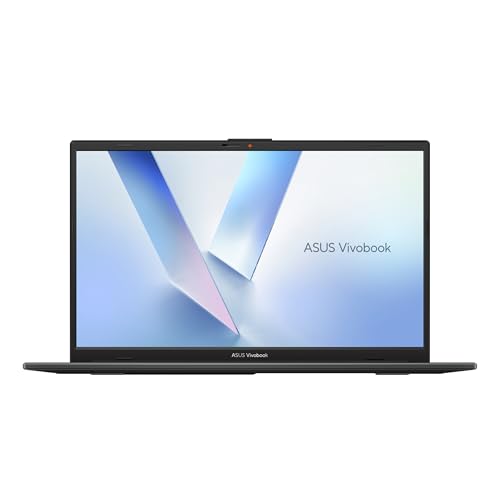

Top 3 picks at a glance
Quick Picks
As an Amazon Associate we earn from qualifying purchases at no extra cost to you.


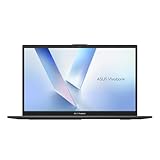


| Product | Best for | Key spec from the title |
|---|---|---|
| ROG Strix G16 with RTX 5060 | Mainstream gaming | 16-inch FHD+ 16:10, 165Hz, RTX 5060, Core i7 14650HX, 16GB DDR5, 1TB |
| Vivobook 15 with Core i9 | Heavy multitasking without a GPU | Core i9-13900H, 32GB RAM, 1TB SSD, webcam shield |
| ROG Strix G16 with RTX 5050 | Entry gaming | RTX 5050, Core i5 14450HX, 16GB DDR5-5600, 512GB |
| Vivobook Go 15 with N150 | Basic web and homework | Intel N150, 4GB RAM, 128GB SSD |
| Vivobook Go 15 with Ryzen 5 | Balanced daily laptop | Ryzen 5, 8GB RAM, 512GB SSD, WiFi 6E, ErgoSense keyboard |
| ROG Strix G16 with RTX 5080 | Top-tier gaming and creation | 2.5K 240Hz display, Core Ultra 9 290HX Plus, RTX 5080, 32GB DDR5 |
| Vivobook Go 15 Slim with N4500 | Light study use | Dual Core N4500, 4GB RAM, 128GB SSD, Windows 11 |
How to Choose
Decide between ROG and Vivobook first
If the listing names an RTX graphics card, the laptop is meant for gaming or GPU-accelerated creative work. If it names only Intel UHD or AMD Radeon graphics, expect office, browsing, and video playback. Do not pay for a gaming laptop if your workload is spreadsheets, and do not expect a Vivobook to handle recent 3D games at high settings.
Memory and storage thresholds
Four gigabytes of RAM is the floor for Windows 11 and leaves almost no headroom once a browser has several tabs open. Eight gigabytes suits light daily use, and 16GB is the sensible target for gaming or work with many apps open. For storage, 128GB fills quickly after Windows updates and a few programs, 512GB is comfortable, and 1TB suits game libraries.
Display specs that matter
For gaming, the refresh rate and response figure in the listing tell you how smooth fast motion will look: 165Hz is a solid mainstream level, and 240Hz with an HDR-capable 2.5K panel is the premium tier. The 16:10 shape gives more vertical room than a 16:9 screen, which helps with documents and editing timelines. On Vivobook models, a 60Hz full HD panel is standard and fine for office work.
Where budget models cut corners
Entry-level chips such as the Intel N150 and N4500 paired with 4GB of RAM and 128GB of storage are the first place to look for limits. They handle basic tasks but slow down with heavy multitasking, and the small drive offers little upgrade room. Ignore marketing phrases like “AI ready” unless a dedicated processing feature is listed, and weigh the processor, RAM, and storage first.
The 7 Best Options
ASUS ROG Strix G16 with RTX 5060
This is the mainstream gaming pick in the ASUS lineup. The listing pairs an RTX 5060 with a Core i7 14650HX, 16GB of DDR5 memory, and a 1TB Gen 4 drive, behind a 16-inch FHD+ 16:10 panel at 165Hz. It suits players who want smooth frame rates at full HD without paying for flagship hardware.
- Strength: the 165Hz, 3ms panel and a Core i7 HX-class processor give it room for fast games.
- Strength: 1TB of Gen 4 storage holds a decent game library from day one.
- Trade-off: a 16-inch gaming chassis is a poor fit for buyers who want something thin to carry daily.
Skip it if you only need a machine for office work, since the graphics hardware would go unused. Buyers who move between desk and couch should also remember that a gaming laptop of this size usually wants to stay near an outlet, so think about where it will actually live.
ASUS Vivobook 15 with Core i9-13900H
The Vivobook 15 stands apart from the rest of the Vivobook group because of its processor and memory. The title lists a Core i9-13900H with 32GB of RAM and a 1TB SSD on a 15.6-inch full HD screen. It is aimed at people who keep dozens of browser tabs, spreadsheets, and video calls running together.
- Strength: 32GB of RAM is generous for multitasking.
- Strength: the physical webcam shield, backlit keyboard, and fingerprint reader add privacy and convenience.
- Trade-off: the listing mentions no dedicated gaming graphics, so it is not a gaming substitute.
Skip it if your priority is playing recent 3D games. It makes more sense for remote workers, analysts, and anyone who wants memory headroom now rather than a later upgrade project.
ASUS ROG Strix G16 with RTX 5050
This is the lower-cost route into the ROG family. It combines an RTX 5050 laptop GPU with a Core i5 14450HX, 16GB of DDR5-5600, and 512GB of storage, behind a 16-inch 16:10 FHD+ panel at 165Hz. It fits students and newer gamers who want real GPU hardware without moving into higher tiers.
- Strength: it keeps the same 165Hz, 3ms display as the RTX 5060 version.
- Strength: 16GB of fast DDR5 memory is a comfortable baseline for games.
- Trade-off: 512GB of storage fills quickly once a few large games are installed.
Skip it if you want the strongest graphics headroom for years of newer titles. Anyone planning to install many large games should also expect to add storage sooner than with the 1TB sibling.
ASUS Vivobook Go 15 with Intel N150
This is the simplest machine in the group. The listing describes a 15.6-inch FHD 60Hz screen, an Intel N150 processor, Intel UHD graphics, 4GB of RAM, and a 128GB SSD in a mixed black finish. It targets browsing, streaming, email, and basic school assignments.
- Strength: a full HD 15.6-inch display is a comfortable size for reading and video.
- Strength: it is the entry tier of the lineup, which suits tight budgets.
- Trade-off: 4GB of RAM and 128GB of storage leave little room as software accumulates.
Skip it if you plan to work with many apps open at once. It fits best as a secondary machine, a loaner for a younger family member, or a kitchen-table laptop for recipes and video calls.
ASUS Vivobook Go 15 with Ryzen 5
For most people who want an ASUS for general use, this configuration balances the needs better than the N-series models. The title lists a Ryzen 5 processor, AMD Radeon graphics, 8GB of RAM, a 512GB SSD, WiFi 6E, an ErgoSense keyboard, and military-grade construction.
- Strength: 8GB of RAM and 512GB of storage cover everyday work comfortably.
- Strength: WiFi 6E and a durability claim add practical value for a laptop that travels.
- Trade-off: the 60Hz screen and integrated graphics are not built for demanding games.
Skip it if you need extra memory for editing or heavy multitasking. Students and office workers who want one affordable laptop to last a few years are the natural audience here.
ASUS ROG Strix G16 with RTX 5080
This is the flagship in the set. The listing describes a 16-inch ROG Nebula HDR 2.5K display at 240Hz, a Core Ultra 9 290HX Plus processor, an RTX 5080, and 32GB of DDR5 memory. It is meant for buyers who want the highest tier of graphics and display quality in the ASUS gaming line.
- Strength: the 2.5K, 240Hz HDR panel is the most advanced screen in this group.
- Strength: 32GB of DDR5 and top-tier graphics suit gaming and GPU-based creative work.
- Trade-off: as the most powerful configuration here, it also sits in the premium tier for cost.
Skip it if you play at modest settings, where a lower tier would serve you just as well. It is the choice for people who will use the display and graphics headroom, not those who simply want the biggest number on the spec sheet.
ASUS Vivobook Go 15 Slim with Intel N4500
This one is described as thin and portable and aimed at student study. The title lists a Dual Core N4500, 4GB of RAM, a 128GB SSD, and Windows 11 in a Star Black finish. It is a low-demand laptop for reading, writing, and online classes.
- Strength: the slim, portable positioning suits carrying it between classes.
- Strength: it ships with Windows 11 for a familiar setup.
- Trade-off: a dual-core chip with 4GB of RAM limits multitasking.
Skip it if you need smooth performance with video editing or many open windows. Think of it as a note-taking and reading machine, and keep expectations in line with its dual-core class.
Which One Fits Your Situation
You want to play new games without overspending
The ROG Strix G16 with RTX 5060 is the balanced choice, with a 165Hz display and 16GB of DDR5. If funds are tighter, the RTX 5050 version keeps the same screen and lowers the entry point.
You work in many apps all day but do not game
The Vivobook 15 with the Core i9-13900H and 32GB of RAM is the match. Its memory capacity does the work that a gaming GPU would not help with.
You need a dependable laptop for general use
Pick the Vivobook Go 15 with Ryzen 5, 8GB of RAM, and a 512GB drive. It avoids the storage squeeze of the N-series models.
You want the best display and graphics ASUS offers
The ROG Strix G16 with RTX 5080 and its 2.5K 240Hz panel is the clear top of this list.
Common Mistakes
- Buying a gaming laptop for tasks that never use a dedicated graphics card.
- Accepting 4GB of RAM because the processor name sounds modern.
- Ignoring the 128GB storage limit on entry models until the drive is full.
- Assuming that a high refresh rate matters on a 60Hz-class office laptop.
- Treating “AI ready” wording as a performance feature without reading the processor and memory lines.
Related guides
- Replacement Cables For Gaming Mice And Headsets
- Indoor Security Cameras Without Subscription
- Nvidia Control Panel Best Settings For Gaming
Frequently Asked Questions
Is ROG or Vivobook better?
Neither is better in general. ROG Strix models are built for gaming with RTX graphics and fast displays, while Vivobook models target everyday work. Match the line to your workload.
How much RAM do I need?
Plan for 8GB at minimum for general use and 16GB for gaming or many open apps. The 4GB models in this list suit only light tasks.
Does a higher refresh rate make a laptop faster?
No. It makes motion look smoother on screen, but only when the graphics hardware can produce enough frames. The Vivobook 60Hz panels are normal for office use.
Should I worry about the small storage on some models?
Yes, if you install many programs. A 128GB drive leaves little free space after Windows and updates, so consider 512GB or more for long-term use.
Related guides
More from Amazon
Programs that pair well with the guide above. Offers and eligibility are set by Amazon and may change.
A free business account with business pricing and bulk-buying tools for work, shop or home office.
Create a business accountFree shipping on eligible items, Prime Video and more. Eligible new members can start with a free trial.
Start a Prime free trialAudiobooks and podcasts to listen to on the go. Eligible new members can start with a free trial.
Try Audible freeAd-free music streaming. Eligible new subscribers can start with a free trial.
Try Music Unlimited freeAs an Amazon Associate we earn from qualifying purchases.