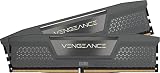
For most gamers, 16GB is still enough, and 32GB is worth paying for when you mod, stream, multitask heavily or want headroom for the next few years of game releases. The difference shows up as fewer hitches and less swapping to disk when memory fills, not as extra frames per second in a game that already fits. This guide shows how modern games use memory, where DDR4 and DDR5 change the decision, which workloads push 16GB past its limit, and a diagnostic and upgrade checklist so you spend money only if the numbers justify it. It is based on published specifications and manufacturer documentation, not on lab runs by the editorial team.
Quick decision: which capacity fits which player
| Player type | Suggested capacity | Why |
|---|---|---|
| Esports and older titles, few background apps | 16GB | These games need little memory; spend on GPU or monitor instead |
| Mainstream single-player and online games | 16GB, 32GB if budget allows | 16GB covers most; 32GB adds margin |
| Open-world games with texture packs or mods | 32GB | Mods and high resolution assets raise memory use |
| Streaming, recording or video editing alongside games | 32GB | Capture software and editors keep their own large buffers |
| Simulation, strategy and large city builders | 32GB | Late-game saves can grow large |
| Tight budget, new build | 16GB now, free slots for later | Buy two sticks and leave room to add a second kit |
Once you have picked a size, the shortlist of 32GB DDR5 kits for gaming and the one for 16GB DDR5 kits show what to compare on the DDR5 side.
How modern games use memory
A game is only one of several programs competing for memory. The operating system reserves a few gigabytes. The game loads textures, geometry, audio and scripts into RAM, and part of that is mirrored in video memory on the graphics card. Launchers, voice chat, overlay tools, anti-cheat software and browsers add their own share. When the total passes physical RAM, Windows starts moving less-used data to the page file on the drive, and any later need to retrieve it costs far more time than reading from RAM.
That is why capacity problems feel like hitches rather than a lower fps average. The frame rate may look fine until a texture load or a scene change forces a read from storage. A fast NVMe SSD softens the penalty, and a mechanical drive makes it worse.
Games differ widely. Competitive shooters and older titles often run comfortably in a small slice of memory. Large open-world games, flight and racing simulators and heavily modded sandbox games use far more. Publishers list recommended memory in their system requirements, and these have moved upward over time, so check the page for each game you care about.
DDR4 versus DDR5 considerations
You cannot mix memory types: the motherboard supports either DDR4 or DDR5. If you already own a DDR4 platform, the practical question is whether to go from 16GB to 32GB of DDR4. If you are building new, the question is whether 16GB or 32GB of DDR5 fits your budget.
| Question | DDR4 platform | DDR5 platform |
|---|---|---|
| Upgrade path | Add or replace with a 2x16GB kit | Usually a new 2x16GB kit; mixing old and new is not advised |
| Speed profile | Enable XMP in the BIOS | Enable XMP or EXPO in the BIOS |
| Four-stick setup | Often works at rated speed on many boards | May lower speed or loosen timings on some boards |
| Capacity advice | 32GB is a reasonable value upgrade | 32GB is a sensible target for a long-lived build |
| What to check | Motherboard supported memory list and maximum capacity | Same, plus BIOS version for stability |
Speed matters less than people expect once capacity is adequate. A kit running in dual channel at its rated profile beats a single stick of the same capacity, and the tier above that brings smaller gains that depend on the CPU and game. Treat capacity and dual-channel configuration as the first decisions, then speed.
Capacity, kit layout and why a single stick hurts
Capacity is only one part of the memory decision. A single 16GB stick runs in single channel, so the CPU has half the memory bandwidth of a two-stick kit. On systems with integrated graphics the penalty can be large, because the graphics share the same memory. On systems with a discrete card, the impact is smaller and depends on the game and CPU, but it is a cheap thing to avoid.
That makes 2x8GB the usual 16GB layout and 2x16GB the usual 32GB layout. A 2x8GB kit leaves little room to grow, since adding another pair gives four sticks with the risks mentioned above. A 2x16GB kit leaves two empty slots. If you expect to want 32GB within a couple of years, buying 2x16GB now is often cleaner than buying 2x8GB first and replacing it later.
Finally, mind the profile. Memory usually runs at a slow default until you enable XMP or EXPO in the BIOS. Many gaming PCs ship with that setting off, which leaves rated speed unused. After installing or upgrading, enter the BIOS, enable the profile, and confirm the speed in a system information tool.
When 16GB starts to fail
Several situations push a 16GB system into the page file. Heavy mod lists or high resolution texture packs add gigabytes. Streaming with capture software, a browser with many tabs, a music player and chat apps can add four to six gigabytes before the game even starts. Some games leak memory during long sessions, and a restart restores free space. Large simulation saves, with thousands of entities, also grow with playtime.
Look for these signs: stutter during area changes that goes away after closing other programs, alt-tabbing that takes several seconds, a game that runs well for an hour and then slows, or the task manager showing memory usage near 100 percent with high disk activity. Each of these points to a capacity limit, though a slow drive or a game bug can look similar.
Worked example: a memory budget
Assume a gamer with a typical background setup. The numbers below are illustrative assumptions, not measurements from a specific machine.
| Item | Assumed memory use |
|---|---|
| Operating system and drivers | about 4 GB |
| Browser with a dozen tabs | about 3 GB |
| Launcher, voice chat and overlay | about 1.5 GB |
| Large open-world game | about 9 GB |
| Total | about 17.5 GB |
On a 16GB system the total exceeds capacity by about 1.5 GB, so Windows moves some data to the page file, and you may feel the hitches. On a 32GB system the same total leaves roughly 14.5 GB free, enough to add a mod pack, a capture tool or more tabs. Close the browser and the same 16GB system drops to about 14.5 GB and fits again. Which fix suits you depends on whether you would rather change habits or hardware.
Upgrade path and diagnostic checklist
- Open the task manager during a normal session and note memory use and the page file activity.
- Check how many slots are free and the maximum capacity your motherboard supports.
- Confirm the memory type, DDR4 or DDR5, and the current speed in the BIOS or a system info tool.
- Check that the existing memory runs in dual channel and that the XMP or EXPO profile is enabled.
- Prefer a matched two-stick kit over mixing new and old sticks.
- Look up the motherboard’s supported memory list and update the BIOS if the maker recommends it.
- Re-run the same game session after installing and compare the task manager figures.
If your graphics card is the real weakness, extra RAM will not rescue it. Comparisons such as RTX 2060 12GB versus RTX 3070 Ti show how much the GPU tier changes the experience, which is often a better use of a limited budget than doubling memory.
When to stop and ask for help
If a new kit will not boot, the system crashes, or the memory does not reach its rated speed, stop adjusting. Reseat the sticks, test one stick at a time, update the BIOS following the board maker’s instructions and check the supported memory list. If the problem persists, contact the memory maker or motherboard support. Do not push voltages higher than the maker allows.
Frequently asked questions
Is 16GB of RAM enough for gaming?
For most current games it is enough, especially if you close heavy background programs. Many titles list 16GB as recommended. It gets tight with large mods, big texture packs, streaming software or dozens of browser tabs. If you are building a new PC and the price gap is small, 32GB is a safe choice for the next few years.
Will 32GB RAM give me more fps?
Not by itself. Extra capacity only helps when the system is running out of memory. If you are already below the limit, doubling it will not change frame rates. The benefits are fewer stutters when memory is tight and room for other programs. Speed, timings and dual channel matter more once you have enough.
Is two 16GB sticks better than four 8GB sticks?
Usually yes. Two sticks put less load on the memory controller, tend to reach their rated speed more easily and leave two slots free for later. Four sticks can force lower speeds, particularly on DDR5 platforms. Choose a matched kit and check the motherboard’s supported memory list.
Should I buy DDR4 32GB or DDR5 16GB?
The motherboard decides which type you can use. On an existing DDR4 board, 32GB of DDR4 is usually the sensible upgrade. On a new build, DDR5 is the current platform, and 32GB of it is a better long-term choice than 16GB if your budget allows. Compare the whole platform cost, not just the memory.
How do I know if 16GB is limiting my games?
Watch memory use while you play. If committed memory climbs close to the total and the page file grows, or hitches appear during area loads and alt-tabbing, memory may be the constraint. Close background applications and test again. If it persists with a clean desktop, 32GB is the sensible upgrade.