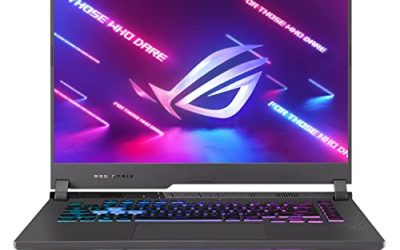
The best business laptop in the $500-$600 range is a new or certified-refurbished 14-inch model with a Core i5 or Ryzen 5 processor, 16 GB of RAM, a 256-512 GB SSD, a backlit spill-resistant keyboard and a TPM chip for BitLocker. At this price, a refurbished ThinkPad, Latitude or ProBook usually beats a new consumer laptop because you get better build quality, a better keyboard and security features. If you buy new, prioritize RAM and the SSD over screen size.
As an Amazon Associate we earn from qualifying purchases at no extra cost to you.

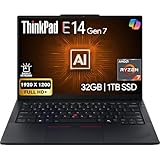
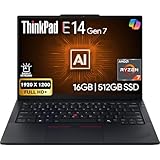

Top 3 picks at a glance
Quick comparison of the best picks at $500-$600
| Pick | Best for | Key specs | Price range |
|---|---|---|---|
| Refurbished Lenovo ThinkPad T or L series | Best overall | Core i5, 16 GB RAM, 256-512 GB SSD, 14-inch, TPM 2.0 | Usually $400-$600 |
| Refurbished Dell Latitude 5000 series | Best for IT-managed offices | Core i5 or i7, 16 GB RAM, 14-inch, smart card option | Usually $400-$600 |
| HP ProBook or EliteBook (refurbished or new entry) | Best for security features | Ryzen 5 or Core i5, 16 GB RAM, fingerprint reader | Usually $450-$600 |
| Lenovo ThinkPad E series (new entry) | Best new business laptop | Ryzen 5 or Core i5, 8-16 GB RAM, 256-512 GB SSD | Usually $500-$650 |
| Acer TravelMate (new) | Best budget new | Core i5 class, 8-16 GB RAM, 14-15.6 inch | Usually $450-$600 |
| Entry Apple MacBook Air (refurbished M1) | Best for battery life | 8 GB RAM, 256 GB SSD, 13.3-inch | Usually $500-$600 |
These are spec classes and typical market ranges. Exact availability changes weekly, so match the specs, not the model name, when shopping.
Best overall: refurbished ThinkPad T or L series
ThinkPads are the default for business buyers for good reasons: the keyboard has deep key travel, the chassis is tested against military-style durability standards per Lenovo’s documentation, and parts are widely available. A refurbished unit from the last few years with a Core i5 and 16 GB of RAM hits the sweet spot under $600. The trade-off is that the screen on older units may be a dim 250-nit panel, which is poor for sunny windows.
Best for managed offices: Dell Latitude
Latitudes are built for IT departments, with remote management features, smart card options and strong support. If your company uses Windows 11 Pro and Intune or similar tools, a Latitude is a safe choice. At this price, you will find certified refurbished units from Dell’s outlet or reputable resellers. The trade-off is weight and a basic display on lower tiers.
Best for security: HP ProBook and EliteBook
HP’s business lines include a fingerprint reader, privacy shutter on many cameras and a clear BIOS security setup. EliteBook units sometimes show up refurbished for $450-$600 and offer a metal build. ProBooks are the more affordable new option. Check the battery health because older units may have degraded batteries.
Best new laptop: Lenovo ThinkPad E series
The E series is Lenovo’s entry business laptop. It gives you the ThinkPad keyboard and TPM security but with plastic construction and a lower price. A new model near $600 normally means 8 GB of RAM, so check for upgrade slots because the RAM may be socketed and affordable to upgrade.
Best battery life: refurbished MacBook Air with M1
If your work does not rely on Windows-only software, a refurbished M1 MacBook Air is often available in this price range. It runs cool, lasts many hours per charge and holds its value. The trade-off is limited ports and 8 GB of unified memory, which cannot be upgraded later.
How to choose: a worked specification budget
At $500-$600 you cannot have everything, so spend where it matters for office work. Here is how a typical $580 budget might be allocated.
| Component | Priority | Why | Approximate cost impact |
|---|---|---|---|
| RAM 16 GB (vs 8 GB) | High | Browsers, Teams or Zoom and spreadsheets use 6-10 GB together | $30-$60 more |
| SSD 512 GB (vs 256 GB) | Medium | Windows and Office use about 60-80 GB, leaving room for files | $25-$50 more |
| CPU Core i5 / Ryzen 5 (vs i3 / Ryzen 3) | High | Better multitasking and longer useful life | $60-$100 more |
| Full HD IPS display (vs 1366×768) | High | Readable text and wider viewing angles | $30-$50 more |
| Backlit keyboard | Low-medium | Helpful in dim offices and on flights | $10-$25 more |
| Fingerprint reader | Low | Convenient sign-in | Often included |
Memory math shows why 16 GB matters. A typical workday might include a browser with 15 tabs (about 3-4 GB), Microsoft Teams (about 1 GB), Outlook (about 0.5 GB), Excel with a large file (about 1 GB) and Windows itself (about 3-4 GB). That adds up to 8.5-10.5 GB, so an 8 GB laptop starts swapping to the SSD and feels slow. A 16 GB machine gives you comfortable headroom.
Decision matrix
| Your situation | Choose |
|---|---|
| Travel heavily, need long battery | Refurbished MacBook Air M1 or a thin 14-inch ThinkPad |
| Company uses IT management and Windows Pro | Dell Latitude or HP ProBook |
| Type a lot | ThinkPad T or L series |
| Need a warranty and fresh battery | New ThinkPad E or Acer TravelMate |
| Light photo editing in addition to office work | Look for a Ryzen 5 or Core i5 with 16 GB RAM and a 1080p IPS panel |
Features that matter on a business laptop
- TPM 2.0: required for BitLocker drive encryption and for Windows 11. Almost every laptop from 2018 onward has it, but check.
- Windows 11 Pro: needed for domain join, BitLocker management and remote desktop hosting. Home edition lacks some of these.
- Webcam and microphones: useful for video calls. A 1080p webcam is a nice bonus at this price.
- Ports: HDMI, USB-A and USB-C with charging help with projectors and docking.
- Serviceability: replaceable RAM and SSD extend the life of the laptop.
Buying refurbished safely
- Choose a seller offering a warranty of at least 90 days, ideally one year.
- Ask for the battery health or cycle count; a battery below 70 percent of design capacity may need replacement.
- Confirm the BIOS is not locked to a previous owner’s company.
- Look for a Grade A or B cosmetic rating and a clean install of Windows 11 Pro.
- Check the return window and run a stress test and an SSD check as soon as the laptop arrives.
Frequently Asked Questions
Is a refurbished business laptop better than a new consumer laptop at $600?
For office work, often yes. A refurbished ThinkPad or Latitude typically has a better keyboard, sturdier chassis and business security features than a new budget consumer laptop. The drawbacks are an older processor and a used battery, so buy from a seller with a warranty.
How much RAM does a business laptop need?
16 GB is the practical target. Eight gigabytes works for light tasks, but with video calls and many browser tabs it becomes slow. Choose a laptop with upgradeable memory if you must start at 8 GB.
Do I need a dedicated graphics card for business use?
No. Integrated graphics handle office work, video calls and multiple displays. A dedicated GPU is only useful for video editing, CAD or gaming, and laptops with one rarely fit within $500-$600.
Which operating system is best for a business laptop?
Windows 11 Pro is the safest choice for compatibility with company tools, domain join and BitLocker. macOS works well if your applications support it, and ChromeOS devices can suit browser-only workflows.
Can I play games on a business laptop in this price range?
Light and older games, yes. Modern graphics-heavy titles run poorly on integrated graphics, usually at low settings and well under 60 fps in many cases. If gaming matters, look at a dedicated gaming laptop instead.
Related guides
More from Amazon
Programs that pair well with the guide above. Offers and eligibility are set by Amazon and may change.
A free business account with business pricing and bulk-buying tools for work, shop or home office.
Create a business accountFree shipping on eligible items, Prime Video and more. Eligible new members can start with a free trial.
Start a Prime free trialAudiobooks and podcasts to listen to on the go. Eligible new members can start with a free trial.
Try Audible freeAd-free music streaming. Eligible new subscribers can start with a free trial.
Try Music Unlimited freeAs an Amazon Associate we earn from qualifying purchases.