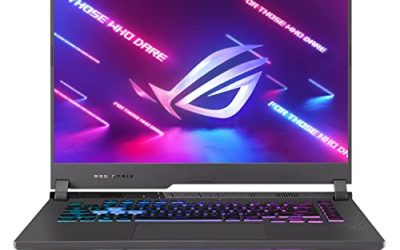
The best 6-cell laptop battery is the one that matches your laptop’s exact part number, voltage and watt-hour rating, and uses genuine-grade lithium-ion cells with built-in protection circuitry. A typical 6-cell pack stores about 48-60 Wh (10.8-11.4 V, 4,400-5,200 mAh), which gives roughly 4-7 hours on a light workload. Buy from the laptop maker or a reputable third-party brand such as Anker-class accessory makers, not the cheapest pack that lists your model.
What “6-cell” actually means
A 6-cell laptop battery contains six individual lithium-ion cells, usually 18650-format cylinders arranged as 3 in series and 2 in parallel (3S2P). Each cell has a nominal voltage of 3.6-3.7 V, so three in series give about 10.8-11.1 V. The capacity in milliamp-hours depends on cell quality: a 2,200 mAh cell pair gives 4,400 mAh, and a 2,600 mAh cell pair gives 5,200 mAh. Multiply voltage by amp-hours to get watt-hours.
| Pack | Layout | Voltage | Capacity | Energy |
|---|---|---|---|---|
| Standard 6-cell | 3S2P | 10.8 V | 4,400 mAh | about 47.5 Wh |
| High-capacity 6-cell | 3S2P | 11.1 V | 5,200 mAh | about 57.7 Wh |
| 9-cell extended | 3S3P | 11.1 V | 7,800 mAh | about 86.6 Wh |
| Modern polymer pack | various | 11.4-15.4 V | varies | 40-99 Wh |
Best overall: the manufacturer’s own replacement
For most people, the original-equipment battery from Dell, HP, Lenovo, ASUS, Acer or the maker of your laptop is the safest choice. It is built to the same specification as the pack that shipped with the machine, the communication chip tells the laptop’s firmware the correct capacity, and charging profiles are tuned for it. The trade-off is price, which is often $60-$120 depending on the model, and availability for laptops older than about 5-7 years.
Best value: a reputable third-party pack with certifications
Established accessory brands sell compatible packs for popular models at about $30-$70. Look for UL, CE and RoHS marks, a stated protection circuit (overcharge, over-discharge, short-circuit and temperature protection) and a warranty of at least 12 months. The trade-off is that capacity may be a few percent below the original, and the laptop may show a “not genuine battery” notice in some business models.
Best for older laptops: matched-spec replacement cells
If your model is discontinued, specialist rebuilders re-cell the original casing with new 18650 cells. This keeps the physical fit and part number, and it is often the only way to get a working pack for 2010-era machines. The trade-off is quality variance between sellers, so ask for the cell brand and capacity and the date of manufacture.
Best for gaming laptops: check the watt-hour and the 100 Wh limit
Most current gaming laptops use 3-cell or 4-cell polymer packs rated 80-99.9 Wh rather than the older 6-cell cylinders. The 99.9 Wh figure is deliberate: airline rules, according to IATA and FAA guidance, allow spare batteries up to 100 Wh without special approval. When buying a replacement for a gaming laptop, match the watt-hours and cell count exactly, because voltage and charge-controller behaviour are tied to the machine.
Worked example: how long will a 6-cell battery last?
Runtime is energy divided by power draw. Take a 56 Wh pack (11.1 V x 5,000 mAh) and a laptop that draws 9 W while browsing, 15 W while editing documents with the screen bright, and 45 W while gaming on the integrated graphics.
- Browsing at 9 W: 56 / 9 = about 6.2 hours
- Office work at 15 W: 56 / 15 = about 3.7 hours
- Gaming at 45 W: 56 / 45 = about 1.2 hours
Real-world numbers fall 10-20% below this because the pack cannot be discharged to zero and conversion losses add up. A gaming laptop drawing 120 W would drain the same 56 Wh in under 30 minutes, which is why high-end machines tie full performance to AC power.
| Load | Draw | Runtime on 48 Wh | Runtime on 56 Wh | Runtime on 86 Wh |
|---|---|---|---|---|
| Video playback | 8 W | about 6.0 h | about 7.0 h | about 10.8 h |
| Office and web | 14 W | about 3.4 h | about 4.0 h | about 6.1 h |
| Video editing | 35 W | about 1.4 h | about 1.6 h | about 2.5 h |
| Gaming | 60 W | about 0.8 h | about 0.9 h | about 1.4 h |
How to match the correct battery step by step
- Read the label on the old battery or the laptop’s underside. Note the part number, voltage and watt-hours. The part number is the safest key.
- Check the exact laptop model and revision. Two laptops with similar names can use different connectors and pin layouts.
- Match voltage within 0.3 V and capacity or higher. A pack with higher mAh but the same voltage and size is fine; a different voltage can damage the charge circuit.
- Confirm internal or external design. Many ultrabooks have an internal battery that needs a screwdriver and care, so check whether the pack is user-replaceable.
- Check the warranty and return window. Batteries fail in the first few months more often than later, so a refundable window is worth more than a small discount.
When to replace instead of keep the old battery
Lithium-ion packs are usually rated for 300-500 full charge cycles before capacity falls to roughly 80% of original, per typical manufacturer cycle-life specifications. Replace the pack when runtime has fallen by half, the laptop shuts down at 20-30% shown, or the case is swollen. A swollen pack is a safety problem: stop using it and take it to a battery recycling point.
On Windows, you can see health data with the built-in battery report. Open a command prompt as administrator and run powercfg /batteryreport. Compare “design capacity” with “full charge capacity”; if full charge capacity is below about 60% of design, replacement is worthwhile.
Safety checklist before buying
- Avoid listings with unrealistic capacity, such as a 6-cell claiming 10,000 mAh, since 18650 cells top out around 3,500 mAh each in mainstream packs.
- Avoid packs with no brand, no protection circuit statement and no certification marks.
- Do not charge a damaged or swollen pack, and never puncture it.
- Use the original charger or one that matches the laptop’s specified wattage.
Frequently Asked Questions
Is a 6-cell battery better than a 4-cell?
Usually yes for runtime, because it holds more cells and energy, typically 48-60 Wh against 30-40 Wh. It is also heavier and larger, so it only fits laptops designed for it. You cannot swap one for the other unless the connector and dimensions match.
Can I use a higher-capacity battery than the original?
Yes, provided voltage, connector and physical fit match. A higher-mAh pack of the same layout simply runs longer. If the physical size differs (as with 9-cell extended packs), it may stick out of the chassis.
How long does a laptop battery last before replacement?
Most last 2-4 years of regular use, or 300-500 charge cycles. Heat shortens life more than anything else, so avoid using the laptop on soft surfaces while gaming or compiling.
Are cheap compatible batteries safe?
Some are, but quality varies widely. Choose packs with safety certifications, a protection circuit and a clear warranty. A pack priced far below the original and sold with no brand is a bigger risk than one priced about 40-60% of the genuine part.
Should I keep the laptop plugged in all the time?
It is fine with modern systems, but storing a lithium-ion pack at 100% in a warm laptop ages it faster. If your laptop offers a charge limit of 60-80%, enable it for desk use and charge fully only before travel.
Related guides
More from Amazon
Programs that pair well with the guide above. Offers and eligibility are set by Amazon and may change.
A free business account with business pricing and bulk-buying tools for work, shop or home office.
Create a business accountFree shipping on eligible items, Prime Video and more. Eligible new members can start with a free trial.
Start a Prime free trialAudiobooks and podcasts to listen to on the go. Eligible new members can start with a free trial.
Try Audible freeAd-free music streaming. Eligible new subscribers can start with a free trial.
Try Music Unlimited freeAs an Amazon Associate we earn from qualifying purchases.