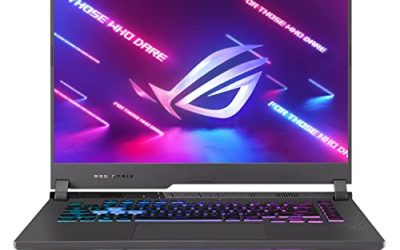
The best touchscreen laptop with an Intel Core i5 is a 14-inch 2-in-1 with a recent Core i5 or Core Ultra 5 chip, 16GB of RAM, a 512GB SSD and a bright 300-nit-plus IPS or OLED panel. That combination handles office work, school, browsing and light photo editing comfortably, and a touchscreen adds pen notes and tablet-style reading without moving up to Core i7 pricing. Models in the class of the Lenovo IdeaPad Flex 5, HP Envy x360 14, Dell Inspiron 14 2-in-1 and Acer Spin 714 are the usual starting points.
Quick comparison of the main touchscreen i5 laptop classes
| Pick | Best for | Key specs (typical) | Price range |
|---|---|---|---|
| Lenovo IdeaPad Flex 5 class (14″ 2-in-1) | Best overall value | Core i5 U-series, 16GB RAM, 512GB SSD, 14″ 1920×1200 touch, about 3.5 lb | Usually $600-$800 |
| HP Envy x360 14 class | Best for OLED and media | Core i5 / Core Ultra 5, 16GB, 512GB, 14″ 2.8K OLED touch, pen support | Usually $750-$950 |
| Dell Inspiron 14 2-in-1 class | Best budget convertible | Core i5, 8-16GB, 256-512GB, 14″ FHD+ touch | Usually $550-$750 |
| Acer Spin 714 class | Best for travel | Core i5 / Core Ultra 5, 16GB, 512GB, 14″ WUXGA touch, magnesium-alloy body | Usually $700-$900 |
| Microsoft Surface Laptop class (13.8″) | Best clamshell touchscreen | Core Ultra 5 or similar, 16GB, 256-512GB, 3:2 touch display | Usually $900-$1,200 |
Prices are general market ranges and move with sales and configuration. Always check the exact processor name on the spec sheet, because “i5” covers chips with very different power limits.
Best overall: a 14-inch 2-in-1 with a U-series Core i5
A Lenovo IdeaPad Flex 5 style laptop is the safest all-round pick. Its 360-degree hinge lets you fold it into tent or tablet mode, the 16:10 screen shows more of a document than a 16:9 panel, and Core i5 U-series chips are efficient enough for six to ten hours of mixed use depending on the battery and brightness. The main trade-off is the panel: many value models sit around 300 nits and 100 percent sRGB at best, so colour-critical work is not what this class is for.
Best for media and pen use: an OLED 2-in-1
If you watch a lot of video or sketch with a stylus, an HP Envy x360 14 style machine with an OLED touchscreen is the better fit. OLED gives true blacks and, per most manufacturer spec sheets, roughly 100 percent DCI-P3 coverage, while the active-pen support on these laptops handles handwriting and light drawing. The trade-offs are higher cost, glossy-glass reflections and slightly shorter battery life because OLED draws more power on bright content.
Best budget: a Dell Inspiron 14 2-in-1 class laptop
Budget convertibles keep the touchscreen and the i5 but trim RAM, storage or build quality. Look for at least 16GB of RAM; an 8GB model feels tight once a browser with many tabs, Teams or Zoom, and a PDF reader are open together. Many budget models solder the RAM, so you cannot upgrade it later. If the configuration with 16GB costs under $100 more, take it.
Best for travel: a light magnesium or aluminium chassis
For commuting and travel, weight and charging matter more than raw speed. Acer Spin 714 class laptops weigh about 3.2 to 3.5 lb and charge over USB-C, so one charger covers your phone and laptop. Check that the USB-C port supports power delivery input, not only data, and that you get at least one USB-A or HDMI port so you do not need a dongle at every desk.
What “Core i5” actually means in 2026
Intel sells several i5 families, and the differences are larger than the name suggests. Use this decision matrix to translate the label into real behaviour.
| Chip family | Power class | Typical behaviour | Choose it if |
|---|---|---|---|
| Core i5 U-series (12th/13th gen, for example i5-1235U or i5-1335U) | 15W base, boost to about 55W | Quiet, cool, 10 cores in total (2 performance + 8 efficient) | You mostly use office apps, browsers and video calls |
| Core i5 P-series (for example i5-1340P) | 28W base | Faster sustained speed, more fan noise | You do heavier multitasking or light video editing |
| Core i5 H-series (for example i5-13420H) | 45W class | Closest to gaming-laptop speed, rarely in 2-in-1s | You want maximum CPU speed and accept a thicker laptop |
| Core Ultra 5 (Meteor Lake and later) | 15-28W | Better efficiency and a built-in NPU for AI features | You want longer battery life and newer features |
How to choose: seven criteria with numbers
- RAM: 16GB is the sweet spot. 8GB works for light use, but Windows 11 itself takes about 3-4GB at idle.
- Storage: 512GB leaves room after the roughly 60GB that Windows, updates and apps consume. 256GB fills quickly.
- Screen brightness: 300 nits is the minimum for a bright room; 400 nits or more helps near windows.
- Resolution: 1920×1200 on a 14-inch panel gives about 162 pixels per inch, which is sharp enough for text. Anything lower, such as 1366×768, should be avoided.
- Touch and pen: Check whether the stylus is included. Many 2-in-1s support an active pen but sell it separately.
- Battery: A 50-60Wh battery typically gives 7-10 hours of web and document work, depending on the screen and chip. A 40Wh battery on a 14-inch OLED will be noticeably shorter.
- Ports: Thunderbolt 4 or USB4 gives you fast external storage and dual-monitor docking; a basic USB-C port might not.
Worked example: battery life estimate
Suppose a laptop has a 57Wh battery and your typical workload draws about 7W (screen at 50 percent, Wi-Fi, a few browser tabs). Runtime is roughly 57 / 7, or about 8 hours. Raise the brightness and add a video call and the draw can climb to 12W, which gives 57 / 12, or about 4.75 hours. An OLED panel showing a bright white document can add a few watts, so the same laptop might last 6 hours on a text-heavy day. Use this arithmetic against the manufacturer’s quoted runtime, which is usually measured under light, low-brightness conditions.
Touchscreen trade-offs to know before buying
- A touch layer adds weight and usually reduces battery life by a small amount compared with a non-touch version of the same laptop.
- Glossy touch panels reflect more light than matte ones, which matters in bright offices.
- Convertible hinges add a point of potential wear; look for warranty coverage that includes accidental damage if the laptop will go to school.
- Windows 11 touch gestures work well for scrolling, zooming and handwriting, but desktop apps still have small targets, so keep a mouse or the trackpad as your main input.
Frequently Asked Questions
Is a Core i5 touchscreen laptop good enough for college?
Yes. A Core i5 with 16GB of RAM and a 512GB SSD covers note-taking, research, video lectures, spreadsheets and presentation software without trouble. A 2-in-1 with pen support is especially handy for annotating PDFs and slides.
Can I game on a touchscreen i5 laptop?
Only light games. Most 2-in-1s use integrated graphics, so esports titles at low settings and older games run acceptably, with frame rates that vary widely by game, settings and chip. For serious gaming, you need a laptop with a dedicated GPU, which rarely comes in a convertible form.
Does a touchscreen drain the battery faster?
Slightly. The touch digitizer uses a small amount of power, but screen brightness, panel type and the processor have a much larger effect. Choosing a 50Wh or larger battery matters more than avoiding touch.
Should I pick Core i5 or Core i7?
For most people the i5 is the better value. An i7 in the same power class gives a modest speed increase for heavier work such as photo batches or code compiling, but costs noticeably more. Spend that money on RAM and storage first.
Is 8GB of RAM enough on a touchscreen laptop?
It is the bare minimum. Modern browsers and video-call apps use several gigabytes, so 16GB prevents slowdowns and keeps the laptop useful for more years, especially since many thin models have soldered memory that cannot be upgraded.
Related guides
More from Amazon
Programs that pair well with the guide above. Offers and eligibility are set by Amazon and may change.
A free business account with business pricing and bulk-buying tools for work, shop or home office.
Create a business accountFree shipping on eligible items, Prime Video and more. Eligible new members can start with a free trial.
Start a Prime free trialAudiobooks and podcasts to listen to on the go. Eligible new members can start with a free trial.
Try Audible freeAd-free music streaming. Eligible new subscribers can start with a free trial.
Try Music Unlimited freeAs an Amazon Associate we earn from qualifying purchases.