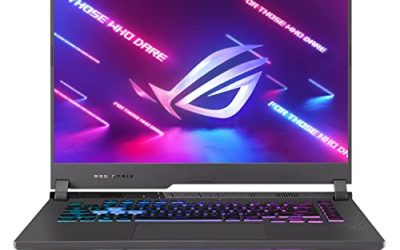
The best student laptop with a 15-inch screen is a lightweight 15.6-inch model with a Core Ultra 5 or Ryzen 5 class processor, 16 GB of RAM, a 512 GB SSD and a battery rated for at least 10 hours of mixed use. That spec set handles lectures, research, Office and light coding for four years without a mid-degree upgrade, and it usually costs $600 to $900.
A 15-inch screen is a good student choice because it gives room for side-by-side windows and a full keyboard with a number pad. The trade-off is weight: most 15-inch laptops weigh 3.3 to 4.2 lb, so portability depends on picking a thin model. This guide covers the picks by budget and use, a decision matrix by major, and a worked battery calculation so you can judge a laptop’s all-day claim.
Quick comparison of the best 15-inch student laptops
| Pick | Best for | Key specs | Price range |
|---|---|---|---|
| Apple MacBook Air 15-inch (M-series) | Best overall | 15.3-inch display, 8-16 GB unified memory, about 3.3 lb, fanless | Usually $1,100-$1,500 |
| Thin 15.6-inch Windows ultrabook (Core Ultra 5 or Ryzen 5, 16 GB) | Best for most majors | 1080p IPS, 512 GB SSD, 3.3-3.8 lb, 10+ hours | Usually $650-$950 |
| Budget 15.6-inch (Ryzen 5 or Core i5, 8-16 GB) | Best budget | 1080p, 256-512 GB SSD, about 3.8-4.2 lb | Usually $400-$600 |
| Chromebook Plus 15-inch class | Best for web-based coursework | ChromeOS, 8 GB, long battery, fast boot | Usually $400-$650 |
| 15.6-inch laptop with RTX 4050 or 5050 class GPU | Best for engineering, design and gaming | 6-8 GB VRAM, 16 GB RAM, 4.0-5.0 lb | Usually $900-$1,400 |
Specific configurations vary by retailer and region, so confirm RAM, storage and display type on the manufacturer’s spec sheet before you buy.
Best overall: 15-inch MacBook Air
Apple’s 15-inch MacBook Air is the easiest all-round recommendation for a student who is comfortable with macOS. It is fanless and silent in lectures, weighs about 3.3 lb, and its efficient chip holds performance on battery. Apple rates battery life around 18 hours of video playback in its own specs, and real mixed use is usually well under that but still a full day.
Trade-off: the entry price is higher than a Windows ultrabook, memory and storage are not upgradable, and some engineering or CAD software is Windows-only. Choose 16 GB if you can afford it, because memory cannot be added later.
Best for most majors: thin Windows ultrabook
A 15.6-inch Windows ultrabook with a Core Ultra 5 or Ryzen 5 chip, 16 GB of RAM and a 512 GB SSD gives the best value for business, humanities, science and general computer science. Models from Lenovo, HP, Dell, ASUS and Acer in the thin-and-light class share this recipe. Look for an IPS or OLED panel with at least 300 nits and 100 percent sRGB, which makes outdoor and library reading easier.
Trade-off: battery life swings widely between models with the same processor. Check the battery capacity in watt-hours before trusting a marketing claim.
Best budget: 15.6-inch Core i5 or Ryzen 5
Below $600 you can still get a usable 15.6-inch laptop, but avoid the traps: 4 GB of RAM, 128 GB eMMC storage, and 1366 x 768 displays. A 1080p panel, 8 GB RAM (16 GB if possible) and an NVMe SSD are the floor. Basic plastic builds weigh near 4 lb and often have 40 to 45 Wh batteries.
Trade-off: expect dimmer screens, mediocre speakers and 5 to 7 hours of real battery. For a student without a lot of lecture hours away from a desk, that is acceptable.
Best for web-based coursework: Chromebook Plus
If your school uses Google Workspace, web portals and browser-based tools, a 15-inch Chromebook Plus is fast, cheap to maintain and secure by default. Boot is a few seconds, updates are automatic, and battery life often reaches 10 to 12 hours.
Trade-off: no native Windows or macOS apps. If your degree needs Excel macros, MATLAB, Adobe or a local IDE heavy workflow, pick a full Windows or Mac laptop instead.
Best for engineering, design and gaming: laptop with a mid-range GPU
Engineering, architecture, film and game design students benefit from a dedicated GPU. An RTX 4050 or 5050 class laptop GPU with 6 to 8 GB of VRAM runs CAD, Blender and Premiere reasonably, and doubles as a gaming machine in the evenings. Expect a weight of 4.0 to 5.0 lb and a battery that lasts 4 to 6 hours away from an outlet.
Trade-off: heavier charger, louder fans and a higher price. Only buy this tier if your coursework needs it.
Decision matrix: match your major to the laptop
| Your situation | Choose | Minimum spec |
|---|---|---|
| Writing, research, business, nursing | Thin ultrabook or MacBook Air | 16 GB RAM, 512 GB SSD, 10 h battery |
| Computer science (web, Python, Java) | Ultrabook or MacBook Air | 16 GB RAM, 512 GB SSD, 6+ cores |
| Engineering and CAD | GPU laptop (Windows) | 16-32 GB RAM, 6 GB+ VRAM, 1 TB SSD |
| Video, 3D and design | GPU laptop or MacBook Pro class | 32 GB RAM, color-accurate panel |
| Only web tools, tight budget | Chromebook Plus or budget Windows | 8 GB RAM, 128-256 GB storage |
Worked example: will the battery last a school day?
Battery claims use ideal conditions, so convert them into your day. Suppose a laptop has a 54 Wh battery. In mixed use (browser, documents, video calls, screen at 50 percent brightness) a modern efficient laptop averages about 6 to 8 W.
- Pick the average draw: 7 W.
- Divide the battery by the draw: 54 Wh divided by 7 W gives about 7.7 hours.
- Apply real-world loss from battery aging and background tasks, about 15 percent: roughly 6.5 hours.
- Compare to your longest stretch away from a plug. If your lectures run 4 hours with no outlets, a 54 Wh laptop is fine. If you need 8 hours, aim for 70 Wh or more, or a laptop that draws about 5 W idle-ish.
The same math shows why a 4.5 lb gaming laptop with a 70 Wh battery still lasts only 3 to 4 hours: its average draw in light use is 15 to 20 W.
Specs that matter most for students
- RAM: 16 GB is the sweet spot. Many tabs, Teams or Zoom, and Office easily use 8 GB.
- Storage: 512 GB NVMe SSD. 256 GB fills fast with course files and software.
- Display: 1080p minimum, 300 nits or more, matte or anti-glare if you work in bright rooms.
- Keyboard: a full-size keyboard with backlighting and decent key travel; you will write thousands of words on it.
- Webcam and mics: 1080p webcam and good microphones for remote classes and interviews.
- Ports: at least one USB-C with charging, one USB-A and HDMI if you present.
- Warranty: one year is standard; accidental damage coverage is worth considering for a laptop that rides in a backpack.
Frequently Asked Questions
Is a 15-inch laptop too big for a student?
Not if it weighs under about 3.8 lb. A thin 15.6-inch model fits a normal backpack and gives more screen room for notes and documents. If you walk or bike a lot, a 14-inch laptop is lighter and just as capable.
How much RAM does a student need?
16 GB is the safe choice for 2026. 8 GB is workable for light browsing and documents, but it leaves little room for many tabs plus video calls, and it cannot usually be upgraded on thin laptops.
Should a student buy a gaming laptop?
Only if the degree needs a GPU or you plan to game seriously. Gaming laptops cost more, weigh more and have shorter battery life. A thin ultrabook plus a console or a cloud gaming subscription is often a better combination.
Is a Chromebook enough for college?
It is enough for web-based coursework, writing and research. It is not enough if you need Windows or Mac software, such as specific engineering tools, advanced Excel features or Adobe apps. Check your department’s software list first.
When is the best time to buy a student laptop?
Back-to-school sales in late summer and the November sales period usually have the strongest discounts, and many manufacturers offer education pricing year-round. Buy before the term starts so you have time to set up and test everything.
Related guides
More from Amazon
Programs that pair well with the guide above. Offers and eligibility are set by Amazon and may change.
A free business account with business pricing and bulk-buying tools for work, shop or home office.
Create a business accountFree shipping on eligible items, Prime Video and more. Eligible new members can start with a free trial.
Start a Prime free trialAudiobooks and podcasts to listen to on the go. Eligible new members can start with a free trial.
Try Audible freeAd-free music streaming. Eligible new subscribers can start with a free trial.
Try Music Unlimited freeAs an Amazon Associate we earn from qualifying purchases.