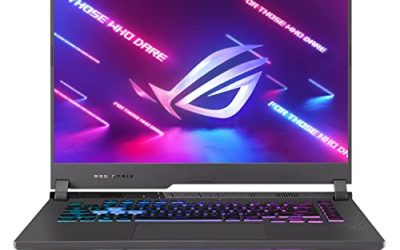
The quietest laptops are fanless or low-power designs, such as the Apple MacBook Air with an M-series chip, followed by thin-and-light Windows models built around efficient 15-28W processors with large vents and good fan curves. If you want a silent machine for study, writing or office work, choose a fanless or low-wattage chip first and treat the brand second. Gaming and creator laptops can be made quieter too, but only with the right performance profile and some settings changes.
Quick comparison: quiet laptop picks by type
| Pick | Best for | Key specs | Price range |
|---|---|---|---|
| Fanless ultraportable (MacBook Air M-series) | Silent everyday use, students | No fan, 13-15 inch, 16GB RAM class, long battery | Usually $900-$1,500 |
| Low-power Windows ultrabook (Zenbook, Yoga Slim, LG gram class) | Office and travel on Windows | 15-28W CPU, 16GB RAM, 1-2 fans that stay off at idle | Usually $700-$1,300 |
| Arm-based Windows laptop (Snapdragon X class) | All-day battery with low fan use | Efficient NPU-equipped chip, 16GB RAM | Usually $800-$1,300 |
| Quiet budget laptop (Chromebook or entry Ryzen/Core Ultra) | Browsing, documents, video calls | Passive or low-RPM fan, 8-16GB RAM | Usually $300-$650 |
| Quiet-tuned gaming or creator laptop | Gaming with manageable noise | Dedicated GPU, vapor chamber, quiet mode at 45-65W | Usually $1,200-$2,200 |
What actually makes a laptop loud
Fan noise comes from heat, and heat comes from sustained power draw. A laptop that averages 8W during web browsing can stay silent on a passive heat spreader, while a laptop that boosts to 45W for a spreadsheet recalculation will spin up within seconds. Noise therefore tracks three things: the processor’s sustained power limit, the cooling hardware, and the firmware fan curve that decides when the fans turn on.
Noise is measured in decibels (dBA) at a short distance. Roughly speaking, 25-30 dBA is barely audible in a quiet room, 35 dBA is a clear whisper-level hum, 40-45 dBA is easily noticed in a library, and 50 dBA or more is the typical sound of a gaming laptop under load. A 6 dBA step is not small: every 10 dBA roughly doubles perceived loudness, so a laptop at 45 dBA sounds around twice as loud as one at 35 dBA.
Worked example: sustained power and noise
Use this simple budget to predict whether a laptop will stay quiet for your workload. Passive cooling in a thin chassis can dissipate roughly 8-12W indefinitely. Anything above that must be moved by a fan.
- Web, documents, video calls: 6-12W total system draw. A fanless or low-power laptop handles this with the fan off or barely turning.
- Photo editing and light coding: 15-25W bursts. A single small fan runs at low RPM, often around 30-35 dBA.
- Video export or compiling: 35-55W sustained. Almost every laptop with a fan reaches 40-48 dBA here.
- Gaming: 80-150W combined CPU and GPU. Expect 45-55 dBA in performance mode, and 38-45 dBA in a quiet profile with a lower frame rate.
If 90 percent of your day sits in the first row, a fanless laptop will be silent essentially all the time. If you export video weekly, a fanless chip will throttle slightly but stay silent, while a fan-cooled laptop will finish sooner but make noise. That trade-off is the real decision.
Best overall: fanless MacBook Air class
The MacBook Air with an Apple M-series chip is the reference for silence because it has no fan at all. Its chip is designed to deliver strong everyday performance at single-digit watts, so a browser with 30 tabs, a video call and a document open will produce no sound. Per the manufacturer’s spec sheet, the 13-inch and 15-inch models offer up to 24GB or more of unified memory on current configurations, and battery life is advertised in the range of 15-18 hours of video playback.
The main trade-off is sustained performance. With no fan, the chip slows down during long exports or heavy compiles, usually after several minutes. It also runs macOS, so Windows-only software or most modern PC games are not an option. If you need a quiet laptop for writing, research, spreadsheets and light photo work, it is hard to beat. Choose 16GB of memory rather than 8GB, since memory cannot be upgraded later.
Best quiet Windows ultrabook
Thin Windows laptops in the Zenbook, Yoga Slim, LG gram and Surface Laptop class use 15-28W processors and tend to keep the fan off while you browse. Look for models that advertise a “whisper” or “silent” profile in their control app, and check that the fan curve starts above about 55 degrees Celsius. Many of these laptops idle at near-zero fan speed and only reach 35-40 dBA when they are pushed.
The trade-off is that a few thin models rely on a tiny single fan with a high pitch. A high-pitched whine is more annoying than a low whoosh even at the same decibel level, so read published reviews that describe sound character, not just the number. For general use on Windows, 16GB of RAM and a 512GB SSD is a comfortable baseline at about $700-$1,300.
Best for battery life with low fan use: Arm-based Windows
Windows laptops with Snapdragon X-class processors are designed around low power draw, and many models stay fan-quiet for ordinary tasks while delivering long battery life. They suit office work, web apps and video playback well. The trade-off is software compatibility: most mainstream apps run well or through emulation, but some older drivers, certain anti-cheat games and a few niche tools can be problematic. Check your essential apps before buying.
Best budget: quiet Chromebook or entry-level laptop
Chromebooks and low-power entry laptops often use processors that draw under 10W, which means some models have no fan at all. They are good for browsing, streaming, classwork and cloud documents. Choose at least 8GB of RAM and 128GB of storage, a 1080p panel, and a metal or reinforced chassis that does not buzz. The trade-off is limited multitasking and weak performance for photo or video work.
Best for gaming and creators: quiet-tuned performance laptops
If you need a dedicated GPU, accept that it will not be silent under load, but you can make it quieter. Pick a model with a vapor chamber, large intake vents on the base, and a clear quiet mode. Dropping the GPU power from around 115W to 65-80W commonly reduces fan noise by roughly 5-8 dBA while giving up perhaps 10-20 percent of frame rate, depending on the game, resolution and CPU. Frame rate impact varies with settings and patches, so treat those numbers as typical ranges rather than guarantees.
How to choose: decision matrix
| Your main use | Choose | Why |
|---|---|---|
| Writing, browsing, classes | Fanless or sub-15W laptop | Never needs a fan, near-silent all day |
| Office on Windows, travel | Low-power Windows ultrabook | Fan off at idle, quiet in meetings |
| Light photo editing | Fanless 16GB or 15-28W laptop | Bursts are short, so noise stays low |
| Weekly 4K video export | Fan-cooled laptop with quiet mode | Faster export, controllable noise |
| PC gaming | Gaming laptop with vapor chamber | Needs GPU power, use quiet profile at night |
Settings that make any laptop quieter
- Use a balanced or quiet power plan. Lowering the processor’s maximum boost reduces heat. In Windows, set the maximum processor state to about 90-99 percent to disable turbo boost spikes; many laptops drop 5-10 degrees Celsius with little felt difference in everyday use.
- Use the manufacturer’s silent profile. Armoury Crate, MyASUS, Lenovo Vantage and similar tools include a quiet mode that raises the temperature at which fans start.
- Cap the frame rate in games. Limiting to 60 FPS instead of an uncapped 140 can cut GPU power by a third or more, which lowers fan speed noticeably.
- Raise the laptop for airflow. A stand that lifts the rear by 1-2 inches gives intake vents room to breathe and can lower fan speed.
- Clean dust and update firmware. Dust inside the heat sink raises temperature and fan speed, and BIOS updates sometimes refine fan curves.
What to check before you buy
Look for published sound measurements in dBA at idle and under load, ask whether the fan runs at idle, check the speaker and keyboard for coil whine or buzzing, and confirm the return window. Spec sheets rarely list noise figures, so independent measurements matter more than the marketing name of a cooling system.
Frequently Asked Questions
Which laptops have no fan at all?
MacBook Air models with M-series chips are the best-known fanless laptops. Many Chromebooks and some low-power Windows models also use passive cooling. Fanless designs trade away peak sustained performance in exchange for silence.
Is a quiet laptop slower?
Not for everyday work. Web browsing, documents and video calls need only a few watts, so quiet laptops feel fast. They slow down during long, heavy tasks because they cannot shed heat quickly, so sustained exports or games run better on a fan-cooled model.
How loud is too loud for a laptop?
For a bedroom or library, aim for under 35 dBA in normal use. Anything above 45 dBA is clearly noticeable in a quiet room. Gaming laptops often reach 50 dBA or more at full power, which most people want headphones for.
Can I make my current laptop quieter?
Often yes. Switch to a balanced or quiet power plan, cap the processor’s maximum state, lower the frame rate in games, clean dust from the vents and use a stand for airflow. These steps commonly reduce fan speed without changing the hardware.
Does more RAM make a laptop quieter?
Indirectly. With too little memory, the system swaps to the SSD and keeps the processor busy, which raises heat and fan speed. 16GB is a practical baseline for a laptop that stays calm during multitasking.
Related guides
More from Amazon
Programs that pair well with the guide above. Offers and eligibility are set by Amazon and may change.
A free business account with business pricing and bulk-buying tools for work, shop or home office.
Create a business accountFree shipping on eligible items, Prime Video and more. Eligible new members can start with a free trial.
Start a Prime free trialAudiobooks and podcasts to listen to on the go. Eligible new members can start with a free trial.
Try Audible freeAd-free music streaming. Eligible new subscribers can start with a free trial.
Try Music Unlimited freeAs an Amazon Associate we earn from qualifying purchases.