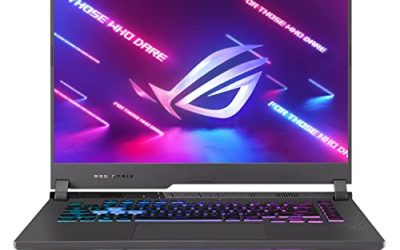
The best 15-inch laptop deal in 2026 is a configuration with 16 GB of RAM, a 512 GB SSD, a 1920×1080 IPS panel and a current Core i5, Core Ultra 5 or Ryzen 5 processor, bought at $550-$800 during a major sale. A 15-inch laptop gives the most screen for the money, but sale prices can hide weak specs, so judging a deal by the processor name alone is a mistake. The right approach is to check memory, storage, panel quality and battery, then compare the sale price with the normal market range for that spec class.
Quick comparison of 15-inch laptop classes worth buying on sale
| Pick | Best for | Key specs | Typical sale price range |
|---|---|---|---|
| Mainstream 15-inch Core i5 / Ryzen 5 | Best overall everyday laptop | 16 GB RAM, 512 GB SSD, 1080p IPS, 50-60 Wh battery | $550-$800 |
| 15-inch budget Ryzen 5 or Core i3 | Best budget | 8-16 GB RAM, 256-512 GB SSD, 1080p panel | $350-$550 |
| 15-inch laptop with GeForce RTX 4050/5050-class GPU | Best for gaming on a budget | 16 GB RAM, 6-8 GB VRAM, 144 Hz panel | $850-$1,200 |
| 15-inch OLED or 2.8K laptop | Best for media and creative work | OLED panel, 16 GB RAM, 1 TB SSD | $800-$1,200 |
| 15-inch business laptop (ThinkPad L15 or Latitude class) | Best for durability | 16 GB RAM, TPM, numeric keypad, 3-year warranty options | $800-$1,200 |
How to tell a real deal from a fake discount
Retail sales often compare the current price with an inflated “list price” that was rarely charged. The cleanest method is to compare against the typical market range for the same specification. If a 15-inch laptop with 16 GB RAM, a 512 GB SSD and a Core i5 normally costs $650-$800, a $549 sale is a real saving. If a 15-inch laptop with 8 GB RAM and a 256 GB drive is $499, that is a mediocre deal, even if the advertised discount is 40 percent.
The biggest warning sign is memory. Many sale-priced laptops ship with 8 GB of single-channel RAM soldered to the board, and that cannot be upgraded later. A laptop with two SODIMM slots can be upgraded for roughly $30-$50, which makes a slightly weaker base spec acceptable.
Best overall: mainstream 15-inch Core i5 or Ryzen 5
This is the class that most people should buy. A recent Core i5, Core Ultra 5 or Ryzen 5 processor offers six or more cores, good efficiency and enough performance for office work, streaming and light photo editing for several years. With 16 GB of RAM and a 512 GB SSD, it stays responsive well beyond the typical ownership period.
The trade-off is build quality. Mainstream models usually use plastic bodies, 250-300 nit panels and 45-55 Wh batteries, which means about 6-8 hours of mixed use. If you work near windows, a brighter panel is worth the extra money.
Best budget: Ryzen 5 or Core i3 configuration
For students and households that mainly need a browser, documents and video calls, a budget 15-inch laptop at $350-$550 is enough. Accept 8 GB of RAM only if there is an open slot for an upgrade. Avoid models with 128 GB eMMC storage, which fills up after a few Windows updates and runs noticeably slower than an NVMe SSD.
Best for gaming on a budget: 15-inch laptop with entry RTX GPU
A 15-inch laptop with an entry-level GeForce RTX graphics chip is the cheapest way to play modern games on a portable machine. Typical published reviews show such systems running many current titles at 1080p in roughly the 60-100 FPS range on medium to high settings, though results vary widely by game, CPU, power limit and patch. The trade-off is weight, usually 2.0-2.4 kg, and battery life of 3-5 hours away from the charger.
Check the GPU’s power limit, because the same graphics chip can run at 55 W in a thin model and 100 W in a thicker one, with a visible gap in performance.
Best for media and creative work: OLED or high-resolution panel
An OLED panel offers true blacks and wide color coverage (often listed as 100 percent DCI-P3 by manufacturers). It benefits photo editing, video watching and general eye comfort. The trade-offs are a higher price and a risk of image retention if static elements remain on screen for hours, so enable dark mode and an automatic screen timeout.
Best for durability: 15-inch business laptop
Business models such as the ThinkPad L15 or Dell Latitude 15-inch class cost more at list price but are often discounted heavily for businesses and consumers during sales. They offer better keyboards, a TPM chip, numeric keypads and warranty upgrades. If the sale price is within $100-$150 of a consumer model, the business model is usually the better value.
Worked example: comparing two sale prices
Suppose two 15-inch laptops are on sale:
- Laptop A: Ryzen 5, 8 GB soldered RAM, 256 GB SSD, 1080p panel, $499.
- Laptop B: Core i5, 16 GB RAM (upgradeable), 512 GB SSD, 1080p panel, $599.
Laptop A’s soldered RAM cannot be upgraded, and a 512 GB SSD swap costs about $40-$60. Laptop B costs $100 more for double the RAM and storage, a clear advantage. The extra cost per year over a 4-year life is $25, which is cheaper than the performance and storage limits of Laptop A.
Sale timing and what to expect
| Period | Typical laptop discount | Best categories |
|---|---|---|
| Back-to-school (July-September) | 10-25% | Mainstream and budget 15-inch |
| Black Friday and Cyber Monday (late November) | 20-40% | Gaming, business and OLED laptops |
| Post-holiday clearance (January) | 15-30% | Last-generation models |
| Spring sales (March-April) | 10-20% | Mainstream models |
These ranges are general market patterns and vary by retailer. Last-generation models usually drop the most when a new processor generation launches, and they are often the best value because the performance gap between consecutive generations is typically 10-20 percent.
Checklist before buying a sale laptop
- Check RAM and whether it is upgradeable. 16 GB is the safe target.
- Verify the SSD size and type. NVMe SSD of 512 GB beats a larger slow drive.
- Confirm the panel. Look for IPS or OLED and at least 1920×1080. Avoid 1366×768 panels.
- Check battery capacity. 50 Wh or more is a good sign for a 15-inch laptop.
- Review the return policy. Panel and keyboard quality are easiest to judge in person during the return window.
Frequently Asked Questions
Is a 15-inch laptop better than a 14-inch one?
A 15-inch laptop gives more screen area and often a numeric keypad, so it suits desk use and media. A 14-inch laptop is lighter and easier to carry. Choose based on how often you travel with it.
How much RAM should a 15-inch laptop have in 2026?
16 GB is the recommended amount for smooth multitasking. An 8 GB laptop works for basic use but may feel slow after a few years of software updates.
When is the best time to buy a 15-inch laptop?
Late November during Black Friday and Cyber Monday offers the widest selection and deepest discounts. Back-to-school sales and January clearances are also good times, especially for older-generation models.
Are cheap 15-inch laptops worth it?
They are worth it when the specifications match your needs: at least 8 GB of RAM, an SSD and an IPS display. Avoid models with eMMC storage, 1366×768 screens or very old processors.
Should I buy last year’s model on sale?
Often yes. Performance differences between generations are modest, and previous models usually cost 15-30 percent less. Just confirm that the warranty and software support periods are still adequate.
Related guides
More from Amazon
Programs that pair well with the guide above. Offers and eligibility are set by Amazon and may change.
A free business account with business pricing and bulk-buying tools for work, shop or home office.
Create a business accountFree shipping on eligible items, Prime Video and more. Eligible new members can start with a free trial.
Start a Prime free trialAudiobooks and podcasts to listen to on the go. Eligible new members can start with a free trial.
Try Audible freeAd-free music streaming. Eligible new subscribers can start with a free trial.
Try Music Unlimited freeAs an Amazon Associate we earn from qualifying purchases.