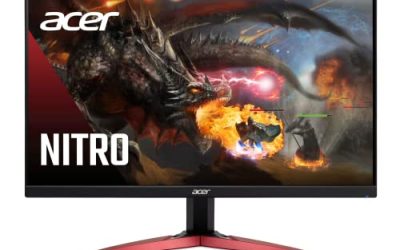
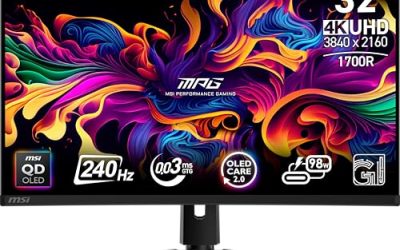
The best 17 inch monitor depends on what you mean by the size. For gaming and everyday use today, the realistic choices are a 17.3 inch portable 1080p monitor with a USB-C connection, or a used 17 inch 5:4 desktop panel at 1280×1024 for legacy PCs and retro setups. New desktop gaming monitors at 17 inches are almost gone, because the market moved to 24 inches and up, so the buying decision is about portable and niche use rather than a mainstream category.
This guide explains which 17 inch class suits which need, gives a worked calculation of pixel density and bandwidth, and covers the connection and power details that decide whether a portable panel works with your laptop, handheld PC or console.
Quick comparison of 17 inch monitor classes
| Pick | Best for | Key specs | Price range |
|---|---|---|---|
| Best overall: 17.3 inch portable 1080p IPS | Laptop second screen, handheld PC, Switch and console travel | 1920×1080, IPS, 60Hz, 250-300 nits, USB-C and mini-HDMI | Usually $120-$220 |
| Best for gaming: 17.3 inch portable 144Hz | Competitive play on the go | 1920×1080, IPS, 120-144Hz, 300 nits, USB-C DP Alt Mode | Usually $180-$300 |
| Best for sharpness: 17.3 inch 4K portable | Creative work, photo review | 3840×2160, about 255 PPI, 100 percent sRGB, USB-C | Usually $250-$420 |
| Best budget desktop: 17 inch 5:4 SXGA | Retro PCs, POS, server racks, secondary status screen | 1280×1024, TN or IPS, 60-75Hz, VGA and DVI or HDMI | Usually $50-$110 used or refurbished |
| Best for touch: 17 inch portable touch panel | Control surfaces, music and streaming dashboards | 10-point touch, 1080p, USB-C power and video | Usually $200-$350 |
Best overall: 17.3 inch portable 1080p IPS
A 17.3 inch 1920×1080 panel gives a pixel density of about 127 PPI, which is close to a 24 inch 1080p desktop monitor and much sharper than a 27 inch 1080p one. It works well as a second display for a laptop, for a handheld PC such as a Steam Deck or ROG Ally class device, or for a console in a hotel room. Look for IPS, a brightness of 250 nits or more, a matte or anti-glare finish and a built-in stand or folio cover. The main trade-off is that most portable panels are 60Hz and have modest speakers, so treat them as visual displays rather than all-in-one gaming rigs.
Best for gaming: 17.3 inch 120-144Hz portable
High-refresh portable monitors exist for competitive players who travel. A 144Hz refresh rate cuts frame time to about 6.9ms from 16.7ms at 60Hz, which makes motion visibly smoother in shooters, provided your device can feed 100+ frames per second. Check that the USB-C port supports DisplayPort Alt Mode with enough bandwidth, and that the monitor can be powered from a separate USB-C charger if your device cannot supply it. Variable refresh rate support is listed on some models, though behavior varies by device and cable.
Best for sharpness: 17.3 inch 4K
A 17.3 inch 3840×2160 panel reaches about 255 PPI, which is very sharp for text and photo work. It makes sense for editors and developers who want more detail on the move. For gaming it demands far more from the GPU, and most portable devices will run it at a scaled resolution. Power draw is also higher, and a bright 4K portable panel can pull 10-15W, which can drain a laptop faster.
Best budget desktop: 17 inch 5:4 at 1280×1024
The classic 17 inch desktop monitor uses a 5:4 aspect ratio at 1280×1024, giving about 96 PPI. These are mostly sold used, refurbished or as industrial and point-of-sale displays. They remain useful for retro gaming (many early-2000s PC titles target 1280×1024 natively), for server racks and as a dedicated status screen for system monitoring. They are a poor choice for modern gaming and watching widescreen video, since 5:4 shows black bars on 16:9 content.
Worked calculation: pixel density and bandwidth
Two numbers decide whether a 17 inch monitor will suit you: pixel density and the bandwidth your cable must carry.
- Pixel density. PPI equals the diagonal pixel count divided by the diagonal size. For 1920×1080, the diagonal is the square root of (1920 squared plus 1080 squared), about 2203 pixels. Divide by 17.3 inches and you get about 127 PPI. For 3840×2160, the diagonal is about 4406 pixels, giving about 255 PPI. For 1280×1024 on 17 inches, the diagonal is about 1639 pixels, giving about 96 PPI.
- Raw video bandwidth. Bandwidth equals width x height x refresh rate x bits per pixel. At 1920×1080, 144Hz and 24-bit colour: 1920 x 1080 x 144 x 24 = about 7.2 Gbps of pixel data, before blanking overhead. With overhead, expect around 8-9 Gbps, which fits within USB-C DisplayPort 1.2 (about 17.3 Gbps usable for four lanes).
- 4K at 60Hz. 3840 x 2160 x 60 x 24 = about 11.9 Gbps of pixel data, so around 13-14 Gbps with overhead. That fits DisplayPort 1.2 over a full four-lane USB-C connection, but not when the port shares lanes with USB 3 data in two-lane mode, which limits you to about 8.6 Gbps.
- Power budget. A 1080p portable panel uses roughly 5-8W; a 4K panel about 10-15W. If the laptop port supplies 7.5W or less, expect dimming or no signal, and plug a charger into the monitor’s second USB-C port.
Those numbers explain the most common complaint: a portable panel that works on one laptop and not another. It is usually a port that lacks DisplayPort Alt Mode or provides limited power, not a faulty monitor.
Decision matrix: which 17 inch fits your situation
| Your situation | Choose | Why | Watch out for |
|---|---|---|---|
| Laptop with USB-C and DP Alt Mode | 17.3 inch 1080p portable | One cable carries video and power | Port must support DisplayPort output |
| Laptop with HDMI only | Portable with mini-HDMI plus USB power | Works with any HDMI source | Needs a separate USB power source |
| Handheld PC or Steam Deck | 1080p, 60-120Hz portable | Matches native resolution | Battery drain when powered from the device |
| Nintendo Switch or console on trips | 1080p portable with HDMI | Dock-free play with a power bank | Check HDMI audio and power requirements |
| Retro PC with VGA | 17 inch 5:4 desktop panel | Native 1280×1024 and VGA input | Panel age, backlight wear and dead pixels |
| Photo or design work | 17.3 inch 4K, 100 percent sRGB | Sharp, accurate colour | Higher price and power draw |
What to check before buying
- Panel type. IPS gives better viewing angles and colour than TN, which matters on a portable that sits at odd angles.
- Brightness. 250 nits works indoors, while 400 nits helps near windows or in a bright cafe.
- Ports. Two USB-C ports plus a mini-HDMI give the most flexibility. One USB-C with video-only support is the most limiting.
- Stand and weight. A 17.3 inch panel usually weighs 0.8-1.2kg. A folio cover that doubles as a stand adds convenience, and a VESA mount helps on a desk.
- Return window. Compatibility problems are common, so buy from a seller with an easy return option.
Frequently Asked Questions
Are there any new 17 inch gaming monitors?
Almost none in the desktop category. The 17 inch size now appears mainly as 17.3 inch portable monitors and as laptop screens, and portable models with 120-144Hz exist for gamers who travel.
Is 1080p good enough on a 17 inch screen?
Yes. At roughly 127 PPI, text and games look clear at normal viewing distance. 4K adds sharper text but needs a more powerful GPU and more power.
Can a portable monitor run from my laptop’s USB-C port alone?
Often yes, if the port supports DisplayPort Alt Mode and delivers enough power. Check the laptop’s spec sheet, and use a second charger on the monitor if the screen flickers or dims.
What is a 5:4 monitor?
It is a nearly square aspect ratio, with 1280×1024 as the standard resolution on 17 inch panels. It was common before widescreen monitors took over, and it suits older software and fixed-use displays.
Does a 17 inch portable monitor work with a Nintendo Switch?
Yes, usually through the dock’s HDMI output, or directly over USB-C on models that support it. Power requirements vary, so check the monitor’s manual and use the original dock or a compatible one.
Related guides
More from Amazon
Programs that pair well with the guide above. Offers and eligibility are set by Amazon and may change.
A free business account with business pricing and bulk-buying tools for work, shop or home office.
Create a business accountFree shipping on eligible items, Prime Video and more. Eligible new members can start with a free trial.
Start a Prime free trialAudiobooks and podcasts to listen to on the go. Eligible new members can start with a free trial.
Try Audible freeAd-free music streaming. Eligible new subscribers can start with a free trial.
Try Music Unlimited freeAs an Amazon Associate we earn from qualifying purchases.