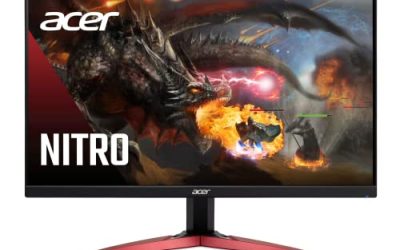
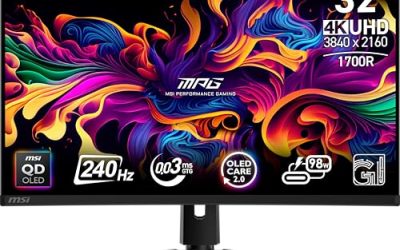
The best 24-inch monitor (about two feet across the diagonal) for most gamers is a 1080p IPS panel with a 165-180 Hz refresh rate and 1 ms response, because at this size 1080p gives roughly 92 pixels per inch, which looks sharp at a normal desk distance and is easy for mid-range graphics cards to drive. If your card is strong, a 1440p 24-inch panel at about 122 PPI is sharper but costs more. “2 foot monitor” is not an official size, so this guide treats it as the 23.8-24.5 inch class.
What “2 foot” means for monitor size
Monitor sizes are measured diagonally. A 24-inch panel is exactly 2 feet on the diagonal, but its actual width is only about 20.9 inches and its height about 11.8 inches for a 16:9 panel. If you meant 2 feet wide, that is closer to a 27-inch monitor, which is about 23.5 inches wide. This guide covers the 24-inch class first and notes where a 27-inch model is the better answer.
Quick comparison of the best 24-inch monitors
| Pick | Best for | Key specs | Price range |
|---|---|---|---|
| 24-inch 1080p IPS, 165-180 Hz | Best overall | FHD, IPS, 1 ms GtG, adaptive sync, sRGB 99 percent | Usually $130-$200 |
| 24-inch 1080p VA, 144 Hz | Best budget | FHD, VA, higher contrast, 1 ms MPRT | Usually $90-$140 |
| 24-inch 1080p, 240-280 Hz IPS | Best for esports | High refresh, low input lag, strobing option on some | Usually $180-$300 |
| 24-inch 1440p IPS, 144-180 Hz | Best for sharpness | QHD, about 122 PPI, adaptive sync | Usually $200-$330 |
| 24-inch OLED or 360 Hz-class | Best premium | Very fast pixel response, high refresh, higher price | Usually $350-$600 |
| 24-inch office IPS, 75-100 Hz | Best for work plus casual play | Slim bezels, eye comfort modes, USB-C on some | Usually $110-$250 |
Best overall: 24-inch 1080p IPS, 165-180 Hz
This is the sweet spot for a first gaming monitor. IPS panels give wide viewing angles and good color, and the 165-180 Hz range is smooth in shooters and open-world games. Look for 1 ms gray-to-gray response, adaptive sync that works with both Nvidia and AMD graphics cards, and a stand with height and tilt adjustment. Many popular models from AOC, Acer, ASUS, MSI and Gigabyte fall into this class, and the manufacturer’s spec sheet lists the exact response and refresh figures.
Trade-off: 1080p text is slightly softer than on a 1440p screen, and overdrive settings need tuning to avoid inverse ghosting.
Best budget: 24-inch VA, 144 Hz
VA panels offer a higher contrast ratio, usually 3000:1 versus about 1000:1 on IPS, so dark scenes look deeper. They are cheap and well suited to a dim room. Trade-off: some VA panels smear dark transitions in fast games, and viewing angles are narrower.
Best for esports: 240-280 Hz IPS at 24 inches
At 240 Hz, one frame lasts about 4.17 ms, compared with 6.94 ms at 144 Hz. To benefit, your PC must actually produce those frames. Competitive titles such as Valorant, Counter-Strike 2 or Apex Legends can often exceed 240 fps on a modern mid-range card at 1080p low settings, but results depend on the CPU, the game patch and map. Trade-off: the jump from 165 Hz to 240 Hz is smaller than the jump from 60 to 144 Hz, so it matters mostly to ranked players.
Best for sharpness: 24-inch 1440p
A 24-inch QHD panel packs about 122 pixels per inch compared with 92 for 1080p. Text and UI elements look cleaner, and you can sit a bit closer. Trade-off: there are fewer 1440p models at 24 inches, and your graphics card has to render about 1.78 times more pixels than at 1080p.
Worked calculation: pixels per inch and GPU load
Pixel density is the diagonal pixel count divided by the diagonal size. For 1920 x 1080 the diagonal is about 2,203 pixels, so a 24-inch panel gives about 92 PPI and a 27-inch panel gives about 82 PPI. For 2560 x 1440 the diagonal is about 2,938 pixels, which gives about 122 PPI at 24 inches and 109 PPI at 27 inches.
| Resolution | Pixels per frame | PPI at 24 in | Relative GPU load |
|---|---|---|---|
| 1920 x 1080 | 2.07 million | 92 | 1.0x |
| 2560 x 1440 | 3.69 million | 122 | about 1.8x |
| 3840 x 2160 | 8.29 million | 184 | about 4.0x |
If a graphics card delivers around 140 fps at 1080p in a certain title, a rough estimate for 1440p is 140 divided by 1.8, or about 78 fps, because GPU-bound performance scales approximately with pixel count. Treat that as an estimate, since real results vary with settings, CPU and game patch.
Bandwidth check: do your cables support the refresh rate?
Uncompressed 1080p at 240 Hz and 8-bit color needs about 1920 x 1080 x 240 x 24 bits, roughly 11.9 Gbps of pixel data. That fits inside HDMI 2.0 (14.4 Gbps usable) and DisplayPort 1.4. For 1440p at 240 Hz, the figure is about 21 Gbps, which requires DisplayPort 1.4 or HDMI 2.1. Use the cable that came in the box, or a certified replacement.
How to choose a 24-inch monitor
- Match the refresh rate to your GPU. A 240 Hz panel is wasted if your PC averages 110 fps. Pick a monitor near the frame rate you can sustain.
- Pick the panel type for your room. IPS for color and angles, VA for contrast in dark rooms, OLED for the fastest response.
- Check the stand. Height adjustment matters more than you expect. If a model only tilts, budget about $15-$30 for a VESA 100 x 100 arm.
- Confirm adaptive sync. Look for “G-Sync Compatible” or “FreeSync Premium” on the spec sheet.
- Consider 27 inches if you sit more than 2.5 feet away. At a larger distance, a bigger screen fills more of your view.
Decision matrix
| Your situation | Best choice | Why |
|---|---|---|
| Entry-level GPU, small desk | 24-inch 1080p IPS, 144-165 Hz | Easy to drive, great price |
| Competitive shooter player | 24-inch 1080p, 240 Hz or higher | Lower latency per frame |
| Mid-range or high-end GPU | 24-inch 1440p, 144-180 Hz | Sharper image, uses GPU headroom |
| Dark room, movies and RPGs | 24-inch VA or OLED | Deeper blacks |
| Work and play mixed | 24-inch IPS with USB-C | Laptop charging and a single cable |
| Console player | 24-inch 1080p or 1440p with HDMI 2.1 for 120 Hz | PlayStation 5 and Xbox Series X support 120 Hz |
Frequently Asked Questions
How wide is a 24-inch monitor?
A 24-inch 16:9 monitor is about 20.9 inches wide and 11.8 inches tall, not counting the stand. The bezels add a little more. If you need a screen that is about two feet across, look at 27-inch models, which are around 23.5 inches wide.
Is 24 inches too small for gaming?
No. It is the standard size for competitive gaming because the whole screen stays in your field of view, so you do not turn your head to see the minimap or HUD. For immersive single-player games, 27 inches can feel better.
Should I buy 1080p or 1440p at 24 inches?
Buy 1080p if you have a budget graphics card or want the highest frame rates. Buy 1440p if you have a mid-range or better graphics card and want sharper text. The price gap is typically $50-$100.
What response time do I need?
Look for a real 1 ms gray-to-gray rating with overdrive, not only an MPRT figure. Manufacturers measure response in different ways, so independent reviews are the best source for how fast a panel truly is.
Can I use a 24-inch monitor with a console?
Yes. Choose a model with HDMI 2.0 or 2.1 and a 120 Hz mode if you want 120 fps on a PlayStation 5 or Xbox Series X. Check that variable refresh rate works over HDMI on that model.
Related guides
More from Amazon
Programs that pair well with the guide above. Offers and eligibility are set by Amazon and may change.
A free business account with business pricing and bulk-buying tools for work, shop or home office.
Create a business accountFree shipping on eligible items, Prime Video and more. Eligible new members can start with a free trial.
Start a Prime free trialAudiobooks and podcasts to listen to on the go. Eligible new members can start with a free trial.
Try Audible freeAd-free music streaming. Eligible new subscribers can start with a free trial.
Try Music Unlimited freeAs an Amazon Associate we earn from qualifying purchases.