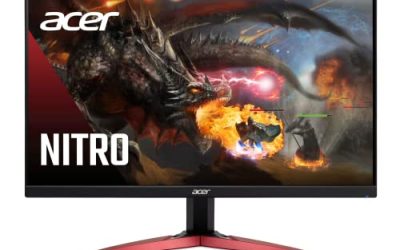
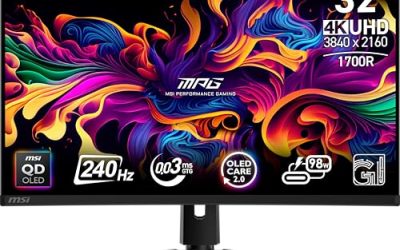
The best 165 Hz monitor for most gamers is a 27-inch 1440p IPS panel with a 165 Hz refresh rate, which balances sharpness, smoothness and a mid-range price. If you play competitive shooters on a modest graphics card, a 24-inch 1080p 165 Hz panel is cheaper and easier to drive, while a VA curved model suits single-player games and darker rooms.
The 165 Hz refresh rate sits in a convenient spot: noticeably smoother than 144 Hz on paper, widely supported by adaptive sync, and now common on budget panels. This guide shows which type to buy, what GPU you need to feed it, and the cable math that decides whether 165 Hz actually works.
Quick comparison of 165 Hz monitor types
| Pick | Best for | Key specs | Typical price range |
|---|---|---|---|
| 27-inch 1440p IPS, 165 Hz | Best overall | 2560 x 1440, 1 ms GtG claim, adaptive sync, sRGB 95-125 percent | $230-$350 |
| 24-inch 1080p IPS, 165 Hz | Best budget / esports | 1920 x 1080, 1 ms claim, adaptive sync, low GPU demand | $120-$180 |
| 27 to 32-inch 1440p VA curved, 165 Hz | Best for dark rooms and single-player | 3000:1 class contrast, 1000R-1500R curve, some ghosting in dark scenes | $200-$320 |
| 34-inch ultrawide 1440p, 165 Hz | Best for immersion and productivity | 3440 x 1440, 21:9, VA or IPS options | $300-$450 |
| 32-inch 4K, 144-165 Hz | Best for high-end GPUs | 3840 x 2160, HDMI 2.1 or DisplayPort 1.4 with DSC | $400-$650 |
Prices are general market ranges and vary with sales and panel generation. Always verify the stated refresh rate over the cable you plan to use.
Best overall: 27-inch 1440p IPS at 165 Hz
A 27-inch 1440p IPS display gives about 109 pixels per inch, which is sharp enough for text and detailed games without the huge GPU cost of 4K. IPS panels offer wide viewing angles and good colour, and most of this class supports FreeSync and G-Sync Compatible modes. A graphics card in the class of an RTX 4060 Ti, RTX 5060 Ti or RX 7700 XT can usually push 100-165 FPS in esports titles at this resolution with tuned settings.
Main trade-off: IPS glow in dark rooms and modest contrast of about 1000:1 mean blacks look grey in a dark scene. Backlight bleed varies from unit to unit, so keep the return window open.
Best budget: 24-inch 1080p at 165 Hz
If your goal is the highest frame rate per dollar in games like Valorant, Counter-Strike 2 or Fortnite, a 24-inch 1080p panel is the efficient choice. At 1080p, even an older GTX 1660 Super or RX 6600-class card can hold triple-digit frame rates in light competitive titles. The pixel density is about 92 PPI, which is fine at 24 inches.
Main trade-off: text looks softer than on 1440p, and you will likely want to upgrade resolution on your next monitor. If your GPU is stronger than an RTX 4060, 1440p is a better use of your hardware.
Best for dark rooms and single-player: curved VA
VA panels offer roughly 3000:1 contrast, which makes space scenes, horror games and movies look deeper than on IPS. A moderate 1000R-1500R curve helps at 27 inches and above. These panels are often among the cheapest 165 Hz options.
Main trade-off: slower dark-transition response can leave smearing in fast dark scenes. Pick a model with a reasonable overdrive mode and avoid the most extreme overdrive settings, which cause inverse ghosting.
Best for immersion: 34-inch ultrawide
A 3440 x 1440 ultrawide at 165 Hz is excellent for racing, simulation and strategy games, and doubles as a productivity display with side-by-side windows. It has 34 percent more pixels than a 16:9 1440p panel (4.95 MP versus 3.69 MP), so the GPU needs to render about one third more pixels per frame.
Main trade-off: not every competitive shooter supports 21:9 without stretching or letterboxing, and prices are higher than standard 27-inch panels.
Best for high-end GPUs: 4K at 144-165 Hz
A 4K panel with 144-165 Hz makes sense only if you own a graphics card in the RTX 4080 or RX 7900 XT class or higher. Even then, you will often use upscaling to reach 100+ FPS in demanding titles.
Main trade-off: cost, high GPU demand, and cable requirements (see the bandwidth math below).
Worked calculation: can your cable carry 165 Hz?
Bandwidth needed is roughly width x height x refresh rate x bits per pixel, plus blanking overhead of about 5-10 percent with reduced blanking timings. Here is the math for common cases at 8-bit colour (24 bits per pixel):
| Resolution | Pixels per frame | Data at 165 Hz (24 bpp) | With about 8 percent overhead | Fits on |
|---|---|---|---|---|
| 1920 x 1080 | 2.07 MP | 8.2 Gbps | about 8.8 Gbps | HDMI 2.0, DP 1.2, DP 1.4 |
| 2560 x 1440 | 3.69 MP | 14.6 Gbps | about 15.8 Gbps | DP 1.2 (17.28 Gbps effective), DP 1.4, HDMI 2.0 (14.4 Gbps usable, borderline) |
| 3440 x 1440 | 4.95 MP | 19.6 Gbps | about 21 Gbps | DP 1.4 (25.9 Gbps effective); HDMI 2.0 not enough |
| 3840 x 2160 | 8.29 MP | 32.8 Gbps | about 35 Gbps | DP 1.4 with DSC, HDMI 2.1 |
Practical takeaway: use DisplayPort for 1440p at 165 Hz. HDMI 2.0 on many monitors tops out at 144 Hz at 1440p or needs reduced colour formats. If the monitor lists 165 Hz only on DisplayPort, that is why. Use the cable that came in the box, or a certified DisplayPort 1.4 cable, and check your GPU control panel to confirm the refresh rate is actually set to 165 Hz, because Windows often defaults to 60 Hz.
What GPU do you need for 165 FPS?
A 165 Hz monitor is only useful if your game can deliver frames near that number. FPS varies with settings, resolution, CPU and game patch, but typical published results suggest the following approximate guidance:
- 1080p esports titles (Valorant, CS2, Apex on medium): mid-range cards such as an RTX 3060 or RX 6600 often reach 150-300 FPS.
- 1440p esports titles: RTX 4060 Ti, RTX 5060 Ti or RX 7700 XT class cards typically sit in the 120-250 FPS range.
- 1440p modern AAA at high settings: expect roughly 60-110 FPS on mid-range cards; adaptive sync keeps this smooth, and upscaling helps reach 120+.
- 4K AAA: only high-end cards reach 100+ FPS, usually with upscaling.
Adaptive sync (FreeSync or G-Sync Compatible) matters more than hitting 165 exactly, because it removes tearing and makes 80-120 FPS feel smooth.
How to choose: decision criteria
| If you… | Choose |
|---|---|
| Own a GPU weaker than an RTX 3060 / RX 6600 | 24-inch 1080p 165 Hz |
| Own an RTX 4060 Ti / RX 7700 XT class card | 27-inch 1440p IPS 165 Hz |
| Play mostly dark single-player games | Curved VA 165 Hz |
| Want a wide field of view for racing or sims | 34-inch ultrawide 165 Hz |
| Own an RTX 4080 / RX 7900 class card or better | 4K 144-165 Hz |
Also check: stand adjustments (height and tilt), VESA mount support, response time over several overdrive modes, and whether the monitor has a stated adaptive-sync range down to 48 Hz or lower. Panel lottery exists, so read return policies.
Frequently Asked Questions
Is 165 Hz noticeably better than 144 Hz?
The difference is small. Frame time drops from 6.94 ms at 144 Hz to 6.06 ms at 165 Hz, a gain of under 1 ms. Most players cannot reliably tell them apart; the jump from 60 Hz to 144 Hz is far more significant.
Do I need a special cable for 165 Hz?
For 1080p, a standard HDMI 2.0 or DisplayPort cable works. For 1440p at 165 Hz, a DisplayPort 1.2 or 1.4 cable is recommended. For 4K at high refresh rates, use DisplayPort 1.4 with DSC or HDMI 2.1.
Why does my monitor only show 60 Hz or 144 Hz?
The usual causes are the wrong cable or port, an old HDMI port on the GPU, or a Windows setting still on default. Open Windows display settings, then Advanced display, and select 165 Hz. If it is not listed, switch to DisplayPort and install current GPU drivers.
Is a 165 Hz monitor good for console gaming?
Consoles such as the PlayStation 5 and Xbox Series X output at most 120 Hz, so the extra refresh headroom goes unused. A 120 Hz-capable monitor with HDMI 2.1 is a better console match.
Should I choose IPS or VA for a 165 Hz monitor?
Choose IPS for colour accuracy, wide angles and faster, more consistent response. Choose VA for higher contrast and deeper blacks, accepting some dark-scene smearing. For competitive play, IPS is generally the safer pick.
Related guides
More from Amazon
Programs that pair well with the guide above. Offers and eligibility are set by Amazon and may change.
A free business account with business pricing and bulk-buying tools for work, shop or home office.
Create a business accountFree shipping on eligible items, Prime Video and more. Eligible new members can start with a free trial.
Start a Prime free trialAudiobooks and podcasts to listen to on the go. Eligible new members can start with a free trial.
Try Audible freeAd-free music streaming. Eligible new subscribers can start with a free trial.
Try Music Unlimited freeAs an Amazon Associate we earn from qualifying purchases.