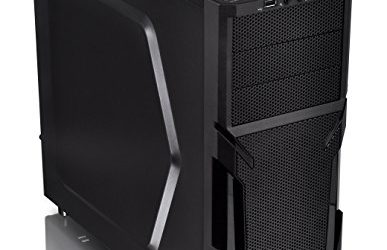
The best ROG PC case for most builders is the ASUS ROG Hyperion GR701 if you want a flagship full-tower with room for a big radiator loop and a huge graphics card, and the ROG Strix Helios GX601 if you want a proven mid-tower with strong airflow at a lower price. For small builds, the ROG Z11 is the compact pick. Which one wins depends less on looks and more on three numbers: maximum GPU length, radiator support, and how many ROG or Aura-compatible parts you plan to install.
Quick comparison of ROG-branded cases
| Case | Best for | Form factor | Key specs (per manufacturer spec sheets) | Typical price range |
|---|---|---|---|---|
| ROG Hyperion GR701 | Flagship builds, dual-radiator loops | Full tower (E-ATX) | Dual-chamber layout, up to 420 mm radiators, vertical GPU support, front I/O with USB-C and a small display panel | Usually $300-$400 |
| ROG Strix Helios GX601 | High airflow on a mid-tower budget | Mid tower (E-ATX) | Tempered glass side, aluminium handle, mesh front option, GPU up to roughly 450 mm, up to 360 mm radiators | Usually $200-$280 |
| ROG Z11 | Compact, quiet desks and LAN bags | Mini-ITX (mini tower) | Tempered glass panels, dual-chamber design, up to 2.5-slot GPUs in the small class, 280 mm radiator support | Usually $120-$180 |
| TUF Gaming GT502 (ROG’s sibling line) | Value ATX with glass and fan hub | Mid tower (ATX) | Front and side glass, included fans, USB-C front port, supports 360 mm radiators | Usually $150-$200 |
Specs and prices shift between regional SKUs and revisions, so confirm the clearance numbers on the spec sheet of the exact variant you buy.
Best overall: ROG Hyperion GR701
The GR701 is the case that ROG builds its showcase systems around. It uses a dual-chamber layout: the motherboard and GPU sit in the main chamber, while the power supply and cabling hide behind a separate section. This keeps the visible half clean and gives the cables somewhere to go that is not in front of your intake fans.
Who it suits: builders with an E-ATX board, a flagship graphics card of 330 mm or longer, and a plan for either a custom loop or multiple 360 mm radiators. The pre-installed fan count and the front panel features make it easy to build without buying extras.
Main trade-off: size and weight. A full tower of this class needs desk or floor space measured in tens of centimetres more than a mid-tower, and a fully loaded build can be heavy enough that moving it for a LAN is a two-hand job. If you will never fit more than one radiator, you are paying for room you do not use.
Best mid-tower value: ROG Strix Helios GX601
The Helios GX601 pairs a mesh front panel with a tempered glass side and a carry handle, which is the ROG design language in a smaller footprint. It supports multi-radiator layouts and long GPUs, and it ships with fans that cover intake and exhaust without extra spending.
Who it suits: players building one powerful GPU and one CPU cooler, whether a tower air cooler or a 360 mm AIO. It is the sensible choice if you want the ROG look without the flagship price.
Main trade-off: cable management space behind the motherboard tray is tighter than the Hyperion’s dual-chamber layout, so a modular power supply and short cables matter. Make sure you check that a thick top-mounted radiator does not collide with tall memory modules on your board.
Best compact: ROG Z11
The Z11 is a mini-ITX case with glass panels and a layout that still allows a decent graphics card and a 280 mm radiator. It is the case to choose if your desk is small or you carry your PC to events.
Main trade-off: mini-ITX boards have fewer slots, fewer fan headers and tighter thermal headroom. A high-wattage GPU in a small case runs louder than the same card in a full tower, so pair it with an efficient mid-range GPU class rather than the hottest flagship if quiet operation matters.
Worked example: will your parts fit?
Before you buy, run a clearance check. Suppose your build uses a 330 mm graphics card, a 360 mm AIO in the top, and a 165 mm tall air cooler is not involved. Then:
- GPU length: 330 mm card needs a case rated for at least 340-350 mm, because power cables bend at the end of the card and need roughly 10-20 mm.
- Radiator: a 360 mm radiator is about 395 mm long and 27 mm thick, plus fans of 25 mm each, so the top of the case needs roughly 52-55 mm of vertical space above the motherboard. Memory over 40 mm tall can collide with it.
- Power supply length: an ATX supply of 160-180 mm fits most of these cases, but check the cable bend room on the dual-chamber ones.
Using a quick power budget, a high-end gaming build with a GPU of 320-450 W and a CPU of 125-250 W lands between 650 W and 850 W of peak draw. A 1000 W supply with an ATX 3.1 12V-2×6 cable gives about 20-30 percent headroom, which is the comfortable zone for transients.
How to choose between ROG cases
| Your situation | Pick | Why |
|---|---|---|
| E-ATX board, custom loop, multiple radiators | Hyperion GR701 | Dual-chamber layout and 420 mm radiator support |
| One flagship GPU, one AIO, ATX board | Strix Helios GX601 | Mesh airflow and enough clearance |
| Mini-ITX board, small desk | ROG Z11 | Small footprint with glass panels |
| Budget ATX build with RGB fans | TUF Gaming GT502 | Lower price with the key features |
| Quiet office-friendly PC | Any of the above with solid or dampened panels | Mesh fronts raise fan noise; glass panels reflect it |
Airflow, noise and RGB: what the design really changes
A mesh front is the single biggest airflow gain over a glass front, often several degrees Celsius on a hot GPU, but it also lets more fan noise out. If you use a 360 mm radiator in front, keep the radiator fans as intake and the rear fan as exhaust, and run the top as exhaust. A positive-pressure setup (slightly more intake than exhaust) reduces dust. ROG cases ship with Aura Sync-compatible lighting, so if you already use ASUS motherboard RGB software, the case will fit in without a separate controller.
If you do not care about lighting, you can turn it off in the motherboard software. If you do care, remember that vendor RGB software adds background processes and that third-party tools can conflict with it.
Common buying mistakes
- Ignoring PSU shroud limits on front radiators. Check the maximum thickness the manufacturer lists, not only the length.
- Assuming every ROG case takes E-ATX. Verify the motherboard size list.
- Forgetting the vertical GPU kit. Mounting the card vertically needs a riser and often blocks a slot or two.
- Buying a case with too few fans and spending extra on the correct set later.
Frequently Asked Questions
Are ROG cases worth the premium over standard cases?
They are worth it if you value the dual-chamber layout, the finish, and compatibility with the ROG lighting ecosystem. If you only need good airflow and glass, many non-ROG cases offer similar thermals for less. The premium is mostly design and build quality rather than a large thermal gain.
What size ROG case should I choose for a long graphics card?
Check the maximum GPU length on the spec sheet and add 10-20 mm for power connector bend room. Full-tower and larger mid-tower options usually handle cards beyond 400 mm, while mini-ITX cases are more restrictive.
Can I use a non-ROG motherboard in a ROG case?
Yes. Cases follow standard form factors, so any compatible ATX, micro-ATX, mini-ITX or E-ATX board fits. Only the lighting integration is easier with ASUS boards, and standard 3-pin ARGB headers work with other brands.
Does a mesh front panel make a case too loud?
It lets more fan noise escape, but you can offset it by running fans at lower RPM through a custom fan curve. Larger, slower fans are usually quieter than small fans at higher speed while moving the same air.
Is the ROG Z11 enough for a high-end graphics card?
It supports capable cards within its slot width and length limits, but thermals are tighter in any mini-ITX case. Pick a card that fits the stated limits and check that the cooler is not thicker than the case allows.
Related guides
More from Amazon
Programs that pair well with the guide above. Offers and eligibility are set by Amazon and may change.
A free business account with business pricing and bulk-buying tools for work, shop or home office.
Create a business accountFree shipping on eligible items, Prime Video and more. Eligible new members can start with a free trial.
Start a Prime free trialAudiobooks and podcasts to listen to on the go. Eligible new members can start with a free trial.
Try Audible freeAd-free music streaming. Eligible new subscribers can start with a free trial.
Try Music Unlimited freeAs an Amazon Associate we earn from qualifying purchases.