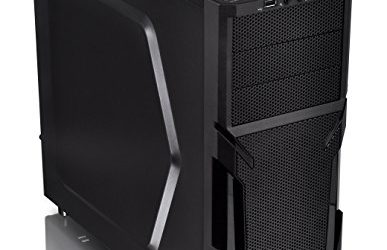
The best quality PC cases in 2026 balance airflow, build quality and builder-friendly design, and the standouts are the Fractal Design North and Torrent, the Lian Li O11 Dynamic EVO and Lancool 216, the Corsair 4000D Airflow, the Hyte Y60 and the be quiet! Silent Base series. A case is high quality when it has steel or aluminum panels, a mesh front for intake, generous cable management room and support for the radiator and graphics card length you plan to use. Use the numbers below to match a case to your parts.
Quick comparison of high-quality PC cases
| Pick | Best for | Key specs | Usual price range |
|---|---|---|---|
| Fractal Design North | Best overall, design and build | Mid tower, wood or steel front options, mesh variant, GPU up to about 355 mm | $140-$180 |
| Lian Li Lancool 216 | Best airflow value | Mid tower, two large front fans, mesh front, GPU up to about 392 mm | $90-$120 |
| Corsair 4000D Airflow | Best budget all-rounder | Mid tower, mesh front, GPU up to about 360 mm, 360 mm front radiator | $80-$110 |
| Lian Li O11 Dynamic EVO | Best for showcase and water cooling | Dual-chamber glass design, 360 mm radiators on several sides | $150-$190 |
| Fractal Design Torrent | Best for high-power airflow | Large front and bottom fans, strong GPU and CPU airflow | $180-$220 |
| be quiet! Silent Base 802 or similar | Best for quiet builds | Sound-dampened panels, swappable top and front panels | $150-$200 |
Prices are general market ranges and vary by color and included fans. Check each manufacturer’s spec sheet for current clearance numbers.
What makes a PC case “high quality”
- Metal thickness and panel fit: steel around 0.7 to 0.8 mm resists flex, and panels should line up without rattling.
- Airflow design: a mesh or large perforated front gives the air direct entry. Solid glass fronts cut airflow noticeably.
- Cable management: at least 20 mm behind the motherboard tray, cable tie points, and a PSU shroud with grommets.
- Component clearance: published limits for GPU length, CPU cooler height, radiator size and PSU length.
- Dust filters: removable filters on the front, bottom and top intakes.
- Fans included: good cases ship with two or three decent fans, which saves $30 to $60 on a build.
- Front I/O: USB-C, preferably a 20 Gbps or USB 3.2 Gen 2×2 header, plus USB-A ports and audio.
Best overall: Fractal Design North
The North has a distinctive Scandinavian look with real wood or steel front options, a mesh version for stronger airflow, and a smart interior layout. It supports long graphics cards and radiators up to 360 mm on the top or front. The build quality is excellent, including thick panels and tool-free access. Trade-off: the airflow with the solid wood front is only decent, and the mesh version improves it at the cost of some style. It also costs more than basic mesh cases.
Best airflow value: Lian Li Lancool 216
The Lancool 216 has a mesh front and two large 160 mm intake fans, which move a lot of air at low noise. It has generous GPU clearance, strong cable management and a tidy interior. Trade-off: the exterior is functional rather than elegant, and the front fans are quite visible.
Best budget all-rounder: Corsair 4000D Airflow
The 4000D Airflow is a safe choice for first-time builders. It has a perforated front, good cable routing and room for most modern components. The included fans are adequate. Trade-off: the 4000D lacks a USB-C port in some versions, and the build feels less premium than the higher-priced picks.
Best for showcase builds: Lian Li O11 Dynamic EVO
The O11 Dynamic EVO shows off components through a dual-chamber glass design and supports multiple radiators for custom loops. It is popular with builders who want a visible, well-lit PC. Trade-off: the layout favors looks and water cooling over quiet operation, and the tempered glass panels add weight. Air-cooled builds need good fan placement to stay cool.
Best for high-power airflow: Fractal Design Torrent
The Torrent pulls air through large front fans and a bottom intake and pushes it directly over the graphics card and CPU. It handles high-wattage components better than most cases. Trade-off: it is larger and heavier, and the open front means more noise than a sound-dampened case.
Best for quiet builds: be quiet! Silent Base series
The Silent Base cases use sound-dampening material and swappable panels so you can choose between a quiet mode and an airflow mode. They suit home offices and quiet bedrooms. Trade-off: the closed design raises temperatures slightly unless you choose the mesh panel option.
Worked example: checking clearances before you buy
Suppose you plan a build with a 330 mm graphics card, a 160 mm tall air cooler and a 360 mm radiator on the front. Check these items:
- GPU length: the card is 330 mm, so choose a case rated for 340 mm or more. Leave 20 to 30 mm if a radiator sits at the front, since the radiator and fans reduce space.
- CPU cooler height: the cooler is 160 mm, so the case must support at least 165 mm.
- Radiator size: a 360 mm radiator requires 360 mm of width and up to 55 to 65 mm of depth including fans.
- Power supply: a 1000 W ATX 3.1 PSU is typically 140 to 180 mm long, so check the PSU limit.
- Fan count: to avoid heat buildup, plan for at least two intake fans and one exhaust fan.
Fan airflow can also be estimated. A 140 mm fan moves about 60 to 80 CFM at full speed, and three such fans deliver about 180 to 240 CFM. That is comfortable for a system with a 450 W combined CPU and GPU load, given proper intake and exhaust balance.
Decision matrix: match your build to a case
| Your build | Priority | Case type | Good fit |
|---|---|---|---|
| High-end GPU, air cooling | Airflow | Mesh mid tower | Lancool 216, Torrent, 4000D Airflow |
| All-in-one liquid cooler, glass showpiece | Looks and radiator support | Dual-chamber glass | O11 Dynamic EVO, Hyte Y60 |
| Quiet home or office PC | Low noise | Sound-dampened | Silent Base series, Fractal North with solid front |
| First build on a budget | Easy building | Mid tower with mesh | Corsair 4000D Airflow |
| Small desk or LAN setups | Compact size | Mini-ITX or small micro-ATX | Check the manufacturer’s clearance list |
How to choose a quality case: a checklist
- Confirm motherboard size: ATX, micro-ATX or mini-ITX. Most mid towers fit all three.
- Verify GPU and cooler clearances: use the manufacturer’s published numbers and add a small safety margin.
- Prioritize a mesh front unless noise is your top concern.
- Check front I/O: a USB-C port is worth having for modern devices.
- Look at tool-free features: thumbscrews, hinged glass and removable panels make building and maintenance easier.
- Consider long-term upgrades: room for a larger GPU, extra drives and radiator support keeps the case useful through several builds.
Common mistakes
A frequent mistake is buying a glass-front case for looks and then restricting airflow, which can raise GPU temperatures by several degrees. Another is ignoring PSU shroud and cable space: a case with less than 20 mm behind the tray makes tidy wiring hard. Finally, don’t assume that more fans always help; fan placement, a balanced intake and exhaust ratio and clean dust filters matter more than fan count.
Frequently Asked Questions
What is the best PC case overall?
For most builders, the Fractal Design North is a strong all-rounder thanks to its build quality, design and good mesh option. The Lian Li Lancool 216 and Corsair 4000D Airflow are better choices if you want more airflow for less money.
Does the case affect gaming performance?
Indirectly. A case does not change frame rates on its own, but poor airflow can raise component temperatures and trigger thermal throttling. A well-ventilated case lets the GPU and CPU hold boost clocks longer.
How many fans do I need?
Two or three intake fans and one exhaust fan is a good baseline for most gaming systems. High-power GPUs benefit from three front intakes and a rear plus top exhaust.
Is a tempered glass panel worth it?
It is worth it for looks if the case is designed for it, with a mesh front or bottom intake to compensate. If you care mostly about temperatures and noise, a mesh side panel or a metal panel is a safer choice.
How long does a good case last?
A quality case can serve through several builds, often a decade or more, as long as it supports current standards such as ATX 3.1 power supplies and long modern graphics cards.
Related guides
More from Amazon
Programs that pair well with the guide above. Offers and eligibility are set by Amazon and may change.
A free business account with business pricing and bulk-buying tools for work, shop or home office.
Create a business accountFree shipping on eligible items, Prime Video and more. Eligible new members can start with a free trial.
Start a Prime free trialAudiobooks and podcasts to listen to on the go. Eligible new members can start with a free trial.
Try Audible freeAd-free music streaming. Eligible new subscribers can start with a free trial.
Try Music Unlimited freeAs an Amazon Associate we earn from qualifying purchases.