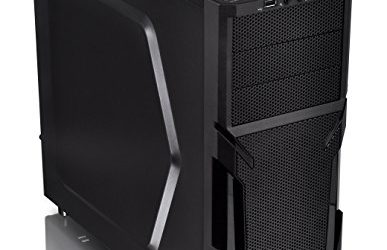
The best premium PC cases in 2026 are the Fractal Design North for a quiet, wood-accented build, the Lian Li O11 Dynamic EVO for showcase water-cooling builds, the Fractal Design Torrent for maximum airflow, the Phanteks NV7 for dual-chamber display builds and the Fractal Design Define 7 for silence. A premium case costs roughly $130-$250 and earns that price through thicker steel, better tolerances, tool-less panels, strong filters and generous cooling mounts. This guide picks one case for each priority and shows how to check that your parts fit before you buy.
Quick comparison of the picks
| Pick | Best for | Form factor | Key specs (per manufacturer) | Price range |
|---|---|---|---|---|
| Fractal Design North | Best overall, living-room friendly | Mid-tower | Mesh front, wood or steel options, up to about 355 mm GPU | $140-$180 |
| Lian Li O11 Dynamic EVO | Best for custom loops and showpiece builds | Mid-tower | Dual-chamber glass, up to 3x 360 mm radiator mounts | $150-$190 |
| Fractal Design Torrent | Best for airflow | Full-tower style | Two 180 mm front fans, up to about 423 mm GPU | $190-$250 |
| Phanteks NV7 | Best for display builds | Full-tower | Panoramic glass, flexible vertical GPU mount | $200-$250 |
| Fractal Design Define 7 | Best for silence | Mid-tower | Sound-dampening panels, up to about 315 mm GPU with front drive cages | $160-$200 |
Dimensions and clearance numbers above are rounded from the manufacturers’ product pages; always confirm against the current spec sheet for the exact variant you plan to buy.
Best overall: Fractal Design North
The North is the case to buy if you want a PC that does not look like a gaming PC. Its front panel is real wood or perforated steel, the interior is simple and the mesh front gives good airflow for its size. It takes up to 360 mm radiators in the top and front on the standard layout, and the cable-management channels are better than most cases twice its price.
The trade-off is cooling headroom in the mesh-front version versus a vented glass case. If you run a high-wattage GPU and a hot CPU, you will want three intake fans up front and a rear exhaust. A small glass-panel variant is also offered for those who want to show off the build.
Best for custom loops and showcase builds: Lian Li O11 Dynamic EVO
The O11 Dynamic EVO is the descendant of the O11 Dynamic that popularised dual-chamber layouts. Its glass front and side panel give a clear view of a radiator, a reservoir or a vertically mounted GPU. Lian Li’s own spec sheet lists support for up to three 360 mm radiators in different positions, which makes it an easy base for a custom loop.
The trade-off is noise and dust. Glass panels do not dampen sound, and the lower intake fans pull air through filters that need cleaning. It is also sold in several revisions, so check that the version you buy has the bundled fan and port layout you expect.
Best for airflow: Fractal Design Torrent
The Torrent trades a solid front for two 180 mm intake fans placed directly in front of the GPU, with a full mesh front and a bottom-to-top airflow path. Fractal’s own spec sheet and independent coverage highlight low GPU and CPU temperatures compared with typical closed-front cases. It supports long GPUs and large radiators.
The trade-off is size and noise at high fan speeds. It is a big case, and the large front fans can be audible under heavy load. It is the right choice for a high-end GPU in a warm room.
Best for display builds: Phanteks NV7
The NV7 uses a curved, panoramic glass front and side and a dual-chamber layout, which puts the PSU and drives out of sight. It has a flexible vertical-GPU option and room for large radiators, and it is aimed at builders who plan a showcase PC with a custom loop or a lot of RGB.
The trade-off is price and glass fragility. Check the box on arrival and keep the case upright when moving it.
Best for silence: Fractal Design Define 7
The Define 7 is a long-running favourite in quiet builds. Thick sound-absorbing foam on the panels, a front door and low-RPM fans cut noise. It has a modular interior with removable drive cages and room for large air coolers.
The trade-off is airflow. Closed panels run warmer with a hot GPU, so pair it with a power-efficient graphics card and a good CPU cooler, and set fans to follow temperature curves.
Worked example: check that everything fits
Most case regrets come from three numbers. Check each one before you buy.
- GPU length. Look up the card’s length on its manufacturer page; a typical high-end 2026 card is 300-350 mm. Subtract front radiator thickness if relevant. A 340 mm card in a case with 355 mm of clearance leaves 15 mm, fine; a 340 mm card with a front radiator that reduces clearance to 320 mm will not fit.
- CPU cooler height. A large air cooler is commonly 155-165 mm tall. A case that lists 160 mm of cooler clearance fits a 158 mm cooler, but a 165 mm cooler will press against the side panel.
- Radiator and fan stack. A 360 mm radiator is about 27 mm thick, and 25 mm fans add 25 mm. Total about 52 mm. The motherboard’s top edge, RAM height and VRM heat sinks must clear this stack; many cases list a maximum of 55-60 mm in the top bracket.
A simple fan-count estimate also helps with airflow. Assume a mixed-load 450 W system (for example a 250 W GPU, 150 W CPU and 50 W other). A common rule of thumb is about 1 CFM of airflow per watt of heat to keep temperature rise moderate; 450 W would call for roughly 300-450 CFM in an ideal case. Three 120 mm fans at about 60-70 CFM each at full speed supply roughly 180-210 CFM, which is why mesh fronts and large 140 mm or 180 mm fans matter. These figures are planning estimates only, and real airflow depends on resistance from filters and radiators.
How to choose: decision matrix
| Your priority | Choose | Why |
|---|---|---|
| Quiet build, small desk presence | Fractal Design North or Define 7 | Solid panels, low-RPM fans |
| Custom water loop | Lian Li O11 Dynamic EVO | Multiple 360 mm radiator mounts |
| Hot GPU, 350 W or more | Fractal Design Torrent | Direct high-volume airflow to the card |
| Display PC with vertical GPU | Phanteks NV7 | Panoramic glass and layout |
| Small desk, tight space | North or a compact case | Smaller footprint than full-towers |
What “premium” should mean
A price tag alone does not make a case premium. Look for steel panels of 0.8 mm or thicker, thumbscrew or tool-less panels, removable dust filters on every intake, a front panel with USB-C (a 20 Gbps header if the motherboard supports it) and at least 20 mm of space behind the motherboard tray for cables. Check that the included fans are good enough to use, because replacing three fans adds $30-$60. Finally, check the warranty and support: reputable brands usually give two years or more.
Build tips once you have the case
- Install the PSU and cables first. It is easier before the motherboard goes in.
- Use the case’s cable channels. They improve airflow and look better.
- Balance intake and exhaust. Slight positive pressure with filtered intakes reduces dust build-up.
- Set fan curves in the BIOS. Tie them to CPU and GPU temperature to avoid noise at idle.
- Clean the filters every two to three months. Dust directly raises temperatures.
Frequently Asked Questions
Is a premium PC case worth the extra money?
Often yes. Better build quality, filters, cable management and cooling make building easier and keep temperatures lower. If you only need a basic, quiet box, a mid-priced case can do the job.
Which premium PC case has the best airflow?
Mesh-front designs such as the Fractal Design Torrent are known for strong airflow because they have large intake fans aimed at the GPU and few obstructions. Glass-front cases usually run warmer unless they have extra fans.
Is a dual-chamber case better?
It looks cleaner because the PSU and cables are hidden, and it gives more radiator room. It can run hotter without enough fans, so check the airflow layout.
How big a case do I need for a high-end graphics card?
Measure the card’s length and thickness from the manufacturer’s page, then pick a case with at least 15-20 mm of spare clearance. Most current high-end cards are between 300 and 350 mm long and occupy three slots or more.
Are glass panels a problem for noise?
Glass does not dampen sound the way foam-lined steel panels do. If you want a quiet PC, choose a case with solid, insulated panels and run slow, large fans.
Related guides
More from Amazon
Programs that pair well with the guide above. Offers and eligibility are set by Amazon and may change.
A free business account with business pricing and bulk-buying tools for work, shop or home office.
Create a business accountFree shipping on eligible items, Prime Video and more. Eligible new members can start with a free trial.
Start a Prime free trialAudiobooks and podcasts to listen to on the go. Eligible new members can start with a free trial.
Try Audible freeAd-free music streaming. Eligible new subscribers can start with a free trial.
Try Music Unlimited freeAs an Amazon Associate we earn from qualifying purchases.