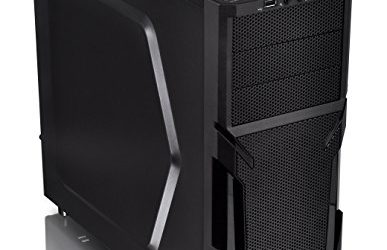
The best PC cases for moving a prebuilt gaming PC into a new shell are standard ATX mid-towers with strong front airflow, such as the Fractal Design North, Lian Li Lancool 216, NZXT H5 Flow and Corsair 4000D Airflow, but only if your prebuilt uses a standard ATX motherboard, power supply and front-panel header. Branded systems from Dell, HP and Lenovo often use proprietary parts, and in that case a case swap can mean replacing the motherboard and power supply too.
Check first: is your prebuilt standard or proprietary?
This single check decides whether a case swap is a 90-minute job or an expensive mistake. Boutique and system-integrator gaming PCs from brands such as CyberPowerPC, iBuyPower, Skytech or NZXT BLD generally use standard ATX or micro-ATX boards and ATX power supplies. Mainstream office and some gaming lines from large OEMs may not.
| Part | What to look for | Standard (swap-friendly) | Proprietary (swap-risky) |
|---|---|---|---|
| Motherboard | Mounting holes, board size | ATX 305 x 244 mm, micro-ATX 244 x 244 mm, mini-ITX 170 x 170 mm with standard holes | Odd dimensions or missing standoff holes |
| Motherboard power | Main connector | 24-pin ATX plus 4+4-pin CPU | Dell-style 8-pin or 14-pin main connector in some models |
| Power supply | Form factor | ATX (150 x 140 x 86 mm) or SFX (125 x 100 x 63.5 mm) | Flex-ATX or custom-shaped OEM units |
| Front panel | Header | Standard 2-row pin header (power, reset, LEDs) | Custom plug in the board |
| Fans and RGB | Connectors | 4-pin PWM, 3-pin ARGB | Proprietary fan plugs |
To check, open the side panel and look at the main power cable. If it is a 24-pin connector with the usual layout and the board has labelled model markings (for example a B650 or Z790 board from a known maker), you are likely safe. Look the board model up in the manufacturer’s spec sheet before buying anything.
Quick comparison of the best cases for a prebuilt upgrade
| Pick | Best for | Key specs | Price range |
|---|---|---|---|
| Fractal Design North | Best overall, quiet looks | ATX mid-tower, mesh or glass front, up to 355 mm GPU with front fans fitted, two 140 mm fans included | Usually $130-$150 |
| Lian Li Lancool 216 | Best airflow for hot GPUs | ATX, two 160 mm front fans plus 140 mm rear, up to 392 mm GPU | Usually $90-$115 |
| NZXT H5 Flow | Best clean-looking budget | ATX, perforated front, up to 365 mm GPU, two 120 mm fans included | Usually $90-$110 |
| Corsair 4000D Airflow | Best easy build | ATX, mesh front, up to 360 mm GPU, two 120 mm fans included | Usually $90-$105 |
| Cooler Master NR200P | Best small-form-factor swap | Mini-ITX only, up to 330 mm GPU, SFX or SFX-L power supply | Usually $100-$130 |
Dimensions come from each manufacturer’s spec sheet; confirm the exact version (some cases ship in several panel and fan variants) before ordering.
Best overall: Fractal Design North
The North combines a mesh-front airflow layout with a wood-accent look that does not scream “gaming”. Builders like its roomy cable area and removable top and side mesh. It fits full ATX boards and most current high-end graphics cards. The trade-off is price, and the included fans are modest, so a heavily overclocked system may want an additional rear exhaust or upgrade.
Best airflow: Lian Li Lancool 216
Two 160 mm front fans move a lot of air at low noise, which suits a prebuilt that previously ran hot in a cramped OEM case. Space for graphics cards up to roughly 392 mm covers nearly every GeForce RTX 50-series and Radeon RX 9000-series board design, with room to spare. The case is slightly deeper than rivals and the front panel is a little plasticky, but airflow-per-dollar is the best here.
Best budget with style: NZXT H5 Flow
The H5 Flow is a compact ATX mid-tower with a perforated front panel, two included fans and a straightforward interior. It fits GPUs up to about 365 mm and 165 mm tall air coolers, which is enough for common tower coolers. Keep in mind that a prebuilt with a thick 360 mm radiator will not fit the front without checking mounting clearances.
Best for easy installs: Corsair 4000D Airflow
The 4000D Airflow has been a default recommendation for years because it is simple, has good cable routing and fits nearly everything. Top-mounted radiators are limited by the motherboard’s VRM heatsink on some boards, so measure RAM and heatsink clearance if you plan a top-mounted AIO cooler.
Best for compact prebuilts: Cooler Master NR200P
If your prebuilt is a mini-ITX machine, the NR200P allows a swap into a smaller, cooler shell. It requires an SFX or SFX-L power supply, which many standard prebuilts do not use, so you may need a new power supply as part of the swap. Cable management is tight and the build takes longer.
Worked example: will your GPU and cooler fit?
Suppose your prebuilt has an RTX 5070 Ti card measuring 304 mm long, a tower air cooler that is 160 mm tall, and a 750 W ATX power supply.
- GPU clearance: 304 mm fits every case in the table. In the North, the 355 mm limit leaves 51 mm of margin, which is more than enough for front fans.
- Cooler height: 160 mm fits the H5 Flow (165 mm limit) with only 5 mm to spare, so confirm the cooler’s exact height. The 4000D Airflow and Lancool 216 both give more room.
- Radiator option: if you plan to upgrade to a 280 mm or 360 mm AIO later, check the case’s front or top radiator support (the Lancool 216 and North handle this better than the H5 Flow).
- Power supply: a standard ATX unit fits all but the NR200P, which needs SFX or SFX-L.
Rule of thumb: add 20-30 mm of margin to GPU length for front fans and cables, and keep at least 5 mm clearance between the cooler and the side panel.
Step-by-step: swapping a prebuilt into a new case
- Photograph every cable. Front-panel and fan connections are easy to misplace. A phone picture saves a lot of guessing.
- Remove the GPU and RAM first. It reduces weight and prevents stress on slots.
- Unscrew the motherboard. Prebuilts often use a mix of screw types; keep them in a labelled tray.
- Install the standoffs in the new case. Match them to your board size (ATX, micro-ATX or mini-ITX). An extra standoff under the wrong spot can short the board.
- Mount the power supply. Place it with the fan facing the vent, as per the case manual.
- Reconnect the front-panel header. Use the board manual’s pin diagram, because the power switch will not work if pins are reversed.
- Set fan curves. Connect case fans to a PWM header and check the BIOS fan profile, since prebuilt BIOS defaults may be locked to a single fan.
Warranty, software and other catches
Opening the case can affect warranty terms. Some integrators allow upgrades without voiding coverage; others use warranty stickers. Read the policy before you start. If you are using Windows with a license tied to the board, no reactivation is needed as long as the motherboard stays the same. Some prebuilts also include OEM utilities for lighting and fan control that only work with the original case’s controller, so expect to switch to the motherboard maker’s software or the new case’s hub.
Frequently Asked Questions
Can I put any prebuilt PC into a new case?
Only if the motherboard, power supply and front-panel connector follow standard sizes. Systems from some large OEMs use proprietary power connectors, which make a standard case swap impractical without a new board and power supply.
Which case is best for a hot prebuilt gaming PC?
A mesh-front case with two large front intake fans and one rear exhaust, such as the Lian Li Lancool 216, usually lowers temperatures the most. Expect improvements of a few degrees to around 10 degrees Celsius depending on the starting case.
Will a new case void my prebuilt warranty?
That depends on the seller. Some brands allow case swaps if components are not damaged, while others use tamper stickers. Check the warranty text before opening the system.
Do I need a new power supply for a case swap?
Not for standard ATX cases if your current unit is a standard ATX form factor. You will need an SFX or SFX-L unit for small mini-ITX cases that do not accept ATX.
How big a case do I need for a modern graphics card?
Plan for at least 330-360 mm of GPU clearance for most current cards, and more for large flagship models. Always check the exact card length in the manufacturer’s spec sheet.
Related guides
More from Amazon
Programs that pair well with the guide above. Offers and eligibility are set by Amazon and may change.
A free business account with business pricing and bulk-buying tools for work, shop or home office.
Create a business accountFree shipping on eligible items, Prime Video and more. Eligible new members can start with a free trial.
Start a Prime free trialAudiobooks and podcasts to listen to on the go. Eligible new members can start with a free trial.
Try Audible freeAd-free music streaming. Eligible new subscribers can start with a free trial.
Try Music Unlimited freeAs an Amazon Associate we earn from qualifying purchases.