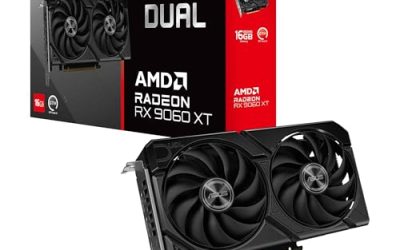
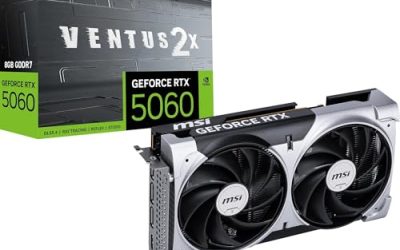
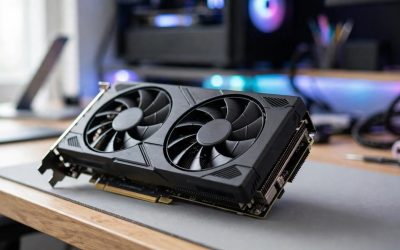
The best graphics expansion cards in 2026 are PCIe graphics cards (GPUs), and the right one depends on your monitor: an 8 GB-class card such as the GeForce RTX 5060 or Radeon RX 9060 XT 8 GB suits 1080p, a 16 GB card such as the Radeon RX 9070 or GeForce RTX 5070 Ti suits 1440p, and a 16 GB flagship-class card suits 4K. A “graphics expansion card” is simply an add-in board that plugs into a PCIe x16 slot and adds dedicated video processing, VRAM and display outputs to a PC.
People also use the phrase for other add-in boards, such as capture cards or extra display-output cards. This guide covers gaming and creative graphics cards, because that is where the buying decision is hardest. If you only need extra monitor ports on an office PC, a low-profile entry card with four outputs is enough and you can skip most of what follows.
As an Amazon Associate we earn from qualifying purchases at no extra cost to you.


Our Top Picks


Top 3 picks at a glance
Quick comparison of the best graphics expansion cards
| Pick | Best for | Key specs (per manufacturer spec sheets) | Usual price range |
|---|---|---|---|
| GeForce RTX 5060 (8 GB) | Budget 1080p | 8 GB GDDR7, 128-bit bus, about 145 W board power | $280-$330 |
| Radeon RX 9060 XT (16 GB) | Value 1080p to 1440p | 16 GB GDDR6, 128-bit bus, about 160 W | $350-$420 |
| GeForce RTX 5070 | Best overall 1440p | 12 GB GDDR7, 192-bit bus, about 250 W | $520-$620 |
| Radeon RX 9070 XT | High-refresh 1440p, entry 4K | 16 GB GDDR6, 256-bit bus, about 304 W | $600-$750 |
| GeForce RTX 5080 | 4K gaming | 16 GB GDDR7, 256-bit bus, about 360 W | $1,000-$1,300 |
| Low-profile entry card (4 outputs) | Office, multi-monitor, small cases | 4 GB-class memory, under 75 W, no power cable | $100-$200 |
Prices are general market ranges and move with supply, region and retailer promotions. Board-partner models with larger coolers or factory overclocks usually sit at the higher end of each range.
Best overall: GeForce RTX 5070
The RTX 5070 is the safest all-round choice for a 1440p monitor. Its 12 GB of GDDR7 on a 192-bit bus is enough for most current games at high settings, and it brings DLSS upscaling and multi-frame generation support, which stretch frame rates in supported titles. Power draw of roughly 250 W means a quality 650 W to 750 W power supply handles it comfortably.
The main trade-off is memory. At 12 GB, a few heavily modded or ultra-texture games at 4K will hit the ceiling, so it is a 1440p card first and a “1440p with upscaling at 4K” card second.
Best budget: GeForce RTX 5060 or Radeon RX 9060 XT
For a 1080p monitor at 60 to 144 Hz, either card is plenty. The RTX 5060 is cheaper and cooler-running, while the RX 9060 XT is available with 16 GB, which helps with high texture settings and creative apps that load large projects into VRAM. If you buy an 8 GB card, plan on lowering texture quality in a handful of newer games. Approximate frame rates in published reviews fall in the 70 to 140 FPS range at 1080p high settings, varying with the game, CPU and patch.
Best for high-refresh 1440p and entry 4K: Radeon RX 9070 XT
The RX 9070 XT carries 16 GB of GDDR6 on a 256-bit bus, a larger memory pool than the RTX 5070 at a similar street price. That makes it a strong pick if you play at 1440p with high texture packs, run reshade-style mods, or want to try 4K with FSR upscaling. The trade-off is power and heat: it draws roughly 300 W, so confirm your case airflow and a 750 W power supply with the right number of PCIe power connectors.
Best for 4K: GeForce RTX 5080
If your monitor is 4K at 120 Hz or higher, the RTX 5080 is the practical target. Its 16 GB of GDDR7 on a 256-bit bus gives the bandwidth that 4K textures want. Expect very high prices and a card length that can exceed 300 mm, so measure your case first. Per the manufacturer’s recommendation, plan for an 850 W power supply.
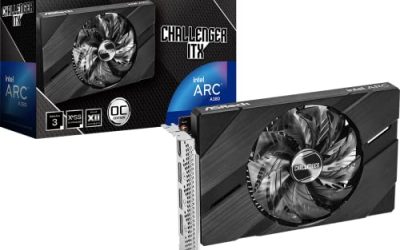
Best for small or office builds: low-profile multi-output card
If the goal is more screens rather than more frames, a low-profile card that needs no power cable is ideal. Look for four display outputs, a half-height bracket included in the box, and a single-slot or dual-slot cooler. These cards are not meant for modern games, but they drive four 1080p or two 4K office displays without trouble.
How to choose: a worked VRAM and power calculation
Start with resolution. As a rule of thumb from published game requirements, VRAM needs rise roughly like this:
| Resolution | Pixels per frame | Comfortable VRAM | Typical card class |
|---|---|---|---|
| 1920×1080 | 2.07 million | 8 GB | RTX 5060 class |
| 2560×1440 | 3.69 million | 12-16 GB | RTX 5070 / RX 9070 class |
| 3840×2160 | 8.29 million | 16 GB or more | RTX 5080 class |
4K has exactly four times the pixels of 1080p (8.29 million versus 2.07 million), so the same game asks the GPU to shade four times as many pixels per frame. That is why upscaling matters more at 4K than at 1080p.
Now the power budget. Suppose you pick a card rated at 250 W, paired with a CPU drawing 120 W under gaming load. Add about 60 W for motherboard, memory, drives and fans. That totals 430 W. Power supply makers advise headroom of 40 to 50 percent for transient spikes and efficiency, so 430 x 1.5 = 645 W. A 750 W unit is the sensible choice, and it leaves room for a later upgrade.
Compatibility checks before you buy
- Slot: any card uses PCIe x16. A PCIe 5.0 card still works in a PCIe 4.0 or 3.0 slot, with minor loss on cards that only have eight lanes.
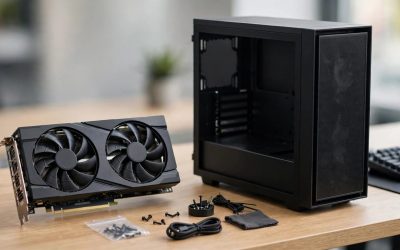
- Length and thickness: compare the card’s listed length and slot width to your case’s maximum GPU clearance.
- Power connector: confirm whether the card uses 8-pin connectors or the 12V-2×6 connector, and whether your power supply offers it natively or needs an adapter.
- Outputs: count the DisplayPort 2.1 and HDMI 2.1 ports against your monitors.
- Resizable BAR: enable it in firmware if your platform supports it; some cards gain a few percent in supported games.
Common mistakes to avoid
- Buying on VRAM alone. A 16 GB card on a 128-bit bus is not automatically faster than a 12 GB card on a 192-bit bus; bandwidth and core count matter too.
- Ignoring the CPU. A very fast card paired with an old four-core processor leaves performance on the table at 1080p.
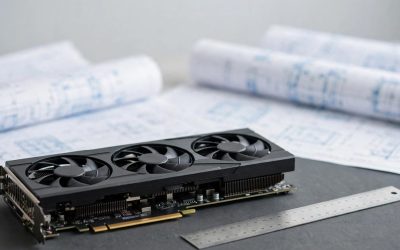
- Skipping the case-fit check. Triple-fan cards often exceed 320 mm.
- Paying for a factory overclock. Differences between partner models are often 1 to 3 percent in games.
Frequently Asked Questions
What is a graphics expansion card?
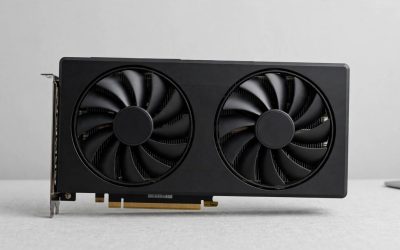
It is an add-in board, normally a GPU, that fits in a PCIe x16 slot and takes over graphics work from the processor. It brings its own memory (VRAM), cooling and display ports, and it is the main component that decides gaming frame rates.
Is 8 GB of VRAM enough in 2026?
For 1080p it is generally workable, though some newer games need lowered texture settings. For 1440p and above, 12 GB or 16 GB is a safer target, according to the published recommended specifications of many recent titles.
Do I need a new power supply for a new graphics card?
Not always. Add up the card’s rated board power, your CPU’s load power and about 60 W for everything else, then multiply by 1.5. If your current unit covers that number and has the required connectors, you can keep it.
Will a PCIe 5.0 card work in an older PCIe 3.0 motherboard?
Yes. PCIe is backward compatible, so the card runs at the slower link speed. Cards with a full 16 lanes lose very little at PCIe 3.0, while cards with only 8 lanes can lose more in memory-heavy games.
Can I add a second graphics card for more performance?
Modern games no longer support multi-GPU rendering, so a second card does not raise frame rates. A second card can still add display outputs or help in certain compute and rendering workloads.
Related guides
More from Amazon
Programs that pair well with the guide above. Offers and eligibility are set by Amazon and may change.
A free business account with business pricing and bulk-buying tools for work, shop or home office.
Create a business accountFree shipping on eligible items, Prime Video and more. Eligible new members can start with a free trial.
Start a Prime free trialAudiobooks and podcasts to listen to on the go. Eligible new members can start with a free trial.
Try Audible freeAd-free music streaming. Eligible new subscribers can start with a free trial.
Try Music Unlimited freeAs an Amazon Associate we earn from qualifying purchases.