Buying a graphics card in this bracket is not a choice between two similar new cards. It is a choice between a new card with a warranty, drivers and a known seller, and a used card that may be faster on paper but arrives with unknown wear, no warranty and a power draw your current supply may not support. A faster used card that crashes or needs a new power supply is not a bargain. The sensible question is what you are giving up for extra speed, and whether your case, power supply and monitor make that speed usable at all.
This guide is for first-time builders, owners of prebuilt PCs looking for a first graphics upgrade, and people putting together a compact media or work PC that also needs to play games. The two picks below come from the names and specifications stated on their Amazon product pages, and the rest of the guide explains how to judge VRAM, power, drivers and used cards before you buy.
Quick Picks
As an Amazon Associate we earn from qualifying purchases.
| Product | Best for | Key spec from title |
|---|---|---|
| ASRock Intel Arc A380 Challenger ITX 6GB OC, 2250MHz GPU, 6GB GDDR6 96-bit, PCIe 4.0, Single Fan, 0dB Silent, DP 2.0, HDMI 2.0b | A compact case or a small-form-factor build | 6GB GDDR6, 96-bit, 2250 MHz GPU clock, single fan |
| GIGABYTE GeForce RTX 3050 WINDFORCE OC 6G Graphics Card, 2X WINDFORCE Fans, 6GB GDDR6 96-bit GDDR6, GV-N3050WF2OC-6GD Video Card | A first 1080p gaming PC with an NVIDIA driver preference | 6GB GDDR6, 96-bit, dual WINDFORCE fans, HDMI 2.1 |
How to Choose
Match VRAM to your resolution target
Six gigabytes of VRAM is the practical floor for 1080p gaming in this bracket, and it shapes what you should expect. At 1080p with medium to high texture settings, a 6GB card can run many current games, esports titles and older releases without constantly swapping textures in and out of memory. At 1440p, that same amount fills far sooner, so you will need to lower texture quality, reduce shadow detail or accept stutter in demanding scenes. A card with 8GB gives more headroom, but in this bracket that usually means a used card, so weigh the extra memory against the loss of a warranty and a known history before you decide.
Check power draw and connectors before you buy
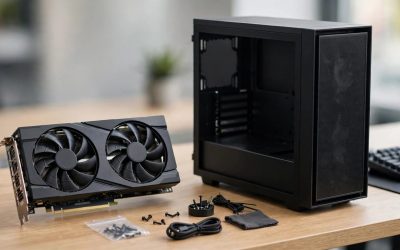
A graphics card is only a good fit if your power supply can feed it and your case can hold it. Some cards in this bracket draw all their power from the PCIe slot, while others need a single 8-pin connector, and a few need a 6-pin connector instead. Open your case, check the spare cables, and read the wattage on the supply label. Then measure the free length from the rear bracket to the nearest drive cage or front fan. A card that needs a connector you do not have, or a length your case cannot take, is the wrong card no matter how well it suits your games.
Weigh new against used with your eyes open
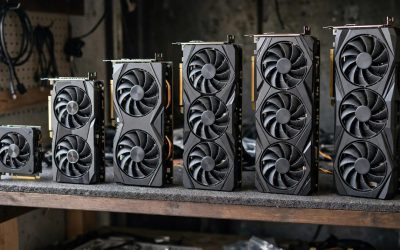
A used card can offer more raw performance for the same outlay. The risk is that you cannot see how hard it was run, whether it was kept clean, or whether its fans are near the end of their life. A new card gives you a manufacturer warranty, a sealed box and a return path, which matters most for a first build where you cannot easily tell whether a fault is the card or something else. If you do buy used, buy from a seller with a clear return policy, ask for the exact model number, and plan to run a demanding game and a stress utility for an hour before the return window closes.
Confirm driver support and display outputs
Drivers decide whether a card keeps working well after you install it, so check support before you buy rather than after. NVIDIA and AMD both maintain current drivers for their recent architectures, while Intel Arc cards depend on newer drivers and on Resizable BAR being enabled in your motherboard firmware for their best results. Older motherboards, office PCs and some prebuilt systems may not expose that setting, so check your BIOS options first. Then count your monitors and their inputs. A card with one HDMI port and three DisplayPort outputs suits a multi-monitor desk, while a card with two HDMI ports suits a living-room setup with a television and a second display.
The 2 Best Options
ASRock Intel Arc A380 Challenger ITX 6GB OC, 2250MHz GPU, 6GB GDDR6 96-bit, PCIe 4.0, Single Fan, 0dB Silent, DP 2.0, HDMI 2.0b

This is the pick for a small build where length, noise and video encoding matter as much as gaming. The single-fan ITX body is short enough for many compact cases, the fan stops at idle, and the Arc A380 brings hardware AV1 encoding that is useful for recording gameplay, streaming and editing clips. It suits a compact 1080p gaming PC, a home theatre PC and a small work machine that needs a real graphics card without a large cooler or a long board.
Specs
- Graphics processor: Intel Arc A380
- GPU clock: 2250 MHz
- Memory: 6GB GDDR6, 96-bit interface, 15.5 Gbps
- Memory bandwidth: 186 GB/s
- Interface: PCIe 4.0
- Outputs: DisplayPort 2.0, HDMI 2.0b
- Cooling: single fan, 0dB Silent operation
- Dimensions: 169.9 x 123.5 x 39.2 mm, 2-slot design
- Power connector: single 8-pin, recommended 500W power supply
- Model: A380 CLI 6GO, part number 90-GA3KZZ-00UANF
- Maximum resolution: 7680 x 4320
Best for: a compact case, a small-form-factor build, or a media PC that also plays games at 1080p.
Watch out for: check that Resizable BAR is available and enabled in your motherboard firmware, because Arc cards perform noticeably worse without it.
GIGABYTE GeForce RTX 3050 WINDFORCE OC 6G Graphics Card, 2X WINDFORCE Fans, 6GB GDDR6 96-bit GDDR6, GV-N3050WF2OC-6GD Video Card
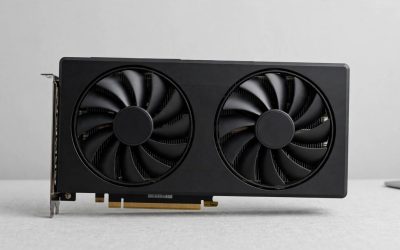
This is the pick for a buyer who wants NVIDIA drivers, DLSS upscaling and ray tracing support in a straightforward dual-fan card. The WINDFORCE cooler uses two fans, the card carries two HDMI 2.1 ports and two DisplayPort 1.4a ports, and the Ampere architecture brings second-generation ray tracing cores and third-generation Tensor cores. It suits a first gaming PC, a prebuilt upgrade and a desk with more than one monitor, where driver familiarity and a wide choice of display outputs count for a lot.
Specs
- Graphics processor: NVIDIA GeForce RTX 3050
- Architecture: NVIDIA Ampere
- Memory: 6GB GDDR6, 96-bit interface
- Cooling: 2X WINDFORCE fans
- Outputs: 2x HDMI 2.1, 2x DisplayPort 1.4a
- Ray tracing: second-generation RT cores
- AI features: third-generation Tensor cores
- Model: GV-N3050WF2OC-6GD
- Card length: 191 mm, height 111 mm
- Maximum resolution: 7680 x 4320
Best for: a first 1080p gaming PC, a prebuilt upgrade, or a buyer who prefers NVIDIA drivers and DLSS.
Watch out for: confirm whether your exact variant needs a separate power connector, because 6GB RTX 3050 variants differ on this point, and check the seller and condition on the listing before you buy.
Which One Fits Your Situation
A small case or a prebuilt with a modest power supply
Choose the ASRock Arc A380 Challenger ITX. Its short 169.9 mm body fits cases where a full-length card will not, its single 8-pin connector and recommended 500W supply are easy to check in advance, and its single fan stays silent at idle. Measure your case first, confirm the spare 8-pin cable, and enable Resizable BAR in your firmware before you judge its performance.
A first 1080p gaming PC
Choose the GIGABYTE RTX 3050 WINDFORCE OC 6G. Its dual-fan cooler, four display outputs and NVIDIA driver support make it a forgiving first card, and DLSS upscaling helps at 1080p when a game is heavier than expected. It suits a new builder who wants a familiar setup path, a card that fits most mid-tower cases, and outputs for a monitor and a television at the same time.
A compact media and work PC that also plays games
Choose the ASRock Arc A380 Challenger ITX. Hardware AV1 encoding helps with recording and streaming, the 0dB fan keeps a living-room PC quiet during video playback, and the compact body leaves room for storage and airflow in a small case. It is the better fit when the PC spends most of its time on media, browsing and light creative work, with gaming as a second job rather than its only one.
Weighing a used faster card against a new slower one
Choose a new card if this is your first build, because a warranty and a return path protect you when a fault appears. A used RX 6600 or a used RTX 3060 can be faster, but only if you can verify the seller, accept the power draw and connector it needs, and test it thoroughly inside the return window. If any of those checks fails, a new card is the safer way to get a working PC now.
Common Mistakes
- Buying a card by its GPU name alone, without checking the exact variant, memory size and power connector on the listing, because the same GPU name can hide very different boards.
- Ignoring VRAM and then turning texture settings up at 1440p, where 6GB fills quickly and causes stutter that no driver update will fix.
- Forgetting to measure case clearance and power cables, then finding the card is too long or needs a connector the power supply does not have.
- Skipping the Resizable BAR setting on an Intel Arc build, which leaves performance on the table and makes the card look slower than it is.
- Buying a used card with no return policy and no plan to test it, so a faulty fan or an unstable card only shows up after the chance to send it back has passed.
Frequently Asked Questions
Can a card in this bracket run modern games at 1080p?
Yes, with sensible settings. A 6GB card in this bracket handles esports titles well and runs many current games at 1080p on medium to high settings, especially with upscaling enabled where the card supports it. Demanding new releases may need lower shadow and texture settings, and 1440p is a stretch for most of them. Set your expectations around smooth 1080p play rather than maximum settings in every title.
Is 6GB of VRAM enough for gaming?
For 1080p it is enough for most current games, provided you keep texture quality at a level the card can hold in memory. Problems appear when you raise texture packs or run at higher resolutions. If you plan to play at 1440p, use high-resolution texture packs or keep a game open for long sessions, a card with more VRAM will serve you better.
Do I need to upgrade my power supply for one of these cards?
Not necessarily, but you must check. Read the wattage and the spare connectors on your current supply. The Arc A380 in this guide uses a single 8-pin connector with a recommended 500W supply, while some 6GB RTX 3050 variants draw power from the slot alone and others need a connector. A supply that is old, unbranded or already near its limit is a reason to pause before you order.
Should I buy a used card instead of a new one?
It depends on your tolerance for risk. A used card can give you more performance for the same outlay if you know the seller, can test the card and can return it. A new card is the better choice for a first build, a single-PC household or anyone who needs a warranty and support. If you buy used, verify the exact model and test it hard inside the return window.
Related guides
More from Amazon
Programs that pair well with the guide above. Offers and eligibility are set by Amazon and may change.
A free business account with business pricing and bulk-buying tools for work, shop or home office.
Create a business accountFree shipping on eligible items, Prime Video and more. Eligible new members can start with a free trial.
Start a Prime free trialAudiobooks and podcasts to listen to on the go. Eligible new members can start with a free trial.
Try Audible freeAd-free music streaming. Eligible new subscribers can start with a free trial.
Try Music Unlimited freeAs an Amazon Associate we earn from qualifying purchases.