The best 7-inch Android tablet for most people is a current Lenovo Tab M7-class model: a small IPS screen, a light body and Google Play access. It is a good fit for reading, video, smart-home control and kids’ use. If you want E Ink reading, an Android-based Boox Page is the better pick, and if you want to play 3D games, step up to an 8-inch tablet. Genuine 7-inch Android tablets are a shrinking category in 2026, so the choice depends on screen resolution, RAM and update support more than on brand.
As an Amazon Associate we earn from qualifying purchases at no extra cost to you.


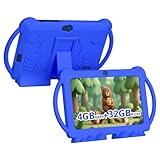
Top 3 picks at a glance
Quick comparison: 7-inch Android picks and spec classes
| Pick | Best for | Key specs | Price tier |
|---|---|---|---|
| Lenovo Tab M7 (3rd Gen) class | All-round use, video, light apps | 7-inch IPS, about 1024×600, entry quad-core, 2 GB RAM, 32 GB storage, Android Go-type software | Budget |
| Generic 7-inch 1280×800 tablet | Sharper text, browsing, streaming | 7-inch IPS, 1280×800, 3 GB RAM or more, 32-64 GB, microSD slot | Budget to mid-range |
| Boox Page (7-inch E Ink, Android-based) | Reading and note-taking | 7-inch E Ink, about 300 ppi, Android, built-in front light | Mid-range to premium |
| Kid-focused 7-inch tablet with bumper case | Children’s apps and videos | 7-inch, 2 GB RAM, 32 GB, Google Family Link support, shock-absorbing case | Budget |
| Wall-mount or dash 7-inch tablet | Smart-home panel, car or workshop display | USB-C or pogo power, always-on charging, 3,000-4,500 mAh battery | Budget |
| Step-up: 8 to 8.8-inch (Samsung Galaxy Tab A9, Lenovo Legion Tab/Y700) | 3D games and emulation | Larger screen, faster chipset, 4-8 GB RAM, higher refresh on gaming models | Mid-range to premium |
Best overall: Lenovo Tab M7 (3rd Gen) class
Lenovo’s Tab M7 line has been one of the few mainstream 7-inch Android options with Google Play certification. Per the manufacturer’s spec sheet, the 3rd generation uses a 7-inch IPS panel, an entry-level quad-core chip, a few thousand mAh of battery and a 32 GB storage tier with microSD expansion. It suits video, e-books, light browsing, messaging and casual games like puzzle and card titles.
Main trade-off: the screen is around 170 ppi and the software is an older Android release. Text is readable but not crisp, and heavy multitasking will stutter. Check the current listing for the exact Android version and RAM, since configurations vary by region.
Best budget: a 7-inch 2 GB / 32 GB Android Go tablet
If you only need a cheap second screen, buy by spec class rather than brand. Look for a 7-inch IPS panel (not TN), at least 2 GB RAM, 32 GB storage, a microSD slot and Google Play certification. Android Go editions are built for 2 GB of RAM and feel smoother than full Android on the same hardware.
Main trade-off: security updates are often limited to one or two patches after launch. Keep these tablets off banking apps and use them for media and utilities.
Best for reading: Boox Page (7-inch E Ink)
The Boox Page is a 7-inch E Ink device that runs Android, so you can install Kindle, Kobo, Libby and similar reading apps. At roughly 300 ppi, text looks like print and the battery lasts weeks of reading rather than hours. The front light makes it usable at night.
Main trade-off: E Ink refresh is slow, with no smooth video and no real gaming. It is a reader first, not a general tablet.
Best for kids: a 7-inch tablet with a bumper case and parental controls
The 7-inch size fits small hands, and a rubber bumper case matters more than any spec. Pick a model with Google Play certification so you can use Google Family Link for app approvals, screen-time limits and content filters. Confirm that it has a microSD slot so downloaded videos do not fill the 32 GB of internal storage.
Main trade-off: low RAM means slow app switching. Limit kids to two or three installed apps to keep it responsive.
Best for smart-home panels and car use
For a wall-mounted dashboard (Home Assistant, a thermostat panel or a music controller), a cheap 7-inch tablet works well. Its job is to stay plugged in, so the battery matters less than a stable USB power input and a screen that can stay on without overheating. Battery swelling on tablets left at 100 percent charge for years is a real risk, so use a charge-limit feature if the firmware offers one, or a smart plug on a timer.
Main trade-off: a screen that stays on will burn through the panel’s life and may run warm in a sealed mount. Set brightness to the lowest comfortable level and use a screen timeout with a motion-wake app.
Best for gaming: step up to 8 inches or more
Almost no true 7-inch Android tablet has the chip to run demanding 3D games well. If gaming is your priority, look at 8 to 8.8-inch models. Lenovo’s Legion Tab (Y700 line) is built around a performance chipset, a high-refresh display and a compact body. For lighter play, the Samsung Galaxy Tab A9 is an 8.7-inch budget model that handles casual games and streaming. Frame rates vary widely with the game, graphics preset and software version, so check published reviews for the specific title.
Main trade-off: these are physically bigger, and the gaming-focused models cost noticeably more than a basic 7-inch tablet.
How to choose: the numbers that matter
Resolution and sharpness (pixels per inch)
Pixel density is the diagonal pixel count divided by the diagonal size in inches. A worked example for a 7-inch panel:
| Resolution | Diagonal pixels | Pixels per inch at 7 in | What it looks like |
|---|---|---|---|
| 1024×600 | about 1,187 | about 170 ppi | Visible pixel grid in small text |
| 1280×800 | about 1,509 | about 216 ppi | Comfortable for browsing and e-books |
| 1920×1200 | about 2,264 | about 323 ppi | Crisp text, near print-quality |
If you read a lot, 1280×800 is the minimum worth paying for. For video only, 1024×600 is acceptable because 720p and 1080p content is scaled down anyway.
Battery runtime: a quick calculation
Runtime is battery watt-hours divided by average power draw. A typical 7-inch tablet has a 4,000 mAh battery at 3.7 V, which is about 14.8 Wh. If video playback at moderate brightness draws around 2 W, you get roughly 7.4 hours. If a 3D game draws about 4.5 W, you get about 3.3 hours. Real results are somewhat lower because of conversion losses and battery ageing, so treat these as upper estimates. A tablet with 3,000 mAh will give about three-quarters of those figures.
RAM and storage
Android and preinstalled apps commonly take 10 to 12 GB of a 32 GB tablet, leaving about 20 GB usable. For anything beyond a handful of apps, choose 64 GB or a model with microSD. On RAM, 2 GB is the floor for Android Go, while 3 to 4 GB makes full Android bearable.
Decision matrix: match your situation to a choice
| Your situation | Choose | Skip |
|---|---|---|
| Streaming video in bed or on trips | 7-inch IPS, 1280×800, 4,000 mAh or more | TN panels with narrow viewing angles |
| Reading novels and PDFs | Boox Page, or a 1920×1200 LCD | 1024×600 screens |
| Child under 10 | Budget 7-inch with Family Link and a bumper case | Unbranded tablets without Google Play certification |
| Wall panel for smart home | Any budget 7-inch with stable USB power | Premium models you will leave plugged in |
| 3D mobile games | 8 to 8.8-inch gaming tablet | Any 7-inch with 2 GB RAM |
| Banking and work accounts | Model with a clear update commitment | No-name tablets with a frozen Android version |
Checks before you buy
- Google Play certification: without it, apps such as streaming services may limit video to low resolution (Widevine L3 caps many services at standard definition).
- Android version and patch policy: prefer a tablet that ships on a recent release with a stated update plan.
- Charging port: USB-C is preferable to micro-USB for durability and cable availability.
- Wi-Fi standard: Wi-Fi 5 or newer on 5 GHz avoids buffering on a busy home network.
- Storage expansion: a microSD slot is cheaper than a higher storage tier.
Frequently Asked Questions
Are 7-inch Android tablets still worth buying in 2026?
Yes, for specific jobs: a portable e-reader, a child’s first tablet, a smart-home panel or a travel video screen. For general-purpose use, an 8 to 10-inch tablet usually gives a better experience for a modest price increase. The 7-inch category is small, so choices are fewer than before.
Can a 7-inch Android tablet make phone calls?
Some models with a SIM slot support mobile data and, depending on the carrier and region, voice calls. Most Wi-Fi-only models can only make calls through apps like WhatsApp, Google Meet or Skype. Check the product’s spec sheet for “voice calling” rather than assuming it from a SIM slot.
How much RAM does a 7-inch Android tablet need?
2 GB is the practical minimum when the tablet runs Android Go, and it is fine for video, reading and browsing with a few tabs. Choose 3 to 4 GB if you use several apps at once or run a more recent full Android version. Anything below 2 GB will feel slow.
Is the Amazon Fire 7 the same as an Android tablet?
Fire tablets run Fire OS, a fork of Android without the Google Play store by default. Many Android apps can be sideloaded, but Google services are not included. If you need Google Play certification and Family Link, buy a standard Android tablet instead.
Which 7-inch tablet is best for e-books?
An E Ink model such as the Boox Page is the best choice for long reading sessions because it is easy on the eyes and lasts for weeks per charge. If you want colour comics or magazines, a 1920×1200 LCD tablet is a better fit, though battery life is measured in hours instead of weeks.
Can I play games on a 7-inch Android tablet?
Casual games, board games, visual novels and retro emulation up to the 16-bit era run fine on most models. Demanding 3D titles need a faster chipset and more RAM than most 7-inch tablets offer. Performance varies with the game, graphics settings and software version, so check reviews for the specific title before buying.
Related guides
More from Amazon
Programs that pair well with the guide above. Offers and eligibility are set by Amazon and may change.
A free business account with business pricing and bulk-buying tools for work, shop or home office.
Create a business accountFree shipping on eligible items, Prime Video and more. Eligible new members can start with a free trial.
Start a Prime free trialAudiobooks and podcasts to listen to on the go. Eligible new members can start with a free trial.
Try Audible freeAd-free music streaming. Eligible new subscribers can start with a free trial.
Try Music Unlimited freeAs an Amazon Associate we earn from qualifying purchases.