
Choosing the best graphics card today depends less on a single “fastest” winner and more on your monitor, games, power supply, and tolerance for compromises. A card that is excellent for 1080p can be wasteful at that resolution, while a seemingly expensive 4K card may be the better value if you plan to keep it for five years.
The strongest all-around choices currently come from NVIDIA’s GeForce RTX 50 series and AMD’s Radeon RX 9000 series. Intel’s Arc B-series is also worth considering at the budget end. Prices and stock change constantly, so compare the actual street price rather than relying on launch positioning.
As an Amazon Associate we earn from qualifying purchases at no extra cost to you.


Our Top Picks
 GIGABYTE Radeon RX 9070 XT Gaming OC 16GRADEON9070XT11.34 x 5.2 x 2.2 Inches3.9 PoundsCheck on Amazon
 ASUS PRIME Radeon RX 9070 XT 16GB GDDR6RX9070XT|OC|Black12.3 x 5.1 x 2 inches3.3 poundsCheck on Amazon
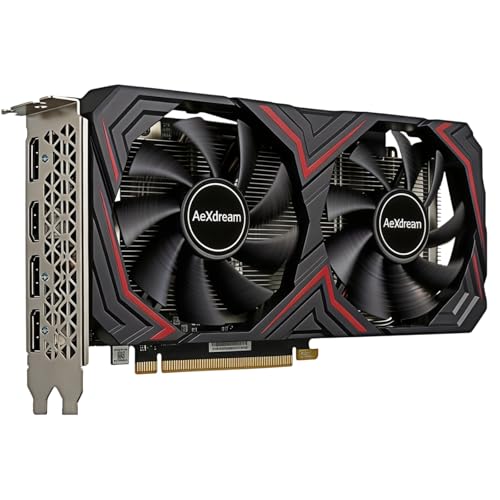
Top 3 picks at a glance
Quick picks by buyer
| Buyer | Best direction | Why | Main compromise |
|---|---|---|---|
| Affordable 1080p | Intel Arc B580 or Radeon RX 9060 XT | Good conventional gaming performance and useful memory capacity | Ray tracing and driver behavior can vary by game |
| High-refresh 1440p | GeForce RTX 5070 or Radeon RX 9070 | Strong performance without moving to flagship prices | 4K ultra settings may require upscaling |
| Best enthusiast value | Radeon RX 9070 XT | Excellent rasterized performance and 16GB of memory | Less consistent ray tracing and creator support than NVIDIA |
| 4K and ray tracing | GeForce RTX 5080 | Better ray tracing, upscaling, and frame-generation support | High price, power use, and diminishing returns |
Best overall: GeForce RTX 5070
For a mixed gaming PC, the GeForce RTX 5070 is the sensible middle ground. It is aimed at 1440p gaming, supports modern NVIDIA features, and generally provides more dependable ray-tracing performance than similarly priced AMD alternatives. DLSS upscaling and frame generation can also make demanding games playable at higher settings, although generated frames do not replace the responsiveness of genuinely rendered frames.
This is the card to buy if you play a mixture of competitive games, single-player releases, and ray-traced titles. It is also the safer choice for applications that favor CUDA or NVIDIA’s software ecosystem. The trade-off is memory capacity: 12GB can become restrictive in some heavily modded games or future 4K releases. It is not a perfect long-term 4K card.
Do not buy the RTX 5070 simply because it is newer. If an RTX 4070 Super or comparable previous-generation card is substantially cheaper, it can still be a good 1440p purchase. Avoid paying nearly the same money for old stock unless the warranty and cooler are clearly better.
Best AMD choice: Radeon RX 9070 XT
The Radeon RX 9070 XT is a strong pick for gamers who prioritize traditional rasterized performance, high-resolution textures, and value. Its 16GB memory buffer gives it more breathing room than many midrange NVIDIA cards, particularly for 1440p and entry-level 4K. AMD’s FSR upscaling is widely supported, and the card does not require a proprietary ecosystem to deliver good results.
Choose the Radeon RX 9070 XT when you mostly play games without ray tracing and want maximum ordinary rendering performance for the money. It is especially attractive for a new gaming build with a 1440p monitor.
The failure mode is straightforward: ray tracing can reduce its advantage, and AMD’s creator software support is not as broad as NVIDIA’s. Some games also favor one vendor through driver optimization. Check benchmarks for the titles you actually play rather than assuming an average chart applies to everything.
Best budget option: Intel Arc B580
Intel’s Arc B580 is compelling when priced below mainstream AMD and NVIDIA cards. It offers a generous memory allocation for its class and is a sensible 1080p or light-1440p option. It can be an excellent choice for a new budget PC, especially when the alternative is buying an older card with less memory.
Arc is no longer the driver gamble it was at launch, but it still deserves more caution than GeForce or Radeon. Older DirectX 9 and unusual games can behave less predictably, and performance may depend more heavily on Resizable BAR being enabled. Confirm that your motherboard supports Resizable BAR, use a reasonably modern processor, and keep drivers updated.
For the simplest budget purchase, browse budget 1080p graphics cards and compare the exact price against the B580 and RX 9060 XT. If a cheaper card has only 8GB of memory, that is fine for esports and older games, but it is a poor choice for someone expecting high texture settings for years.
Best for 4K and ray tracing
The GeForce RTX 5080 is the better high-end choice if you want demanding ray tracing, DLSS, or GPU-accelerated creative applications. It has the performance headroom needed for 4K, but even this class of card should not be expected to run every new game at native 4K, maximum ray tracing, and a high frame rate simultaneously. Upscaling remains part of the normal experience.
The main mistake is buying a flagship GPU for a 60Hz 1080p monitor. Put the money into a better display first. A 4K card also needs a suitable power supply, good case airflow, and enough CPU performance to avoid bottlenecks. Check the specific manufacturer model’s dimensions: large coolers can block expansion slots or fail to fit compact cases.
For less money, a Radeon RX 9070 XT can be the better 4K value if you are happy to reduce ray tracing and use upscaling. Conversely, if your priority is competitive gaming at 1440p, the RTX 5080 is unnecessary overkill.
What to check before buying
Start with the monitor. Choose a 1080p card for high frame rates on a modest display, a 1440p card for the best balance, and a 4K-class card only when the screen and games justify it. Look at reviews using your resolution; 4K results often hide CPU limits, while 1080p tests can exaggerate processor differences.
Check power requirements and connectors before ordering. A graphics card can technically run on a borderline power supply yet crash under sustained load. A quality unit with appropriate capacity is safer than relying on adapters or an aging bargain PSU.
Finally, compare cooler noise, warranty terms, and card length. The cheapest version of a GPU is fine if it has a competent cooler and fits your case. Paying extra for a factory overclock usually brings little benefit. Spend more for better thermals, quieter fans, or a longer warranty—not for a few extra advertised megahertz.
FAQ
Is NVIDIA or AMD better?
NVIDIA is usually the safer choice for ray tracing, DLSS, and CUDA-dependent software. AMD often offers more memory and stronger conventional gaming performance at a similar price.
Is 8GB of VRAM enough?
It remains adequate for 1080p esports, older games, and sensible settings. For a new card intended to last several years, 12GB or 16GB is a more comfortable target.
Should I buy a used graphics card?
A used card can be worthwhile if the discount is substantial and you can test it. Ask about mining use, repair history, temperatures, coil whine, remaining warranty, and whether all power connectors work correctly.
Do I need frame generation?
No. It can improve displayed frame rates in supported games, but it works best when the card already produces a reasonable base frame rate. It is not a substitute for adequate GPU performance or low input latency.



