
The best graphics card for design depends less on raw gaming performance than on the applications you use, the size of your projects, and whether your work relies on GPU rendering. A card that is excellent for Blender may offer little benefit in Photoshop, while a cheap card can be perfectly adequate for Figma, Illustrator, and ordinary 1080p video editing.
For most designers, an NVIDIA GeForce card is the safest all-round choice. NVIDIA has broad support in Adobe applications, Blender’s CUDA and OptiX renderers, and many 3D and AI-assisted tools. AMD Radeon cards can deliver more memory for the money, and Intel Arc is attractive at the budget end, but both can involve more software-specific compromises.
As an Amazon Associate we earn from qualifying purchases at no extra cost to you.


Our Top Picks
 GIGABYTE Radeon RX 9070 XT Gaming OC 16GRADEON9070XT11.34 x 5.2 x 2.2 Inches3.9 PoundsCheck on Amazon
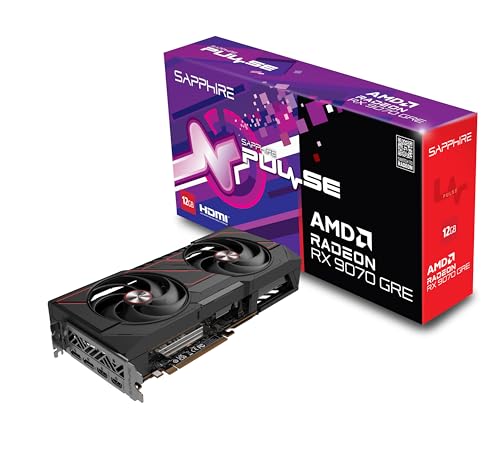

Top 3 picks at a glance
Quick picks
| Design workload | Best fit | Why | Main compromise |
|---|---|---|---|
| Photoshop, Illustrator, Figma | Mid-range GPU with 8GB VRAM | Strong display performance without overspending | Little benefit from an expensive flagship |
| 4K video editing | Modern NVIDIA or AMD card with 12GB or more | Better effects, timelines, and high-resolution previews | CPU, RAM, and storage still matter greatly |
| Blender and GPU rendering | NVIDIA RTX with 12GB or more | CUDA and OptiX support are widely useful | Usually costs more than a comparable Radeon card |
| CAD and professional 3D | Workstation-class or well-supported gaming GPU | Driver stability and application certification can matter | Workstation cards offer less gaming value |
| Budget design and schoolwork | Intel Arc or entry-level Radeon/NVIDIA | Enough power for 2D work and light creative projects | Less headroom for demanding effects and rendering |
Best overall: a mid-range NVIDIA GeForce card
A current mid-range NVIDIA GeForce RTX graphics card is the easiest recommendation for a mixed design workload. Look for at least 8GB of VRAM for 2D design and 12GB or more if you work with 4K video, large 3D scenes, or high-resolution textures.
This class of card handles Photoshop, Illustrator, Lightroom, Premiere Pro, DaVinci Resolve, Blender, and ordinary CAD work without forcing you to pay for a professional workstation model. NVIDIA’s encoder support is also useful for video exports and screen recording, while CUDA and OptiX can accelerate compatible renderers.
The failure mode is buying too much GPU for a mostly 2D workflow. Photoshop and Illustrator do not turn into dramatically faster applications just because you move from a mid-range card to a high-end one. If your projects are flat graphics, web layouts, logos, or print work, spend the difference on 32GB or 64GB of system memory, a color-accurate monitor, and a fast SSD.
Best for 3D rendering: NVIDIA RTX
For Blender, Octane, V-Ray, and other GPU renderers, NVIDIA remains the lower-risk choice. CUDA support is broad, and OptiX can use the card’s ray-tracing hardware to reduce render times in supported workloads. This does not make every NVIDIA card faster than every AMD card, but it makes compatibility easier to predict.
Choose 12GB of VRAM as a practical starting point for serious 3D work. Sixteen gigabytes or more is preferable for large scenes, complex geometry, high-resolution textures, and animation. When a scene exceeds available VRAM, performance can collapse or the render may fail altogether. Adding system RAM does not fully solve that problem.
A high-end RTX card is worthwhile when rendering is part of your paid work and minutes saved translate into more jobs or faster revisions. It is harder to justify for occasional Blender practice. A cheaper card is fine if you can accept longer render times and keep scenes carefully optimized.
Best AMD option: more VRAM for the money
A Radeon card is worth considering when your design software uses standard GPU APIs well and you value memory capacity. AMD Radeon graphics cards with 12GB or more can offer strong raster performance and generous VRAM at a lower price than some NVIDIA alternatives.
AMD is particularly sensible for video editing, general viewport work, and applications that do not depend on CUDA. It can also be a strong choice if you use the same computer for gaming. Before buying, check the exact renderer and plug-ins you use. Some creative applications support Radeon well, while others are optimized primarily for NVIDIA.
The main risk is not that Radeon cards are poor; it is that a specific feature, renderer, or plug-in may work better on NVIDIA. If your income depends on GPU rendering, confirm compatibility from the software developer and recent user reports rather than relying on general benchmark charts.
Best budget choice: Intel Arc or an entry-level card
For Photoshop, Illustrator, Figma, Canva, office work, and basic photo editing, an affordable Intel Arc graphics card can be enough. Intel’s newer cards offer useful media-engine support and can be good value when priced below comparable alternatives.
They make the most sense in a modern PC with a recent processor, updated motherboard firmware, and current graphics drivers. Older systems can expose compatibility problems, and application support is not as mature or predictable as NVIDIA’s. Intel Arc is therefore a good budget option for a technically comfortable buyer, but not always the safest gift or office-PC upgrade.
An entry-level NVIDIA or Radeon card is also fine for 2D design. Do not buy a discrete card solely to run a few browser tabs or display two monitors; integrated graphics can handle that. The upgrade becomes worthwhile when you need smoother large canvases, hardware video encoding, GPU filters, or a better 3D viewport.
What to check before buying
VRAM: 8GB is usable for most 2D work. Choose 12GB or more for demanding video and 3D projects. More memory does not automatically mean a faster card, but insufficient memory is a hard limit.
Monitor outputs: Check that the card supports your intended resolution and refresh rate. For a 4K monitor, modern DisplayPort and HDMI outputs are preferable. If you plan to use three or four displays, count the physical outputs before ordering.
Power and size: High-performance cards can require a stronger power supply and occupy three slots. Measure the case, check the power connectors, and leave room for airflow. A card that fits technically but blocks every intake fan is a poor design workstation.
CPU and RAM: A graphics card cannot compensate for an old processor, 16GB system memory in a heavy workflow, or a slow scratch drive. For serious creative work, 32GB RAM is a sensible baseline and 64GB is useful for large files, video, and 3D.
FAQ
Do I need a powerful graphics card for Photoshop?
Usually not. A modern mid-range or entry-level card is sufficient for most Photoshop work. Prioritize RAM, storage, and a good monitor before moving to a flagship GPU.
Is NVIDIA better than AMD for design?
NVIDIA is the safer choice for CUDA, OptiX, Blender, and many GPU renderers. AMD can be better value when your applications use standard graphics APIs and you want more VRAM for the money.
How much VRAM should a design GPU have?
Get 8GB for ordinary 2D design, 12GB for heavier video and 3D work, and 16GB or more for large scenes and high-resolution textures.
Can an Intel Arc card handle creative work?
Yes, especially 2D design, media playback, and light editing. It is a better fit for buyers willing to keep drivers current and verify compatibility with their specific applications.



