
Updated October 2026 – card list rechecked against published specifications; every pick below runs from the PCIe slot alone.
Our Top Picks
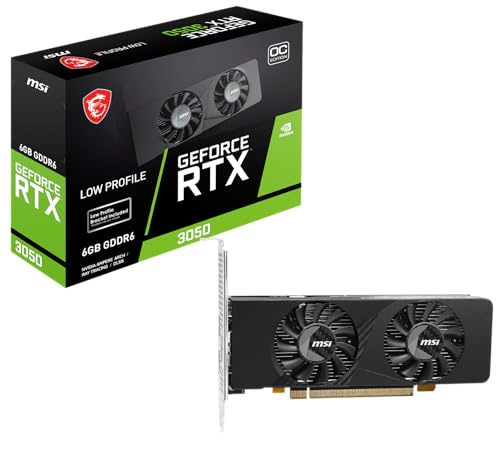
 msi Gaming RTX 3050 LP 6G OC Graphics1.7" x 2.7" x 6.9"6.9 x 2.7 x 0.1 inches1.16 PoundsCheck on Amazon
 ASRock Radeon RX 6400 Challenger ITX 4GB GraphicsRX 6400 4GB9.89 x 8.55 x 2.52 inches0.6 poundsCheck on Amazon

Top 3 picks at a glance

Best GPU Without External Power: Quick Answer
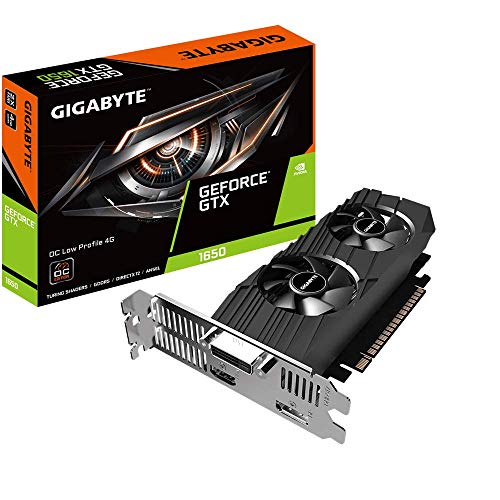
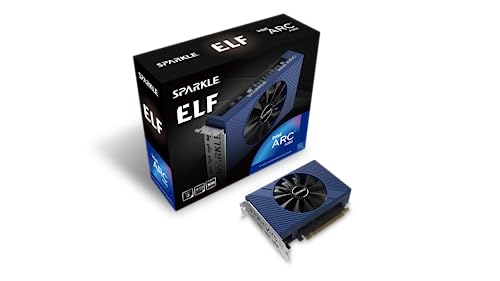
The best GPU without external power for most buyers is the MSI GeForce RTX 3050 LP 6G OC, a 6GB low-profile card that runs on the 75W the PCIe slot provides. For a cooler, smaller PC, the GIGABYTE GeForce GTX 1650 OC Low Profile 4G is the simple 1080p choice, and the Sparkle Intel Arc A380 ELF is the pick for AV1 media work. Avoid any card whose box lists a 6-pin or 8-pin connector.
Top Picks at a Glance
| Pick | Best for | Memory | Slot power class |
|---|---|---|---|
| MSI GeForce RTX 3050 LP 6G OC | Fastest slot-powered gaming, DLSS | 6GB GDDR6 | About 70W |
| GIGABYTE GeForce GTX 1650 OC Low Profile 4G | Plug-and-play 1080p in a small PC | 4GB GDDR5 | Up to 75W |
| Sparkle Intel Arc A380 ELF | AV1 media and budget builds | 6GB GDDR6 | Up to 75W |
| ASRock Radeon RX 6400 Challenger ITX | Tiny PCs, low heat | 4GB GDDR6 | About 53W |
| Sparkle Intel Arc A310 Omni View | Multi-monitor and media servers | 4GB GDDR6 | 50W |
| PNY RTX A400 4GB | Office, CAD and multi-display | 4GB GDDR6 | 50W |
What “no external power” actually means
A GPU without external power runs entirely off the 75W your motherboard can deliver through the PCIe x16 slot. No 6-pin, no 8-pin. If your prebuilt Dell, HP, Lenovo, or office SFF machine has a 260W to 350W PSU with no spare cables, this is your only safe upgrade path.
That 75W ceiling sets hard limits. You will not get high-refresh 1440p, good ray tracing, or heavy AI work. What you do get is a huge jump over Intel UHD, Vega, or older Radeon integrated graphics, and enough power for 1080p low to medium gaming, Plex transcoding, and GPU acceleration in Lightroom, Premiere, and DaVinci.
As an Amazon Associate we earn from qualifying purchases at no extra cost to you.

Two practical checks before you buy: measure your case and check your slot. Many office PCs only fit low-profile, single-slot or dual-slot cards under 170mm long. And your motherboard must have a full-length PCIe x16 slot that can actually supply 75W – most do, but some ultra-compact OEM boards limit it to 35W or 50W. If your manual says “35W max for PCIe,” do not buy one of these cards.
Quick comparison
If you just want the short list, this is how the current slot-powered options stack up on published specifications and typical buyer use.
| Card | Power | Profile | Best for | Watch out for |
|---|---|---|---|---|
| GeForce GTX 1650 GDDR6 | 75W | Low-profile versions available | 1080p gaming on prebuilts, plug-and-play | DDR4 version is far slower, avoid it |
| GeForce RTX 3050 6GB | 70W | Mostly full-height, dual-fan | Fastest slot-powered gaming, DLSS | Needs room and airflow; not all fit SFF |
| Radeon RX 6400 | 53W | Low-profile, single-slot available | Tiny PCs, low power and heat | Only 4 PCIe lanes; slow on PCIe 3.0 systems |
| Intel Arc A380 | 75W | Mostly full-height | AV1 encode, cheap media PC | Drivers and old-game compatibility |
| Used GTX 1050 Ti | 75W | Low-profile versions common | Cheapest usable upgrade | No AV1, aging, used-market risk |
Best all-rounder: GTX 1650 GDDR6
For most people with no power cable to spare, the GTX 1650 GDDR6 is still the default answer. It sits right at 75W, needs no connector, and runs cool enough for cramped OptiPlex and ProDesk cases when you get a low-profile version.
Expect 60 fps at 1080p medium in eSports titles like Valorant, Fortnite Performance Mode, CS2, and League, and 40-60 fps at 1080p low-medium in heavier games like GTA V, Elden Ring, and Cyberpunk. It supports NVENC for streaming and hardware decode for H.264 and HEVC, which matters more than raw fps if this is a family PC.
The failure mode here is buying the wrong 1650. There are three versions: GDDR5, GDDR6, and DDR4. The DDR4 one is a trap – about 30% slower. Look specifically for GDDR6 on the box. Also, full-height cards will not fit SFF desktops. If you have a slim Dell 3080 SFF or similar, you must get a low-profile card that includes the short bracket in the box.
If you have a standard tower prebuilt with no power cable, browse GTX 1650 GDDR6 low profile cards and filter for GDDR6 and the bracket type you need. The cheaper option is fine here – a basic dual-fan or single-fan 1650 performs the same as an overclocked one in a hot OEM case.
Fastest slot-powered option: RTX 3050 6GB
The 6GB version of the RTX 3050 is the fastest GPU you can currently buy that runs on slot power alone. It is rated at 70W and most partner models ship without a 6-pin. It is roughly 25-35% faster than a GTX 1650 and adds DLSS upscaling, which is what makes 1080p high settings actually viable in newer games.
This suits someone with a mid-tower office PC or older gaming PC with a weak PSU – for example, a Dell XPS 8940 or HP Pavilion with a 350W-400W unit and no PCIe cable. You get playable Baldur’s Gate 3, Hogwarts Legacy, and Call of Duty at 1080p medium-high with DLSS Balanced.
Trade-offs are physical, not electrical. Almost all 70W RTX 3050 6GB cards are full-height and 200mm+ long with two fans. They will not fit slim SFF machines. They also dump all 70W as heat inside the case, and OEM cases have terrible exhaust. If your CPU already hits 85C+, expect thermal throttling and loud fans. You also give up a lot of VRAM – 6GB is already tight, so do not buy this for 1440p.
Only buy a model explicitly listed as “no external power connector required.” Some 8GB RTX 3050 models need a 6-pin – they are not the same card.
Best for tiny PCs: RX 6400
The RX 6400 is the easiest card to fit and cool. At 53W, low-profile and even single-slot models exist, and it barely stresses a 260W PSU. If you have a Lenovo ThinkCentre Tiny-adjacent SFF or a 2U office box where a GTX 1650 runs too hot, this is often the only card that works long-term without fan errors.
Performance is behind the GTX 1650 by about 10-15% at 1080p, and the catch is PCIe lanes. The RX 6400 only uses four PCIe lanes. On a modern PCIe 4.0 board it is fine. On older PCIe 3.0 boards – which is most 6th to 9th-gen Intel office PCs – you lose another 10-15% in some games, with noticeable stutter in open-world titles. eSports and older games are unaffected.
It also lacks hardware encoding for H.264/HEVC in a useful form for streaming. If you plan to stream or record with OBS, NVIDIA is better. If you just need display outputs, light gaming, and low heat, the cheaper RX 6400 is fine and you should not pay extra for a 1650.
Check low profile RX 6400 options if height is under 70mm in your case. Make sure the listing shows a low-profile bracket included, otherwise you will be bending metal.
Media PC pick and rock-bottom budget
The Intel Arc A380 is a niche pick. Gaming performance sits between the RX 6400 and GTX 1650, but it has excellent AV1 encode and decode. For a Plex server, Jellyfin box, or cheap Premiere rig with no power cable, that matters. A used office PC plus an A380 makes a very capable 4K AV1 playback and transcode box for little money.
The downside is software. New drivers have improved a lot, but older DirectX 9 and DirectX 11 games still have more hitches and crashes than NVIDIA. You also need Resizable BAR enabled for full performance. Most 10th-gen Intel and Ryzen 3000 or newer OEM boards support it, but many older office BIOSes do not expose the toggle. Without it, you lose 10-20%.
Do not buy the A380 as a pure gaming card for a kid who plays Roblox, Minecraft Java with mods, and a pile of older Steam games. Get the 1650 instead.
At the very bottom, a used GTX 1050 Ti is still viable at a low used price if you just need outputs and light 1080p. It uses 75W, needs no power, and works with ancient drivers on Windows and Linux. No DLSS, no AV1, and about 25% slower than a 1650. Only buy it if the price is well below a new RX 6400 or A380. Check fan noise and repaste – most used 1050 Ti cards have dried thermal paste and clogged single fans.
For that use case, search Intel Arc A380 cards for AV1 builds and compare against used prices locally. Do not pay new prices for a 1050 Ti – it has been discontinued for years and new-old-stock listings are overpriced.
More Graphics Cards Without External Power Worth Considering
The four main picks above cover most buyers. The cards below fill specific gaps: a second RTX 3050 option, more Intel Arc choices, a 50W workstation card and an ultra-cheap display-output card. Every spec line comes from the maker or listing title, and you should still confirm the connector situation on the exact model before ordering.
MSI GeForce RTX 3050 LP E 6G OC – Best low-profile RTX 3050 alternative
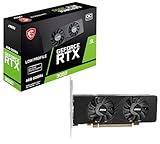
A second low-profile RTX 3050 6GB for small cases, built for lower power draw. It suits an office SFF desktop that needs DLSS and ray-tracing support without a PSU upgrade.
- 6GB GDDR6 with an OC boost of 1492 MHz
- Low-profile design with dual fans
- Outputs: VGA, HDMI and DisplayPort
- Listed as a low-consumption design
Pros: DLSS support; low-profile fit; the VGA output helps with older monitors. Cons: only 6GB of video memory; dual fans can be noisy in tight cases. Skip it if your case cannot take a dual-fan card, or if you want a bigger bracket-free fit.
maxsun GeForce RTX 3050 6GB Low Profile – Best for slim small-form-factor cases

This card targets mini and slim desktops. It gives you the RTX 3050 6GB feature set in a slimmer package.
- 6GB GDDR6 on the RTX 3050 6GB chip
- PCIe 4.0 interface
- HDMI 2.1 and DisplayPort 1.4a outputs
- Slim low-profile form factor
Pros: fits mini PCs; modern outputs; same chip as larger models. Cons: lesser-known brand; confirm the bracket type and warranty terms. Skip it if you prefer an established brand with wider support.
ASRock Intel Arc A380 Challenger ITX 6GB OC – Best A380 for compact builds

A compact Arc A380 with a silent mode, aimed at small cases and media PCs.
- 6GB GDDR6, 96-bit memory bus
- 2250MHz GPU clock
- PCIe 4.0 interface
- Single fan with 0dB silent mode
- DisplayPort 2.0 and HDMI 2.0b
Pros: AV1 hardware encode and decode; quiet at idle; compact. Cons: needs Resizable BAR for best results; older DirectX 9 and 11 games can be rougher than on NVIDIA. Skip it if your main use is older PC games.
XFX Speedster SWFT105 Radeon RX 6400 – Best for quiet, cool basic gaming
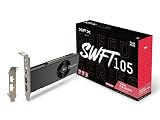
A second RX 6400 option from a mainstream brand, for readers who want a bigger cooler than a tiny low-profile design.
- 4GB GDDR6
- AMD RDNA 2 architecture
- PCIe 4.0 x4 interface
- Roughly 53W board power class
Pros: low heat; efficient; works in weak-PSU systems. Cons: x4 PCIe link hurts on older PCIe 3.0 boards; no video encoder worth using for streaming. Skip it if your motherboard is PCIe 3.0 and you play new open-world games.
ASRock Intel Arc A310 Low Profile 4GB – Best cheap Intel Arc for office PCs

An entry Arc card for desktops that need modern display outputs and AV1 decode rather than gaming speed.
- 4GB GDDR6
- 2000 MHz GPU clock
- Low-profile design with dual fans
- DisplayPort 2.0 and HDMI 2.0b, 8K support
Pros: AV1 support; low-profile; modern outputs. Cons: weak for current games; Arc drivers are less mature than rivals. Skip it if you want to play anything beyond esports at 1080p.
Sparkle Intel Arc A310 Omni View – Best for four-display setups

A single-slot card with four HDMI outputs, built for signage, trading desks and media servers.
- 4GB GDDR6
- 4x HDMI outputs
- 50W TBP
- Single fan, single-slot design
Pros: four screens from one card; very low power; single slot. Cons: not a gaming card; uncommon outputs. Skip it if you want gaming performance.
PNY RTX A400 4GB – Best workstation card on slot power

A professional single-slot, low-profile card for office PCs, CAD viewports and multi-display desks. It is a work card first, so do not buy it for games.
- 4GB GDDR6
- 768 CUDA cores
- PCI Express 4.0 interface
- 4x Mini DisplayPort 1.4a
- 50W board power
Pros: very low power; four displays; single slot. Cons: costs more than gaming cards of similar speed; requires Mini DisplayPort adapters. Skip it if gaming is the goal.
ASUS GeForce GT 1030 2GB – Best rock-bottom display-output card

A tiny, quiet card for turning an old office PC into a basic multimedia machine. It is only for display output and very light games.
- 2GB GDDR5
- PCIe 3.0 interface
- HDMI and DVI-D outputs
- Low-profile bracket included, single fan
Pros: tiny; very low power; low-profile bracket included. Cons: too slow for modern games; 2GB of memory. Skip it if you want any real 1080p gaming.
Best GPU Without External Power by Use Case
Here is a one-glance guide. Each line pairs the use with the best fit and the spec that decides it.
- Best for 1080p gaming: MSI GeForce RTX 3050 LP 6G OC · 6GB GDDR6 · DLSS support
- Best for cramped office PCs: GIGABYTE GeForce GTX 1650 OC Low Profile 4G · 4GB · low-profile bracket
- Best for streaming and AV1: Sparkle Intel Arc A380 ELF · 6GB GDDR6 · AV1 encode and decode
- Best for low heat: ASRock Radeon RX 6400 Challenger ITX · 4GB GDDR6 · about 53W
- Best for many monitors: Sparkle Intel Arc A310 Omni View · 4x HDMI · 50W
Power Supply Wattage Guide for Slot-Powered Cards
Slot-powered does not mean power-free. Match your supply to the whole system, not just the card.
| PSU capacity | Safe choices | Notes |
|---|---|---|
| 200W to 240W | RX 6400, Arc A310, PNY RTX A400 | Pair with a low-power CPU; avoid extra drives |
| 260W to 300W | GTX 1650, Arc A380, RX 6400 | Fine with a 65W CPU |
| 300W to 400W | RTX 3050 6GB, any of the above | Still needs good case airflow |
These are planning tiers, not guarantees. Check your PC maker’s documentation for the PSU rating and the PCIe slot power limit, because some compact OEM boards cap the slot below 75W.
What to check before you install
Turn off the PC, flip the PSU switch, and hold the power button for five seconds before you touch anything. Slot-powered cards still pull the full 75W through the motherboard, and seating a card live can kill the board.
Remove old drivers with DDU if you are switching brands, especially Intel to NVIDIA or AMD to NVIDIA. OEM Windows installs often carry broken vendor drivers that cause black screens after a GPU swap.
If your PC has a 200W-260W proprietary PSU and a 65W CPU, stay with the RX 6400 or A380. A 75W GTX 1650 plus a spinning hard drive, DVD drive, and USB-powered devices can trip overcurrent protection on boot. If you hear a click and the PC shuts off immediately, that is what happened – go down a power tier.
How We Chose These Slot-Powered Graphics Cards
This list is based on research, not personal use of the products. We compared manufacturer specifications, published documentation, professional roundups and recurring buyer feedback, then kept only cards whose listings describe a design that draws power from the PCIe slot. We did not run our own benchmarks, so treat performance statements as general expectations rather than measurements.
- Power: board power at or below 75W with no 6-pin or 8-pin connector on the card.
- Fit: low-profile or single-slot options where small cases are common.
- Platform: compatibility with typical older office PCs, including limited BIOS options and PCIe 3.0 slots.
- Purpose: a spread from gaming to media encoding to multi-display work.
Buying Guide: Thresholds That Decide Which Card You Can Use
Power budget: 75W, 70W, 53W or 50W
The PCIe x16 slot is specified to deliver up to 75W, so any card in this guide stays at or below that. The RTX 3050 6GB sits near 70W, the GTX 1650 and Arc A380 near 75W, the RX 6400 near 53W, and the Arc A310 and RTX A400 near 50W. If you have a very small power supply, every watt you save lowers the risk of shutdowns.
Case size: low-profile, single-slot or full-height
Measure the free space inside your case. Slim desktops often take only low-profile cards under about 170mm long, and some need a single-slot design. Full-height dual-fan cards are quieter and cooler but will not fit them. Check that the box includes a short bracket.
Resizable BAR and BIOS support for Intel Arc
Arc cards perform best with Resizable BAR enabled. Many older office BIOS versions do not expose the setting, and without it performance can drop sharply. If your PC is older than about 2019, consider NVIDIA or AMD instead.
PCIe link width and generation
The RX 6400 uses only four PCIe lanes, so a PCIe 3.0 motherboard halves its available bandwidth compared with PCIe 4.0. Most other cards here use sixteen lanes, which makes them a safer match for older systems.
Video outputs
Count your monitors and check the connector types. Some low-profile cards trade full-size ports for mini connectors, and the PNY RTX A400 uses Mini DisplayPort. Adapters add cost.
Which Card Should You Buy? Decision Scenarios
- You have a Dell, HP or Lenovo tower with a 300W to 400W supply and want to play at 1080p: choose the MSI GeForce RTX 3050 LP 6G OC or a similar RTX 3050 6GB.
- You have a slim SFF PC and a small budget: choose the GIGABYTE GeForce GTX 1650 OC Low Profile 4G.
- You run Plex or Jellyfin and want AV1: choose the Sparkle Intel Arc A380 ELF or ASRock Arc A380 Challenger ITX.
- Your PSU is under 250W or your CPU is a hot 65W part: choose the Radeon RX 6400 or an Arc A310.
- You need four screens for work: choose the Sparkle Arc A310 Omni View or PNY RTX A400.
- You only need a display output: choose the ASUS GeForce GT 1030 2GB.
What You Cannot Do on Slot Power Alone
Slot-powered cards do not support high-refresh 1440p gaming, 4K gaming, strong ray tracing or heavy AI work. If you need that, plan a new power supply and a card with a 6-pin or 8-pin connector, and check that the case has room and airflow for it. Adapter cables on a small proprietary OEM supply are not a safe workaround.
FAQ
Can I use an adapter to power a bigger GPU if I have no cable?
No. SATA-to-6-pin and Molex-to-8-pin adapters on a 250W-300W OEM PSU are how you melt connectors or kill the 12V rail. If you need a power connector, replace the PSU first, and many Dell/HP SFF machines use proprietary PSUs you cannot replace.
Will a 75W GPU work in a PCIe x16 slot wired as x4?
It will boot and display, but gaming performance drops, especially on the RX 6400 which is already x4. Check your manual. Secondary slots in cheap boards are often x4 electrically and share bandwidth.
Is the RTX 3050 6GB really slot-powered?
Most models are, at 70W with no connector. But not all RTX 3050s are. The 8GB models almost always need a 6-pin. Read the specs and look at product photos for a missing power socket before you order.
Do I need to upgrade my power supply for a GTX 1650?
Usually not if you have 280W or more from a name-brand OEM supply and a 65W CPU. If you have a 200W-240W unit, constant shutdowns under load, or a 95W+ CPU, step down to an RX 6400 or plan a full system replacement instead.
What is the best graphics card that needs no power cable?
The GeForce RTX 3050 6GB, such as the MSI RTX 3050 LP 6G OC, is the fastest option that runs on slot power. The GTX 1650 and Intel Arc A380 follow, and the Radeon RX 6400 is best for tiny, low-heat builds.
Will a low-profile card fit my Dell OptiPlex or HP ProDesk?
Usually yes if you buy a low-profile card with a short bracket, but measure height and length first. Many slim cases accept only single-slot cards, so check your case manual before ordering.
Can a 75W graphics card run on a 250W power supply?
Often yes with a 65W CPU and few drives, but it is a tight budget. If the PC shuts off at boot or under load, step down to a 50W-class card such as the RX 6400 or Arc A310.



