
Choosing the best GPU for neural networks is less about gaming frame rates and more about memory, software support, and the models you plan to run. A graphics card that is excellent for games can be a poor machine-learning purchase if its framework support is limited or its VRAM is too small.
For most people, NVIDIA remains the safest choice. CUDA support is mature, documentation is extensive, and popular tools such as PyTorch generally work with less setup. AMD can be worthwhile when you need more VRAM for the money and are comfortable checking ROCm compatibility. Intel Arc is interesting at the budget end, but it is still a more experimental option for serious neural-network work.
As an Amazon Associate we earn from qualifying purchases at no extra cost to you.


Our Top Picks
 GIGABYTE Radeon RX 9070 XT Gaming OC 16GRADEON9070XT11.34 x 5.2 x 2.2 Inches3.9 PoundsCheck on Amazon

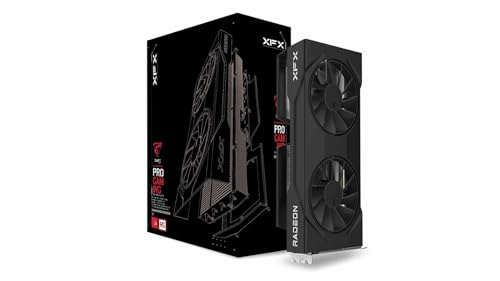
Top 3 picks at a glance
What matters when buying a neural-network GPU
VRAM is the first specification to check. The model weights, intermediate activations, batch size, and framework overhead all consume memory. A model that technically fits in 12GB may still fail during training because there is not enough room for gradients and optimizer states.
As a rough guide, 8GB is suitable for small experiments and compact models, 12GB is a more comfortable minimum for local inference, and 16GB or more gives you substantially more flexibility. Large language models often require quantization, CPU offloading, or multiple GPUs even with 24GB. More VRAM does not automatically make a card faster, but insufficient VRAM can make a fast card unusable.
Software support matters just as much. NVIDIA’s CUDA ecosystem is the least troublesome route for PyTorch, TensorFlow, CUDA-accelerated libraries, and many prebuilt applications. AMD’s ROCm platform has improved, but support varies by GPU, operating system, and software version. Intel’s oneAPI and XPU support can work well for selected workloads, though you should verify your exact framework and model before buying.
Memory bandwidth and compute performance affect training and inference speed once the workload fits in VRAM. Tensor cores and other dedicated AI hardware can deliver major gains in supported operations, but real performance depends on precision, kernels, drivers, and the model. A theoretical AI figure is not a reliable substitute for software benchmarks.
The best GPU options by buyer
| Buyer | Best direction | Why it makes sense | Main drawback |
|---|---|---|---|
| Most users | NVIDIA GeForce with 16GB or more | Best compatibility with CUDA and common ML tools | Often expensive for the amount of VRAM |
| Serious local experimentation | NVIDIA GeForce with 24GB or more | Fits larger models and training workloads | High purchase price, power use, and case requirements |
| VRAM-focused buyer | AMD Radeon with 16GB or more | Can offer more memory at a lower price | ROCm compatibility is less predictable |
| Lowest-cost experimenter | Intel Arc with 12GB or more | Competitive memory capacity and useful media hardware | Smaller software ecosystem and more troubleshooting |
NVIDIA: the safest recommendation
Buy an NVIDIA graphics card with 16GB of VRAM if you want the least friction. This is the right default for students, developers, and researchers who need to follow tutorials or run software without adapting every command.
A current GeForce card with 16GB can handle many computer-vision projects, diffusion image generation, fine-tuning experiments, and quantized language models. Choose a 24GB model instead if local AI is a central use rather than an occasional hobby. The extra capacity can prevent out-of-memory errors and reduce the need for CPU offloading, which is usually much slower.
The trade-off is price. NVIDIA often charges a premium for CUDA support, and a newer card with less VRAM may be a worse neural-network purchase than an older or slower card with more memory. Check the exact VRAM capacity before buying; the most expensive gaming GPU is not necessarily the best workstation for your model.
AMD: good value if your software is compatible
AMD Radeon cards are worth considering when a 16GB AMD Radeon graphics card costs substantially less than an NVIDIA alternative. AMD cards can provide strong raw performance and generous memory, making them attractive for inference and workloads that are already known to run well through ROCm.
Do not buy one solely because it has more VRAM. ROCm support can depend on the card generation, Linux distribution, Windows support, PyTorch version, and the particular operation used by your model. Some applications support NVIDIA first and AMD later, while others may require manual installation or workarounds. If you are buying for a specific model, check its current ROCm instructions and issue tracker before ordering.
AMD is a sensible choice for technically confident users who can tolerate setup work, or for buyers whose software explicitly supports their chosen Radeon GPU. It is a weaker choice for someone who needs every tutorial and prebuilt package to work exactly as written.
Intel Arc: affordable, but verify everything
Intel Arc cards can be appealing for budget experimentation, especially when a 12GB model is priced below competing options. Intel’s software stack is developing, and supported workloads can perform well for the money. Arc also offers useful video encoding hardware if your neural-network machine doubles as a media PC.
The failure mode is compatibility rather than raw hardware. Framework support, driver behavior, model-specific kernels, and installation instructions are not as universal as CUDA. You may spend more time changing runtimes than training models. Consider Intel when you enjoy experimenting and have confirmed support for your target workload; avoid it as a blind purchase for a deadline-driven project.
Practical buying advice
Set your VRAM target before comparing GPU names. For basic inference, 12GB can be adequate. For a more flexible local setup, shop for a 24GB graphics card. If your budget cannot reach that capacity, quantized models and smaller batch sizes may still make 16GB useful.
Also check your power supply, case clearance, and cooling. Long training runs keep the GPU busy for hours, exposing weak airflow or an undersized power supply quickly. A card that fits physically may still block expansion slots or run uncomfortably hot in a compact case.
Do not assume two GPUs automatically combine their memory. Many applications split a model across cards, but the result depends on software and interconnect performance. Two 12GB cards are not always equivalent to one 24GB card, and they consume more power and require a motherboard with suitable slots.
Finally, consider cloud rental before spending heavily. If you only train occasionally, renting a high-memory accelerator may cost less than buying a 24GB or larger card. A local GPU makes more sense when you run models frequently, need privacy, or want predictable access without hourly fees.
FAQ
Is NVIDIA always best for neural networks?
No, but it is the safest general recommendation because CUDA support is broad and well documented. AMD or Intel can be better value when your exact software stack supports them.
Is 8GB of VRAM enough for AI?
It is enough for small models, basic inference, and learning the tools. It becomes restrictive for larger language models, image generation at higher resolutions, and training because those tasks need memory for more than just model weights.
Should I buy more VRAM or a faster GPU?
Buy enough VRAM first. A faster card that runs out of memory can fail or fall back to slow system memory, while a slower card with adequate capacity can complete the workload.
Can I use a gaming GPU for neural networks?
Yes. GeForce and Radeon gaming cards can be effective for local AI, provided the framework supports the GPU and its VRAM is sufficient. Workstation branding is not required for most personal projects.



