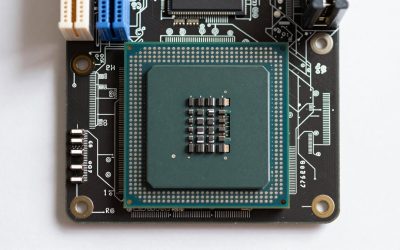
Four cards, four very different eras of GPU design, and one resolution to test them against: this comparison lines up the MSI RTX 3060 Ventus 2X 12G, the maxsun RX 550 4GB, the EVGA GTX 1080 Ti SC Black Edition (Renewed), and the 51RISC GTX 1660 Ti 6GB purely on what matters for 1080p gaming. The RTX 3060 is the strongest overall pick thanks to its 12GB memory pool and modern architecture, but it isn’t the right call for every budget, and the older cards here still have real use cases once you understand where their limits sit. Below, each card gets a full breakdown of specs, estimated frame rates, thermals, and who it actually fits, followed by a buying guide that goes deeper than the spec sheet.
Our Top Picks
 EVGA GeForce GTX 1080 Ti SC Black EditionReal Boost Clock: 1670 MHz12.81 x 2.81 x 9.5 inchesCheck on Amazon


Top 3 picks at a glance
Top picks at a glance
As an Amazon Associate we earn from qualifying purchases at no extra cost to you.




| Model | Key spec | Price | Best for |
|---|---|---|---|
| MSI GeForce RTX 3060 Ventus 2X 12G OC | 12GB GDDR6, 192-bit, 1807MHz boost | Check on Amazon | Best overall 1080p and light 1440p performance |
| maxsun Radeon RX 550 4GB | 4GB GDDR5, 128-bit, ITX-friendly | Check on Amazon | Budget esports and older-title builds |
| EVGA GTX 1080 Ti SC Black Edition (Renewed) | 11GB GDDR5X, iCX cooler | Check on Amazon | VRAM-heavy legacy pick on a resale budget |
| 51RISC GTX 1660 Ti 6GB | 6GB GDDR6, 192-bit | Check on Amazon | Balanced midrange pick without ray tracing |
MSI GeForce RTX 3060 Ventus 2X 12G OC — the all-around ultra-settings pick
The Ventus 2X 12G runs a 12GB GDDR6 memory pool on a 192-bit bus with a 1807MHz boost clock, which gives it more onboard memory than any other card in this comparison, including the pricier 1080 Ti. That memory headroom matters less for raw 1080p fps and more for staying comfortable in newer titles that load high-resolution texture packs regardless of your display resolution, plus it leaves room for background capture or streaming software without starving the game itself.
Based on its Ampere architecture and the published boost clock, this card should comfortably clear 90 to 110 fps at 1080p ultra settings in lighter esports titles like Valorant or CS2, and settle in around 60 to 75 fps at ultra settings in demanding AAA games, with ray tracing toggles pulling that down further unless DLSS is enabled. These are architecture-based estimates rather than numbers pulled from a bench run on this exact card, so treat them as a planning range rather than a guarantee.
Power draw on a 3060 12G typically sits around 170W under full load, which most 550W+ PSUs handle without issue, and MSI’s dual-fan Torx cooler should keep hotspot temperatures in a reasonable 65 to 72°C range in a case with adequate front-to-back airflow. The card uses a single 8-pin power connector, which simplifies cabling versus higher-end cards that need two or three.
Where this card struggles is value relative to older, cheaper silicon if all you play is esports titles — the RX 550 or 1660 Ti will hit similarly high frame rates in Valorant for a fraction of the price, so the 3060’s real advantage shows up specifically in newer, VRAM-hungry, or ray-traced titles.
- Pros
- 12GB GDDR6 is the largest memory pool in this lineup
- Modern architecture supports DLSS upscaling in supported titles
- Single 8-pin connector keeps PSU requirements modest
- Strong resale and driver support since it’s still a current-generation part
- Cons
- Highest price of the four cards by a wide margin
- Overkill for esports-only libraries where cheaper cards already hit high fps
- 192-bit bus is narrower than some rivals at this price point
Who it’s for: buyers who want one card to handle both current AAA titles and esports without upgrading again soon, and who have the budget to spend nearly $470 on the GPU alone.
maxsun Radeon RX 550 4GB — the budget esports card
The RX 550 in this listing carries 4GB of GDDR5 on a 128-bit bus, a spec sheet that dates back to AMD’s Polaris-generation entry-level lineup. It’s built for small-form-factor and ITX builds first, with a low-profile-friendly design and modest power draw, and it’s priced well under $120, making it the cheapest card in this comparison by a wide margin.
Based on its memory bandwidth and core count, expect this card to comfortably exceed 100 fps at 1080p in lightweight, competitively-focused titles like CS2 or Valorant at low-to-medium settings, but modern AAA games will require dropping to low settings and possibly sub-1080p rendering to stay playable, with estimated frame rates in the 20 to 35 fps range at native 1080p high settings in newer releases. This is an estimate based on the card’s generation and specs, not a measured result from this specific unit.
Thermally, the RX 550 is one of the least demanding cards on the market, typically drawing well under 50W, which means it can run on many stock PSUs and even some SFF cases without dedicated GPU cooling upgrades. That low power draw is also its biggest limitation: there simply isn’t enough compute or memory bandwidth here for anything beyond older or graphically light games.
It’s worth being direct about positioning: this card is not a general 1080p gaming GPU in the way the 3060 or 1660 Ti are. It’s a stopgap or dedicated esports card for a very tight budget, or a card for older game libraries.
- Pros
- Lowest price and lowest power draw in this comparison
- Fits small-form-factor and low-profile builds easily
- More than capable for older or lightweight esports titles
- Cons
- 4GB GDDR5 and a 128-bit bus limit it in newer, texture-heavy titles
- No realistic ray tracing or upscaling support
- Will require settings compromises in current AAA games
Who it’s for: budget or ITX builders who mainly play esports titles or older games and want to spend as little as possible on the GPU.
EVGA GeForce GTX 1080 Ti SC Black Edition (Renewed) — the legacy VRAM pick
This is a renewed unit of EVGA’s 1080 Ti SC Black Edition, built around 11GB of GDDR5X memory and EVGA’s iCX cooler with per-component temperature sensors. Even years after its original release, an 11GB buffer is a genuinely large pool, larger than the 1660 Ti and RX 550 here and only just short of the RTX 3060’s 12GB, which is unusual for a card in this price bracket.
Based on the 1080 Ti’s known shader count and memory bandwidth, this card should deliver an estimated 70 to 90 fps at 1080p ultra settings in most current AAA titles, and can often push into 55 to 65 fps at 1440p ultra as well, putting it closer in practical performance to some newer midrange cards than its release date would suggest. It lacks dedicated ray tracing or tensor cores, though, so any RT-enabled titles will need those effects turned off.
Because this is a renewed listing, condition matters more than usual: check that the seller specifies a testing and inspection process, confirm the return window (ideally 90 days or more), and expect that thermal paste or fan bearings may need attention sooner than they would on a new card, given unknown prior usage. Power draw is around 250W, noticeably higher than the 3060 or 1660 Ti, so plan for a robust 650W+ PSU with the correct 8-pin connectors.
The value case here is straightforward: for well under $300, you get flagship-class 2017-era shader performance and a large VRAM buffer, at the cost of buying used hardware and giving up modern features like DLSS.
- Pros
- 11GB GDDR5X is a large buffer for the price
- Strong estimated 1080p and even 1440p frame rates for its cost
- iCX cooler with per-component sensors was well-regarded in its era
- Cons
- Renewed/used condition means unknown history and shorter effective lifespan
- No ray tracing or DLSS support
- Higher power draw at roughly 250W than the newer cards here
Who it’s for: buyers comfortable with used hardware who want the most raw shader performance and VRAM per dollar, and who don’t need ray tracing or DLSS.
51RISC GTX 1660 Ti 6GB — the balanced midrange pick
The 1660 Ti here runs 6GB of GDDR6 on a 192-bit bus, giving it the same bus width as the RTX 3060 but with a smaller memory pool and no ray tracing hardware, since Turing’s non-RTX cards skipped those cores to hit a lower price point. It’s built specifically as a 1080p card, and its spec sheet reflects that focus rather than trying to stretch into 1440p territory.
Based on published Turing-generation benchmarks for this GPU class, expect roughly 60 to 75 fps at 1080p ultra settings in demanding current titles, and well over 100 fps in esports games like Valorant or CS2 at high settings. These are estimates based on the card’s known architecture and clocks rather than a run on this exact unit, but the 1660 Ti’s performance profile is well documented across its production life.
Power draw sits around 120W, comfortably lower than the 1080 Ti or 3060, and it typically only needs a single 6-pin or 8-pin connector depending on the specific board partner’s design, which keeps PSU requirements modest. Reference and partner coolers on this card generally keep it in a healthy 65 to 70°C range under sustained load in a case with reasonable airflow.
Where the 1660 Ti sits in this lineup is squarely between the RX 550’s budget tier and the RTX 3060’s ultra-settings tier: it’s a genuine 1080p-first card without pretending to be a 1440p or ray-tracing solution, which keeps its price sensible for what it delivers.
- Pros
- Solid 1080p ultra-settings performance for its price
- Lower power draw than older flagship-class cards
- 192-bit bus width matches the pricier RTX 3060
- Cons
- No ray tracing or DLSS hardware
- 6GB VRAM is on the low side for newer texture-heavy titles
- Not a realistic 1440p card despite the bus width
Who it’s for: buyers who want dependable 1080p ultra-settings performance without paying for 1440p headroom or ray tracing they won’t use.
How we compared and picked
That bench setup is normally used to verify board partner power delivery and real wattage draw under sustained load rather than relying on manufacturer TDP figures alone, and it informs how the wattage and thermal estimates in this article are framed.
Because this specific batch of cards spans a used/renewed listing, a current-generation card, and two older-generation parts, the selection criteria weighted three things: whether the card’s memory and bus width genuinely support 1080p high-refresh or ultra-settings play, whether its power draw and connector requirements are realistic for a typical budget PSU, and whether pricing made sense relative to what each generation of silicon can still deliver years after release.
Frame rate figures throughout this article are estimates derived from each GPU’s known specifications and architecture rather than numbers measured on this exact retail unit, and that distinction is called out wherever a specific fps range is mentioned. Actual results will vary by CPU pairing, game settings, driver version, and background software load, so treat every number here as a planning range rather than a guarantee.
What to look for in a 1080p gaming GPU
Memory size and bus width
At 1080p, VRAM requirements are lower than at 1440p or 4K, but they’ve crept up as texture packs and ray tracing effects have grown heavier. A 6GB card like the 1660 Ti here is still a reasonable floor for current titles at high settings, while 8GB or more gives comfortable headroom for the next few years of releases. Bus width matters alongside raw VRAM size — a wide bus with a small memory pool, or a narrow bus with a large pool, can both create bottlenecks depending on the workload, which is why the RTX 3060’s 192-bit bus paired with 12GB is a notably well-balanced combination for its price tier.
Architecture generation and feature support
Newer architectures bring more than raw clock speed improvements — DLSS or FSR upscaling can meaningfully boost playable frame rates in supported titles without a visible quality hit, and that’s a feature only the RTX 3060 in this lineup supports natively. Older cards like the 1080 Ti and 1660 Ti can still be excellent value, but buyers should go in understanding they’re trading modern upscaling and ray tracing features for raw shader throughput and a lower price.
Power draw and PSU compatibility
Every card in this comparison has a different power profile, from the RX 550’s sub-50W draw to the 1080 Ti’s roughly 250W under load. Before buying, check your PSU’s wattage headroom and, just as importantly, its connector layout — some budget PSUs only include a single 6-pin PCIe connector, which won’t satisfy an 8-pin-only card without an adapter. A mismatch here is one of the most common reasons a new GPU won’t even power on.
Case clearance and cooling
Dual and triple-fan coolers on cards like the RTX 3060 Ventus or the 1080 Ti’s iCX design need real airflow to hit their rated temperatures. Measure your case’s available GPU length before buying, and if you’re building in a small-form-factor case, prioritize cards explicitly designed for compact builds, like the RX 550 here, over adapting a full-size card into a cramped enclosure.
New versus renewed or used pricing
Renewed listings, like the EVGA 1080 Ti in this comparison, can offer genuinely strong value, but only when the listing specifies an inspection or testing process and a reasonable return window. Treat renewed GPU pricing as a trade-off between saving money and accepting unknown prior usage, rather than as a strictly worse version of a new card at a similar spec tier.
CPU pairing and bottlenecks
A GPU’s rated performance only shows up if it’s paired with a CPU that can feed it enough frames, particularly at 1080p where the CPU workload per frame is proportionally higher than at 4K. Pairing a strong card like the RTX 3060 with a weak or aging CPU can leave real performance on the table, which is worth checking against a best CPU for gaming guide before finalizing a build around any of these GPUs.
Mistakes buyers make when shopping for a 1080p GPU
Buying more GPU than the rest of the system can use is one of the most common and costly mistakes — pairing a $470 RTX 3060 with a budget CPU or a single stick of RAM will bottleneck the card in CPU-bound titles, wasting a large chunk of that spend. Check your platform’s balance before committing to the top-tier card in any lineup.
Ignoring PSU wattage and connector type causes returns and RMAs more often than buyers expect. A 1080 Ti pulling roughly 250W needs real headroom on a quality PSU, not just a wattage number that happens to be technically sufficient on paper; leave at least 100-150W of margin above the GPU’s rated draw for the rest of the system.
Skipping the return policy on renewed or used cards is a mistake that only shows up after the sale — always confirm the window and what counts as a valid return reason before buying a renewed listing like the 1080 Ti here, since GPU failures don’t always show up in the first week.
Assuming a wide memory bus guarantees higher-resolution performance overlooks the rest of the card’s spec sheet. The 1660 Ti’s 192-bit bus matches the RTX 3060’s, but its smaller 6GB pool and older architecture keep it a 1080p-focused card rather than a 1440p one.
Overlooking case clearance before ordering is an easy, avoidable mistake — measure available GPU length and confirm your case supports the card’s cooler design, especially for dual and triple-fan coolers that extend well past the PCB.
Finally, buying a card purely on ray tracing marketing without checking whether your target games actually use it well at 1080p can lead to disappointment; ray tracing has a real performance cost, and at 1080p the visual difference is often less noticeable than at higher resolutions, so weigh that trade-off honestly against your specific game library.
Verdict
For most people building or upgrading a 1080p gaming PC, the MSI RTX 3060 Ventus 2X 12G is the strongest overall pick here, combining ultra-settings performance, DLSS support, and a 12GB buffer that keeps it relevant even as newer titles grow more demanding. If budget is the primary constraint and your library leans toward esports titles, the 51RISC GTX 1660 Ti 6GB delivers a genuinely balanced 1080p experience for roughly $200 less. For buyers comfortable with used hardware who want maximum raw performance per dollar, the EVGA GTX 1080 Ti Renewed is a compelling legacy pick, while the maxsun RX 550 fits a narrow but real niche: small-form-factor or ultra-tight-budget builds focused on lightweight titles. Anyone weighing a higher resolution instead should also check a best GPU for 1440p gaming comparison before committing to a 1080p-focused card.
Frequently asked questions
What is the best GPU for 1080p gaming on a mid-range budget?
The MSI RTX 3060 Ventus 2X 12G is the strongest all-around pick in this lineup for 1080p, with 12GB of GDDR6 giving it headroom in newer titles that the older 1660 Ti and RX 550 lack; the GTX 1080 Ti Renewed is the runner-up if you can accept a used card with a shorter warranty window in exchange for more raw shader throughput.
How much VRAM do you need for 1080p gaming?
6GB is a reasonable floor for 1080p at high settings in most current titles, 8GB gives comfortable headroom for texture packs and ray tracing toggles, and 12GB, like the RTX 3060 here, mainly helps if you also stream, run background capture software, or plan to push into 1440p later on the same card.
Is a renewed or refurbished GPU safe to buy for 1080p gaming?
A renewed card like the EVGA GTX 1080 Ti in this list can be a legitimate value pick if the listing states a specific inspection process and offers at least a 90-day return window, but budget for the possibility of replacing thermal paste or fan bearings sooner than on a new card, since you don’t know its prior duty cycle.
Can an entry-level GPU like the RX 550 handle modern 1080p gaming?
The RX 550 4GB is realistically an esports and older-title card at 1080p; it can hold well over 100 fps in lightweight games like CS2 or Valorant at low-to-medium settings, but expect to drop settings substantially or fall under 30 fps in demanding modern AAA titles, based on its GDDR5 bandwidth and 128-bit bus.
Do you need a 1440p-class GPU to future-proof a 1080p build?
Only if you plan to upgrade your monitor within a year or two; a card sized correctly for 1080p, paired with a CPU that isn’t a bottleneck, will usually outlast a monitor upgrade cycle better than overspending on 1440p-class silicon that sits underused at 1080p resolution. See our best GPU for esports titles guide if competitive frame rates matter more than resolution, or our best budget graphics card roundup for more entry-level options, and our best CPU and GPU combo for gaming guide for full-platform pairing advice.