Our Short List of 3

- Best for: Airflow-first white builds with a long graphics card.
- Mid-tower ATX case with tempered glass side panel
- 360mm RGB single-frame fan unit included
- Supports 3 x 120mm bottom fans for direct GPU cooling
- 420mm front radiator support and 360mm top radiator support

- Best for: Builders who already use Corsair parts and want one lighting app.
- Mid-tower ATX case with tempered glass front and side panels
- 3 x SP120 RGB Elite fans pre-installed
- iCUE Lighting Node CORE controller included
- Directed airflow layout with high-airflow front panel

- Best for: High-airflow builds with a large graphics card and a big air cooler.
- Mid-tower case with tempered glass side panel
- 2 x 160mm PWM front fans and 1 x 140mm rear fan included
- Up to 10 fans supported in total
- Graphics cards up to 392mm in length
All 3 Picks at a Glance
| Product | Specs | Action |
|---|---|---|
| NZXT H7 Flow RGB 2024 White |
| Check price on Amazon |
| Corsair iCUE 4000X RGB Black |
| Check price on Amazon |
| Lian Li Lancool 216 RGB White |
| Check price on Amazon |
Picking an RGB case is really a cooling decision dressed up as a lighting decision. The glow only looks good when the fans behind it move enough air, the glass stays clear of dust, and the cables hide out of sight. A case that chokes your graphics card will make the whole build run loud and hot, no matter how pretty the rainbow looks through the side panel.
This guide is for first-time builders who want a bright showcase rig, upgraders moving a hot graphics card into a roomier home, and anyone who wants lighting they can control instead of a fixed rainbow. Every case below was chosen from the names and specs on its Amazon page, with fan counts, clearances and radiator support checked against the listing.
Our Top Picks
- Lian Li Lancool 216 Mid-Tower Airflow Case-3 PWMMid Tower"18.94 x 9.26 x 19.36 inches15.9 poundsCheck on Amazon
Top 3 picks at a glance
Quick Picks
As an Amazon Associate we earn from qualifying purchases
| Product | Best for | Key spec from title |
|---|---|---|
| NZXT H7 Flow RGB 2024 | Airflow-first RGB builds | 360mm RGB single-frame fan unit |
| Corsair iCUE 4000X RGB | Software-controlled lighting | 3 SP120 RGB Elite fans with Lighting Node CORE |
| Lian Li Lancool 216 RGB | Big-airflow mesh builds | Dual 160mm front fans, 392mm GPU clearance |
| MONTECH King 95 Pro | Panoramic glass showcases | 6 ARGB fans with curved glass front |
How to Choose
Airflow comes before lighting
RGB fans that sit behind a solid front panel move far less air than the same fans behind mesh, so check the front panel material first. Mesh fronts, bottom intakes and a clear path from the front fans to the graphics card matter more than the number of LEDs. Count the included fans too: a case that ships with three or four fans saves you a separate fan purchase. Look for fan hubs or PWM control in the listing so the fans can slow down at idle instead of humming all day. Confirm the clearance figure against your card before ordering.
Size the case to your parts
Mid-tower cases fit most builds, but radiator and cooler clearances still vary. A 360mm radiator needs a front or top mount, and a tall air cooler needs enough width between the motherboard tray and the side glass. Measure your graphics card length, your cooler height and your power supply length, then compare each with the listing. E-ATX support helps if you run a large board, while a dual-chamber layout hides the power supply and cables in a second compartment. Leave room around the intakes, since a case pushed against a wall loses airflow.
Lighting control should be simple
Some RGB cases need the motherboard software, others ship with a built-in controller and a button on the front panel, and a few need a separate hub. Motherboard control gives you one app for the whole build, while a hardware controller works without any lighting software. Check whether the fans use standard 3-pin ARGB connectors or a proprietary plug, because a proprietary plug limits your later fan swaps. If you plan to add strips or fans later, look for spare ARGB headers or free hub ports. One lighting ecosystem is easier to live with than three different apps.
Glass, dust and cable room
Tempered glass shows off the build, but it also shows every cable and speck of dust. Look for a power supply shroud, cable channels behind the motherboard tray and room to route thick cables. Dust filters on the front, top and bottom intakes keep the glass clear and the fans clean, and removable filters are far easier to wash than fixed mesh. A hinged or tool-free side panel makes cleaning easy, while four screws get old fast. A case that is easy to open is a case you will actually maintain.
The 4 Best Options
NZXT H7 Flow RGB 2024 White
- Best for: Airflow-first white builds with a long graphics card.
- Mid-tower ATX case with tempered glass side panel
- 360mm RGB single-frame fan unit included
- Supports 3 x 120mm bottom fans for direct GPU cooling
- 420mm front radiator support and 360mm top radiator support
Airflow-first white builds with a long graphics card.
The single-frame fan unit is one large piece, so check that your radiator plans leave room for it.
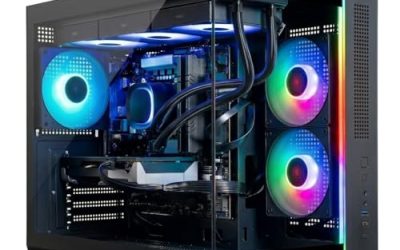
The H7 Flow RGB suits builders who want strong airflow and a clean white showcase without buying extra fans. Its single-frame RGB fan unit keeps the front tidy, and the bottom fan mounts push cool air straight at the graphics card, which is where most gaming heat comes from. The perforated front panel breathes well, and the generous radiator support leaves room for a large liquid cooler later. Cable management channels behind the tray keep the glass view tidy, and the white interior makes the lighting pop even at low brightness.
Corsair iCUE 4000X RGB Black
- Best for: Builders who already use Corsair parts and want one lighting app.
- Mid-tower ATX case with tempered glass front and side panels
- 3 x SP120 RGB Elite fans pre-installed
- iCUE Lighting Node CORE controller included
- Directed airflow layout with high-airflow front panel
Builders who already use Corsair parts and want one lighting app.
The glass front panel trades a little airflow for looks, so keep the intake area clear of clutter.
The 4000X RGB is the pick for builders who want their lighting run from one app. Its three SP120 RGB Elite fans connect to the included Lighting Node CORE controller, and the iCUE software ties the case lighting to Corsair memory, fans and coolers in the same build. Tempered glass on the front and side shows the glow from two angles, and the directed airflow layout pushes intake air across the graphics card. The case is a proven mid-tower size that fits full-size boards and long cards without feeling oversized on a desk.
Lian Li Lancool 216 RGB White
- Best for: High-airflow builds with a large graphics card and a big air cooler.
- Mid-tower case with tempered glass side panel
- 2 x 160mm PWM front fans and 1 x 140mm rear fan included
- Up to 10 fans supported in total
- Graphics cards up to 392mm in length
High-airflow builds with a large graphics card and a big air cooler.
The base model ships without a separate RGB fan controller, so plan your lighting control before ordering.
The Lancool 216 RGB is built around moving a lot of air with very few parts. Its two 160mm front fans are larger than the usual 120mm units, so they push more air at lower speeds, and the mesh panels on the front, top and power supply shroud keep the path open. The adjustable motherboard tray flips between air-cooling and water-cooling modes, which helps when you switch cooler types later. With room for up to ten fans and a 392mm graphics card, it handles oversized hardware that tighter cases cannot.
MONTECH King 95 Pro Black
The King 95 Pro is the showcase pick in this guide. Its curved tempered glass front wraps around the corner of the case, so the whole build is visible from the front and the side at once, and the six pre-installed ARGB fans arrive already wired to a fan hub. The dual-chamber layout hides the power supply and cables behind the motherboard tray, which keeps the glass view clean. It fits long graphics cards, tall coolers and a 360mm radiator, so the panoramic look does not force you into small parts.
Specs
- Dual-chamber ATX mid-tower case with curved tempered glass front
- 6 ARGB PWM fans pre-installed with fan hub
- Graphics cards up to 420mm in length
- CPU coolers up to 175mm in height
- Radiators up to 360mm supported
- Toolless panels and mesh side panel option included
- Model KING 95 PRO BLACK US
Best for: Panoramic showcase builds where the whole interior stays on display.
Watch out for: The glass front shows every cable, so take time routing cables through the rear chamber.
ASIN: B0CQC5QW99
Which One Fits Your Situation
You want maximum airflow with RGB
Pick the Lian Li Lancool 216 RGB. Its 160mm front fans move more air at lower speeds than standard 120mm fans, and the mesh panels keep the intake path open. The 392mm graphics card clearance handles the longest cards, and the adjustable tray suits both air and liquid cooling. It is the strongest thermal pick in this guide.
You want one app for all your lighting
Pick the Corsair iCUE 4000X RGB. The Lighting Node CORE controller and iCUE software control the case fans alongside Corsair memory and coolers, so one app runs the whole light show. The tempered glass front and side panels show the effect from two angles, and the mid-tower size fits a full gaming build.
You want a white build that stays cool
Pick the NZXT H7 Flow RGB 2024 in white. The perforated front and bottom fan mounts feed cool air straight to the graphics card, and the white interior reflects the RGB glow nicely. Radiator support up to 420mm at the front leaves room for a large liquid cooler when you upgrade.
You want a panoramic glass showcase
Pick the MONTECH King 95 Pro. The curved glass front shows the build from the front and the side, six ARGB fans arrive pre-wired to a hub, and the dual-chamber layout hides cables and the power supply. It is the best choice when the look of the build matters as much as its cooling.
Common Mistakes
- Buying a case for its lighting without checking the front panel material, then wondering why temperatures climb under load.
- Forgetting to measure the graphics card against the clearance figure in the listing and finding it does not fit.
- Mixing ARGB fans from different brands with incompatible connectors and ending up with lighting that cannot sync.
- Skipping the dust filters or leaving them clogged, which slowly chokes airflow and dulls the glass.
- Routing cables in a hurry and blocking the intake path, which hurts cooling and ruins the view through the glass.
Frequently Asked Questions
Do RGB fans cool worse than plain fans?
No, the lighting itself does not change how a fan moves air. What matters is fan size, blade design and the front panel. A 120mm RGB fan behind mesh cools as well as a plain fan, while the same fan behind solid glass cools noticeably worse. Compare fan counts and panel material first, and treat lighting as a bonus.
How many fans does an RGB gaming case need?
Three intake fans and one exhaust fan cover most mid-tower gaming builds. The cases in this guide ship with three to six fans, which is enough to start. Add fans only when your card runs hot or you add a large radiator, and keep intake and exhaust balanced so dust stays out of unfiltered gaps.
Can I control RGB lighting without installing software?
Yes, if the case ships with a hardware controller or a front-panel button. The MONTECH King 95 Pro includes a fan hub, and many cases cycle colours with a physical button. Motherboard software gives finer control and syncing, but it is not required when the case has its own controller.
Will a mid-tower case fit a long graphics card?
Most mid-towers here fit cards up to 392mm or longer, which covers nearly every current card. Always measure your card against the clearance figure, because a front radiator or thick fans can eat into that space. If your card is close to the limit, choose the case with the largest clearance.
Related guides
More from Amazon
Programs that pair well with the guide above. Offers and eligibility are set by Amazon and may change.
A free business account with business pricing and bulk-buying tools for work, shop or home office.
Create a business accountFree shipping on eligible items, Prime Video and more. Eligible new members can start with a free trial.
Start a Prime free trialAudiobooks and podcasts to listen to on the go. Eligible new members can start with a free trial.
Try Audible freeAd-free music streaming. Eligible new subscribers can start with a free trial.
Try Music Unlimited freeAs an Amazon Associate we earn from qualifying purchases.