Our Short List of 3
All 4 Picks at a Glance
| Product | Specs | Action |
|---|---|---|
 ASUS TUF Gaming VG27AQ3A | Check price on Amazon | |
 Dell G2725D | Check price on Amazon | |
 Samsung Odyssey G50D (27-inch) | Check price on Amazon | |
 ASUS TUF Gaming VG249QL3A | Check price on Amazon |
As an Amazon Associate, we earn from qualifying purchases made through links on this page.
A fixed ceiling changes how a monitor should be judged. At the entry end of the gaming market, every maker cuts something, and the spec sheet tells you exactly what was cut: one model keeps a full ergonomic stand and gives up a USB hub, another keeps a fast panel and ships a tilt-only stand, a third trades flat IPS color for a curved VA panel with far deeper contrast. The five monitors below sit in that entry tier of their makers’ gaming lines, and each one was picked because its published specifications hold up where gaming is decided: refresh rate, panel behavior, adaptive sync support, and the inputs needed to reach the headline refresh rate. Street figures move from week to week, so treat the listing itself as the final word on cost and judge these screens on the hardware.
Two shapes dominate this tier. The first is the 27-inch 1440p fast IPS panel at 180Hz, which has become the default upgrade from an older 1080p office screen: it adds sharpness without demanding a flagship graphics card, and it doubles or triples the refresh rate most players are used to. The second is the smaller 23.8-inch 1080p screen at the same 180Hz, which suits esports titles and modest graphics cards that would struggle to feed 1440p at high frame rates. A curved VA model rounds out the list for players who value contrast and immersion over viewing angles. All five support variable refresh over DisplayPort, and all five quote a 1 millisecond gray-to-gray response figure in their fastest mode, so the real differences are panel type, stand hardware, port layout, and the fine print on each maker’s sync and HDR claims.
Our Top Picks
- ASUS TUF Gaming VG27AQ3A 27 Inch 1440p 180Hz14.4" x 24.2" x 2.1"24.2 x 8.4 x 17.9 inches10.1 poundsCheck on Amazon
Top 3 picks at a glance
What to look for
Resolution against your graphics card. A 1440p panel renders about 78 percent more pixels per frame than 1080p. If your card already holds high frame rates at 1080p in the games you play most, 1440p at 180Hz is a realistic step up. If it does not, the 23.8-inch 1080p pick below will feel faster in practice, because a refresh rate only helps when the card can feed it.
Refresh rate and the port that carries it. On most models in this tier, the full 180Hz is available over DisplayPort, while the HDMI input is capped lower, often at 144Hz at 1440p. Check the maker’s port table before you buy, and plan on using the DisplayPort cable in the box for a PC. Console players should confirm the resolution and refresh combinations the screen accepts over HDMI, since that is the only connection a console gives you.
Panel type. Fast IPS panels hold color and contrast well at an angle and respond quickly, which is why four of the five picks use them. VA panels deliver much deeper native contrast, around 3,000 to 1 against roughly 1,000 to 1 for IPS, at the cost of slower dark transitions and narrower viewing angles. The curved Samsung below is the VA route, and its 1 millisecond figure is an MPRT number, which is measured differently from the gray-to-gray figures quoted by the IPS models.
Adaptive sync wording. FreeSync, FreeSync Premium, and G-Sync Compatible are related but not identical claims. G-Sync Compatible means NVIDIA has validated the screen to work with its cards over DisplayPort. FreeSync Premium adds low framerate compensation, which keeps motion smooth when the frame rate dips under the panel’s minimum. A screen that carries both badges is the flexible choice for a mixed household.
HDR honesty. Every pick here mentions HDR, and none of them can do what a high-end HDR screen does. The Samsung G50D carries a VESA DisplayHDR 400 badge, which is an entry-level certification built around peak brightness near 400 nits and no local dimming requirement. The others accept an HDR10 signal without that certification. Treat HDR at this tier as signal compatibility, not as a reason to choose one model over another.
Stand and mounting. Tilt-only stands are the most common cut in this tier. If you share a desk, use a tall chair, or plan to add a second screen later, height adjustment matters, and two picks below include it. All five accept a 100 by 100 millimeter VESA mount, so a monitor arm can fix a weak stand later.
ASUS TUF Gaming VG27AQ3A
The VG27AQ3A is the balanced pick of this group: a 27-inch 2560 by 1440 Fast IPS panel running at 180Hz with a quoted 1 millisecond gray-to-gray response. ASUS pairs the panel with ELMB Sync, which runs its backlight strobing at the same time as variable refresh instead of forcing a choice between the two, and with Variable Overdrive, which adjusts pixel overdrive as the frame rate changes. Sync support covers both camps, with FreeSync Premium on the AMD side and a G-Sync Compatible validation on the NVIDIA side. Color coverage is quoted at 130 percent of the sRGB gamut, the panel accepts an HDR10 signal, and two small built-in speakers are included for calls and casual video.
Connections are two HDMI 2.0 inputs and one DisplayPort 1.4. The full 180Hz needs the DisplayPort; the HDMI inputs top out lower at this resolution, which is the single most common setup mistake with this class of screen. The stand is the plain part of the package: it tilts and nothing more, with no height, swivel, or pivot travel. The 100 by 100 VESA pattern on the back means an arm can replace it, and the bezels are slim enough for a two-screen desk.
This is the right pick for a player moving from 1080p to 1440p who wants one screen that handles fast shooters and slower single-player games without a sync gap on either graphics platform. Its limits are the tilt-only stand, brightness that sits in the middle of this group, and HDR that should be read as input compatibility rather than a picture upgrade.
Dell G2725D
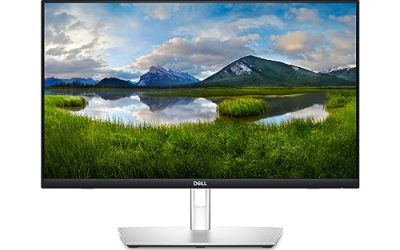
Dell’s G2725D takes the same core recipe, a 27-inch 2560 by 1440 Fast IPS panel at 180Hz, and tunes it for long sessions at a desk. Dell quotes a 1 millisecond gray-to-gray figure in its fastest overdrive mode, 99 percent sRGB coverage, and a typical brightness of 350 nits, the highest of the flat IPS picks here. ComfortView Plus, Dell’s low-blue-light implementation, is built into the panel hardware rather than applied as a software tint, which suits players who split the screen between games and documents. Sync support is AMD FreeSync over DisplayPort and HDMI, and the port layout is one DisplayPort 1.4 with two HDMI inputs.
The trade-offs mirror the ASUS. The stand tilts only, so plan on a riser or an arm if your chair and desk heights do not line up with the fixed screen position. There is no G-Sync Compatible validation on Dell’s spec sheet, so NVIDIA owners rely on the driver-level path for uncertified FreeSync screens, which works with most current cards over DisplayPort but is not the same promise as a validated badge. There are no built-in speakers and no USB ports.
Pick the G2725D if brightness and eye-comfort hardware rank high for you, or if the screen will spend half its life showing text. Its limits are the tilt-only stand, the absence of speakers, and sync certification that leans AMD.
Samsung Odyssey G50D (27-inch)
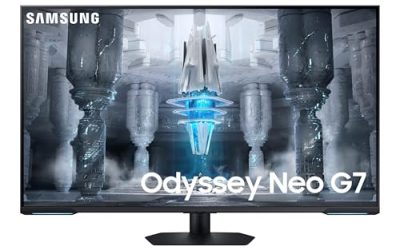
The 27-inch Odyssey G50D, model LS27DG500ENXZA, is the ergonomics pick. Underneath it is the same class of panel as the two models above: 27 inches, 2560 by 1440, Fast IPS, 180Hz, and a quoted 1 millisecond gray-to-gray response. What Samsung adds is the stand. The G50D adjusts for height, tilt, swivel, and pivot, so it can turn to portrait for a chat window or a document beside the main game screen, and it is the only flat model here that does all four without an arm. It is also the only pick with a VESA DisplayHDR 400 certification, the entry rung of that program, and it carries both AMD FreeSync and NVIDIA G-Sync Compatible support. Eye Saver Mode and a flicker-reduction design target long sessions.
Ports are HDMI and DisplayPort, and as with the others, DisplayPort is the path to the full refresh rate at 1440p. The HDR badge needs the honest framing given earlier: DisplayHDR 400 sets a brightness and color floor but does not require local dimming zones, so dark scenes will not gain the depth that the badge suggests on expensive screens. Samsung’s quoted brightness sits near 350 nits in typical use.
Choose the G50D if stand adjustment is the feature you refuse to give up, or if you want the portrait option for a mixed work and play desk. Its limits are a port count that stops at one input of each type and HDR that remains an entry-level implementation.
ASUS TUF Gaming VG249QL3A
The VG249QL3A is the 1080p pick, built for frame rate rather than pixel count. Its 23.8-inch Fast IPS panel runs 1920 by 1080 at 180Hz with a quoted 1 millisecond gray-to-gray response, ELMB backlight strobing, FreeSync Premium, and G-Sync Compatible support. ASUS quotes 99 percent sRGB coverage. The L in the model name marks the upgraded stand: unlike its tilt-only sibling, this version adjusts for height as well as tilt, swivel, and pivot, which is rare at this size and tier. Two built-in speakers and a headphone jack are included, and the connections are DisplayPort and HDMI.
A smaller 1080p screen is not a downgrade for every player. Esports titles reward the highest frame rate a system can hold, and a mid-range card that dips under 100 frames per second at 1440p can hold far steadier numbers at 1080p, where this panel’s refresh ceiling and low framerate compensation do their best work. The pixel density is the honest cost: text and fine detail are visibly softer than on the 27-inch 1440p models, and the screen will feel small next to a 27-inch main display in a dual setup.
Pick the VG249QL3A for competitive play on a modest graphics card, or for a compact desk where a 27-inch screen crowds the space. Its limits are the resolution ceiling and a panel that shows its tier in color depth next to the 1440p picks.
Samsung Odyssey G55C (27-inch)
The G55C, model LS27CG552ENXZA, is the curved alternative. Its 27-inch VA panel wraps at a 1000R curve, runs 2560 by 1440 at 165Hz, and quotes a 1 millisecond MPRT response figure. VA technology gives it native contrast near 3,000 to 1, roughly triple the flat IPS picks, so night scenes, space games, and dark interiors hold their depth instead of washing toward gray. Samsung lists HDR10 support, AMD FreeSync, and Eye Saver Mode with reduced screen flicker. Inputs are HDMI and DisplayPort.
The compromises are the familiar VA ones. Viewing angles are narrower, so color shifts sooner when you lean or share the screen. Dark transitions on VA panels can smear in fast motion, and the MPRT response figure is produced with backlight strobing, so it is not directly comparable with the gray-to-gray numbers quoted by the IPS models. The refresh ceiling of 165Hz is a small step under the 180Hz of the flat picks. The stand tilts only, although the VESA pattern allows an arm.
Choose the G55C if you play in a dim room, favor immersive single-player games, and want the curve. Skip it if you play fast competitive titles where the IPS picks hold motion more cleanly, or if the screen must serve several viewers at once.
Comparison table
| Model | Size | Resolution | Panel | Refresh | Sync support | Stand |
|---|---|---|---|---|---|---|
| ASUS TUF Gaming VG27AQ3A | 27 in | 2560 x 1440 | Fast IPS, flat | 180Hz | FreeSync Premium, G-Sync Compatible | Tilt only |
| Dell G2725D | 27 in | 2560 x 1440 | Fast IPS, flat | 180Hz | FreeSync | Tilt only |
| Samsung Odyssey G50D | 27 in | 2560 x 1440 | Fast IPS, flat | 180Hz | FreeSync, G-Sync Compatible | Height, tilt, swivel, pivot |
| ASUS TUF Gaming VG249QL3A | 23.8 in | 1920 x 1080 | Fast IPS, flat | 180Hz | FreeSync Premium, G-Sync Compatible | Height, tilt, swivel, pivot |
| Samsung Odyssey G55C | 27 in | 2560 x 1440 | VA, 1000R curved | 165Hz | FreeSync | Tilt only |
FAQ
Should I choose 1080p or 1440p in this tier?
Choose 1440p if your graphics card holds high frame rates at that resolution in the games you play, because the extra sharpness is permanent and the 180Hz ceiling matches. Choose the 1080p pick if your card is mid-range or older, since a steadier frame rate at 1080p feels smoother than a fluctuating one at 1440p, and the panel’s low framerate compensation has more room to work.
Why does the full refresh rate need DisplayPort?
On the 1440p models here, the HDMI inputs are capped under the panel ceiling, typically at 144Hz, while DisplayPort carries the full 180Hz. The limit is in the port specification each maker chose, and every one of these screens includes a DisplayPort cable path for PC use. Connect with DisplayPort first, then set the refresh rate in your system display settings, since many systems default to 60Hz on a new screen.
Is curved VA or flat IPS better for gaming?
They optimize different things. The curved VA model gives deeper contrast and a wrap-around feel that suits single-player games in a dim room. The flat IPS models respond faster in dark transitions, hold color at an angle, and suit competitive titles and shared screens. Neither is ahead on every axis, which is why both types appear in this list.
Can these monitors run a console at 120Hz?
Current consoles output up to 120Hz and can send a 1440p signal to screens that accept one, and all five picks accept 1440p over HDMI. The console ceiling of 120Hz sits under every panel’s maximum here, so the screen is not the bottleneck. Enable the console’s performance mode and the screen’s game mode, and confirm the accepted signal list in the maker’s manual for your exact model.
What does G-Sync Compatible add over plain FreeSync?
Both are adaptive sync, which matches the screen’s refresh to the frame rate to remove tearing without the lag of fixed synchronization. The G-Sync Compatible badge means NVIDIA validated that specific screen to behave correctly with its cards over DisplayPort. An uncertified FreeSync screen like the Dell can still be enabled in the NVIDIA driver, but the behavior is not validated by NVIDIA for that model.
Conclusion
For most players, the ASUS TUF Gaming VG27AQ3A is the safest single answer in this tier: 1440p, 180Hz, both sync badges, and strobing that works alongside variable refresh. The Samsung Odyssey G50D is the pick when the stand matters, since it is the only flat model here with full height, swivel, and pivot adjustment, and the Dell G2725D answers with the brightest panel and hardware low-blue-light for mixed work and play. The VG249QL3A keeps 1080p honest for competitive play and smaller desks, and the curved G55C trades a little motion clarity for contrast that the IPS models cannot match. Whichever you choose, connect over DisplayPort, set the refresh rate by hand, and let the panel specifications, not the badge count, make the final call.
Related guides
More from Amazon
Programs that pair well with the guide above. Offers and eligibility are set by Amazon and may change.
A free business account with business pricing and bulk-buying tools for work, shop or home office.
Create a business accountFree shipping on eligible items, Prime Video and more. Eligible new members can start with a free trial.
Start a Prime free trialAudiobooks and podcasts to listen to on the go. Eligible new members can start with a free trial.
Try Audible freeAd-free music streaming. Eligible new subscribers can start with a free trial.
Try Music Unlimited freeAs an Amazon Associate we earn from qualifying purchases.