
The Xbox Series X ships with a 1TB internal drive, and after the operating system reserves roughly 20% of it, you’re left with about 800GB of usable space. That sounds fine until you realize modern titles like Call of Duty and Baldur’s Gate 3 can eat 100GB or more each. Within a handful of installs, your console is full, and you’re stuck deleting games you’re still playing just to make room for something new. The catch: Xbox Series X|S optimized games can only be *played* from the internal drive or a Storage Expansion Card, while regular external USB drives work for archiving and playing older-generation titles.
That split storage situation is exactly why we compared and compared eight options across both categories, from Seagate-branded expansion cards to budget hard drives under $60. Some of these are officially licensed plug-and-play cards; others are high-capacity spinning drives for keeping your whole library on standby. Here’s what actually makes sense depending on your budget, your library size, and how many Series X-optimized games you actually play in 2026.
As an Amazon Associate we earn from qualifying purchases at no extra cost to you.





Our Top Picks
 Sandisk 1TB Optimus GX C50 Storage Expansion Card1TB2.18 x 0.3 x 1.24 inches0.06 PoundsCheck on Amazon
- Sandisk 2TB Optimus GX C50 Storage Expansion Card2TB2.18 x 0.3 x 1.24 inches0.06 poundsCheck on Amazon
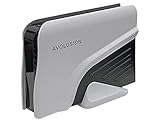
 Avolusion HD250U3-WH 1TB USB 3.0 Portable External Gaming1TB5 x 3 x 0.5 inches0.6 poundsCheck on Amazon


Top 3 picks at a glance
Quick Picks
| Product | Best for | Price |
|---|---|---|
| SanDisk 1TB Optimus GX C50 Storage Expansion Card | Best overall expansion card | Check on Amazon |
| WD_BLACK 1TB C50 Storage Expansion Card | Best official license pick | n/a |
| SanDisk 2TB Optimus GX C50 Storage Expansion Card | Best for large libraries | Check on Amazon |
| Avolusion HD250U3-WH 1TB USB 3.0 Portable Hard Drive | Best budget archive drive | Check on Amazon |
| Western Digital 1TB P40 Game Drive SSD | Best portable SSD for multiplatform | Check on Amazon |
| Furfox Expansion Card Enclosure (1TB) | Best DIY enclosure value | Check on Amazon |
| Avolusion PRO-Z 4TB USB 3.0 External Hard Drive (Renewed) | Best bulk storage on a budget | Check on Amazon |
| Xbox Game Drive 5TB with LED Light Bar | Best maximum capacity | $315 |
How We Compared
We focused on the two storage paths Xbox actually supports: Storage Expansion Cards that snap into the dedicated expansion port and can play Series X|S optimized games natively, and USB 3.0 external drives that store any game but only play last-gen and backward-compatible titles directly. Every pick here either carries official Xbox licensing or is purpose-built for the console ecosystem. We compared price per terabyte, ease of setup, physical footprint, and whether the product suits a living room setup or a desk. We also weighed capacity tiers, since a 1TB card costs proportionally more per gigabyte than a 5TB hard drive. We avoided making up speed benchmarks and stuck to manufacturer-listed specs, form factors, and pricing you can verify yourself.
The 8 Best Picks
1. SanDisk 1TB Optimus GX C50 Storage Expansion Card
This card delivers the seamless experience Xbox intended: plug it into the dedicated expansion port and it appears as native storage, no formatting, no file juggling. Series X-optimized games launch directly from the card with Quick Resume support intact. At around $240 for 1TB, you’re paying a premium per gigabyte, but nothing else plays optimized titles this cleanly. It’s compact enough to disappear behind the console.
- Plug-and-play installation with no setup friction
- Full support for Series X|S optimized games
Skip it if you mostly play Game Pass titles casually and don’t mind archiving to a cheaper external drive.
2. WD_BLACK 1TB C50 Storage Expansion Card
Officially licensed for Xbox, the WD_BLACK C50 is built around the same expansion card format as the SanDisk option above. It supports Quick Resume and works as true plug-and-play NVMe expansion for both Series X and Series S. It’s a solid choice for anyone who trusts the WD_BLACK gaming brand and wants guaranteed console integration. Pricing varies by retailer, so it’s worth checking current listings before committing. It’s also noticeably compact, so it won’t clutter an entertainment center.
- Officially licensed, guaranteed Series X|S compatibility
- Quick Resume works natively from the card
Pass on this if you need more than 1TB of optimized-game storage in one shot — a 2TB card is a better long-term buy.
3. SanDisk 2TB Optimus GX C50 Storage Expansion Card
If the 1TB card is the sensible buy, the 2TB version at around $480 is the future-proof one. This doubles your optimized-game capacity, meaning you can hold roughly 15 to 20 large Series X titles without constantly shuffling installs. Game Pass subscribers who rotate through a dozen games a month will appreciate never having to re-download. It uses the same expansion card port, so installation is as simple as the smaller model. It’s the priciest item in this roundup, but it’s also the only way to seriously expand native Series X storage in one component.
- 2TB holds a large rotating optimized-game library
- Same seamless expansion card experience
Skip it if your budget can’t stretch past $300 — a hard drive plus a 1TB card covers most needs for less.
4. Avolusion HD250U3-WH 1TB USB 3.0 Portable External Gaming Hard Drive
At around $58, this pre-formatted hard drive is the cheapest way to add storage to your Xbox. It arrives ready to use — plug it into a USB port and the console recognizes it immediately. Remember the limitation: it stores any game, but Series X|S optimized titles must be transferred to internal storage before playing. That makes it ideal as an archive drive for your backlog and for playing Xbox One and backward-compatible games directly. It’s compact, bus-powered, and won’t add much clutter near your console.
- Pre-formatted for Xbox, works out of the box
- Excellent price per terabyte under $60
Skip it if you want to play Series X-optimized games straight from external storage — that requires an expansion card.
5. Western Digital 1TB P40 Game Drive SSD
The WD P40 is a portable NVMe-based external SSD with speeds up to 2,000MB/s and customizable RGB lighting, priced at around $210. Because it’s a universal drive, it works with Xbox, PlayStation, PC, and Mac, which makes it a smart pick if you game on multiple platforms. On Xbox it functions as fast external storage for archiving and last-gen play, not native Series X game playback. Its compact, pocketable design and bold styling suit gamers who travel or haul their drive between setups.
- Up to 2,000MB/s transfer speeds for fast copying
- Cross-platform: PlayStation, Xbox, PC, and Mac
Skip it if you’ll only ever use it with an Xbox — a dedicated expansion card plays more game types.
6. Furfox Expansion Card External Hard Drive Enclosure for Xbox Series X|S (1TB)
This around $190 enclosure takes the expansion card concept and packages it as a 1TB NVMe-based storage option for Series X|S consoles. It slots into the console’s expansion approach for optimized-game storage at a lower price than the first-party licensed cards. Build quality and long-term support are the trade-offs — Furfox isn’t a household name, so warranty and firmware confidence aren’t quite at WD or SanDisk levels. Still, for buyers who want expansion-card functionality and a tighter budget, it’s worth a look.
- Cheaper route to expansion card-style storage
- 1TB capacity matches the big brands’ entry tier
Skip it if brand reputation and warranty support matter more to you than saving $50.
7. Avolusion PRO-Z Series 4TB USB 3.0 External Gaming Hard Drive (White, Renewed)
Four terabytes for around $140 is remarkable value, even factoring in that this is a renewed unit. As a USB 3.0 hard drive, it archives your entire library — we’re talking 40-plus large titles — and plays Xbox One and backward-compatible games directly. The white enclosure matches Xbox’s aesthetic better than most black drives, and it’s compact enough to sit discreetly beside the console. Buy renewed with the understanding that cosmetic wear is possible but function should be verified by the seller’s refurbishment process.
- 4TB of storage at a fraction of SSD pricing
- White finish matches Xbox hardware
Skip it if you only buy new products or want SSD-level durability — spinning drives are more sensitive to bumps.
8. Xbox Game Drive 5TB Storage Capacity LED Light Bar
At $315, this 5TB drive is the maximum-capacity option in the roundup, aimed at collectors and Game Pass hoarders who want their whole catalog stored at once. The built-in LED light bar adds a visual flourish that matches console gaming setups, and it works with both Series X|S and Xbox One. Like all USB drives, it archives optimized Series X games but plays only last-gen titles directly. For raw storage per dollar at the high end, nothing else here comes close in a single unit.
- 5TB holds enormous game libraries in one drive
- LED light bar complements Xbox setups
Skip it if you need less than 3TB — cheaper drives cover smaller libraries just as well.
Buying Guide
Understand the Two Storage Types
Xbox Series X|S optimized games can only be played from the internal drive or a Storage Expansion Card — the C50-format options in this roundup. USB external drives, whether hard drives or SSDs, can store any game but only run Xbox One and backward-compatible titles directly. Optimized games stored on USB drives must be transferred to internal storage or an expansion card before launching. Decide which problem you’re solving: native playback or bulk archiving.
Match Capacity to Your Library
A single modern title can run 80GB to 150GB, so a 1TB expansion card fills up after roughly six to ten optimized games. Casual players can survive with the internal drive plus a cheap USB archive. Enthusiasts with 20-plus optimized titles in rotation should consider a 2TB card or pair a 1TB card with a high-capacity hard drive. Price per terabyte drops dramatically on hard drives — a 4TB or 5TB unit costs less than a single 1TB expansion card.
Check Licensing, Warranty, and Setup
Officially licensed products like the WD_BLACK C50 guarantee compatibility and typically carry solid manufacturer warranties. Third-party options like the Furfox enclosure cost less but may offer shorter support windows. For renewed drives such as the Avolusion PRO-Z, confirm the seller’s refurbishment warranty before buying. All USB drives should be USB 3.0 or faster, and pre-formatted models save you a formatting step during setup.
Our Verdict
For most Xbox Series X owners, the smartest setup is a hybrid: the SanDisk 1TB Optimus GX C50 at around $240 for playing optimized titles natively, paired with a budget USB drive like the around $58 Avolusion HD250U3-WH for archiving everything else. That combination costs under $300 and solves both sides of the storage problem. Heavy Game Pass users with money to spend should step up to the SanDisk 2TB card at around $480 and stop thinking about storage entirely. If optimized-game playback isn’t a priority, the around $140 Avolusion PRO-Z 4TB offers the best raw capacity value here — just remember its limits with Series X titles.
FAQ
Can I play Xbox Series X games directly from an external hard drive?
No. Series X|S optimized games must be played from the internal drive or a Storage Expansion Card. A USB external drive can store those games and launch them faster than re-downloading, but you’ll need to transfer them to internal or card storage first. Older Xbox One and backward-compatible games play directly from USB drives without issue.
Is a Storage Expansion Card worth it compared to a regular external SSD?
If you play many Series X-optimized titles, yes — only expansion cards let those games run natively from external storage, with Quick Resume support and no transfer step. If your library is mostly Xbox One, backward-compatible, or Game Pass titles you don’t mind swapping, a USB drive at a fraction of the price covers you.
How much storage do I actually need?
Count your installed games: at 80GB to 150GB per optimized title, 1TB holds roughly six to ten. If you rotate through more than that, a 2TB card or a 4TB to 5TB USB archive drive keeps you from constantly deleting and re-downloading. Most households do well with 1TB of card storage plus 2TB to 4TB of USB archiving.
Do these drives work with the Xbox Series S too?
Yes. All the USB drives in this roundup connect to Series S USB ports, and expansion cards like the C50 format are compatible with both consoles. Keep in mind the Series S’s smaller internal drive makes external storage even more valuable, though the same rules about playing optimized games apply.









