
Video editing on a MacBook can turn a tidy workspace into a storage puzzle fast. Camera originals, project libraries, proxies, cache files, and finished exports all compete for the laptop’s internal drive, while large video files make slow transfers especially frustrating. The best external SSD for MacBook video editing should offer enough capacity for your current projects, a connection that matches your MacBook and workflow, and a design you will actually want to carry between a desk, studio, and set.
These eight drives cover a broad range of priorities, from affordable 1TB models to a 4TB travel drive and a high-bandwidth Thunderbolt 5 option. Our 2026 ranking is based on the published capacity, interface, quoted transfer speed, listed durability features, and price for each model. Treat quoted speeds as manufacturer claims rather than guaranteed real-world editing performance; your MacBook, cable, hub, file sizes, and software all affect results.
As an Amazon Associate we earn from qualifying purchases at no extra cost to you.





Our Top Picks
 SABRENT Rocket XTRM 5 2TB Thunderbolt 5 Portable2TB4.13 x 1.77 x 0.57 inches0.2 PoundsCheck on Amazon




Top 3 picks at a glance
Quick Picks
| Product | Best for | Price |
|---|---|---|
| Sandisk 2TB Extreme Portable SSD | Best overall balance | Check on Amazon |
| Sandisk 4TB Extreme Portable SSD | Large video libraries | $725 |
| Samsung T9 Portable SSD 1TB | Fast 1TB workflow | Check on Amazon |
| Samsung T7 Portable SSD 2TB | Simple everyday editing | Check on Amazon |
| GARMESE 1TB External SSD | Lowest-cost speed option | Check on Amazon |
| SABRENT Rocket XTRM 5 2TB | Thunderbolt 5 systems | Check on Amazon |
| Sandisk 2TB Creator PRO Portable SSD | Creator-focused high speed | $379 |
| Lexar D70E 1TB Dual Drive External SSD | High-speed transfers in a compact capacity | Check on Amazon |
How We Compared
We prioritized the details that matter most for MacBook editing: capacity, quoted read or transfer speed, connection standard, portability cues, and price. A 2TB drive is generally a more comfortable starting point than a 1TB model when a project includes camera media and working files, but a fast 1TB SSD can make sense for active projects that are archived regularly.
We also considered compatibility language carefully. USB 3.2 Gen 2, USB 3.2 Gen 2×2, USB4, Thunderbolt 3, Thunderbolt 4, and Thunderbolt 5 are not interchangeable in performance, even when the connector looks similar. The fastest number on a product page is not a promise that every MacBook will achieve it. Finally, we did not invent benchmark results, dimensions, weights, power requirements, or sustained-write figures that were not supplied.
The 8 Best Picks
1. Sandisk 2TB Extreme Portable SSD
The Sandisk 2TB Extreme Portable SSD is the strongest all-around choice for editors who want a useful amount of room without moving into the most expensive tier. Its quoted speed is up to 1050MB/s, and its USB-C, USB 3.2 Gen 2 connection fits the mainstream portable-editing category. The 2TB capacity leaves more breathing room for active footage, project files, and exports than a 1TB drive. It also includes IP65 water and dust resistance, which is a reassuring feature for location work. At around $290, it balances capacity, protection, and price well.
- Pros: 2TB capacity and up to 1050MB/s performance.
- Pros: IP65 water and dust resistance with updated firmware.
- Con: Its quoted speed is below the 2000MB/s options.
Skip it if your MacBook workflow specifically requires the highest available interface speed.
2. Sandisk 4TB Extreme Portable SSD
For editors who dislike shuffling footage between drives, the 4TB Sandisk Extreme is the roomiest conventional option in this roundup. It retains the same up to 1050MB/s rating, USB-C connection, USB 3.2 Gen 2 interface, IP65 water and dust resistance, and updated firmware listed for the 2TB version. That combination makes it particularly attractive for documentary work, travel shoots, and long-running libraries where capacity matters more than headline speed. The tradeoff is price: at $725, it costs substantially more than the other choices and may be excessive for short projects or proxy-based workflows.
- Pros: 4TB capacity supports large libraries and longer project timelines.
- Pros: IP65 protection and updated firmware suit mobile use.
- Con: $725 is a major investment for a drive rated up to 1050MB/s.
Skip it if you prefer several smaller drives or rarely keep media locally.
3. Samsung T9 Portable SSD 1TB
The Samsung T9 is aimed at editors who value a high quoted transfer rate and can work comfortably within 1TB. It is rated up to 2000MB/s and uses USB 3.2 Gen 2×2, giving it a faster-looking specification than the USB 3.2 Gen 2 models in this list. That can be appealing for moving large footage folders, cache data, and exports. The limitation is capacity: 1TB can disappear quickly once original media and project backups share the drive. At around $240, it is not the cheapest 1TB option, but it offers a clear speed-focused rationale.
- Pros: Up to 2000MB/s quoted performance.
- Pros: A strong fit for speed-conscious transfer workflows.
- Con: 1TB provides less workspace for large video projects.
Skip it if your MacBook or cable cannot take advantage of USB 3.2 Gen 2×2.
4. Samsung T7 Portable SSD 2TB
The Samsung T7 remains a straightforward choice for editors who want 2TB and a familiar, uncomplicated specification. Its USB 3.2 Gen 2 interface and up to 1050MB/s rating place it alongside the Sandisk Extreme 2TB on paper, while the 2TB capacity gives active projects a practical amount of room. The Titan Gray finish is a small aesthetic advantage for a desk setup, though it does not change editing performance. At around $380, it is pricier than the Sandisk 2TB despite a similar quoted speed, so its appeal depends on your preference for the T7 line.
- Pros: 2TB capacity for active libraries and project files.
- Pros: USB 3.2 Gen 2 and up to 1050MB/s keep the specification simple.
- Con: It costs more than the similarly rated Sandisk 2TB.
Skip it if you need ruggedness features specifically listed for outdoor work.
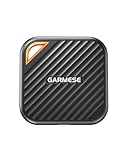
5. GARMESE 1TB External SSD
The GARMESE 1TB External SSD is the value play for editors who want a quoted 2000MB/s speed without spending heavily. It uses USB 3.2 Gen 2×2 and USB-C, making it a compact-capacity option for current projects, transfer duty, or a dedicated scratch-style workflow. The around $150 price is the lowest in this group, which makes it easier to buy a second drive for backups or separating projects. Its 1TB capacity is the obvious compromise, and the supplied product information does not list water or dust resistance, so it is better suited to controlled environments.
- Pros: Lowest price in the roundup at around $150.
- Pros: Up to 2000MB/s with USB 3.2 Gen 2×2 and USB-C.
- Con: 1TB capacity and fewer listed durability details limit its flexibility.
Skip it for large, long-term media libraries or demanding travel conditions.
6. SABRENT Rocket XTRM 5 2TB
The SABRENT Rocket XTRM 5 is the specialist option for a MacBook setup built around newer high-bandwidth connectivity. It is a 2TB Thunderbolt 5 portable SSD with an 80Gbps connection and up to 64Gbps transfer, while remaining compatible with Thunderbolt 4, Thunderbolt 3, USB4, and several USB 3.2 speeds. That broad compatibility gives it unusual flexibility, and its rugged aluminum and silicone construction is a useful design detail for mobile work. At around $400, it is expensive, but the specification is aimed at users who can make use of its connection standards.
- Pros: 2TB capacity with Thunderbolt 5 and an 80Gbps connection.
- Pros: Compatible with Thunderbolt 4, Thunderbolt 3, USB4, and USB 3.2.
- Con: Its premium price may not pay off on a slower host connection.
Skip it if your MacBook workflow does not support its higher-bandwidth standards.
7. Sandisk 2TB Creator PRO Portable SSD
The Sandisk 2TB Creator PRO Portable SSD is a strong middle ground for creators who want more capacity than a 1TB drive and a higher quoted speed than the standard 1050MB/s models. It lists read speeds up to 2000MB/s and comes in blue, giving it a distinct creator-oriented identity. The 2TB capacity is appropriate for active video projects, while the speed rating is attractive for moving large media collections. At $379, it sits close to the Samsung T7 in price but presents a faster headline specification. The published listing information does not list a durability rating.
- Pros: 2TB capacity for larger editing projects.
- Pros: Read speeds up to 2000MB/s.
- Con: The listed details do not include a water or dust-resistance rating.
Skip it if rugged protection is more important than its quoted read speed.
8. Lexar D70E 1TB Dual Drive External SSD
The Lexar D70E is a speed-focused 1TB option with a useful distinction in its specification: up to 2000MB/s read and 1800MB/s write. That write figure is particularly relevant when importing camera files, generating exports, or moving project folders onto the drive. Its 1TB capacity makes it better for active jobs or a travel drive than a complete long-term archive. At around $230, it costs more than the GARMESE while offering a stated write-speed figure that some editors may value. The published listing information do not specify a connection standard beyond its external SSD designation.
- Pros: Up to 2000MB/s read and 1800MB/s write speeds.
- Pros: Suitable for fast transfers in a compact 1TB workflow.
- Con: 1TB capacity can be restrictive for original video media.
Skip it if you need a clearly specified USB or Thunderbolt connection.
Buying Guide
Choose capacity before speed
For most editors, 2TB is the practical starting point because video projects need room for originals, renders, project databases, and duplicate working files. A 1TB drive can work well for a single active project, proxies, or footage that is regularly archived. Choose 4TB when you want one portable library rather than multiple drives. Remember that an external SSD should not be your only copy of important footage.
Match the interface to your MacBook
Do not buy based only on the largest speed number. USB 3.2 Gen 2, USB 3.2 Gen 2×2, USB4, and Thunderbolt connections can produce different results depending on the host port and cable. A drive rated up to 2000MB/s may not reach that figure on every MacBook. Check the computer’s port standard, use an appropriate cable, and avoid assuming that a familiar USB-C shape guarantees identical performance.
Balance mobility, protection, and price
Portable editing often means crowded bags, changing locations, and less-than-perfect conditions. The Sandisk Extreme models explicitly list IP65 water and dust resistance, while the SABRENT lists rugged aluminum and silicone construction. If the drive stays on a desk, those features may be less important than capacity or price. This roundup spans around $150 to $725, so setting a budget first can quickly narrow the field.
Our Verdict
The Sandisk 2TB Extreme Portable SSD is the best external SSD for MacBook video editing for most buyers. It combines 2TB, up to 1050MB/s, USB-C, and IP65 protection at a more approachable price than several alternatives. Choose the Sandisk 4TB Extreme for maximum capacity, the SABRENT Rocket XTRM 5 for a compatible high-bandwidth setup, or the GARMESE for the lowest-cost route to a quoted 2000MB/s. Editors who prioritize speed above capacity should consider the Samsung T9 or Lexar D70E.
FAQ
What capacity should I buy for MacBook video editing?
Choose 2TB for the best balance between workspace and portability. A 1TB model works for smaller projects, proxies, and temporary transfers, while 4TB is better for large libraries and longer projects kept on one drive.
Is 2000MB/s necessary for video editing?
No. A drive rated up to 1050MB/s can still be a practical editing disk. The benefit of 2000MB/s depends on your MacBook’s connection, cable, software, footage, and whether your workflow frequently moves very large files.
Can I edit directly from an external SSD?
Yes, many editors use an external SSD for active media and project files. Keep the drive connected securely, leave free space for working data, and maintain another copy of important footage rather than treating the editing drive as a backup.
Which drive is best for editing on location?
The Sandisk Extreme models are the clearest choices from this list because they explicitly include IP65 water and dust resistance. The SABRENT is also worth considering when its Thunderbolt 5 performance and rugged aluminum-and-silicone construction match your setup.









