The best drive setup for most desktop PCs (the “CPU” tower people often mean by this search) is a 1TB–2TB PCIe 4.0 NVMe SSD as the boot and game drive, such as the Samsung 990 Pro or WD_BLACK SN850X. Add a 4TB–8TB 3.5-inch 7200 RPM hard drive only if you need cheap bulk space for footage, backups or a media library. A CPU doesn’t use a hard drive directly; the drive connects through the motherboard, so the real question is which interface and capacity fit your board and your files.
As an Amazon Associate we earn from qualifying purchases at no extra cost to you.


Our Top Picks


Top 3 picks at a glance
Quick comparison of the best internal drives
| Pick | Best for | Key specs (per manufacturer spec sheets) | Typical price range |
|---|---|---|---|
| Samsung 990 Pro (1TB/2TB) | Best overall boot and game drive | M.2 2280, PCIe 4.0 x4, up to about 7,450 MB/s read | $90–$220 depending on capacity |
| WD_BLACK SN850X (1TB/2TB) | Best for gaming value | M.2 2280, PCIe 4.0 x4, up to about 7,300 MB/s read | $80–$200 |
| Crucial P3 Plus (1TB/2TB) | Best budget NVMe | M.2 2280, PCIe 4.0 x4, up to about 5,000 MB/s read, QLC NAND | $55–$140 |
| Crucial T705 (1TB–4TB) | Best for PCIe 5.0 boards and heavy workloads | M.2 2280, PCIe 5.0 x4, up to about 14,500 MB/s read; needs a heatsink | $130–$450 |
| Samsung 870 EVO / Crucial MX500 | Best for older PCs without M.2 | 2.5-inch SATA III, about 560 MB/s read | $60–$250 (1TB–4TB) |
| Seagate BarraCuda / WD Blue 3.5-inch HDD | Best cheap bulk storage | 3.5-inch SATA, 7200 or 5400 RPM, roughly 2TB–8TB, about 150–250 MB/s | $55–$160 |
Prices swing with NAND and hard drive supply, so treat the ranges as rough market bands rather than quotes.
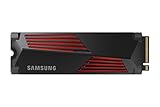
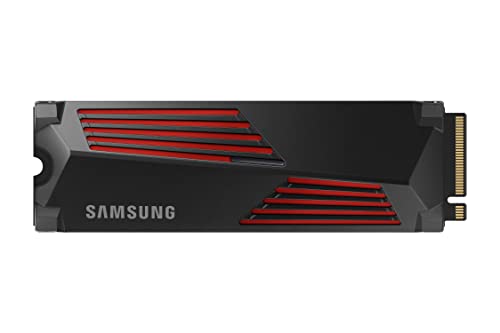
Best overall: Samsung 990 Pro
The 990 Pro is the safe default for a primary drive. It has strong sustained speeds, a solid controller and good efficiency compared with many Gen4 rivals. It suits anyone who wants one fast drive for Windows, games and creative apps. The trade-off is price, since it usually costs more per terabyte than the SN850X or budget QLC drives. Heatsinked versions suit a PlayStation 5 or a cramped case, but most motherboards already ship M.2 heatsinks.
Best for gaming value: WD_BLACK SN850X
The SN850X matches the 990 Pro in real game loading. Published reviews generally show only fractions of a second between top Gen4 drives in current titles. It’s a good fit if you want the 2TB sweet spot at a lower price. The trade-off is that it can run warm under long writes, so use your board’s heatsink.
Best budget NVMe: Crucial P3 Plus
This drive gives you NVMe responsiveness at a lower price. It’s a good choice for a second game drive or a budget build. The main trade-off is QLC NAND. Once the fast cache fills during a large transfer, write speeds can fall well below the headline figure, and endurance ratings are lower than on TLC drives. Buy 2TB if you can, because larger capacities hold up better.
Best for PCIe 5.0 and workstation use: Crucial T705
The T705 is for video editors, large dataset work and people with a PCIe 5.0 M.2 slot. Gains in games are small because most games don’t saturate a Gen4 drive. The trade-offs are heat, a mandatory cooler, and a price premium. Many boards give the Gen5 slot full lanes only if you leave the other M.2 slots empty or shared, so check your manual.
Best for older PCs: Samsung 870 EVO or Crucial MX500
If your motherboard has no M.2 slot, a 2.5-inch SATA SSD is the best upgrade over a hard drive. It’s capped around 550 MB/s by SATA III, yet the boot and app-launch difference over a hard drive is large. The trade-off is that you pay more per terabyte than an NVMe drive in many cases, and you need a SATA data cable and a power connector.
Best cheap bulk storage: Seagate BarraCuda or WD Blue HDD
A 3.5-inch hard drive is still the cheapest way to get 4TB+ per dollar. It fits a media server, a backup target and a game library for rarely played titles. The trade-offs are noise, vibration, slower random reads and a mechanical failure risk. For constant backups or NAS use, consider a drive rated for heavier workloads like the Seagate IronWolf or WD Red Plus, but that’s a different category from a gaming drive.
How to choose: a decision matrix
| Your situation | Choose this | Why |
|---|---|---|
| Modern board with M.2 slots, mainly gaming | 1TB–2TB PCIe 4.0 NVMe (990 Pro, SN850X) | Fastest practical speed without paying the Gen5 premium |
| Tight budget, one drive only | 1TB TLC NVMe, or 2TB P3 Plus | Avoids running out of space, which hurts more than a slower drive |
| Older PC with only SATA ports | 500GB–2TB 2.5-inch SATA SSD | Biggest feel-of-speed upgrade over a hard drive |
| Large video or photo archive | NVMe for projects + 4TB–8TB HDD for archive | Fast working space plus cheap capacity |
| PCIe 5.0 board, heavy file transfers | Gen5 NVMe with heatsink (T705) | Only worthwhile if your workload is transfer-bound |
| Small-form-factor case with few bays | M.2 NVMe only | No cables, no drive cage needed |
Worked example: how much capacity you actually need
Say you have Windows plus apps (about 150GB), 15 games averaging 80GB (1,200GB), and 100GB of captures and downloads. That’s about 1,450GB. A drive sold as “2TB” formats to roughly 1.86TiB, or about 1,900GB usable in Windows, and SSDs perform best with 10–20% free space. Target at most about 1,500GB used, so 2TB fits comfortably, while 1TB (about 930GB usable) does not.
Cost per terabyte is the other check. A 2TB drive at $130 is $65 per TB, and a 6TB hard drive at $120 is $20 per TB. If the extra 4TB would otherwise sit on a SSD, that’s roughly a $180 difference at those example prices. This is why an NVMe plus HDD pairing is common.
Transfer time for a 100GB game install
- 5400/7200 RPM hard drive at about 150 MB/s: roughly 11 minutes.
- SATA SSD at about 500 MB/s: roughly 3.3 minutes.
- Gen4 NVMe at about 3,000 MB/s sustained (after cache effects on cheaper drives): roughly 33 seconds. Fast drives with full cache can be quicker.
These are calculated from round throughput numbers, not benchmarks. Your real speed depends on the source drive, your internet speed and the file mix.
Compatibility checks before you buy
- M.2 slot type: Check that the slot supports NVMe (PCIe), not only SATA, and note the length. 2280 is the standard.
- PCIe generation: Gen4 and Gen5 drives work in older slots but run at the slot’s speed. A Gen4 drive in a Gen3 slot tops out near 3,500 MB/s.
- Lane sharing: Some boards disable SATA ports when certain M.2 slots are used. Your manual lists this.
- Physical space: A 3.5-inch drive needs a bay, a SATA data cable and a SATA power connector from the power supply. Some modern cases have few or no 3.5-inch bays.
- Cooling: Use the motherboard’s M.2 heatsink on fast drives, and remove the thermal pad’s plastic film.
Settings after install
- Initialize the drive as GPT in Disk Management, then format as NTFS with the default allocation unit size.
- Leave TRIM enabled, since Windows does this automatically for SSDs. Do not defragment SSDs, though scheduled optimization on Windows handles this correctly.
- Keep the hard drive for storage rather than the OS, and keep 10–20% of an SSD free.
- Update the SSD firmware using the maker’s tool, such as Samsung Magician or WD Dashboard, when a fix is listed.
Frequently Asked Questions
Does the CPU affect which hard drive I can use?
Indirectly. The drive plugs into the motherboard, and the CPU and chipset decide how many PCIe lanes and which generation your M.2 slots support. Most recent Intel and AMD desktop platforms support PCIe 4.0 NVMe, and many newer ones add a PCIe 5.0 slot.
Is an SSD or a hard drive better for a gaming PC?
An SSD is better for the OS and games because of its faster loading, quicker boot and better responsiveness. A hard drive is only better on cost per terabyte. A common setup is a 1TB–2TB NVMe for the main drive and a hard drive for bulk files.
Is PCIe 5.0 worth it for gaming?
For most gamers it isn’t. Published reviews show small load time differences between Gen4 and Gen5 in current games, and Gen5 drives run hotter and cost more. It makes more sense for large file transfers and professional workloads.
How much storage should a gaming PC have in 2026?
2TB is a comfortable target because large games often exceed 100GB each. 1TB works if you keep only a few titles installed. Add a second drive rather than overspending on one oversized drive.
Can I use a hard drive and an SSD together?
Yes. Install Windows and active games on the SSD and keep media, backups and older games on the hard drive. Windows handles both drives at once, and you can set each game launcher’s library to either.
Does a DRAM-less NVMe SSD hurt gaming?
Usually only a little for games. DRAM-less drives, including many budget models, use host memory or smaller caches and can slow down under heavy mixed workloads or when nearly full. For a secondary game drive they are fine, but a main drive benefits from a TLC model with a DRAM cache.
Related guides
More from Amazon
Programs that pair well with the guide above. Offers and eligibility are set by Amazon and may change.
A free business account with business pricing and bulk-buying tools for work, shop or home office.
Create a business accountFree shipping on eligible items, Prime Video and more. Eligible new members can start with a free trial.
Start a Prime free trialAudiobooks and podcasts to listen to on the go. Eligible new members can start with a free trial.
Try Audible freeAd-free music streaming. Eligible new subscribers can start with a free trial.
Try Music Unlimited freeAs an Amazon Associate we earn from qualifying purchases.


