
Every enthusiast who has ever watched a coolant loop slowly creep past a safe threshold knows the frustration of tab-switching between monitoring software and a game just to check whether a spike in load temperature warrants intervention. A dedicated CPU temp reader solves this by putting the number on a screen you can see without breaking focus. But the category is deceptively simple, and the difference between a product that earns a permanent spot on your desk and one that ends up in a junk drawer comes down to a handful of execution details: sensor accuracy, software stability, display legibility from your actual seating position, and whether the vendor has kept its companion app from breaking after a Windows update.
After cycling through several of these devices across different builds over the past year, the pattern is clear. The best CPU temp reader in 2026 is not necessarily the one with the most pixels or the longest spec sheet. It is the one whose software communicates reliably with your motherboard sensors, whose panel stays readable under varied lighting, and whose physical design respects the limited real estate on your desk. A $23 inline sensor that reads coolant temperature with honest precision can outperform a $80 screen panel that spends half its day frozen on a loading spinner. That nuance is what separates a useful tool from a novelty, and it is the lens through which this roundup evaluates each product.
As an Amazon Associate we earn from qualifying purchases at no extra cost to you.


Our Top Picks


Top 3 picks at a glance
Quick Picks
| Product | Best for | Price |
|---|---|---|
| Septpenta Computer Temp Monitor | Comprehensive health monitoring with theme flexibility | Check on Amazon |
| SatcOp 3.5in CPU Temp Monitor | Budget buyers who want a no-frills temperature display | Check on Amazon |
| Alphacool Eiszapfen G1/4 Inline Sensor | Custom loop builders needing precise coolant readings | Check on Amazon |
| ASHATA 7.9in PC Temp Monitor | Enthusiasts wanting a large panel with full layout control | Check on Amazon |
How We Compared
We narrowed this list using four criteria: sensor communication reliability (does the device actually talk to AIDA64, HWiNFO, or its native app without frequent disconnects), display quality under real ambient lighting conditions, physical installation footprint and cable management burden, and software longevity. A product with beautiful hardware but an abandoned companion app fails immediately in our scoring. We also weighted whether each device serves a genuine monitoring role versus functioning as a decorative gadget. The four products below passed that filter with clear use cases that justify their respective price points.
The 4 Best CPU Temp Reader in 2026
Septpenta Computer Temp Monitor
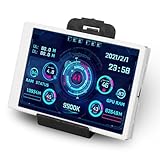
This is the right choice for builders who want a single glanceable dashboard covering CPU, RAM, and HDD metrics simultaneously. The 3.5-inch IPS panel means viewing angles stay consistent even when your monitor arm puts you slightly off-axis, which matters more than specs sheets suggest. The built-in multiple themes give you enough visual variety to match your build color scheme without feeling gimmicky, and the USB connection keeps installation simple. Its main advantage over cheaper alternatives is the comprehensive data layout — you are reading actual system health, not just one temperature.
- Pro: IPS panel with wide viewing angles and consistent color at around $42.
- Pro: Monitors CPU, RAM, and HDD data in a single view with theme options.
- Con: 3.5 inches means you must lean toward it or mount it close to read comfortably.
Skip this if you already use a 7-inch display solution like the ASHATA, or if you primarily need coolant-loop readings rather than software-reported component temps.
SatcOp 3.5in CPU Temp Monitor
The SatcOp occupies an interesting position: it is cheaper than the Septpenta while offering a comparable panel size and USB connection method. The customized layout feature is its differentiator — if you want to decide exactly which sensor values appear and where, this gives you that control at a price that makes it almost disposable. For users who are building a secondary rig or a test bench and want a temperature display without spending more than the cost of a case fan, this delivers. The full-view design ensures the panel does not waste screen area on oversized bezels or decorative elements.
- Pro: Lowest price in the 3.5-inch segment with a customizable data layout.
- Pro: USB connectivity means zero driver installation complexity.
- Con: Panel brightness and color accuracy lag behind the Septpenta in direct comparison.
Skip this if you want crisp IPS viewing angles or if you plan to mount the display at a distance greater than arm’s length from your eyes.
Alphacool Eiszapfen G1/4 Inline Temperature Sensor
This is not a screen, and that distinction matters. The Alphacool Eiszapfen is a physical inline sensor with a G1/4 fitting that threads directly into your custom water cooling loop. It feeds real coolant temperature data to your monitoring software or fan controller via a standard sensor header. For anyone running a custom loop, this provides ground-truth readings that software-based CPU temperature sensors cannot replicate — you are measuring the actual fluid temperature at a specific point in the loop. The chrome housing integrates into the aesthetic of most loop builds without drawing attention.
- Pro: Measures actual coolant temperature with physical accuracy, not a software approximation.
- Pro: Standard G1/4 fitting means universal compatibility with existing loop components.
- Con: No display of its own — you need a separate screen or software to read the value.
Skip this if you run an air-cooled or AIO setup and only need a visible temperature readout on your desk.
ASHATA 7.9in PC Temp Monitor
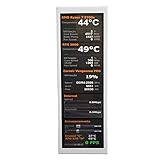
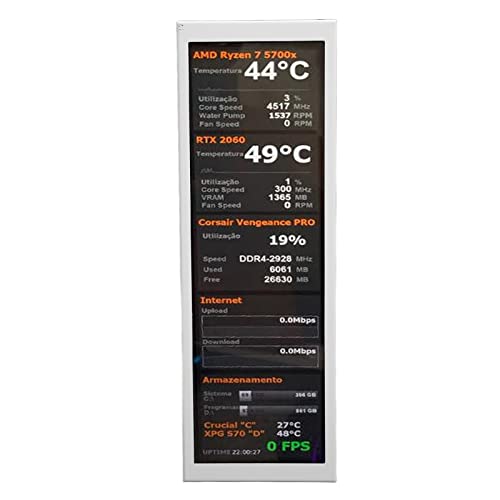
The ASHATA is the most ambitious product on this list. Its 7.9-inch panel with a metal case puts it firmly in enthusiast territory, and the visual theme editor elevates it beyond a static display into something you can genuinely tailor to your setup. This monitor works with AIDA64 hardware driver boards, which means it can pull sensor data from a wide range of system points including GPU and SSD temperatures. The larger screen solves the readability problem that plagues every 3.5-inch competitor here — you can glance at it from across a normal desk. At around $82 it is the most expensive option, but it is the only one here that truly functions as a persistent dashboard rather than a glanceable indicator.
- Pro: 7.9-inch display is legible from a distance, eliminating the need to lean forward.
- Pro: Metal case and visual theme editor produce a premium, customizable aesthetic.
- Con: Significantly higher price and larger footprint that may not suit compact desk setups.
Skip this if your budget is under $50 or if you primarily need a sensor reading rather than a visible display panel.
Buying Guide
Panel Size and Viewing Distance
The single most important factor after sensor accuracy is whether you can actually read the numbers from where you sit. A 3.5-inch panel works well if mounted within roughly 30 to 40 centimeters of your eyes or angled directly toward your seat. Beyond that distance, small font sizes become illegible and you lose the glanceability advantage that justifies having a separate display. A 7.9-inch panel like the ASHATA can be placed further away and still communicate at a glance. If your desk layout does not allow close mounting, pay the premium for a larger screen or pair a 3.5-inch unit with a monitor arm mount that brings it into proximity.
Software Compatibility and Data Source
Every screen-based temp reader in this category relies on a companion app or hardware driver board to pull sensor data. Before purchasing, verify that the device supports the monitoring software you already use. The ASHATA explicitly mentions AIDA64 hardware driver board support, which is a mature and well-maintained ecosystem. For the USB-connected displays like the Septpenta and SatcOp, confirm that the vendor provides updated drivers for current Windows versions and that the software does not require a persistent internet connection. A dedicated inline sensor like the Alphacool Eiszapfen bypasses this entirely by feeding data through a physical sensor header, making it immune to software compatibility issues.
Physical Installation and Cable Routing
Underestimating the cable burden is the most common mistake buyers make with these devices. A USB-connected panel requires a cable routed from front or rear USB headers to the desk, which can be unsightly in a show case. Plan for cable routing before purchase. The G1/4 inline sensor, by contrast, requires no cable at all — it threads into your loop tubing and communicates via a single wire to a sensor port. If your build prioritizes clean cable management, the physical form factor and connection method should influence your choice as heavily as price or display quality.
Our Verdict
The overall best CPU temp reader for most users is the Septpenta Computer Temp Monitor. It balances IPS panel quality, multi-component monitoring, and theme flexibility at a price that remains reasonable, and it works as a standalone solution without requiring additional software subscriptions or driver boards. For budget-conscious buyers, the SatcOp 3.5-inch CPU Temp Monitor delivers the core function at the lowest screen-based price here. However, if you run a custom water cooling loop and your primary goal is knowing actual coolant temperature rather than what a software sensor estimates, the Alphacool Eiszapfen wins outright — no screen-based product can match a physically accurate inline reading for loop diagnostics.
FAQ
Does a CPU temp reader affect system performance?
No. The software that feeds data to these displays runs at negligible CPU overhead, and physical inline sensors like the Alphacool Eiszapfen require zero system resources since they communicate through hardware sensor headers.
Can I use these with air cooling or AIO setups?
Yes for the screen-based models, since they read motherboard sensor data regardless of cooling type. The Alphacool inline sensor specifically requires a G1/4 port in a fluid path, so it is limited to custom water cooling loops.
What is the difference between IPS and TN panels in this category?
IPS panels maintain accurate color and contrast when viewed from angles off-center, while TN panels wash out or invert when you shift your seating position. For a display you glance at without looking directly at, IPS is meaningfully better.
Do I need AIDA64 to use a hardware driver board monitor?
In most cases, yes. A hardware driver board like the one the ASHATA references pulls sensor data through a dedicated PCIe or USB interface, and AIDA64 provides the software layer that formats and transmits that data to the panel. Check the product page for any alternatives the vendor supports.









