
For a good 1440p gaming PC, the graphics card matters more than the processor. A sensible pairing avoids two common mistakes: spending heavily on a CPU that cannot improve your frame rate, or buying a powerful GPU and forcing it to run with an old, entry-level processor.
My default recommendation is a modern six-core CPU paired with a Radeon RX 9070 XT, GeForce RTX 5070 Ti, or a cheaper card if you are happy to adjust quality settings. The right choice depends on whether you care most about traditional rasterized performance, ray tracing, upscaling, power use, or long-term upgrade flexibility.
Our Top Picks
 ASUS PRIME Radeon RX 9070 XT 16GB GDDR6RX9070XT|OC|Black12.3 x 5.1 x 2 inches3.3 poundsCheck on Amazon
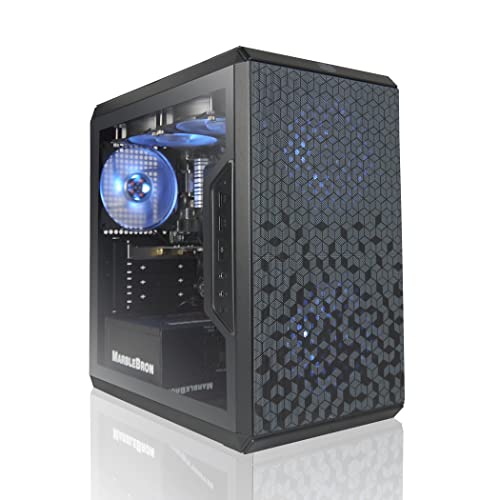
Best 1440p CPU and GPU pairings
| Budget level | CPU target | GPU target | Best for |
|---|---|---|---|
| Value | Modern six-core Ryzen 5 or Core i5 | GeForce RTX 5060 Ti, Radeon RX 9060 XT, or Intel Arc B580 | High settings, 60–120 fps, sensible spending |
| Sweet spot | Ryzen 5 9600X or comparable Core i5 | Radeon RX 9070 or GeForce RTX 5070 | Most 1440p monitors |
| High-end | Ryzen 7 9800X3D or equivalent gaming CPU | Radeon RX 9070 XT or GeForce RTX 5070 Ti | High refresh rates and demanding games |
| Enthusiast | Ryzen 7 9800X3D-class CPU | GeForce RTX 5080 or faster | Ray tracing, 4K upgrades, and maximum settings |
These are performance classes rather than rigid rules. A less expensive CPU is often perfectly fine at 1440p because the GPU becomes the limiting component, especially at high or ultra settings.
Best CPU for 1440p gaming
For a new gaming build, a six-core, 12-thread processor is the sensible starting point. A current Ryzen 5 or Core i5 can feed a mid-range graphics card well and leaves money for the component that affects 1440p frame rates most. Look for a Ryzen 5 gaming CPU if you want a straightforward, efficient platform with a strong upgrade path.
The cheaper option is fine when you use a 60Hz or 75Hz monitor, play mostly single-player games, or plan to spend under roughly the mid-range GPU price bracket. It becomes less suitable with a very fast graphics card, a 240Hz display, or games that produce heavy background simulation, such as large strategy and multiplayer titles.
AMD’s Ryzen 7 7800X3D remains a strong choice if you find it at a good price, while the Ryzen 7 9800X3D is the more current high-end gaming option. Both use extra cache to improve performance in many games, particularly simulation-heavy or CPU-limited titles. They are not automatically better value, though. At 1440p with a mid-range GPU, the difference may be small because the graphics card is already limiting performance.
Choose an X3D processor when you want very high minimum frame rates, use a high-refresh monitor, or expect to keep the same CPU through several graphics-card upgrades. Do not buy one simply because it is labeled “gaming.” A conventional six-core chip can deliver nearly the same experience in a budget or mid-range system.
Intel’s current Core i5 class is also suitable, especially if you find a complete platform deal with a motherboard and memory. Check the total cost rather than the processor price alone. Motherboard pricing, power limits, cooling requirements, and the upgrade path can change which platform is actually cheaper.
Best GPU for 1440p
The Radeon RX 9070 is a strong all-round 1440p choice. It has enough performance for high settings in demanding games and generally avoids the compromises associated with cheaper cards. The RX 9070 XT is worth considering for a 144Hz monitor, heavy texture settings, or a preference for keeping the card for several years. Search for Radeon RX 9070 XT graphics cards when comparing cooler designs and current prices.
Choose the GeForce RTX 5070 or RTX 5070 Ti if you care about ray tracing, frame-generation features, creator software compatibility, or Nvidia’s wider support across applications. The RTX 5070 is a good match for mainstream 1440p, while the 5070 Ti makes more sense if you want higher ray-traced settings or a faster display. Its main drawback is value: if you mainly play rasterized games, a similarly priced Radeon card may offer more conventional rendering performance.
For a lower-cost build, the Radeon RX 9060 XT, GeForce RTX 5060 Ti, and Intel Arc B580 are reasonable candidates. They can handle 1440p well with sensible settings, but they require more compromises in the newest games. The 8GB versions of cards in this class can run into texture-memory limits sooner than 16GB versions, particularly with ultra textures, ray tracing, or poorly optimized PC ports.
Intel Arc B580 is appealing when its price is clearly below competing cards. It offers useful memory capacity and can perform well in modern APIs, but driver behavior is less predictable across the entire back catalog of PC games. It is a better choice for someone comfortable updating drivers and checking game-specific results than for a plug-and-play buyer.
The trade-offs that affect your choice
VRAM: For a new 1440p purchase, 12GB is a comfortable baseline and 16GB gives more breathing room. More VRAM does not make a slow GPU fast, but insufficient VRAM can cause stuttering, texture pop-in, or sudden quality reductions.
Ray tracing: If you rarely enable ray tracing, prioritize rasterized performance and price. If you play heavily ray-traced games, Nvidia is often the safer choice, although AMD cards can still provide a good experience when upscaling is available.
Upscaling and frame generation: These features can make demanding games feel smoother, but generated frames do not remove the need for a reasonable base frame rate. If the game already feels sluggish at native rendering, enabling frame generation is not a complete fix.
Power and cooling: A faster GPU may need a larger power supply and produce more heat and noise. Check the card’s length, thickness, power connectors, and the case’s airflow before buying. An oversized model that barely fits is not a bargain.
Monitor matching: A 75Hz monitor does not need an expensive high-end card unless you want maximum visual quality or future headroom. For 165Hz gaming, a stronger GPU and faster CPU become more worthwhile, particularly in competitive games.
What I would buy
For most shoppers, I would pair a Ryzen 5 9600X-class processor with a Radeon RX 9070 or GeForce RTX 5070 and use a 1440p, 144Hz-to-180Hz monitor. This avoids wasting money on an elite CPU while providing enough graphics performance for high settings.
For a high-end build, pair the Ryzen 7 9800X3D with an RX 9070 XT or RTX 5070 Ti. Buy the X3D processor only if the budget also supports a capable graphics card. Putting it beside a low-end GPU is a poor allocation of money.
For a value system, a modern Ryzen 5 or Core i5 and an RX 9060 XT, RTX 5060 Ti, or Arc B580 is completely reasonable. Lower a few demanding settings, avoid assuming “ultra” is necessary, and you can get an excellent 1440p experience without paying for hardware your monitor cannot show.
FAQ
Is a Ryzen 5 enough for 1440p?
Yes. A current six-core Ryzen 5 is enough for most 1440p systems. Upgrade to a Ryzen 7 X3D model for very high refresh rates, CPU-heavy games, or a future high-end GPU upgrade.
Is 8GB of VRAM enough for 1440p?
It can be, but it is no longer the capacity I would target for a long-term purchase. A 12GB or 16GB card gives you more room for demanding games and high-resolution textures.
Should I buy AMD or Nvidia for 1440p?
AMD is often attractive for traditional rendering performance and price. Nvidia is usually the safer choice for ray tracing, frame-generation features, and software compatibility. Compare the specific cards rather than choosing only by brand.
Do I need an expensive CPU cooler?
Not necessarily. A capable tower air cooler is enough for most six-core processors. High-end CPUs benefit from stronger cooling, but spending on cooling should not reduce the budget available for the graphics card.



