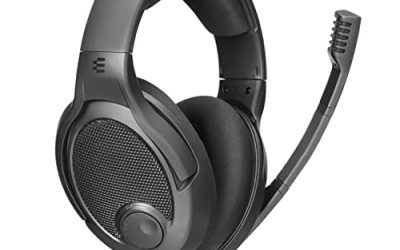
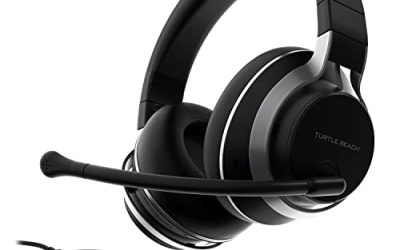
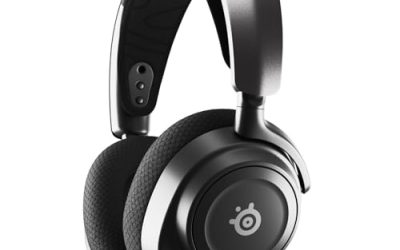
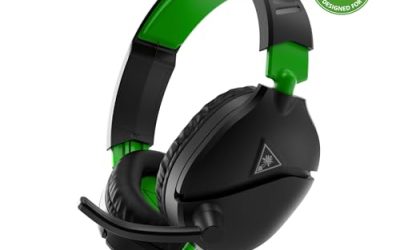
The best affordable PS3 headset is a wired USB stereo headset with a boom mic, usually $15–$40. The PS3 accepts generic USB audio devices for both game sound and voice chat, and the DualShock 3 has no headphone jack, so 3.5mm-only headsets can’t do chat on their own. Wireless options exist, but they come with trade-offs on this console.
Because the PS3 is long out of production, most of what you’ll find is generic USB gear, older stock, or used units. Specific model availability changes constantly, so this guide picks by spec class and compatibility rather than chasing individual SKUs. Check the manufacturer’s compatibility list before buying any specific model.
As an Amazon Associate we earn from qualifying purchases at no extra cost to you.


Our Top Picks
Top 3 picks at a glance
Quick comparison of the picks
| Pick | Best for | Key specs | Typical price |
|---|---|---|---|
| Wired USB stereo headset, boom mic | Best overall | USB audio class, 40mm drivers, 6–10 ft cable, inline volume/mute | $20–$40 |
| Basic wired USB headset | Best budget | Stereo, 30–40mm drivers, fixed mic, 6 ft cable | $12–$25 |
| 3.5mm gaming headset + USB audio adapter | Best for upgrading a headset you own | 3.5mm 4-pole headset, USB adapter with mic input | $8–$15 for the adapter |
| Wireless headset with 2.4GHz USB dongle | Best wireless (verify support) | USB audio class dongle, 10–20 hr battery | $35–$70 |
| Optical-input wireless headset | Best for surround game sound | Optical in, Dolby Digital decode, separate chat mic or USB link | $50–$100 |
| Bluetooth mono earpiece | Best chat-only option | HFP/HSP profile, 6–8 hr talk time, one ear | $10–$25 |
How the PS3 handles headsets
The PS3 supports three audio paths, and each pick above fits one of them:
- USB audio devices: Many class-compliant headsets work for both input (mic) and output (sound). This is the simplest route.
- Bluetooth: Supports the headset/hands-free profile (mono, chat-quality audio). It does not stream stereo game audio to ordinary Bluetooth headphones.
- Optical and HDMI/AV out: Carry game audio to a TV, receiver or transmitter, but they carry no microphone signal back.
This is why a good PS5-era wireless headset often fails on a PS3. Those models rely on proprietary dongles or Bluetooth stereo that the older console does not recognize.
Best overall: wired USB stereo headset with boom mic
This is the one to buy if you want game sound and chat from a single plug. Look for a USB audio-class headset (no driver required), 40mm drivers, a flexible or detachable mic, and an inline mute switch. Basic USB headsets in the style of the Logitech H390 are the typical example of this class. Confirm current availability and PS3 listing with the retailer or manufacturer.
Who it suits: players who sit within a few feet of the console and want it to work without setup. Trade-off: the cable. And “virtual 7.1” on a USB headset is processed inside the headset itself, so you gain little over good stereo for most PS3 games.
Best budget: basic wired USB headset
A sub-$25 USB headset gives you clear chat and acceptable stereo sound. Spend a few dollars more only on what matters: a cable of 6 ft or more, padded earcups, and a mic that stays where you put it. Trade-off: thin bass, weaker mic noise rejection, and plastic headbands that can crack on very cheap models. If the headset advertises “PC only” with no console mention, treat it as a gamble. USB audio-class headsets usually work, but ones that need a driver or software will not.
Best for upgrading a headset you own: 3.5mm headset plus USB adapter
If you already own a 3.5mm headset (the Turtle Beach Recon 70 or HyperX Cloud Stinger class, for example), a USB audio adapter with separate headphone and mic jacks can let it work on the PS3. The adapter must be USB audio-class compliant. Many PS3 owners use this route to avoid buying a second headset.
Trade-off: adapter quality varies, and some cheap ones add hiss or have a weak mic level. Buy one with a return window and test chat in a real lobby. Compatibility depends on the adapter chipset, which is rarely listed.
Best wireless: 2.4GHz USB-dongle headset
A wireless headset works on the PS3 only if its dongle presents itself as a standard USB audio device. Some do, many do not. Look for explicit “PS3” wording on the manufacturer’s spec sheet, not just “PlayStation.” Trade-off: higher cost, battery management, and compatibility risk. If you can’t confirm PS3 support, skip it.
Best for surround game sound: optical-input wireless
The PS3’s optical output can carry Dolby Digital 5.1 to a decoder or transmitter, and some wireless headsets include a base station that accepts it. In Settings > Sound Settings > Audio Output Settings, choose the optical output and enable Dolby Digital 5.1. A base station like this decodes it into headphone surround.
Trade-off: it is the most expensive route, and it carries no mic signal. You need a separate USB mic or a wired chat solution. It suits players who care more about positional sound in single-player games than about party chat.
Best chat-only: Bluetooth mono earpiece
A basic Bluetooth earpiece can work for voice chat, since the PS3 supports headset-profile devices. Pair it from the XMB: Settings > Accessory Settings > Register Bluetooth Device > Start Scanning, then enter 0000 if prompted. Game audio keeps coming from the TV.
Trade-off: mono and low bitrate, so the quality is voice-call grade. It’s great for couch gaming and your own speakers, but poor for hearing footsteps.
Decision matrix: match your setup to a headset
| Your situation | Choose | Why |
|---|---|---|
| Console within 6 ft, want chat and game sound | Wired USB stereo headset | One plug, no setup beyond XMB audio settings |
| Already own a 3.5mm headset | USB audio adapter | Spends $8–$15 instead of $30+ |
| Couch 10+ ft from console | Wireless USB dongle (verified) or Bluetooth earpiece | Cable would not reach comfortably |
| Single-player, want surround | Optical-input wireless | Dolby Digital passthrough, no chat |
| Only want to talk, TV audio is fine | Bluetooth mono earpiece | Cheapest, lowest effort |
| PS3 is in a TV console cabinet at the back of the room | USB extension cable + wired headset | Reaches your seat for under $10 |
Worked example: cable length and total cost
Say your couch is 9 ft from the PS3, and the front USB port sits about 1 ft above the floor. Cable runs rarely go in a straight line. Add roughly 30% for routing around furniture and 1.5 ft of slack so the headset doesn’t tug when you lean forward:
- Straight-line distance: 9 ft
- Routing allowance (30%): 2.7 ft
- Slack: 1.5 ft
- Required cable: about 13.2 ft
A typical 6.5–10 ft headset cable falls short here. The fix is a 10 ft USB extension, which usually costs $6–$10. That makes a $25 headset plus a $8 extension about $33, which is still cheaper than most wireless headsets and avoids battery and compatibility issues. If you plan to move around the room, the wireless premium starts to make sense.
How to set up a USB headset on PS3
- Plug the headset into a front USB port. It’s the simplest place to find, and you avoid reaching behind the console.
- Open Settings > Accessory Settings > Audio Device Settings. Select the headset as both Input Device and Output Device. If it appears as input only, the headset is not fully class-compliant.
- Set Microphone Level. Start in the middle and test in a party chat, then adjust. Too high picks up room noise, too low makes you sound distant.
- Lower the game/TV volume first. Output volume is set by the headset’s inline control and the in-game mix, so check both before putting the headset on.
- Check in-game voice settings. Some titles have separate voice chat volume and mic toggles that override the XMB defaults.
How to choose: criteria that matter
- Compatibility first: USB audio class or explicit PS3 support beats any spec on the box.
- Cable length: measure the route, not the line (see the example above).
- Mic quality over driver size: in PS3 online play, most of the value is clear chat. Choose a boom mic with a mute switch.
- Comfort: PS3-era games run long sessions. Padded earcups and a clamp that doesn’t squeeze beat marginal sound gains.
- Warranty and returns: because compatibility is not always listed, buy where you can return an item that fails to register.
Frequently Asked Questions
Can I use any USB headset on a PS3?
Many USB headsets work, but not all of them. The PS3 recognizes class-compliant USB audio devices. Headsets that need drivers or proprietary software, which is common with PC-focused models, may not register. Check the manufacturer’s compatibility list when possible.
Can I use a PS4 or PS5 headset on a PS3?
Often not. Many newer PlayStation headsets rely on a proprietary dongle or Bluetooth stereo, neither of which the PS3 supports. A wired model that connects over standard USB audio is the one most likely to work. Always confirm PS3 support in the product’s specs.
Can I use a regular Bluetooth headset on a PS3?
Only for chat. The PS3 supports the Bluetooth headset profile, which is mono and voice-quality, but it does not stream stereo game audio to normal Bluetooth headphones. Game sound would continue to come from your TV or speakers.
Does a 3.5mm gaming headset work with the DualShock 3?
No, the DualShock 3 does not have a headphone jack. A 3.5mm headset can still play game audio if you plug it into your TV, monitor or receiver, but there will be no chat. To get chat, use a USB audio adapter or a USB headset.
Is 7.1 surround worth paying for on a PS3?
Usually not at a budget price. USB “7.1” is virtual surround processed in the headset, and the gain is modest for most PS3 games. If you want a real surround signal, use the optical output with a headset base station that decodes Dolby Digital, and expect to pay more.
How much should I spend?
Most players get the best value between $20 and $40 for a wired USB headset. Spending more on a PS3 mostly buys wireless convenience or optical surround, and both come with extra compatibility checks. Below about $15, the mic and build quality are the usual weak points.
Related guides
More from Amazon
Programs that pair well with the guide above. Offers and eligibility are set by Amazon and may change.
A free business account with business pricing and bulk-buying tools for work, shop or home office.
Create a business accountFree shipping on eligible items, Prime Video and more. Eligible new members can start with a free trial.
Start a Prime free trialAudiobooks and podcasts to listen to on the go. Eligible new members can start with a free trial.
Try Audible freeAd-free music streaming. Eligible new subscribers can start with a free trial.
Try Music Unlimited freeAs an Amazon Associate we earn from qualifying purchases.