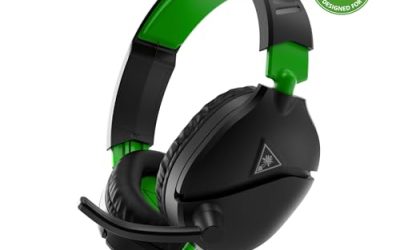
The best affordable gaming headset for most people is a wired model such as the Razer BlackShark V2 X, because at $40–$60 wired designs spend the money on drivers, padding and a usable mic instead of a battery and radio. If you want no cable, the Logitech G435 is the budget wireless pick. The right choice depends mostly on your platform and connection type, which this guide maps out below.
As an Amazon Associate we earn from qualifying purchases at no extra cost to you.


Our Top Picks
Top 3 picks at a glance
Quick comparison of the picks
| Pick | Best for | Key specs (per manufacturer) | Typical price |
|---|---|---|---|
| Razer BlackShark V2 X | Best overall value, esports and FPS | Wired 3.5 mm, 50 mm TriForce drivers, cardioid detachable-style boom mic design | $40–$60 |
| Logitech G435 Lightspeed | Best budget wireless | 2.4 GHz USB dongle + Bluetooth, about 165 g, up to ~18 hours battery | $40–$70 |
| SteelSeries Arctis Nova 1 | Best for PC + console + switching setups | Wired 3.5 mm, 40 mm drivers, retractable mic, broad platform support | $50–$60 |
| HyperX Cloud III | Best step-up for comfort and sound | Wired, 53 mm drivers, memory-foam pads, detachable mic | $60–$100 |
| HyperX Cloud Stinger 2 | Best under-$40 pick | Wired 3.5 mm, 50 mm drivers, swivel-to-mute mic | $30–$50 |
Prices are general market ranges and move with sales. Specs are taken from each manufacturer’s published spec sheet, so confirm the current revision before buying.
Best overall: Razer BlackShark V2 X
This is the default recommendation for FPS and competitive play. It is wired, light on features and tuned for clear mids and highs, which is where footsteps and callouts sit. The 3.5 mm connection works with PCs that have a headset jack, consoles via the controller and most phones.
Trade-off: there is no software surround or USB audio built in, and bass is lean next to bass-boosted rivals. Desktops without a front-panel jack will need a small USB sound adapter.
Best budget wireless: Logitech G435
The G435 is one of the few wireless headsets that regularly sits near the $50 mark. It pairs through a USB dongle (works on PC, PlayStation and many other USB hosts) or Bluetooth, and Logitech rates it at up to roughly 18 hours per charge. At about 165 g it is light enough for long sessions.
Trade-off: the mic is acceptable for party chat rather than streaming, and the sound is tuned for general use rather than precision. You also cannot use it while plugged in as a wired headset.
Best for switching platforms: SteelSeries Arctis Nova 1
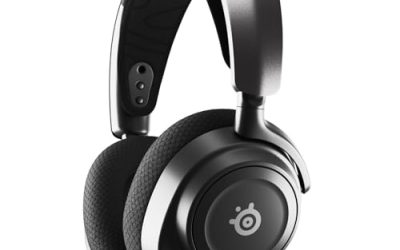
If one headset has to serve a PC, a console and a phone, the Nova 1’s single 3.5 mm plug and retractable mic make it simple. SteelSeries’ tuning is balanced and less fatiguing than many budget “gamer” curves.
Trade-off: 40 mm drivers and a basic mic mean it is a safe all-rounder, not a standout in any single area.
Best step-up: HyperX Cloud III
Many buyers pay $20–$40 more here and get better padding, larger drivers and a detachable mic. It is the one to pick if you wear a headset four or more hours a day or wear glasses and need softer clamp pressure.
Trade-off: it pushes the top of the “affordable” range, and it is still a wired design.
Best under $40: HyperX Cloud Stinger 2
For a tight budget, the Stinger 2 gives a swivel-to-mute mic and 50 mm drivers at entry-level pricing. It is comfortable enough for a few hours and works anywhere with a 3.5 mm jack.
Trade-off: build is mostly plastic, and the mic is fine for chat but thin for recording.
Match your situation to a headset
| Your situation | Connection to look for | Pick |
|---|---|---|
| PC with front-panel 3.5 mm jack, competitive FPS | Wired 3.5 mm | BlackShark V2 X |
| PC with no headset jack (many recent motherboards/cases) | USB dongle wireless, or wired + USB sound adapter | G435, or any wired model + adapter |
| PlayStation or Switch, desk nearby | 3.5 mm to controller, or USB dongle | Nova 1 or G435 |
| Xbox Series X|S | 3.5 mm to controller (most budget wireless dongles do not work) | Any wired pick above |
| Phone + PC in the same day | Bluetooth + dongle, or one 3.5 mm plug | G435 or Nova 1 |
| Under $40 total | Wired 3.5 mm | Cloud Stinger 2 |
How to choose: the criteria that matter at this price
1. Connection type before anything else
A wrong connection is the most common reason a cheap headset gets returned. Check the headset’s plug or dongle against what your device actually has. Many newer PC cases and boards omit the front jack or use a combined headset jack that needs a single four-pole (TRRS) plug. Most budget headsets ship with that plug, but some PC-only models use two separate plugs.
2. Wired versus wireless: a worked cost-and-battery example
Wireless adds a battery and radio, so at the same price you usually get less driver and mic quality. Here is the practical math:
- Battery: a headset rated at 18 hours, used 3 hours a day, lasts 18 ÷ 3 = 6 days per charge, or about 60 charges per year. Real life is often below the rated figure, and lithium cells also lose capacity over time, so plan on roughly 4–5 days.
- Cost per hour: a $50 headset used 3 hours a day for 2 years is about 2,190 hours, or about 2.3 cents an hour. A $100 headset over the same time is about 4.6 cents an hour. The extra $50 costs 2.3 cents per hour, which is why a comfort upgrade is worth it for daily players and not worth it for someone playing 3 hours a week (about 312 hours over 2 years, or 16 cents per hour more).
If you play daily and the cable does not bother you, spend on comfort. If you play occasionally, buy the cheaper pick and put the difference toward a game.
3. Comfort numbers: weight and clamp
Aim for roughly 250 g or less for long sessions, and check whether the pads are leatherette or fabric. Leatherette seals better but is warmer. Breathable fabric or velour is better for warm rooms. Spec sheets rarely list clamp force, so read reviews that mention glasses or large heads.
4. The mic matters less than you think, until it doesn’t
For party chat in games, a basic boom mic is fine. If you record or stream, a separate USB mic or a headset with a detachable boom is a better investment. A flip-to-mute function is worth having, as it removes the need to hunt for a mute key mid-match.
5. Skip “7.1 surround” as a buying reason
Virtual surround in budget headsets is software processing on stereo drivers. Stereo with a well-tuned driver is usually better for positional accuracy, and Windows Sonic or Dolby Atmos for Headphones can be enabled separately when wanted.
Settings that improve a cheap headset
- Disable audio enhancements in Windows Sound settings if voices sound hollow, then set the format to 24-bit, 48000 Hz for stable game audio.
- Use a mild EQ rather than boost presets. A small cut of 2–3 dB in the bass range can reveal footsteps in loud games.
- Set mic gain by ear so your voice peaks around -12 dB in the Windows meter, not clipping.
Frequently Asked Questions
How much should I spend on an affordable gaming headset?
Most good value sits between $40 and $80. Below $30, mic and build quality drop quickly, while above $100 you are paying for features such as wireless, ANC or software rather than major gains in game audio.
Are wired headsets better than wireless at the same price?
Usually yes for sound and mic quality, since none of the budget goes toward a battery and radio. Wireless wins on convenience and works well for casual play. Wired is also better for Xbox consoles, where many budget wireless dongles are not compatible.
Do I need a USB headset or is 3.5 mm fine?
3.5 mm is fine for most players and works on PC, consoles and phones. USB is helpful when your PC has no headset jack or the onboard audio is noisy, and a small USB sound adapter solves that cheaply.
Is a gaming headset better than regular headphones plus a mic?
Not always. A pair of good open-back or closed-back headphones with a clip-on or desk mic often sounds better for the same money. A gaming headset is simpler and more convenient, which is why it remains the better pick for most budget buyers.
Will a budget headset work on PS5, Xbox and Switch?
3.5 mm models work on all three through the controller jack, or the handheld Switch directly. USB dongle models vary, so check the manufacturer’s compatibility list for your exact console before buying.
How long should an affordable headset last?
Two to three years of daily use is realistic. Pads and cables wear first, and wireless batteries lose capacity over time. Models with replaceable ear pads and detachable cables extend that life.
Related guides
More from Amazon
Programs that pair well with the guide above. Offers and eligibility are set by Amazon and may change.
A free business account with business pricing and bulk-buying tools for work, shop or home office.
Create a business accountFree shipping on eligible items, Prime Video and more. Eligible new members can start with a free trial.
Start a Prime free trialAudiobooks and podcasts to listen to on the go. Eligible new members can start with a free trial.
Try Audible freeAd-free music streaming. Eligible new subscribers can start with a free trial.
Try Music Unlimited freeAs an Amazon Associate we earn from qualifying purchases.