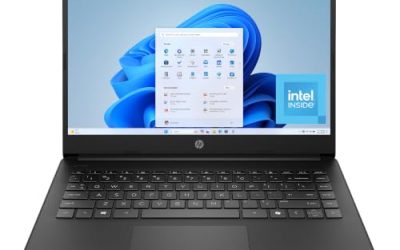
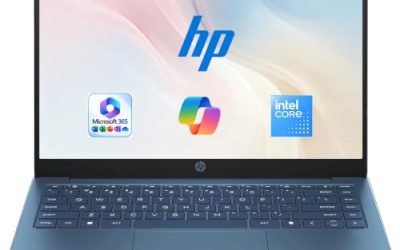
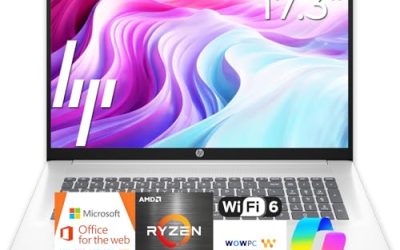
Working from home changes what a laptop has to do. It sits on a kitchen counter or a spare-room desk for eight hours, runs a video meeting app, a chat client, a browser full of web tools, and often a VPN, and then gets folded away so the dining table can be used for dinner. If you already prefer Lenovo, the real question is which of the many 15.6-inch models actually matches that routine, because the lineup is crowded with near-identical names such as IdeaPad Slim 3, V15, and Essential.
This guide is written for remote employees, freelancers, and anyone who wants a dependable Lenovo for email, documents, and calls without paying for gaming hardware. A pattern shows up quickly in the listings: nearly every model here uses 8GB of memory and a modest processor, so the differences come down to storage type, processor family, included software, and extras. We have grouped seven laptops and flagged one Lenovo accessory that does not belong in a laptop comparison. In 2026, the cheapest way to get this wrong is to compare names instead of specs, so each section below sticks to what the titles state.
Our Top Picks
Top 3 picks at a glance
Quick Picks
As an Amazon Associate we earn from qualifying purchases at no extra cost to you.

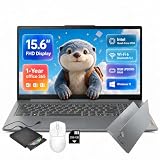


| Product | Best for | Key spec taken from the title |
|---|---|---|
| Lenovo 15.6″ Business Laptop | Cloud-first document work | 8GB DDR5, 128GB storage, 1TB cloud storage |
| IdeaPad Slim-3i (N150) | Expandable storage on a budget | Intel N150 quad-core, 8GB LPDDR5, 128GB UFS, 256GB SD card |
| IdeaPad Slim 3 (Ryzen 5) | Fastest processor in this group | AMD Ryzen 5, 8GB DDR5, 256GB SSD |
| IdeaPad Slim 3i (N150, Arctic Grey) | Simple Microsoft 365 setup | Intel N150, 8GB RAM, 128GB SSD, Microsoft 365 |
| Lenovo Essential with HDD | Offline file archive | 8GB DDR5, 128GB storage, 500GB external HDD |
| Lenovo V15 | Larger internal SSD | 8GB DDR5, 256GB SSD, WiFi 6, Copilot AI |
| Lenovo Essential (cloud) | Light email and calls | 8GB DDR5, 128GB storage, Bluetooth 5.2 |
How to Choose
Processor class matters more than the model name
Intel N150 is an entry-level quad-core chip built for web apps, documents, and video playback. An AMD Ryzen 5 in the same budget tier generally gives more headroom for multitasking, which shows up when a call, a screen share, and a spreadsheet run together. Generic phrases such as “Intel Processor” in a title tell you nothing, so open the listing and find the exact chip before you compare.
Storage type and capacity
For a work laptop, a 256GB SSD is a better foundation than 128GB of UFS or eMMC, because Windows updates and Office apps alone consume a large share of a 128GB drive. A microSD or SD slot, a bundled external drive, or a cloud allowance can help, but they are slower or depend on connectivity. If your files live in a cloud drive and you work online most of the day, the smaller internal drive is workable; if you store local project folders, step up.
Display, webcam, and audio for meetings
All the laptops here list a 15.6-inch FHD (1920×1080) panel in some form, and several mention anti-glare finishes, which help in rooms with a window behind you. Webcam resolution and microphone quality are rarely in titles, so check the listing; a 720p camera is common at this tier, and if calls dominate your day an inexpensive headset or an external webcam may matter more than the laptop itself.
Ports, wireless, and budget compromises
Look for Wi-Fi 6 for stable calls on a crowded home network, USB-C for docks and charging, and an HDMI port if you connect a monitor. Budget Lenovo models usually cut corners on display brightness, memory expansion, and keyboard backlighting. None of them is built for video editing or heavy data work, so treat the 8GB ceiling here as the real limit on how many apps you can keep open.
A last tip for remote workers is to measure your day, not the spec sheet. Count how many browser tabs you normally keep open, whether you share your screen, and whether your employer’s VPN or security agent runs in the background. Those background tasks eat memory that titles never mention, and they explain why two laptops with the same listed RAM can feel different in daily use.
The 7 Best Options
Lenovo 15.6″ FHD Business Laptop (1TB Cloud)
This model is pitched at students and office workers who live in browser tabs and shared documents. The title lists an Intel processor, 8GB of DDR5 memory, 128GB of storage, 1TB of cloud storage, Office 365, Copilot AI, Wi-Fi 6, USB-C, and an anti-glare screen.
- Strength: Wi-Fi 6 and USB-C make it a good fit for modern routers and docks.
- Strength: the anti-glare display is friendlier in bright home offices.
- Trade-off: only 128GB of local storage, so the cloud allowance has to carry your files.
Cloud storage is only useful while you are online, so a person who regularly works on a train, in a rural home with spotty service, or during outages should think twice. Skip it if your internet connection is unreliable or you keep large local folders.
Lenovo IdeaPad Slim-3i 15.6″ (N150, SD Card)
The distinguishing feature of this IdeaPad is storage flexibility. It combines an Intel N150 quad-core, 8GB of LPDDR5, 128GB of UFS storage, and a 256GB SD card, plus a one-year Office 365 subscription and Windows 11.
- Strength: the 256GB SD card gives extra room for documents and backups.
- Strength: LPDDR5 memory and Wi-Fi 6 are current-generation parts.
- Trade-off: UFS storage plus an SD card is less convenient than one fast SSD.
It suits someone who keeps a clean split between system files and a removable work archive. Skip it if you want a single, quick internal drive for everything.
Lenovo IdeaPad Slim 3 15.6″ (Ryzen 5)
This is the processor upgrade in the group. The title shows an AMD Ryzen 5, 8GB of DDR5, a 256GB SSD, an FHD screen, and Windows 11, so it is the closest thing here to a real all-day work machine.
- Strength: Ryzen 5 offers more headroom than an N150 for calls plus spreadsheets.
- Strength: a 256GB SSD is a sensible starting capacity.
- Trade-off: 8GB of RAM still limits very heavy multitasking.
Remote workers who also run a VPN client, a password manager, and a security agent in the background will notice the extra processing margin most. Skip it if you only check email and write a few documents, since a cheaper model would do.
Lenovo IdeaPad Slim 3i 15.6″ (N150, Microsoft 365)
A straightforward setup: Intel N150, 8GB of RAM, a 128GB SSD, Windows 11, and Microsoft 365 included, in an Arctic Grey finish. It is a sensible pick for someone who wants the office suite ready on day one.
- Strength: an SSD rather than eMMC makes startup and app launches feel snappier.
- Strength: the Microsoft 365 inclusion simplifies setup.
- Trade-off: 128GB fills quickly once updates and apps pile up.
It is a good match for new remote workers who want the office suite working immediately. Skip it if you plan to store a large photo or video library locally.
Lenovo Essential 15.6″ with 500GB External Drive
The Essential comes with an Intel processor, 8GB of DDR5, 128GB of storage, and a 500GB external hard drive, along with a Long Battery Life note and an FHD anti-glare display.
- Strength: the included external drive provides cheap offline backup space.
- Strength: an anti-glare FHD screen suits daytime work.
- Trade-off: an external hard drive is one more item to carry and plug in.
Because the drive is separate, it also makes a convenient place for weekly backups of work folders, which many home workers forget to do. Skip it if you want a tidy, drive-free desk setup or work mostly while travelling.
Lenovo V15 15.6″ (256GB SSD)
The V15 names an Intel processor, 8GB of DDR5, a 256GB SSD, Copilot AI, WiFi 6, Office 365, and a portable design. It is the better-equipped of the Intel models for storage.
- Strength: a 256GB SSD gives room for apps and recent files.
- Strength: WiFi 6 helps in a busy household network.
- Trade-off: the exact processor is not named in the title, so verify it.
For a home office that needs Office apps and a bit of local storage without stepping up in tier, it is a balanced middle option. Skip it if you cannot confirm the processor on the listing page.
Lenovo Essential 15.6″ (Bluetooth 5.2, Cloud)
This Essential variant lists an Intel CPU, 8GB of DDR5, 128GB of storage, 1TB of cloud storage, Office 365, Copilot AI, WiFi 6, Bluetooth 5.2, and an anti-glare screen.
- Strength: Bluetooth 5.2 pairs well with wireless headsets for calls.
- Strength: a lightweight spec set meets basic daily tasks.
- Trade-off: shares the 128GB limit with several other models.
It is a reasonable fit for a household second laptop used for scheduling, messaging, and web research. Skip it if your work needs large local files or heavy applications.
Which One Fits Your Situation
You attend video meetings all day
The IdeaPad Slim 3 with Ryzen 5 gives the most processing room, which helps when a call, screen share, and chat run together.
You store most files in the cloud
The Lenovo 15.6″ Business Laptop with 1TB of cloud storage matches a browser-first workflow.
You carry lots of local documents
The Lenovo V15 with a 256GB SSD, or the IdeaPad Slim-3i with its SD card, covers the most local files.
You want a simple, ready-to-go setup
The IdeaPad Slim 3i with Microsoft 365 is the easiest to start using with no extra steps.
Common Mistakes
- Choosing by model name alone, when the processor and storage vary widely between near-identical listings.
- Treating a one-year Office subscription as a permanent licence.
- Ignoring storage type and treating UFS, eMMC, and SSD as the same thing.
- Relying on the built-in webcam and microphone when calls are central to the job.
- Expecting an 8GB entry laptop to run heavy tools such as design or data-analysis software smoothly.
Related guides
- Replacement Cables For Gaming Mice And Headsets
- Indoor Security Cameras Without Subscription
- Nvidia Control Panel Best Settings For Gaming
Frequently Asked Questions
Is 8GB enough for working from home?
For email, documents, and a video call, it works. Heavy multitasking or long browser sessions will feel tight, so buyers who can find a 16GB Lenovo should prefer it. Adding a second monitor increases memory use as well, which is another reason to leave headroom.
Do these laptops include a lifetime Office licence?
Most titles describe Office 365 or Microsoft 365 as included for a period, often one year. Read the listing details to see how long the subscription lasts.
Why is a Lenovo headset not in the list?
A USB headset is a useful accessory for remote work, but it is a different category from a laptop, so it was left out of the comparison. Pair any laptop above with a wired headset if call quality is a priority.
Which port should I prioritize?
USB-C is the most flexible because it handles docks, displays, and charging on many models. Confirm the listing states whether it supports charging or video output, because some USB-C ports only handle data. If you plan to connect an external monitor, also look for an HDMI port, which saves buying an adapter and keeps the desk simple.