Large screen laptops are one of the few categories where the screen size is only the opening line of the spec sheet. Once you commit to 17.3 or 18.5 inches, the real differences live in the panel’s color coverage, the battery capacity, the memory ceiling, and the ports that decide whether the machine can replace a desktop. This guide ranks five listed models by those hardware details rather than by marketing slogans.
It is written for buyers who edit documents, photos, or spreadsheets on a big canvas and want to understand what each listing really offers. The titles are from 2026 listings, so every claim below comes from the text of those titles, and no speed figures or battery hours have been made up. Where a title is cut off, you will see a note to confirm the detail on the full page before purchasing.
Our Top Picks
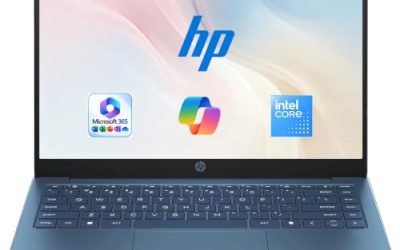
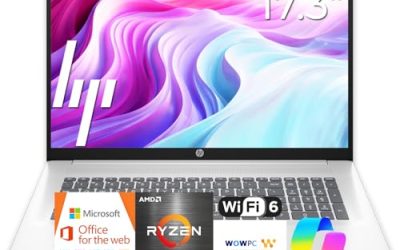
 HP 17.3" Touchscreen Laptop Computer32GB RAM | 1.5TB Storage14.14 x 9.31 x 0.78 inches6 poundsCheck on Amazon
Top 3 picks at a glance
Quick Picks
As an Amazon Associate we earn from qualifying purchases at no extra cost to you.



| Product | Best for | Key spec from the title |
|---|---|---|
| 18.5-inch Core i9 Laptop | Color-aware work on a big panel | Core i9 up to 4.8GHz, 16GB RAM, 512GB SSD, 100% sRGB FHD |
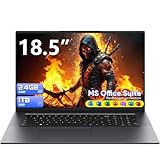
| BWPED 18.5-inch Laptop | Memory and storage capacity | 24GB RAM, 1TB SSD, 48Wh battery, HDMI, RJ45, 3 USB |
| HP OmniBook 3 17 (Core Ultra 5 225U) | Modern processor in a standard chassis | FHD display, Core Ultra 5 225U, 8GB RAM, 512GB SSD |
| HP 17-inch Business (Ryzen 5) | Office-style 17.3-inch work | 17.3-inch FHD, 16GB RAM, 512GB SSD, numeric keypad |
| HP 17.3 (Ryzen 5 7520U) | Everyday home screen | HD+ display, 16GB RAM, 512GB SSD, Radeon graphics |
How to Choose
Panel details: resolution and color coverage
On a screen this big, Full HD is the minimum to keep text sharp, and an HD+ panel is a visible compromise. If you edit photos or design layouts, a title that mentions sRGB coverage is giving you an extra clue; 100% sRGB means the panel is built to cover the standard color range used by most web content. Without that line, treat color accuracy as unknown. Brightness figures are rarely in these titles, so check the listing if you work near windows.
Battery capacity in watt-hours
Battery size is easiest to compare in watt-hours, and only one title here lists it: 48Wh on the BWPED. Some listings elsewhere quote milliamp-hours instead, which is harder to compare directly. Large panels draw more power, so even a decent capacity does not guarantee a long unplugged day. Plan to keep the charger nearby, and treat any “long battery life” phrase without a number as unconfirmed.
Memory ceiling and storage layout
Sixteen gigabytes of RAM is the practical sweet spot, and 24GB, as the BWPED lists, gives extra room for photo libraries and many tabs. Eight gigabytes limits multitasking, so reserve it for light users. On storage, 512GB covers most needs, while 1TB is helpful for media. Be careful with titles that add internal storage to external drives, because only the internal drive keeps programs loading quickly.
Connectivity and processor class
A desktop replacement should offer HDMI, several USB ports, and ideally an Ethernet jack. Dual-band Wi-Fi and Bluetooth 5.0, mentioned in one listing, are the wireless basics to expect. On the processor side, a Core i9 sits at the high-performance end, Core Ultra 5 and Ryzen 5 are comfortable mainstream choices, and a Core m3 belongs to a low-power class. Ignore phrases that describe speed in vague terms; a quoted maximum clock speed does not tell you how the chip behaves under sustained work.
A final habit worth building is to rank your own priorities before you look at models: write down whether color accuracy, ports, memory, or portability matters most to you. Large-screen laptops force trade-offs, and the listing that wins on one axis will often lose on another. Knowing your top priority keeps you from being swayed by the longest feature list. Then confirm that choice against the full listing, because the titles quoted here are shortened and the missing pieces often include the details that settle a close decision.
The 5 Best Options
18.5-inch Core i9 Laptop
This listing stands out for its processor and panel description. The title promises a Core i9 CPU up to 4.8GHz, 16GB of RAM, a 512GB SSD, WiFi-6, and a 100% sRGB Full HD display. It also lists Windows 11 Home, a backlit keyboard, and a numeric pad. For people who edit photos or manage large spreadsheets on a big canvas, the sRGB claim is the headline. A hobbyist who retouches travel photos will care about consistent color more than raw speed.
- Strength: the 100% sRGB FHD panel is stated outright, which is uncommon among large-screen laptops.
- Strength: WiFi-6, a backlit keyboard, and a numeric pad make it practical for long sessions.
- Trade-off: the brand name is not shown in the title, and the fingerprint detail is cut off, so verify both.
Skip it if you want a name-brand warranty path or need Windows 11 Pro.
BWPED 18.5-inch Laptop
The BWPED is the capacity champion of the group, with 24GB of RAM and a 1TB SSD. The title lists a 3.4GHz Core m3 processor, a 48Wh battery, three USB ports, HDMI, an RJ45 jack, dual-band Wi-Fi, and Bluetooth 5.0 in grey. That port list makes it appealing for people who want to plug in a monitor, wired network, and several accessories without adapters. A home-office worker who connects a wired network, a printer, and an external drive at one desk will use every one of those ports,.
- Strength: 24GB of RAM and 1TB of SSD storage are the largest memory and storage figures on the list.
- Strength: HDMI, RJ45, and three USB ports cover desktop-style connections.
- Trade-off: a Core m3 is a low-power processor class, so it suits light tasks more than heavy workloads.
Skip it if you need strong processing power for demanding editing.
HP OmniBook 3 17 (Core Ultra 5 225U)
The OmniBook 3 17 uses an Intel Core Ultra 5 225U with Intel graphics, a Full HD 17.3-inch display, 8GB of RAM, and a 512GB SSD under Windows 11 Home in Glacier Silver. It is the most modern mainstream processor family on this list, and the standard chassis makes it feel like a regular laptop that happens to have a large screen. People upgrading from an older 15-inch machine will find the transition easy, since the layout and operating system are familiar, and the Intel graphics point to everyday visuals rather than gaming or creative rendering.
- Strength: Full HD resolution on a 17.3-inch panel keeps text sharp.
- Strength: a current-generation Core Ultra processor suits everyday multitasking.
- Trade-off: 8GB of RAM is the lowest memory tier here and limits heavier workloads.
Skip it if you plan to keep many applications open or edit large files.
HP 17-inch Business Laptop (Ryzen 5)
This HP lists a Ryzen 5, 16GB of RAM, a 512GB SSD, a 17.3-inch Full HD display, and a numeric keypad. It sits in the middle of the group with no unusual extras, and that predictability is the appeal. It suits office users who want a stable, familiar layout and enough memory for a full day of work. A small-business owner reconciling invoices, or a coordinator managing schedules across several windows, gets the combination of screen area and keypad that makes such tasks quicker, and the configuration avoids the compromises that appear at the lower memory tiers.
- Strength: 16GB of RAM and a Full HD panel pair well on a large screen.
- Strength: the numeric keypad helps with data entry.
- Trade-off: the Windows edition and wireless standard are not shown in the title.
Skip it if you want the sRGB detail or the biggest possible panel.
HP 17.3 (Ryzen 5 7520U)
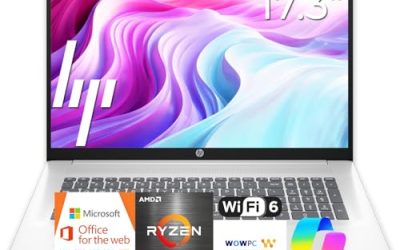
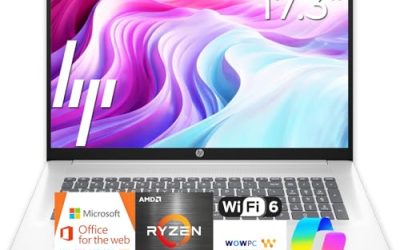
The 17.3-inch HP with a Ryzen 5 7520U offers AMD Radeon graphics, 16GB of RAM, a 512GB SSD, and Windows 11 Home in Natural Silver. Its HD+ display is the weak spot, but the memory and storage are healthy for the tier. It fits a household that wants a big screen for streaming, browsing, and light office work. Because it shares the screen size of the business model above, the deciding factors are resolution and extras: choose this one if budget matters most and the HD+ display is acceptable, and the other if Full HD and a keypad matter more.
- Strength: 16GB of RAM and 512GB of storage are strong for the tier.
- Strength: the 17.3-inch size is easier to place on a desk than the 18.5-inch models.
- Trade-off: the HD+ resolution looks softer than Full HD at this size.
Skip it if sharp text matters more to you than a lower entry point.
Which One Fits Your Situation
You edit photos or care about color
The 18.5-inch Core i9 laptop is the one that mentions 100% sRGB, so it is the logical starting point for color-conscious work, with the caveat that you should confirm the brand and warranty details.
You need lots of memory and plenty of ports
The BWPED 18.5-inch laptop, with 24GB of RAM, 1TB of storage, HDMI, RJ45, and three USB ports, fits a stationary desk with several peripherals.
You want a mainstream, standard-looking 17-inch laptop
The HP OmniBook 3 17 with the Core Ultra 5 gives you a current processor family and a Full HD screen. If you need 16GB of RAM instead, the HP 17-inch Business laptop is the alternative.
You want a big screen for streaming at home
The HP 17.3 with the Ryzen 5 7520U delivers 16GB and 512GB at a modest tier, provided you can live with the HD+ display.
Common Mistakes
- Choosing by screen size alone and overlooking resolution and color coverage.
- Comparing battery numbers quoted in different units without converting them, or ignoring them when none is given.
- Treating a Core m3 and a Core i9 as if the quoted gigahertz made them equals.
- Forgetting to check for HDMI and Ethernet on a machine meant to replace a desktop.
- Ordering an 18.5-inch laptop without measuring the desk and the bag.
Related guides
- Replacement Cables For Gaming Mice And Headsets
- Indoor Security Cameras Without Subscription
- Nvidia Control Panel Best Settings For Gaming
Frequently Asked Questions
What does 100% sRGB mean for a laptop screen?
It indicates the panel can cover the standard color range used by most web images. It is useful for photo editing and design, though it is not a guarantee of professional-grade calibration.
Why does the listed battery capacity matter on a large laptop?
Watt-hours reflect total stored energy, while milliamp-hours depend on voltage, so a number like 48Wh is easier to compare. Larger panels use more power, so treat any large-screen model as a machine that spends most of its time plugged in.
Is 24GB of RAM better than 16GB for a large laptop?
It gives more room for many apps and large files, but processor class matters too. A low-power chip will not use extra memory the way a faster one does, so the benefit shows up mainly when you keep many programs open together.
Are 18.5-inch laptops portable?
Only barely. They are best treated as desk machines that can be moved between rooms, not as everyday travel companions. If you must carry one, pack a padded sleeve that fits the wider body and expect the charger to come along.