Typing “best HP laptop” into a search bar invites a surprising amount of noise, because HP sells dozens of lookalike models whose names differ by one word and whose hardware differs by a lot. Some listings lead with “Everyday” or “Ultra-Light”, others with the OmniBook name, and many pack the title with software bundles. The useful question is not which model is best in the abstract, but which configuration solves your problem without paying for things you will not use.
This guide is built for shoppers who have decided on HP and want a clear way through the entry and mid tiers. In 2026 the practical divide is between small-screen machines with Intel N-series chips, big-screen models with Ryzen or Core Ultra processors, and OmniBook designs with sharper displays. Every judgment below comes straight from the specs written in each listing title, nothing more, so verify the exact model number before you commit.
Our Top Picks
Top 3 picks at a glance
Quick Picks
As an Amazon Associate we earn from qualifying purchases at no extra cost to you.


| Product | Best for | Key spec from the title |
|---|---|---|
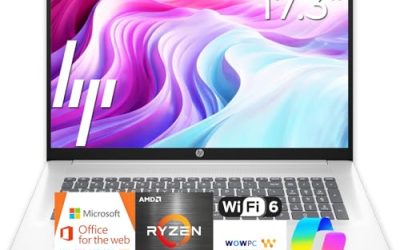
| HP 17-inch Business Laptop (Ryzen 5) | Spreadsheets and multitasking | 16GB RAM, 512GB SSD, 17.3″ FHD |
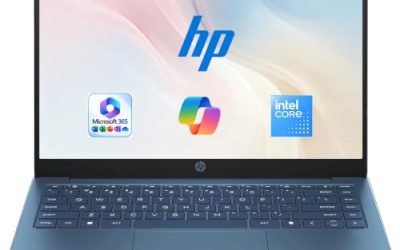
| HP 14-inch Everyday Laptop (N150) | Light daily use with cloud backup | Intel N150, 128GB SSD, Microsoft 365 included |
| HP Everyday Slim (AMD) | A light, slim carry | 4GB DDR5 RAM, 128GB SSD |
| HP 14 Ultra-Light (N150) | Students needing extra file space | 128GB plus 128GB SD card, fast charge |
| HP OmniBook 3 17.3 | Large-screen office work | Core Ultra 5 225U, 8 GB RAM, 512 GB SSD |
| HP OmniBook 3 16 | A sharper touch display | 2K touchscreen, Ryzen 3, Radeon 610M |
| HP 15.6-inch Laptop (N200) | Basic business tasks | Intel 4 Core N200, 128GB SSD, S mode |
How to Choose
Start with the problem, then the processor
If your day is email, web apps, and video calls, an Intel N150 or N200 handles it. If you juggle large spreadsheets, a dozen browser tabs, and a video call at once, step up to a Ryzen 5 or Core Ultra 5 class chip. Matching the chip tier to the workload prevents both underbuying and overspending.
RAM thresholds worth remembering
Four gigabytes is the entry point, 8GB is a comfortable standard, and 16GB is for heavy multitaskers. Because many thin laptops solder memory to the board, you cannot add more later, so decide at purchase. A title that omits RAM entirely deserves a closer look.
Storage and the cloud
A 128GB SSD fits Windows plus a modest set of apps; 256GB or 512GB gives real room. Bundled cloud storage and SD-card extras are helpful but secondary, since cloud space needs an internet connection and a card sits outside the machine. Look for an SSD over UFS or eMMC when you can. Budget HP models tend to economize on memory and storage speed while spending the title space on bundles, so read past the software list to the hardware line before comparing two laptops that look alike.
Display size and software limits
A 14-inch screen is portable, 15.6 inches is standard, and 17.3 inches is for desk work. Resolution matters as much as size, so prefer FHD or the 2K touchscreen on the OmniBook 16 over plain HD. Also watch for Windows S mode, which restricts app installs until switched off.
The 7 Best Options
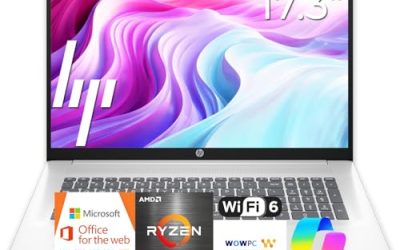
HP 17-inch Business Laptop (Ryzen 5)
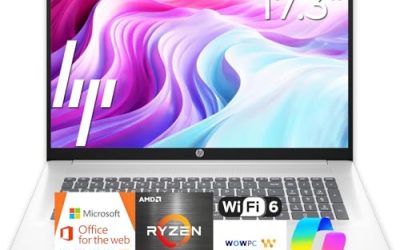
The strongest all-round configuration in this group on paper, with a Ryzen 5 processor, 16GB of RAM, a 512GB SSD, a 17.3-inch FHD display, a numeric keypad, and a long battery claim. It suits office workers, bookkeepers, and students who spend hours in documents and sheets.
- Strength: 16GB of RAM and a 512GB SSD stand out among the HP listings in this group.
- Strength: The numeric keypad and big display speed up data work.
- Trade-off: A 17.3-inch body is a lot to carry across a campus.
Skip it if portability is your priority. For a stay-at-home or desk-based role, it is the configuration that is least likely to feel limiting a couple of years from now. A model that names both its memory and storage this clearly also makes comparison shopping simple, because nothing important is left for the seller to fill in later.
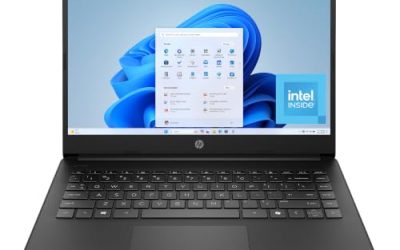
HP 14-inch Everyday Laptop (N150)
A small everyday laptop with an Intel N150 processor, a 128GB SSD, 1TB of cloud storage, Microsoft 365 included, Windows 11, and Copilot AI. It targets people who want a simple setup and cloud-based file storage.
- Strength: A real SSD keeps startup and app launches faster than flash storage.
- Strength: Microsoft 365 and cloud space come bundled for document work.
- Trade-off: The title does not give the RAM amount, which you should confirm.
Skip it if you want a stated memory figure up front or need lots of local storage. It suits a retiree writing letters or a parent managing household paperwork, who will live in a browser and a word processor. Because the bundle covers both software and online space, the setup is close to ready out of the box, and the small screen keeps the footprint modest on a kitchen table.
HP Everyday Slim (AMD)
A slim everyday model with an AMD processor, 4GB of DDR5 RAM, a 128GB SSD, 1TB of cloud storage, long battery life, and Windows 11. DDR5 is a newer memory type, a point in its favor against older entry listings.
- Strength: DDR5 memory and an SSD form a more current base than many peers.
- Strength: A slim body is easy to slip into a bag.
- Trade-off: Only 4GB of RAM, and the AMD chip is not named.
Skip it if you plan to run many apps at once. It is a fit for a second laptop that handles reading, email, and streaming around the house. If the AMD chip name matters to you, ask before buying, because the title leaves it generic and the tier could range widely.
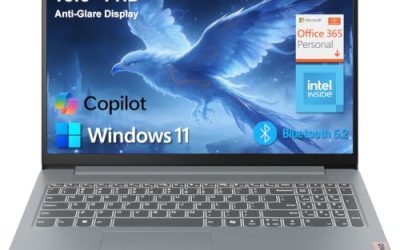
HP 14 Ultra-Light (N150)
A 14-inch ultra-light model with an Intel N150, 4GB of RAM, 128GB of storage plus a 128GB SD card, a one-year Office 365 offer, LED display, long battery life, and fast charge. It is aimed at students and home users.
- Strength: The extra SD card gives a cheap way to hold files and photos.
- Strength: Fast charge helps between classes or calls.
- Trade-off: 4GB of RAM limits multitasking.
Skip it if you want one-device simplicity without cards to manage. It is better as a note-taking and browsing laptop than as a do-everything one, which is exactly how many students use a machine like this. Carrying a lighter device to lectures and keeping bulky files on a card is a practical split of duties, as long as you remember to bring the card along.
HP OmniBook 3 17.3
A big-screen OmniBook with an FHD display, Intel Core Ultra 5 225U, 8 GB of RAM, a 512 GB SSD, and Windows 11 Home in Glacier Silver. It is a balanced office machine with a processor tier above the N-series models.
- Strength: A Core Ultra 5 chip and an 8 GB memory base handle everyday office loads.
- Strength: The 512 GB SSD leaves room for work files.
- Trade-off: Graphics are listed as Intel Graphics, so it is not for gaming.
Skip it if you need a compact laptop. As a home-office desk machine with a large display, it makes more sense than most 17-inch alternatives that carry less storage. It also gives hybrid workers a second look at the OmniBook family when a bigger display is wanted without jumping to the most memory-rich configuration.
HP OmniBook 3 16
A 16-inch OmniBook with a 2K touchscreen, a Ryzen 3 processor, 8 GB of RAM, a 512 GB SSD, and Radeon 610M graphics in Mica Silver. The display stands out in this group for sharpness and touch input.
- Strength: The 2K touchscreen is a clear upgrade for reading and sketching.
- Strength: 8 GB of RAM and a 512 GB SSD form a solid mid-tier base.
- Trade-off: Ryzen 3 is a lower CPU tier than the Ryzen 5 pick.
Skip it if raw processing speed is your top concern. Readers, note-takers, and light creatives will notice the screen first, which is where this model puts its strength. Pair that with a mid-sized body and a touch layer, and it becomes the easier recommendation for sketching ideas, marking up documents, and sharing a screen across a table.
HP 15.6-inch Laptop (N200)
A standard-size 15.6-inch laptop with an Intel 4 Core N200, 4GB of RAM, a 128GB SSD, and Windows 11 Home in S mode, aimed at portable business use. It is a basic, familiar format.
- Strength: The classic 15.6-inch size gives a comfortable keyboard and screen.
- Strength: SSD storage is named.
- Trade-off: S mode limits software, and 4GB of RAM is tight.
Skip it if your work requires apps from outside the Microsoft Store. It fits a reception desk or a shared household computer where tasks are narrow and predictable. S mode can even be a plus in that setting, since it reduces the chance of unwanted installs on a computer several people use.
Which One Fits Your Situation
You need one laptop to last through years of office work
Pick the HP 17-inch Business Laptop (Ryzen 5) for its 16GB of RAM and 512GB SSD.
You want a sharper screen for reading or sketching
Choose the HP OmniBook 3 16 with its 2K touchscreen.
You are a student who needs a cheap second-tier laptop with extra file space
The HP 14 Ultra-Light (N150), with its SD card, fits that need.
You want a mid-range desk machine with a modern chip
The HP OmniBook 3 17.3 offers a Core Ultra 5 and a large display.
Common Mistakes
- Buying on a headline like “Long Battery Life” without checking RAM.
- Assuming 128GB of storage is plenty once Windows updates and apps install.
- Treating cloud storage as a substitute for local drive space.
- Choosing a 17-inch laptop for a daily commute.
- Overlooking S mode until an important program will not install.
Related guides
- Replacement Cables For Gaming Mice And Headsets
- Indoor Security Cameras Without Subscription
- Nvidia Control Panel Best Settings For Gaming
Frequently Asked Questions
Which HP laptop has the most RAM in this list?
The 17-inch Business Laptop lists 16GB, double the 8 GB on the OmniBook models and four times the entry listings. Memory is the spec that most affects how long a laptop feels fast, which is why it leads the comparison.
Is the Intel N150 good enough?
For web browsing, documents, and streaming it is workable. For heavy multitasking or creative software, step up to a Ryzen 5 or Core Ultra class chip.
Does a bundled SD card replace an SSD upgrade?
No. It adds slower removable space, handy for files and photos, but the laptop’s internal drive still holds Windows and apps.
Can I turn off S mode?
In most cases yes, and it is free, but the switch is permanent, so only do it if you need apps from outside the Microsoft Store. For many buyers who only use a browser and Office, staying in S mode is a harmless default.